
Skill
Power Apps Canvas App YAML Generator
A GitHub Copilot skill that generates valid, importable Power Apps Source Code YAML for canvas app screens or components — including layout containers, galleries, status badges, sidebar navigation, and Power Fx formulas following delegation best practices.

- Sample type
- Skill
- Products
- Power Apps, GitHub Copilot
- Created
- Updated
Sample documentation
How to use this sample
Summary
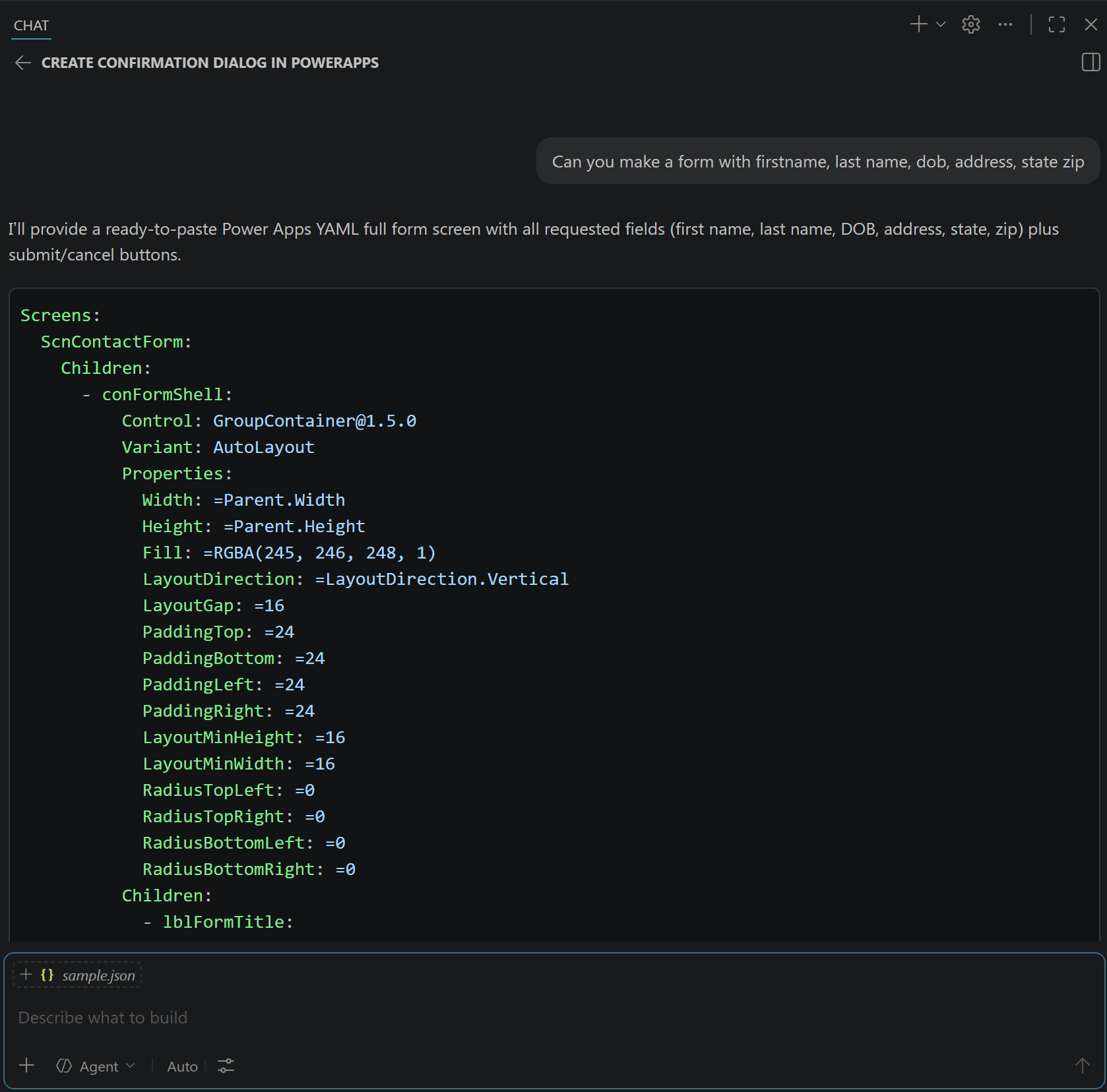
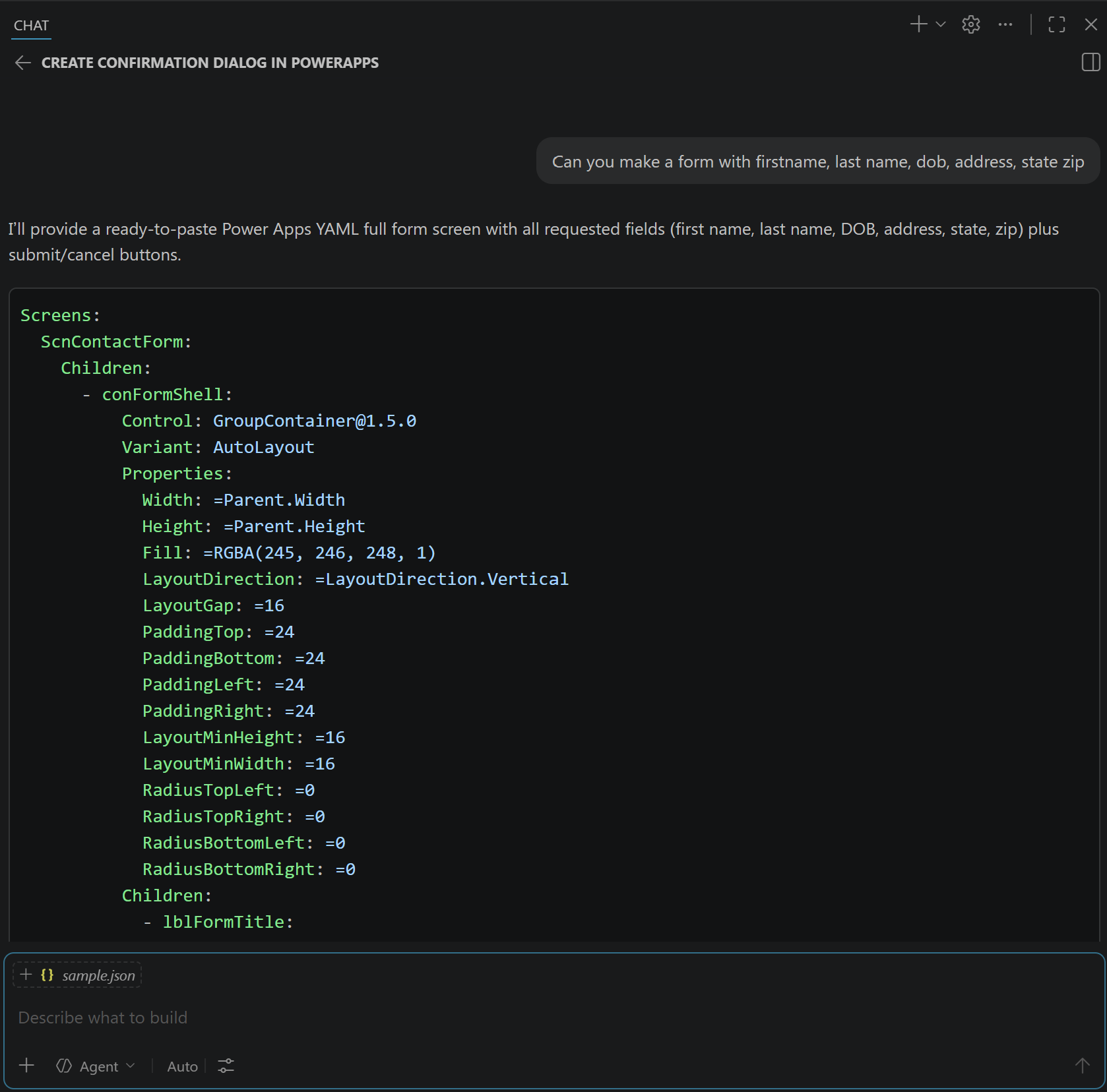
This GitHub Copilot custom skill generates valid, importable Power Apps Source Code YAML for canvas app screens and components. It is intended for makers and developers who want fast, production-ready scaffolding for screens, forms, dialogs, galleries, and dashboard layouts using Power Fx-compatible YAML output.
Skill
The full skill definition is in SKILL.md. To use it, copy the SKILL.md file into your repository at .github/skills/powerapps-canvas-yaml-generator/SKILL.md.
Trigger Phrases
Say any of these to GitHub Copilot to activate the skill:
- "Generate Power Apps canvas YAML for a dashboard screen"
- "Create a Power Apps dialog YAML component"
- "Scaffold a request form screen in Power Apps YAML"
- "Build a gallery screen in Power Apps source code YAML"
- "Generate Power Fx formulas and importable canvas YAML"
Description
This skill teaches GitHub Copilot to produce YAML that aligns with the Power Apps source format and common canvas app implementation patterns.
The skill helps by:
- Gathering required context before generation (screen name, component type, navigation, data source, controls)
- Applying valid schema structure for screens versus reusable/dialog components
- Emitting Power Fx expressions in import-safe YAML format
- Following consistent naming and layout conventions for maintainable app source
- Including assumptions when details are missing so output stays actionable
The result is a ready-to-import YAML scaffold you can refine in your app source workflow.
Contributors
Version history
| Version | Date | Comments |
|---|---|---|
| 1.0 | May 18, 2026 | Initial release |
Instructions
- Copy SKILL.md into your repository at .github/skills/powerapps-canvas-yaml-generator/SKILL.md.
- Open GitHub Copilot Chat in VS Code.
- Ask Copilot to generate a specific Power Apps screen or component.
- Provide context when prompted (name, type, purpose, data source, controls).
- Use the generated YAML in your Power Apps source project and import/build as needed.
Customization
- Change layout style: ask for full screen shell, standalone form screen, or bare dialog component.
- Specify navigation: include sidebar nav and the active section, or request no sidebar.
- Provide data schema: include SharePoint or Dataverse column names for data-bound formulas.
- Focus output: ask only for a gallery, dialog, card, or detail section.
- Extend rules: fork SKILL.md and tune conventions for your team standards.
Prerequisites
- GitHub Copilot
- Visual Studio Code
- A Power Apps Source Code workflow where YAML-based screen definitions are used
Help
We do not support samples, but this community is always willing to help, and we want to improve these samples. We use GitHub to track issues, which makes it easy for community members to volunteer their time and help resolve issues.
You can try looking at issues related to this sample to see if anybody else is having the same issues.
If you encounter any issues using this sample, create a new issue.
Finally, if you have an idea for improvement, make a suggestion.
Disclaimer
THIS CODE IS PROVIDED AS IS WITHOUT WARRANTY OF ANY KIND, EITHER EXPRESS OR IMPLIED, INCLUDING ANY IMPLIED WARRANTIES OF FITNESS FOR A PARTICULAR PURPOSE, MERCHANTABILITY, OR NON-INFRINGEMENT.
Learn more
References
Background and supporting resources provided by the contributor.