
A community-built Power Platform sample
Color Contrast Ratio Checker
an app that allows maker to choose colors that fulfill WCAG 2.1 standard for color contrast ratio to improve accessibility
 Power Apps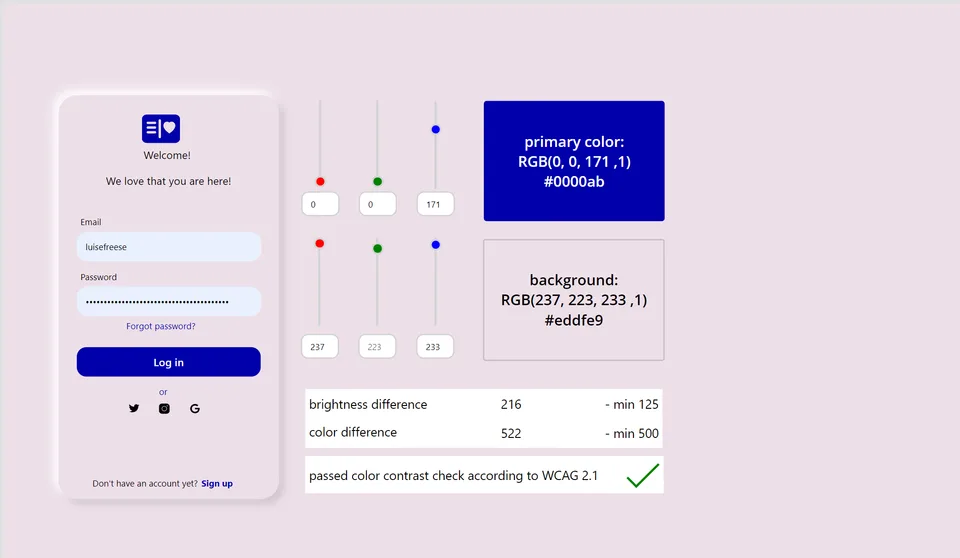
- Last updated
- May 5, 2021
- Category
- Power Apps, Canvas apps
- Premium license
- Not required
- Experimental features
- No
From idea to implementation
Make it your own.
Check this sample's prerequisites, permissions, and licensing before importing it. The documentation below comes directly from the sample README.
page_type: sample languages:
- powerapps-comma products:
- power-apps
- powerapps
- canvas name: Accessibility color contrast checker description: "an app that allows maker to choose colors that fulfill WCAG 2.1 standard for color contrast ratio to improve accessibility" urlFragment: powerapps-accessibility-color-contrast-checker ms.date: 07/03/2022 author: LuiseFreese ms.author: pnp level: advanced ms.prod: power-apps
Idea
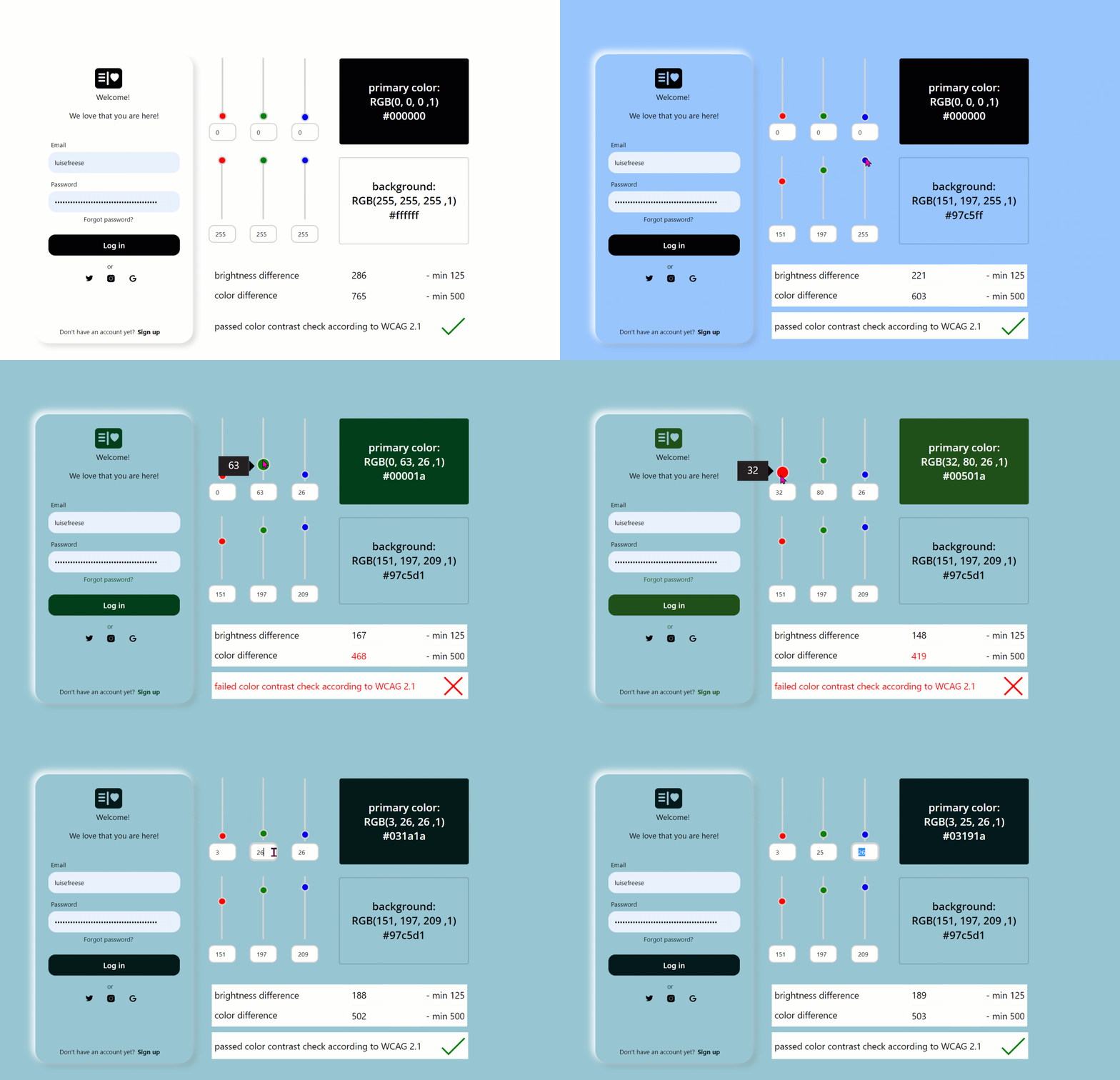
Color contrast ratio is important for accessibility - here is a Power Apps canvas-app that allows makers to check in an app if the colors they want to use comply with the WCAG 2.1 success criteria for accessibility. For mor information read How to build a color-contrast-ratio checker for improved accessibility in Power Apps.
Demo
Applies to
Compatibility





Authors
| Solution | Author(s) |
|---|---|
| Accessibility color contrast checker | Luise Freese (@LuiseFreese ) |
Version history
| Version | Date | Comments |
|---|---|---|
| 1.1 | July 19, 2022 | New features: display hex value of colors, input RGBA value with either sliders or input fields |
| 1.0 | July 3, 2022 | Initial release |
Minimal Path to Awesome
- Download the
.msappfrom thesolutionfolder - Within Power Apps Studio, use the
.msappfile using File > Open > Browse and select the.msappfile you just downloaded. - Save and Publish
Using the Source Code
You can also use the Power Apps CLI to pack the source code by following these steps::
- Clone the repository to a local drive
- Pack the source files back into
.msappfile
pac canvas pack --sources pathtosourcefolder --msapp pathtomsapp
- Make sure to replace
pathtosourcefolderto point to the path to this sample'ssourcecodefolder, andpathtomsappto point to the path of this solution's.msappfile (located under thesolutionfolder) - Within Power Apps Studio, use the
.msappfile using File > Open > Browse and select the.msappfile you just packed.
Disclaimer
THIS CODE IS PROVIDED AS IS WITHOUT WARRANTY OF ANY KIND, EITHER EXPRESS OR IMPLIED, INCLUDING ANY IMPLIED WARRANTIES OF FITNESS FOR A PARTICULAR PURPOSE, MERCHANTABILITY, OR NON-INFRINGEMENT.
Support
While we don't support samples, if you encounter any issues while using this sample, you can create a new issue.
For questions regarding this sample, create a new question.
Finally, if you have an idea for improvement, make a suggestion.