
A community-built Power Platform sample
Bodypart Gallery
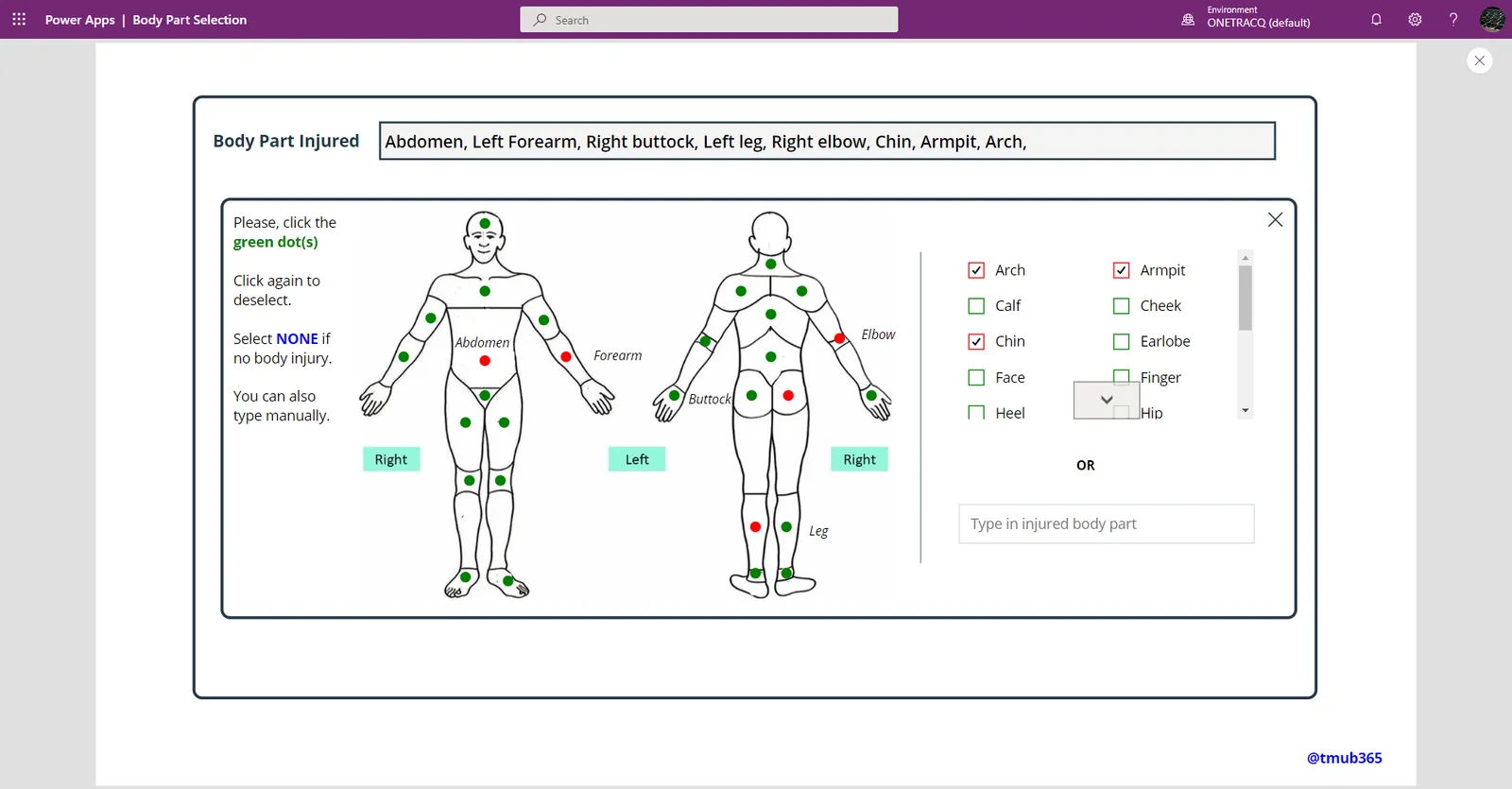
An app with a Body Part Selection gallery that can be applied to a canvas app to select various parts of the body.
 Power Apps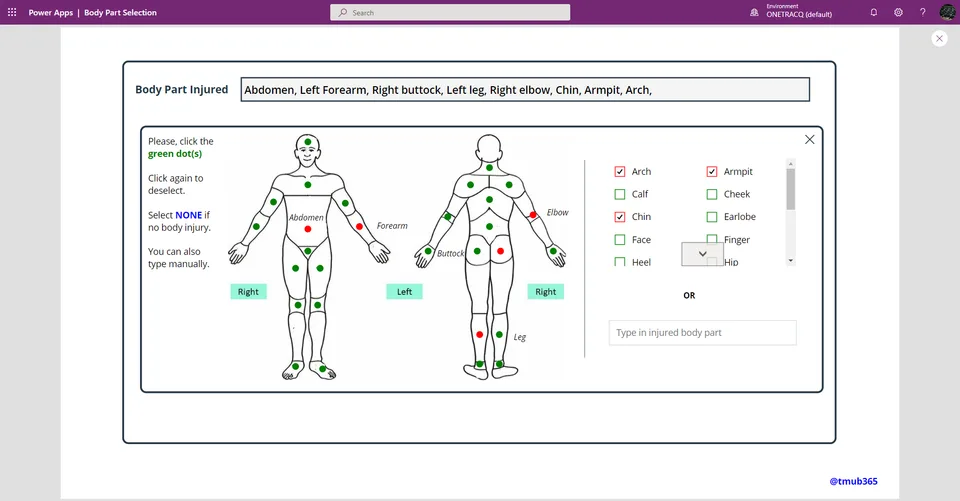
- Last updated
- Dec 5, 2022
- Category
- Power Apps, Canvas apps
- Premium license
- Not required
- Experimental features
- No
From idea to implementation
Make it your own.
Check this sample's prerequisites, permissions, and licensing before importing it. The documentation below comes directly from the sample README.
Summary
Happy to share some of my PowerApps projects that I think might be interesting with the community. I tend to spend too much time on UI/UX and I hope someone else finds them useful for their project . . . Just load the .msapp file and customise it to your heart's content.
An app with a Body Part Selection A gallery that can be applied to a canvas app to select various parts of the body. Use case - A reporting app that requires that the injured body part be submitted as a multi-choice option to a DB
Applies to
Compatibility





Authors
| Solution | Author(s) |
|---|---|
| Body-Part Selection Canvas App | Mubarak Adeyemo (@tMub365 ) |
Version history
| Version | Date | Comments |
|---|---|---|
| 1.0 | Nov 30, 2022 | Initial release |
Features
This sample illustrates the following concepts:
- Manipulating UI
Prerequisites
Using the component
Selecting each of the dots insert the name of the corresponding body part into a collection. The color of the selected dot also changes, with a correspodning title. Selecting the dot again deselects it and remove the body part form the collection.
If you have a form with a datacard driven by multichoice field, you can just copy the container into the datacard. A collection named col_BodyPart captures all the selection.
You can also use TextInput_ManualInput to capture free text, in case users need the option to enter such.
Update for the datacard can look like this
    !(IsBlank(TextInput_ManualInput)),
    TextInput_ManualInput.Text,
    Concat(
        col_BodyPart,
        Value & ", "
    )
)
To change the colours of any of the controls, Navigate to the Screen_Style.
Data Sources
Static table with body part title
Minimal Path to Awesome
- Download the
.msappfrom thesolutionfolder - Use the
.msappfile using File > Open > Browse within Power Apps Studio. - Save and Publish
Disclaimer
THIS CODE IS PROVIDED AS IS WITHOUT WARRANTY OF ANY KIND, EITHER EXPRESS OR IMPLIED, INCLUDING ANY IMPLIED WARRANTIES OF FITNESS FOR A PARTICULAR PURPOSE, MERCHANTABILITY, OR NON-INFRINGEMENT.
Support
While we don't support samples, if you encounter any issues while using this sample, you can create a new issue.
For questions regarding this sample, create a new question.
Finally, if you have an idea for improvement, make a suggestion.
For more information
- Create a component for canvas apps
- Overview of creating apps in Power Apps
- Power Apps canvas apps documentation
PS
- Credit to aprildunnam for the content of this ReadMe. Without this, I wont even know where to start
- Thanks to David Warner and Hugo Bernier for the Nov 22 SharingIsCaring session. Lets just say that was my first official Github training
- First time contributing, please be gentle