
A community-built Power Platform sample
Editable Subgrid Power App Sample
The Editable Subgrid Power App sample is a contribution by Shaheer Ahmad (GitHub: shaheerahmadch) that demonstrates how to create a Power App with an editable subgrid, allowing users to efficiently manage and update data within a grid interface.
 Power Apps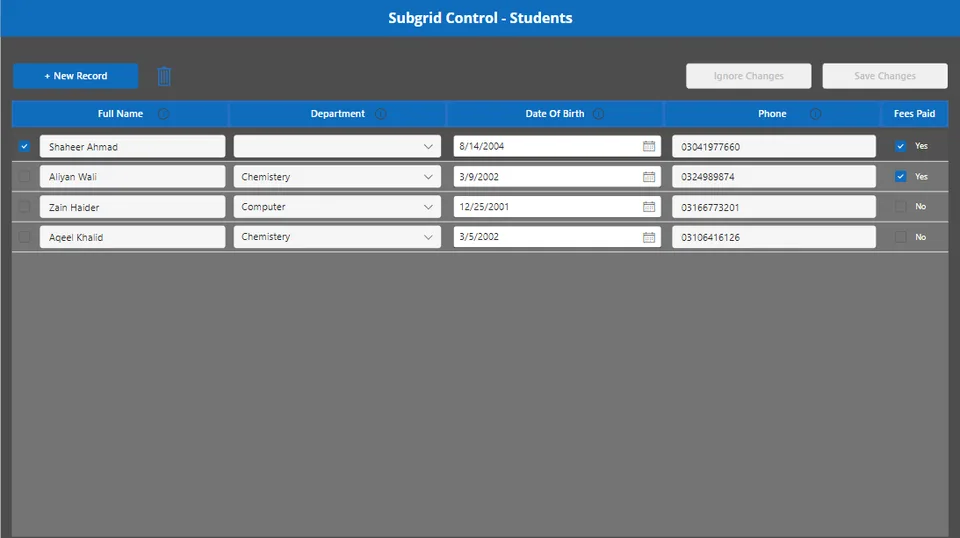
- Last updated
- Sep 5, 2023
- Category
- Power Apps, Canvas apps
- Premium license
- Required
- Experimental features
- No
From idea to implementation
Make it your own.
Check this sample's prerequisites, permissions, and licensing before importing it. The documentation below comes directly from the sample README.
Summary
The Editable Subgrid Power App sample is a contribution by Shaheer Ahmad (GitHub: shaheerahmadch) that demonstrates how to create a Power App with an editable subgrid, allowing users to efficiently manage and update data within a grid interface. This sample is designed to showcase best practices for building user-friendlyPower Apps.
Applies to

Compatibility


Contributors
Version history
| Version | Date | Comments |
|---|---|---|
| 1.0 | September 05, 2023 | Initial release |
Prerequisites
None
Data Sources
None
Minimal Path to Awesome
- Download the solution
.zipfrom thesolutionfolder. - Within https://make.powerapps.com, import the
.zipfile via Solutions > Import solution > Browse and select the.zipfile you just downloaded. - Follow the on-screen instructions to deploy the application.
- Access the Incident Reporting Canvas App and start reporting incidents.
Using the Source Code
You can also use the Power Apps CLI to pack the source code by following these steps:
- Clone the repository to a local drive.
- Pack the source files back into
.zipfile:pac solution pack --folder pathtosourcefolder --zipfile pathtosolution --processCanvasApps
Features
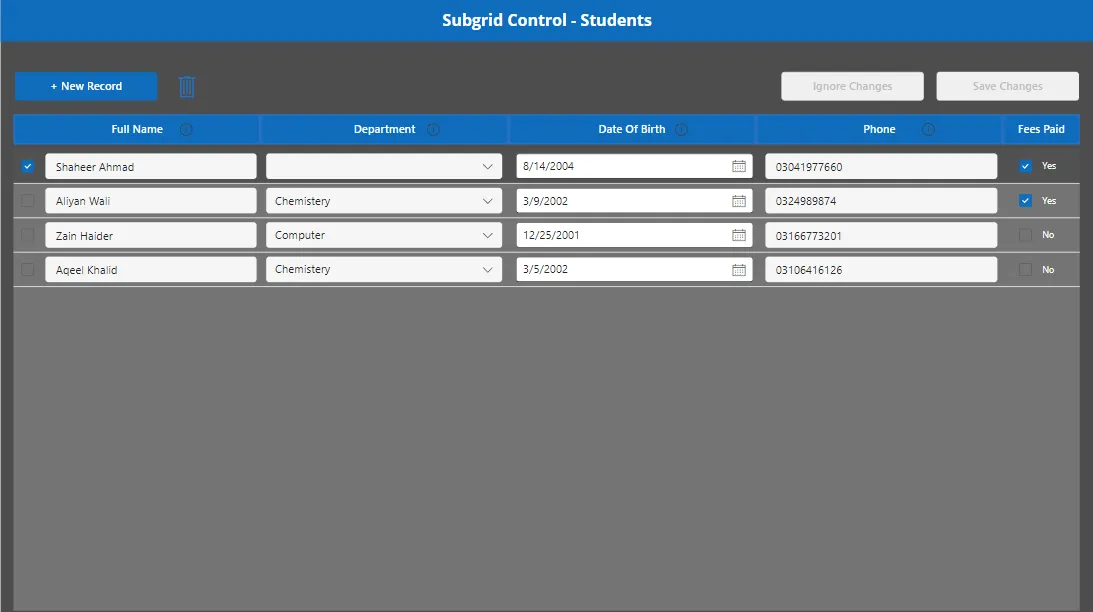
Editable Subgrid: The core feature of this Power App sample is an editable subgrid that displays a list of items with editable fields. Users can easily update data directly within the grid, streamlining the data management process.
Efficient Data Manipulation: Users can quickly edit individual fields, which are then updated in real-time without requiring page reloads or additional navigation.
Help
We do not support samples, but this community is always willing to help, and we want to improve these samples. We use GitHub to track issues, which makes it easy for community members to volunteer their time and help resolve issues.
If you encounter any issues while using this sample, you can create a new issue.
For questions regarding this sample, create a new question.
Finally, if you have an idea for improvement, make a suggestion.
Disclaimer
THIS CODE IS PROVIDED AS IS WITHOUT WARRANTY OF ANY KIND, EITHER EXPRESS OR IMPLIED, INCLUDING ANY IMPLIED WARRANTIES OF FITNESS FOR A PARTICULAR PURPOSE, MERCHANTABILITY, OR NON-INFRINGEMENT.