
A community-built Power Platform sample
Gym Management App
The Gym Management App is designed to enhance efficiency and reduce costs for gym owners.
 Power Apps
 Power AutomatePower Fx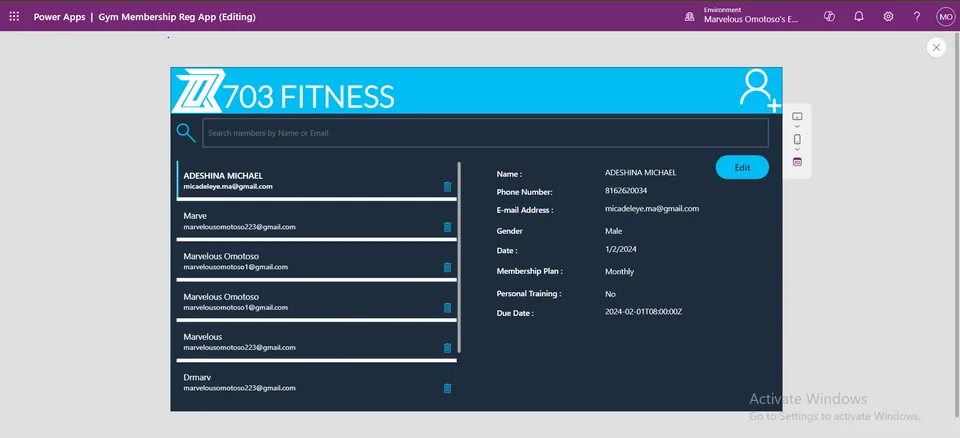
- Last updated
- Oct 27, 2024
- Category
- Canvas apps, Cloud flows
- Premium license
- Not required
- Experimental features
- No
From idea to implementation
Make it your own.
Check this sample's prerequisites, permissions, and licensing before importing it. The documentation below comes directly from the sample README.
Summary
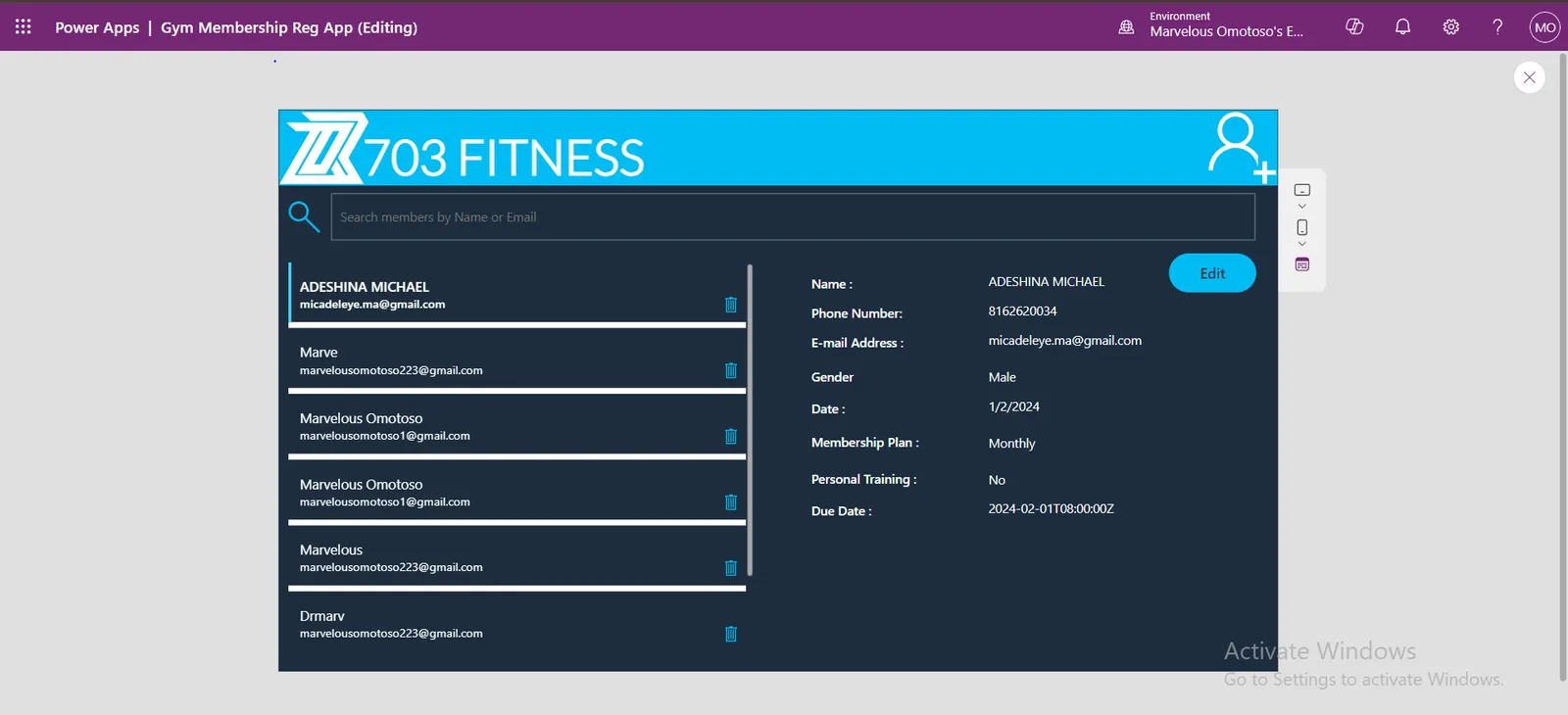
The Gym Management App is designed to enhance efficiency and reduce costs for gym owners. This application streamlines the process of member registration, subscription management, and communication through automated workflows.
Applies to









Compatibility


Contributors
Version history
| Version | Date | Comments |
|---|---|---|
| 1.0 | October 27, 2024 | Initial release |
Prerequisites
- Make sure Office 365 Outlook is enabled in your environment for E-mail sending
- The Sharepoint list must be the Datasource, the app uses Sharepoint as the Datasource.
Creating the Data Source
Create a SharePoint List with the following columns:
Column Name Column Type Date Date and Time Name Single Line of Text EmailAddress Single Line of Text PhoneNumber Number MembershipPlan Choice (Daily, Weekly, Monthly, Quarterly(3 Months), Half a year(6 Months), Yaerly(12 Months)) PersonalTraining Choice(No, Daily, Silver, Diamond, Gold, VIP, Boxing) DueDate Calculated Column (Check how to create this below) Gender Choice (Male, Female) DueDate2 Date and Time NOTE: Make sure your column names are exactly the way it is written above.
How to Create Due Date Calculated Column
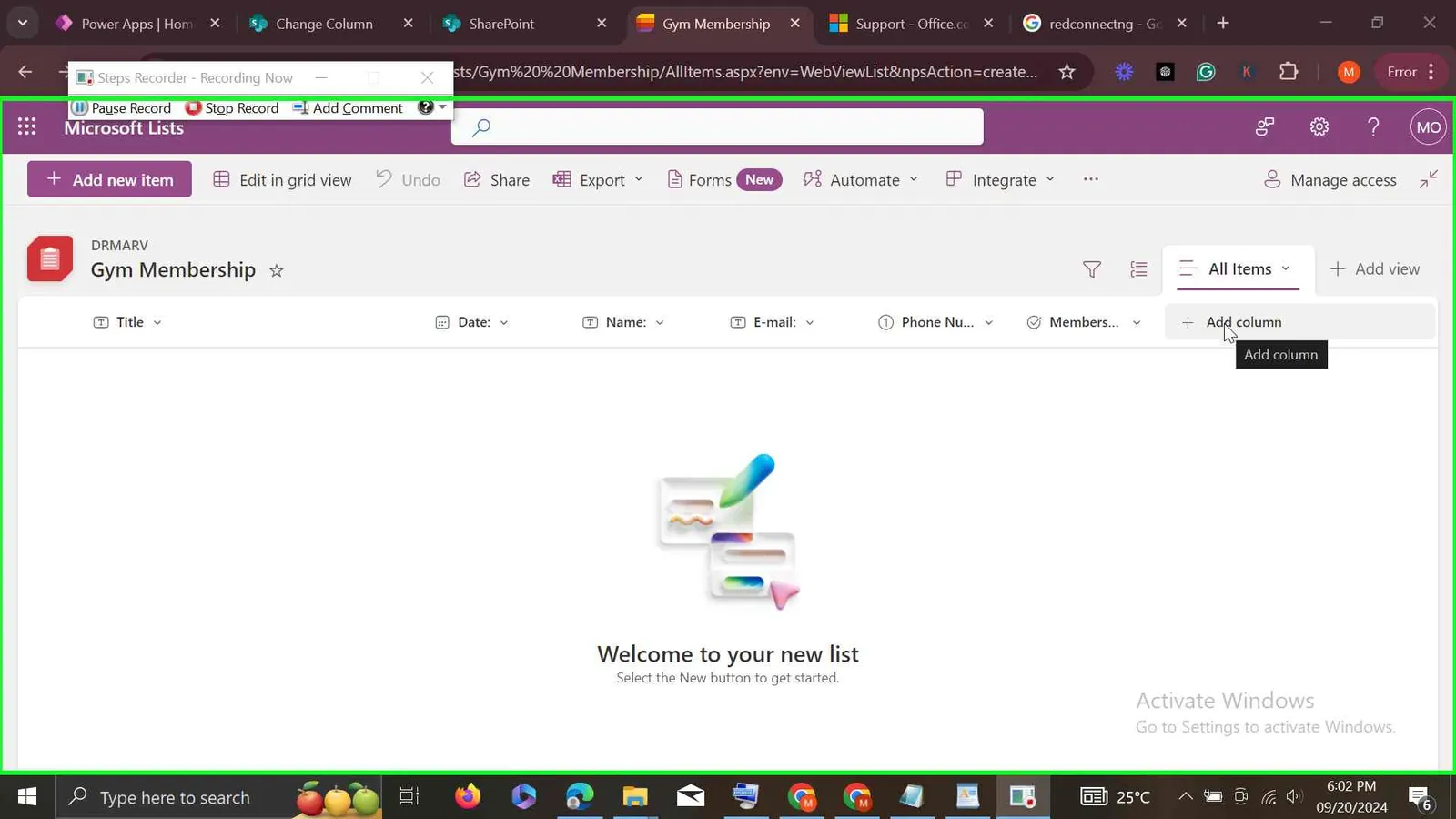
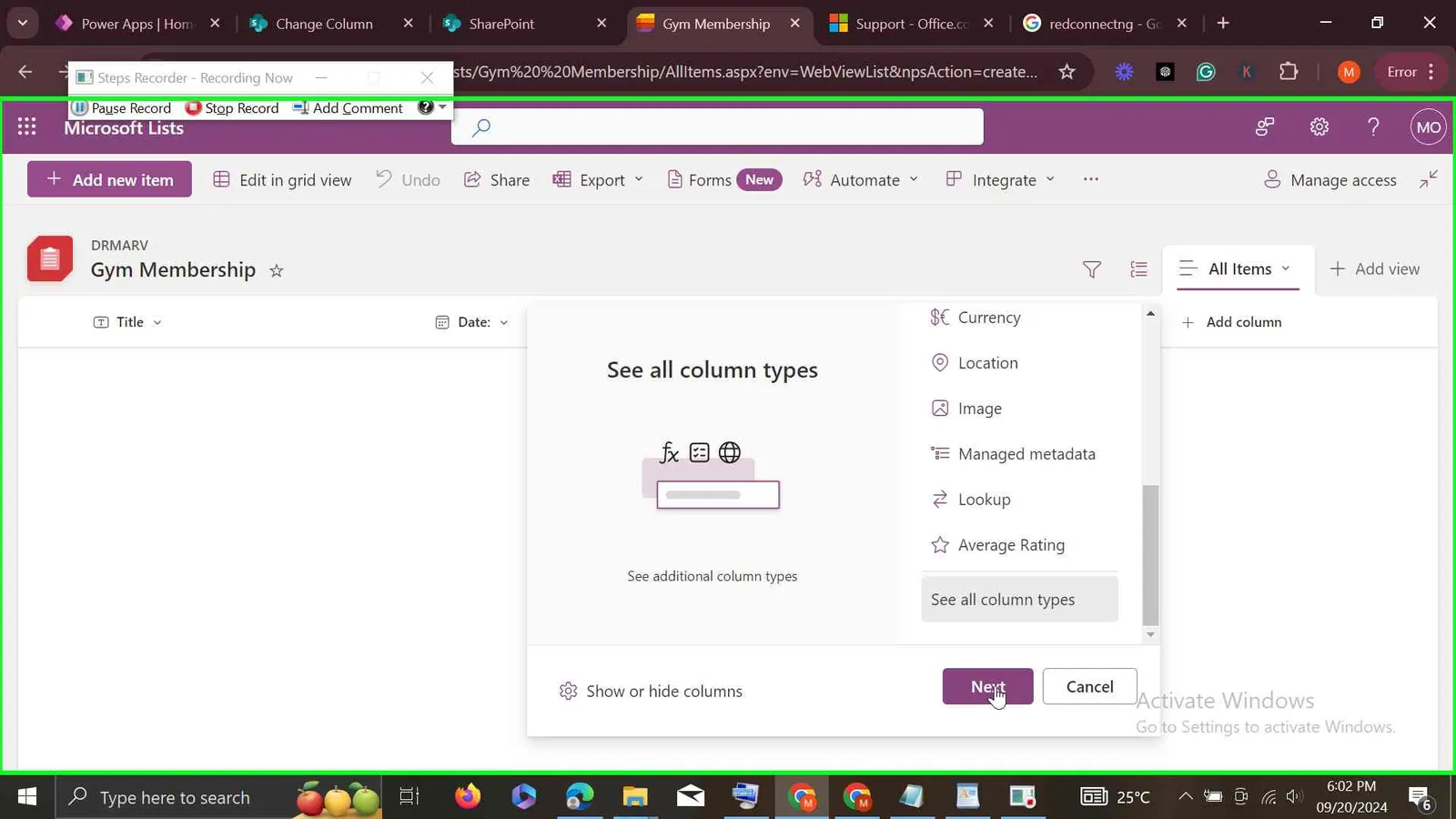
Step 1: Add a Column
Step 2: Scroll Down to select see all column types
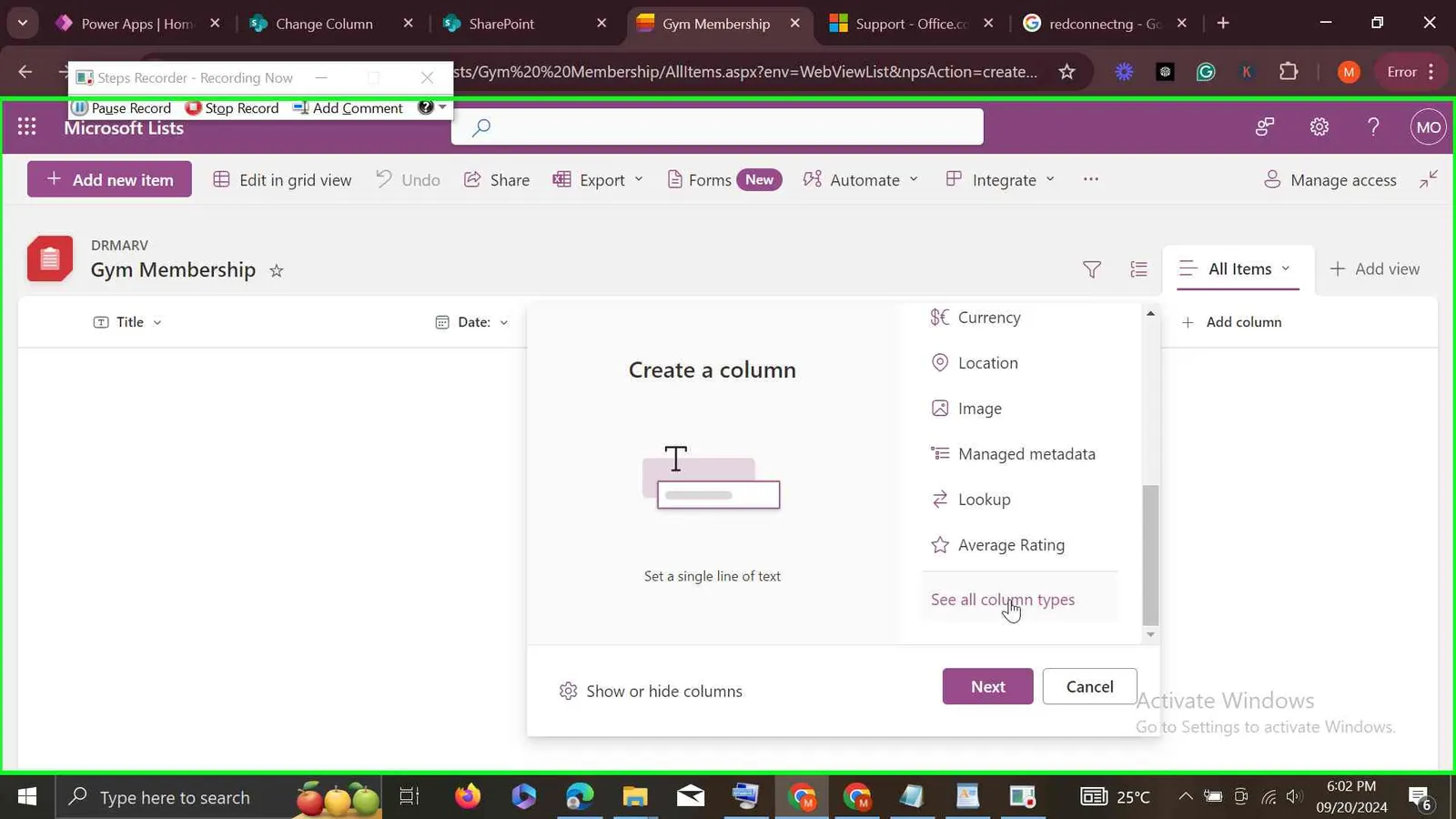
Step 3: Click on Next
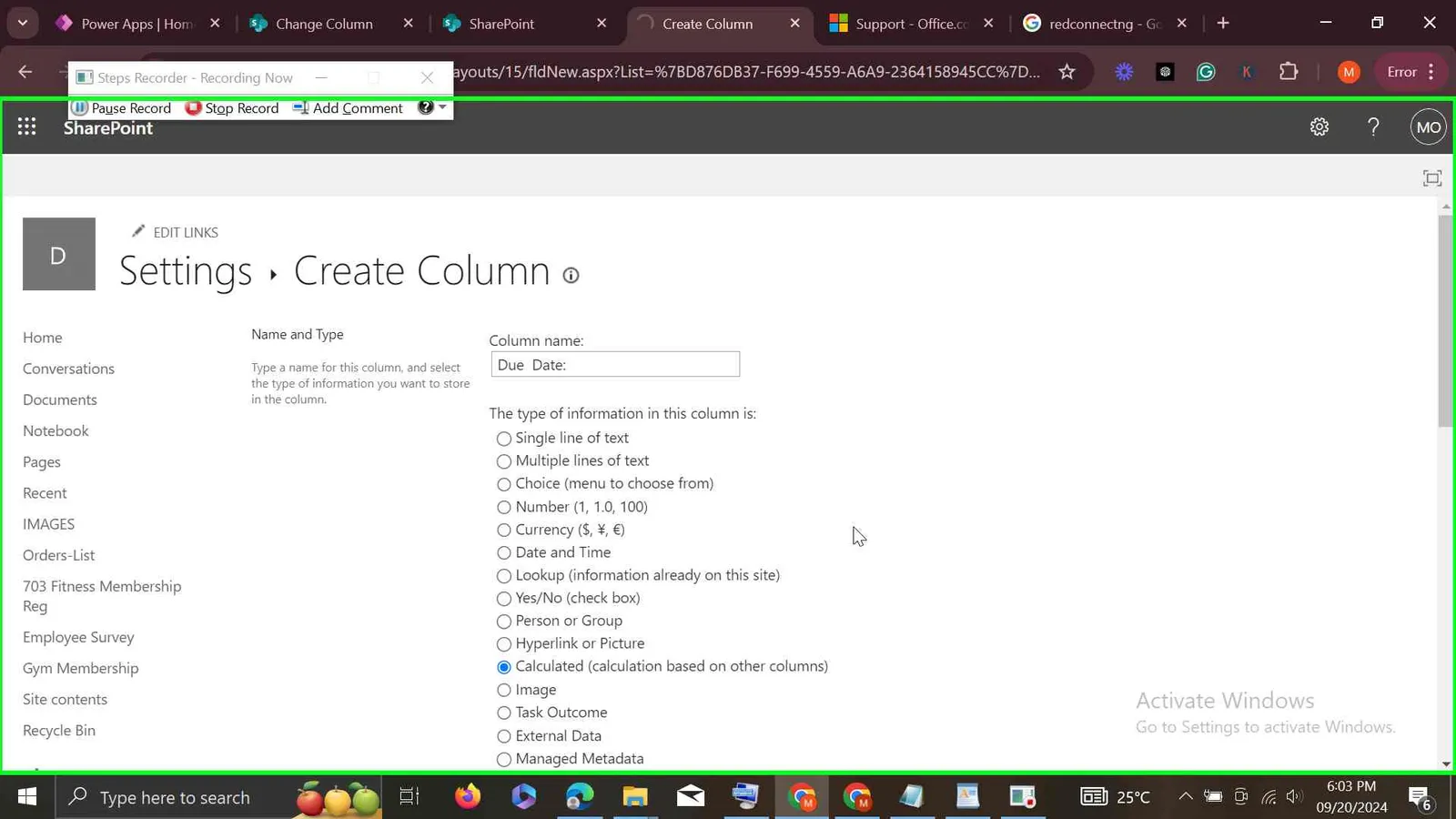
Step 4: Select Calculated(Calculations based on other columns) and Due Date : as the column name
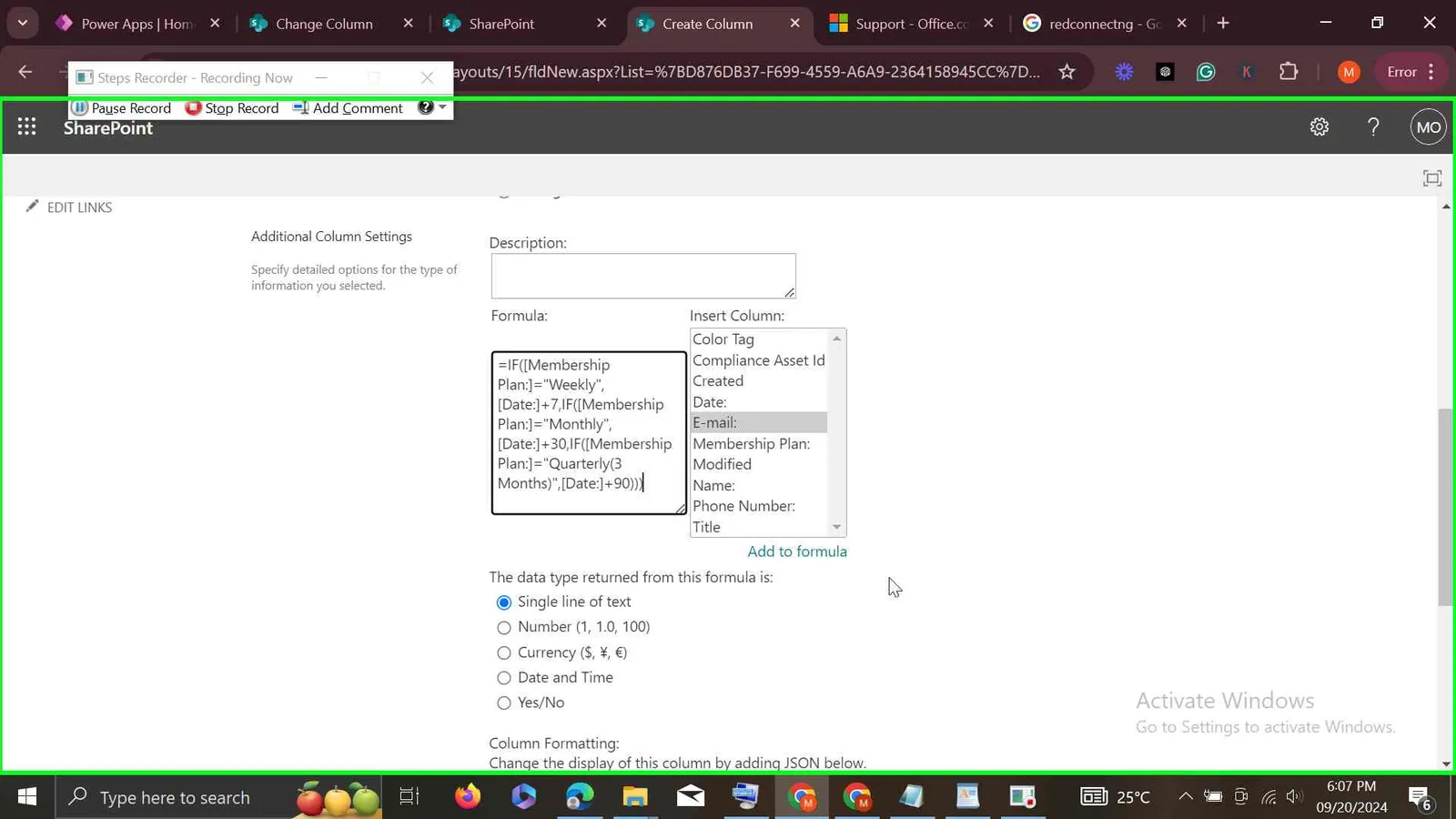
Step 5: Scroll down to formula and paste in this formula:
=IF([MembershipPlan]="Daily",[Date]+1,IF([MembershipPlan]="Weekly",[Date]+7,IF([MembershipPlan]="Monthly",[Date]+30,IF([MembershipPlan]="Quarterly(3 Months)",[Date]+90,IF([MembershipPlan]="Half a year(6 Months)",[Date]+180,IF([MembershipPlan]="Yearly(12 Months)",[Date]+365))))))
Scroll down to select Date and Time where it says The data type returned from this formula is: and change the Date and Time Format to Date Only
Minimal path to awesome
Using the solution zip
- Download the
.zipfrom thesolutionfolder. - Within Power Apps Studio, import the solution
.zipfile using Solutions > Import Solution and select the.zipfile you just packed. - When importing the solution you will be prompted to connect a SharePoint site and Office 365 Outlook, kindly connect your SharePoint Site and Office365 Outlook. Use the SharePoint list you created in step 1 as the data source.
Using the source code
You can also use the Power Apps CLI to pack the source code by following these steps:
Clone the repository to a local drive
Pack the source files back into a solution
.zipfile:pac solution pack --zipfile pathtodestinationfile --folder pathtosourcefolder --processCanvasAppsMaking sure to replace
pathtosourcefolderto point to the path to this sample'ssourcecodefolder, andpathtodestinationfileto point to the path of this solution's.zipfile (located under thesolutionfolder)Within Power Apps Studio, import the solution
.zipfile using Solutions > Import Solution and select the.zipfile you just packed.
Features
This template not only gives you a good foundation for customizing your own Membership Registration system, it also demonstrates patterns that you can use across other apps.
Key Features of the solution include:
A dashboard landing page featuring Registered Memebers and Subscription Due Date which was calculated by the app in respect to the Memeber's Subcription Package . Ability to search for a member's details either by Name or E-mail, without having to search through a long list of Excel Spreadsheet.
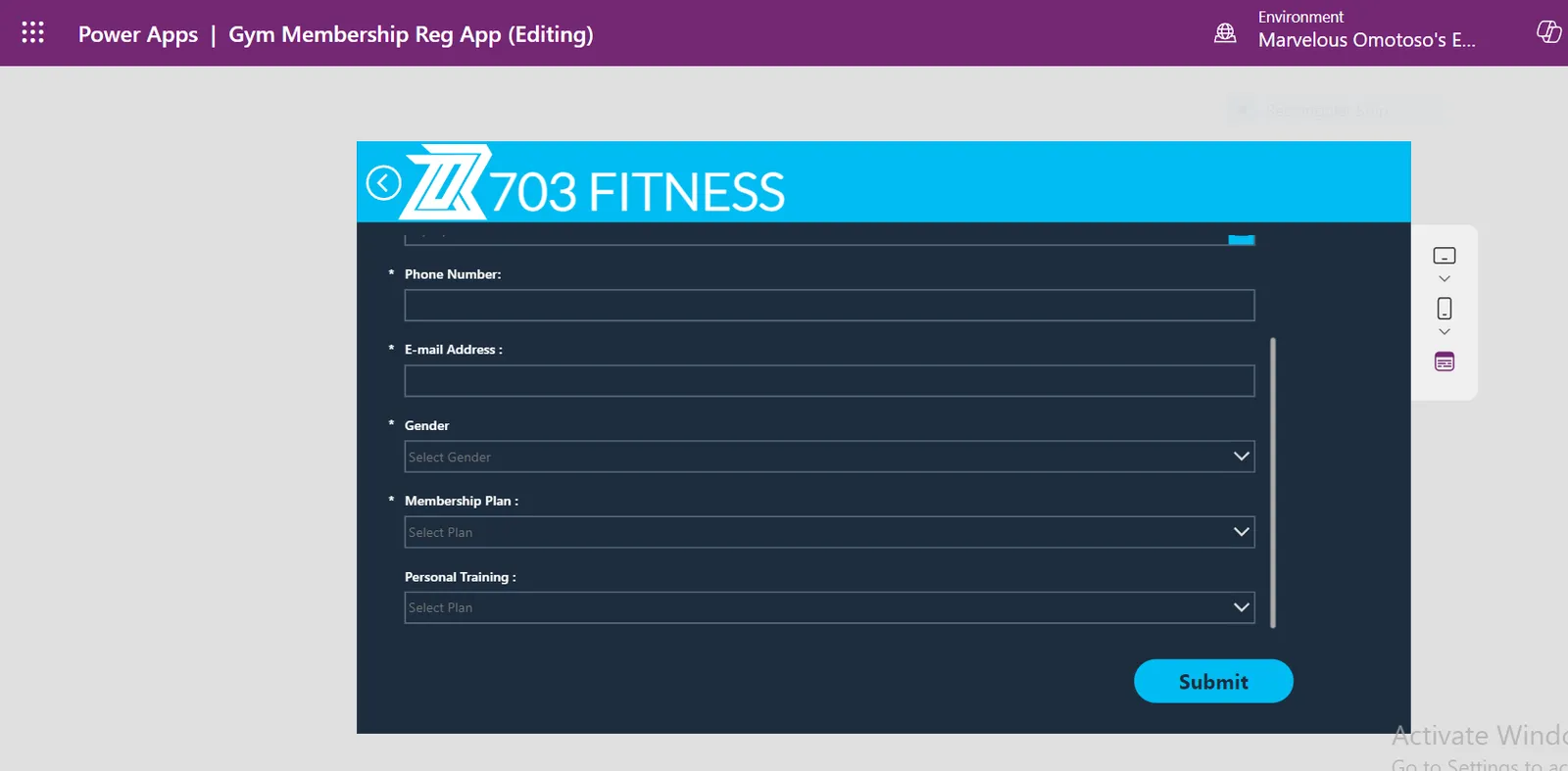
Automated Member Registration: New members' information is directly entered into the app, eliminating manual data entry.
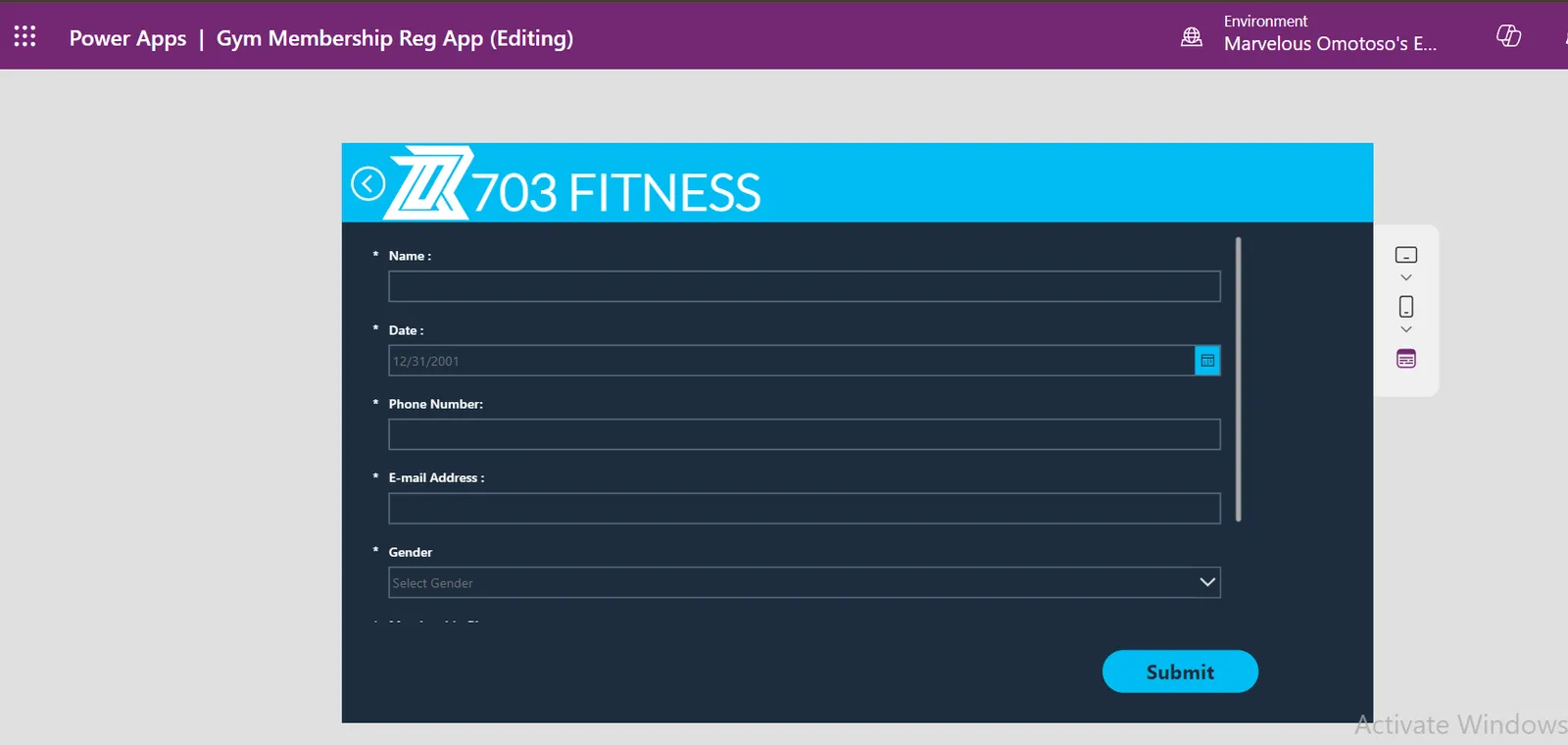
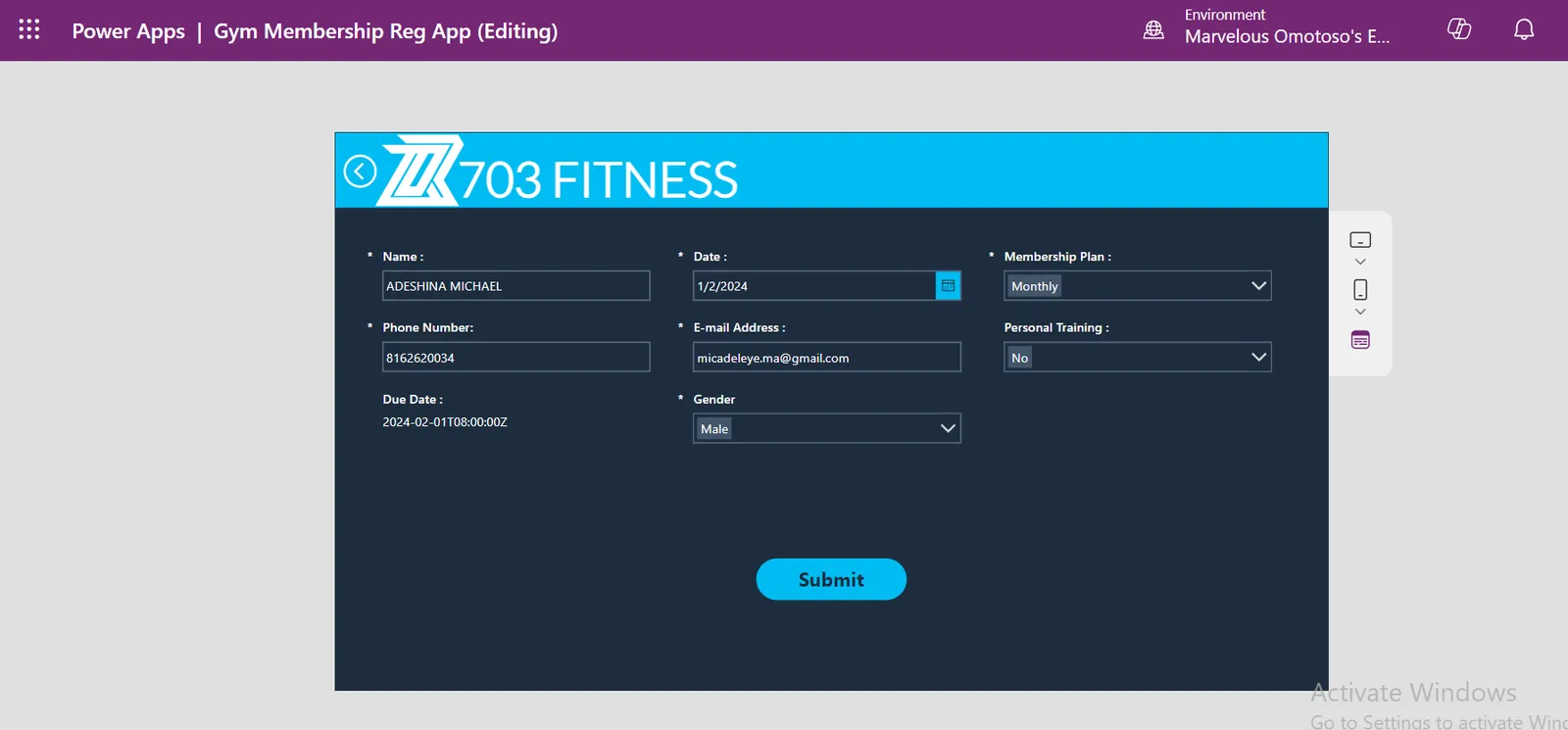
Subscription Management: The app automatically calculates the subscription due date based on the plan selected during registration.
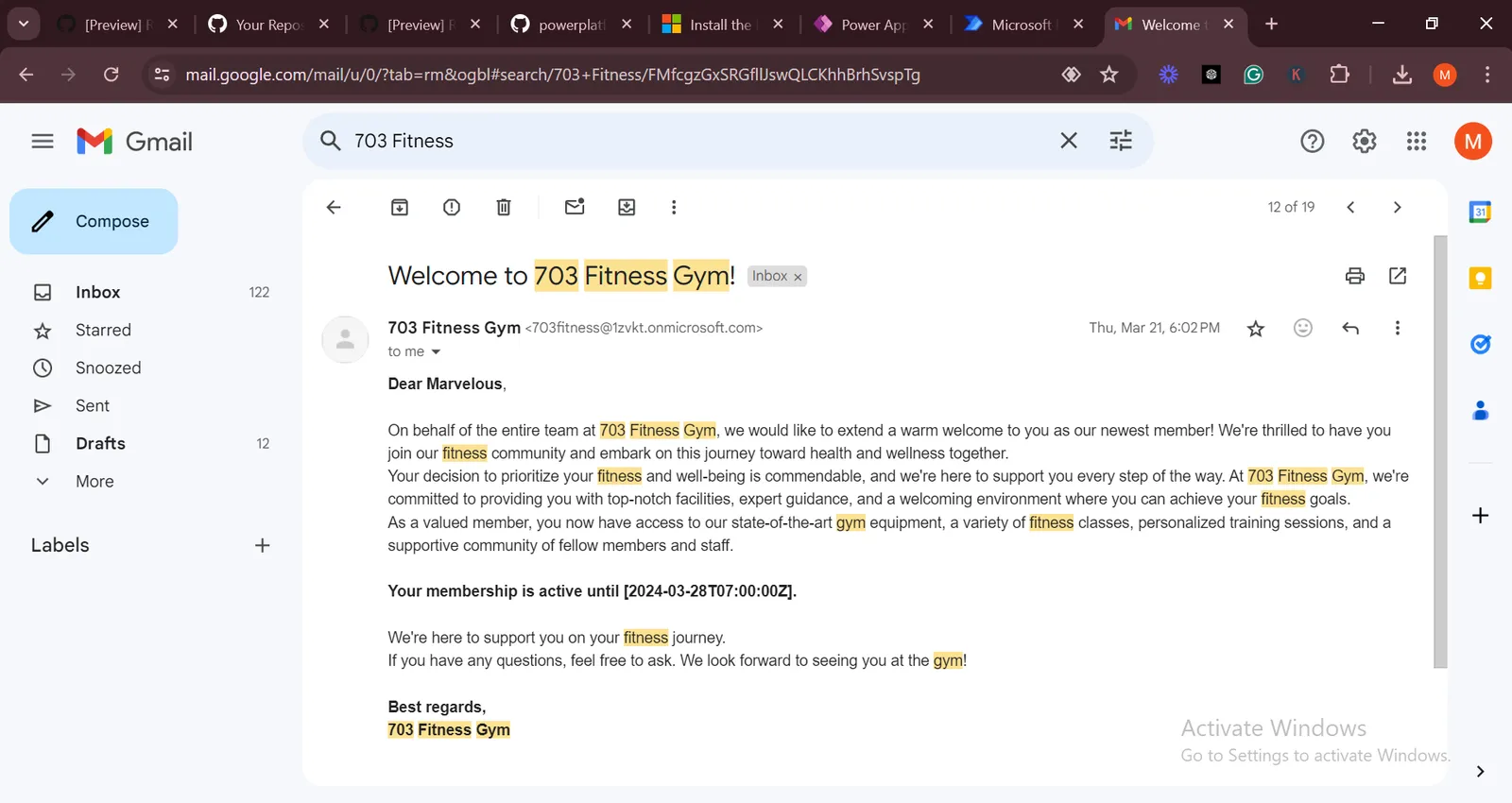
Automated Communication:
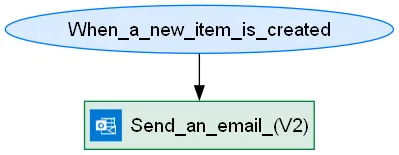
Sends a welcome message immediately after registration.
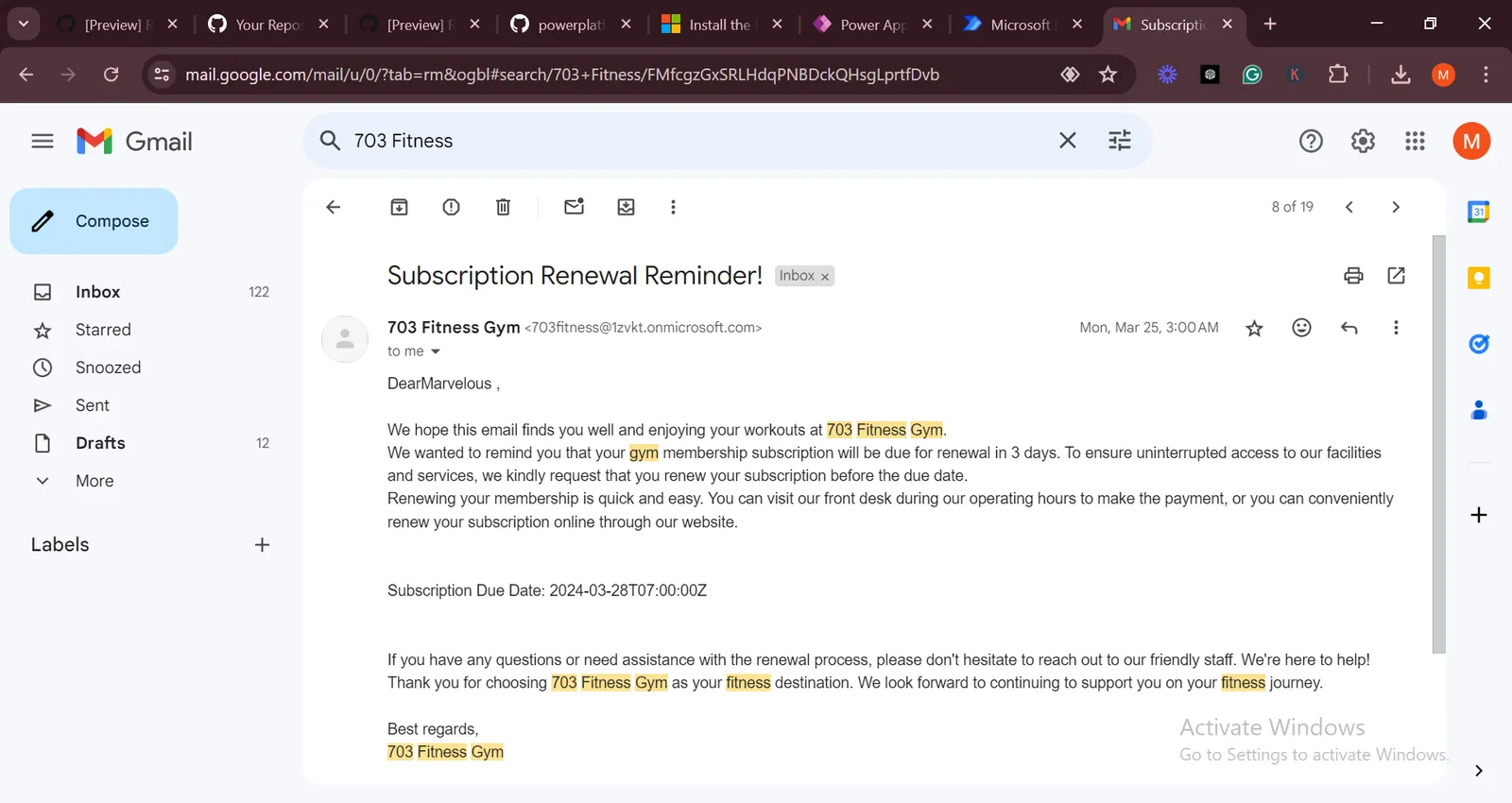
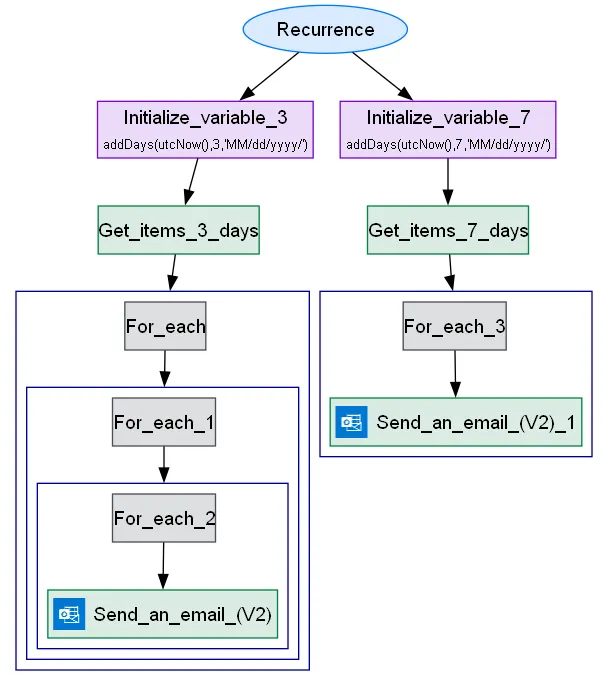
Sends a reminder email 7 days before the subscription is due.
Sends another reminder email 3 days before the subscription is due.
- The Ability to edit already registered member if he or she changes contacts.
Data Sources
- Sharepoint List
Automated Flow
Automated Welcome Message
Automated Subscription Renewal
Due Date Flow: (How I used a calculated column for Filter Query in Power Automate)
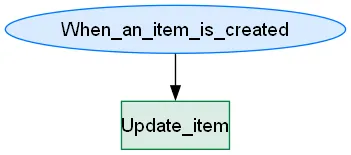
Calculated columns can't be used for filter queries in Power Automate. Here's what I did: I created another flow to always copy the data from the calculated column (which is the calculated due date) to another column named DueDate2 as soon as a new member is registered. This new column became a regular date column, making it non-calculated. The Subscription Reminder Flow filters the DueDate2 column to check which members' subscriptions are almost due.
Help
We do not support samples, but this community is always willing to help, and we want to improve these samples. We use GitHub to track issues, which makes it easy for community members to volunteer their time and help resolve issues.
If you encounter any issues while using this sample, you can create a new issue.
For questions regarding this sample, create a new question.
Finally, if you have an idea for improvement, make a suggestion.
Disclaimer
THIS CODE IS PROVIDED AS IS WITHOUT WARRANTY OF ANY KIND, EITHER EXPRESS OR IMPLIED, INCLUDING ANY IMPLIED WARRANTIES OF FITNESS FOR A PARTICULAR PURPOSE, MERCHANTABILITY, OR NON-INFRINGEMENT.