
A community-built Power Platform sample
Healthcare AI Chatbot
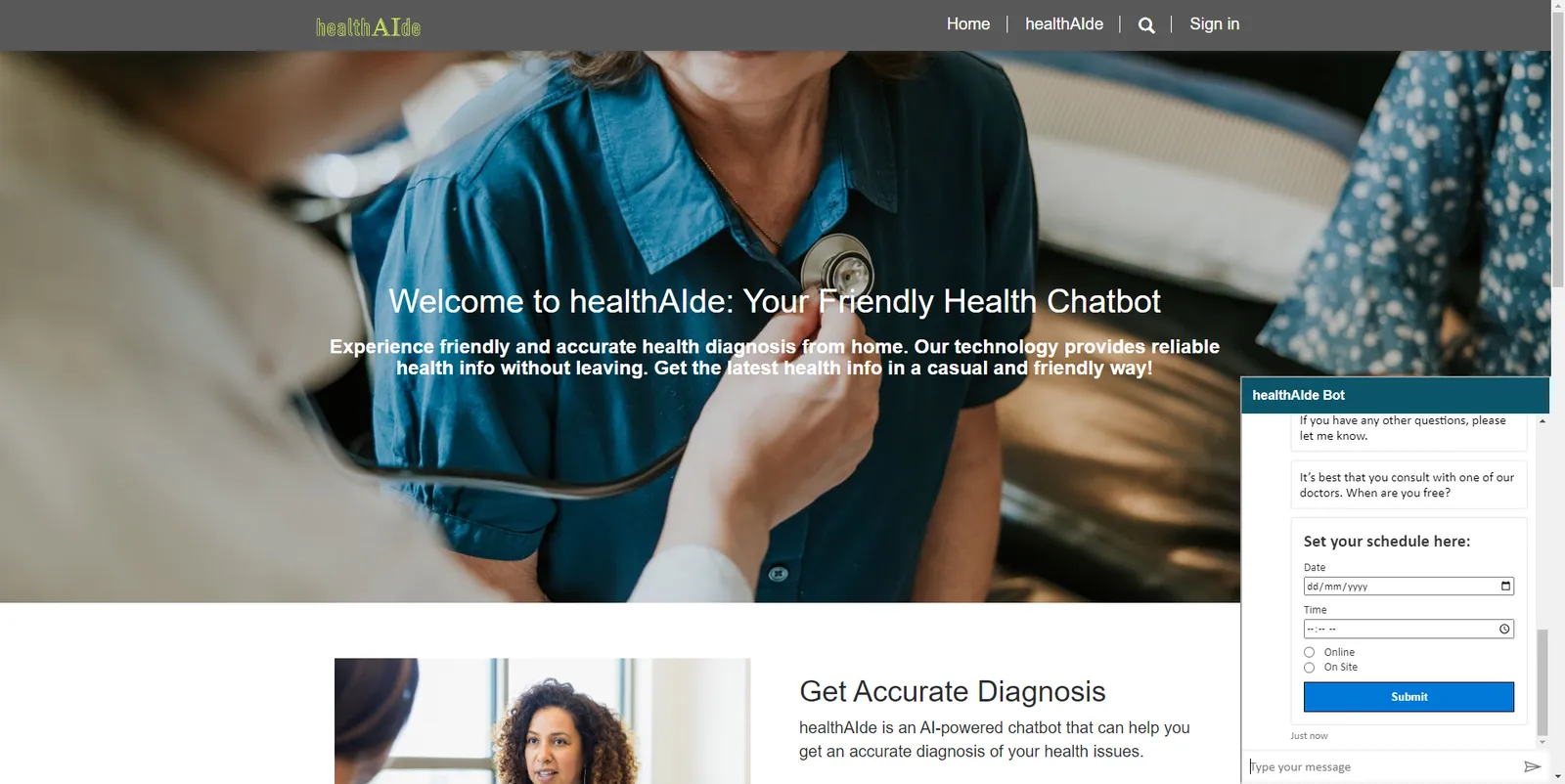
This sample uses a Power Virtual Agents chatbot to diagnose and suggest a fitting doctor based on the user's inputted symptoms.
 Copilot Studio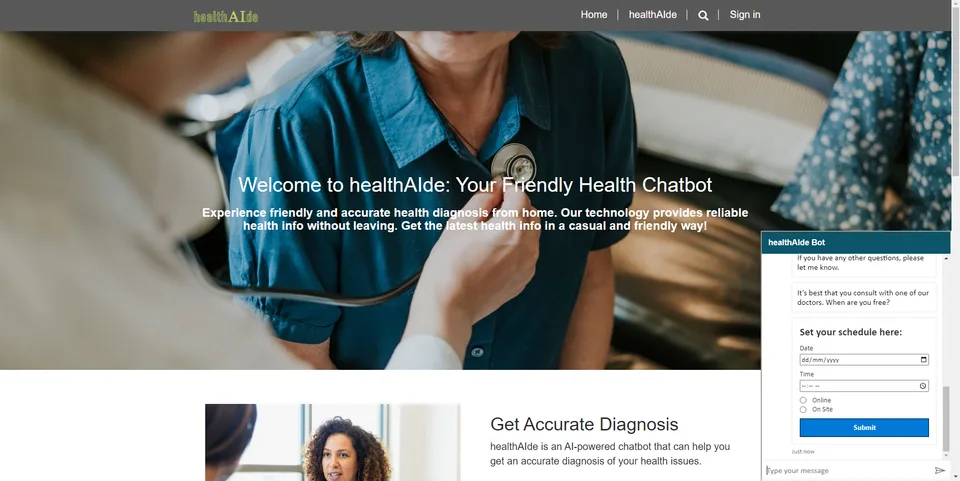
- Last updated
- Sep 27, 2023
- Category
- Power Apps
From idea to implementation
Make it your own.
Check this sample's prerequisites, permissions, and licensing before importing it. The documentation below comes directly from the sample README.
Summary
This sample uses a Power Virtual Agents chatbot to diagnose and suggest a fitting doctor based on the user's inputted symptoms. NOTE: "healthAlde" is a placeholder brand name for the bot & the Power Pages portal
Applies to






Compatibility


Contributors
Version history
| Version | Date | Comments |
|---|---|---|
| 1.0.0.1 | Sept. 27, 2023 | Initial release |
Prerequisites
- A Dataverse user account with access to System Admin Security Role
- AI Builder capacity (could be trial)
- An existing Power Pages site (optional, files will be provided in the "powerpages-portalfiles" folder)
Data Sources
- Dataverse
Minimal Path to Awesome
- Download the (./solution/healthcare-ai-chatbot.zip) solution
.zipfrom thesolutionfolder - Within https://make.powerapps.com, import the solution
.zipfile via Solutions > Import solution > Browse and select the.zipfile you just downloaded - Click next
- Click Import
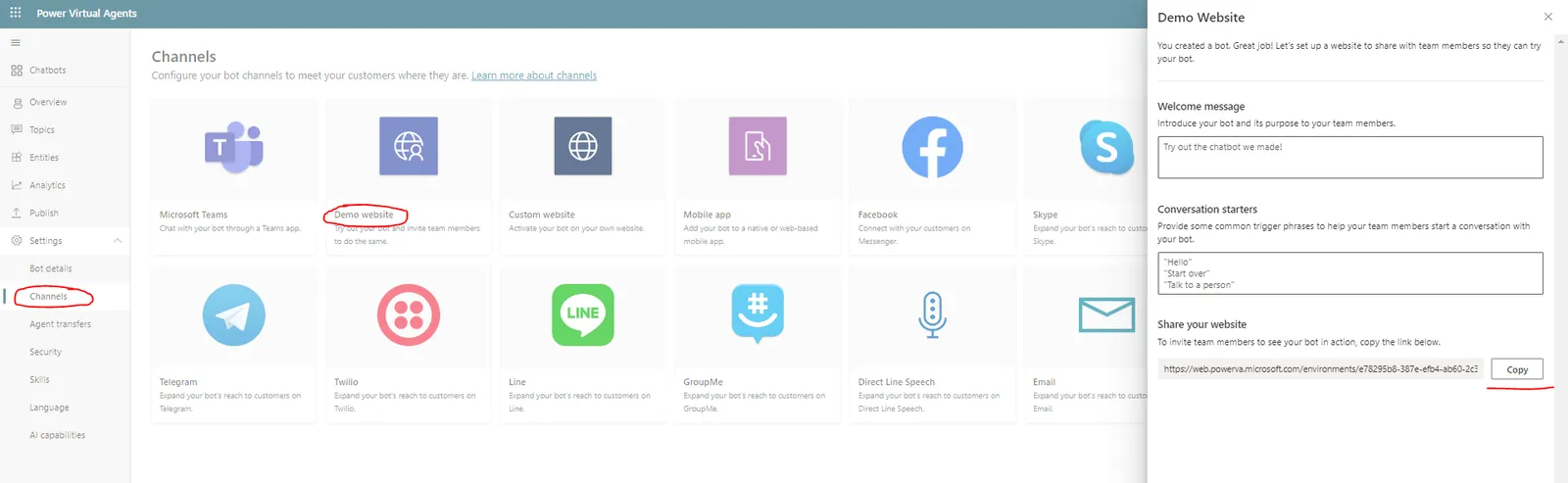
- Go to the Chatbot and either import it your existing Power Pages site (optional), or open it on a demo website
Features
The PVA chatbot lets the user input their current symptoms to let the Chatbot diagnose the user via generative answers located in the of the chatbot's topic.
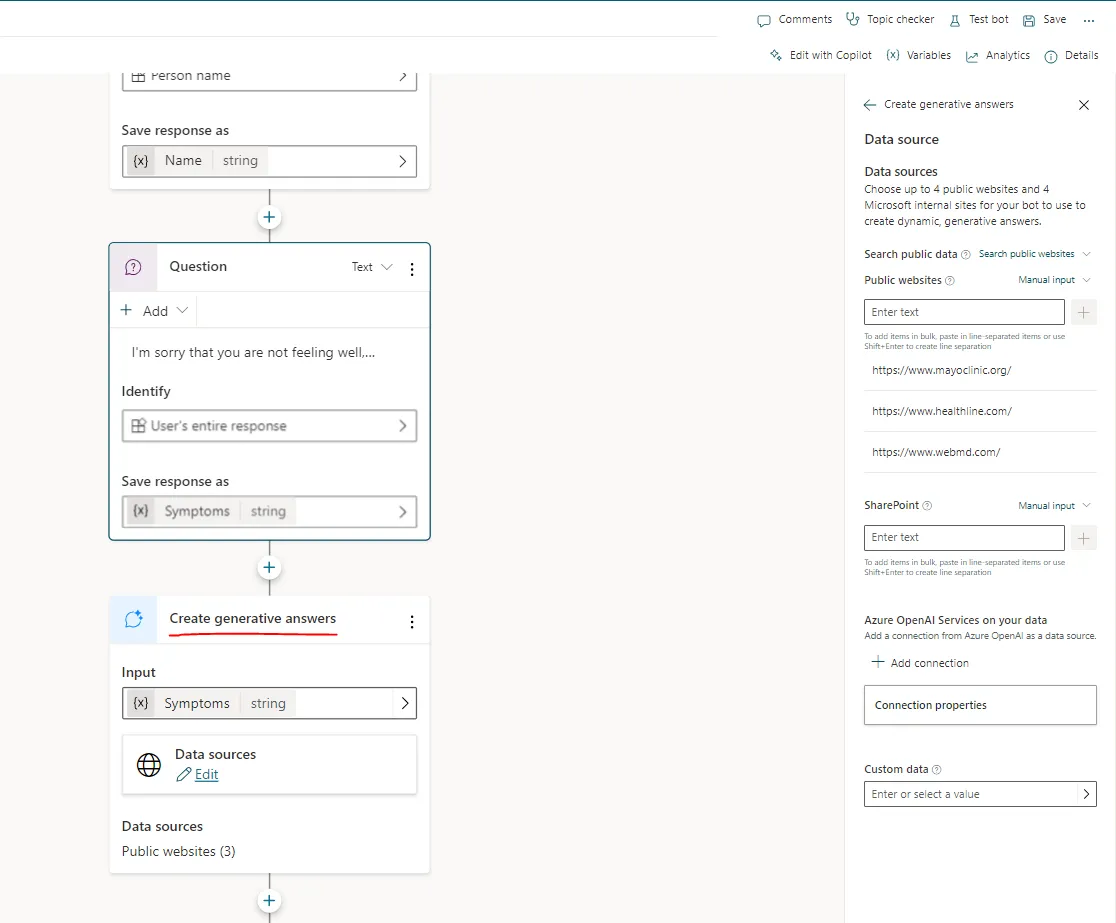
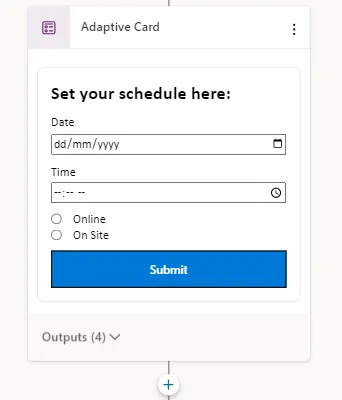
After that, the chatbot displays an adaptive card asking for a specific date & time
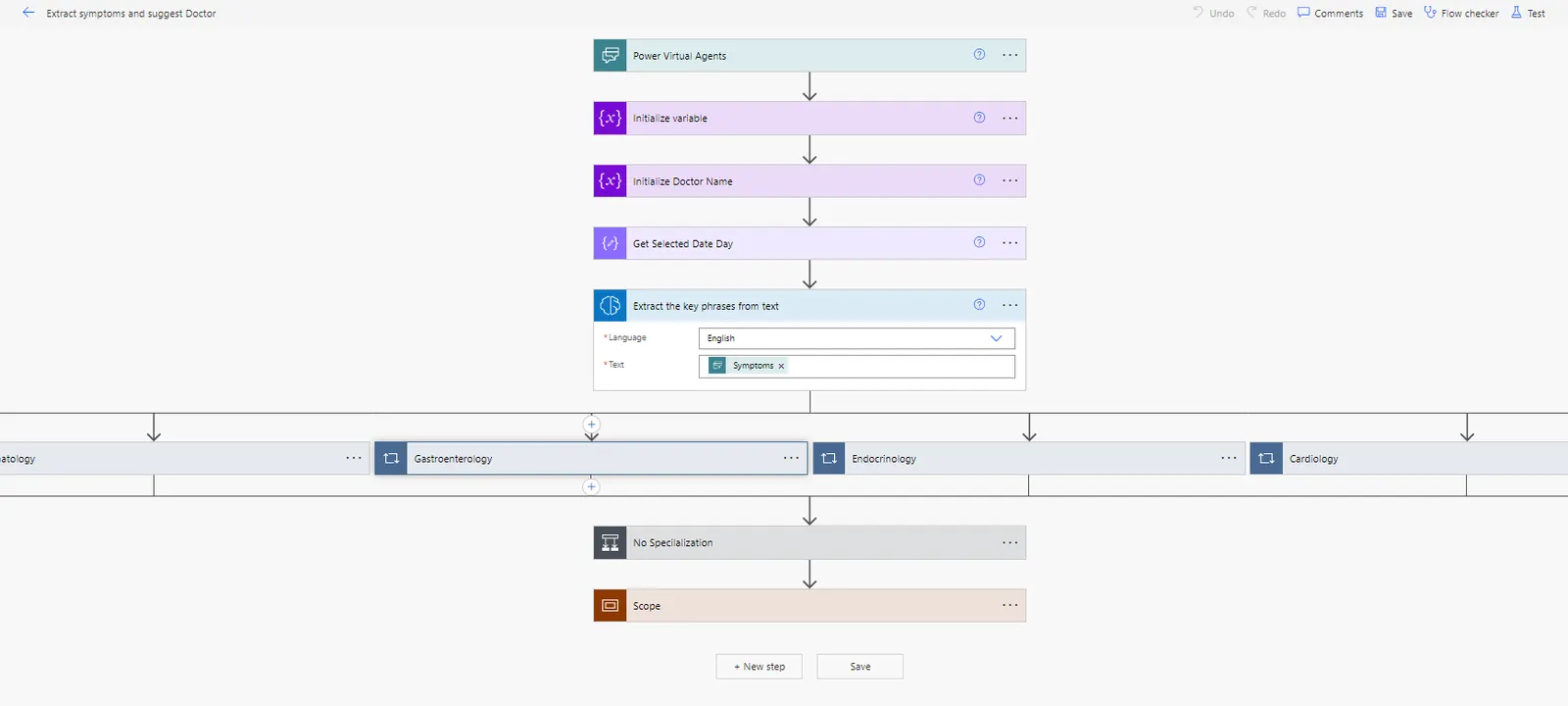
From there, a Power Automate flow in the same topic uses AI to check the user's symptoms for any key words/phrases, then uses that to determine which doctor is the best fit for them based on their specialization. It also checks whether the doctor wil lbe available based on the user's selected date & time on the previous step.
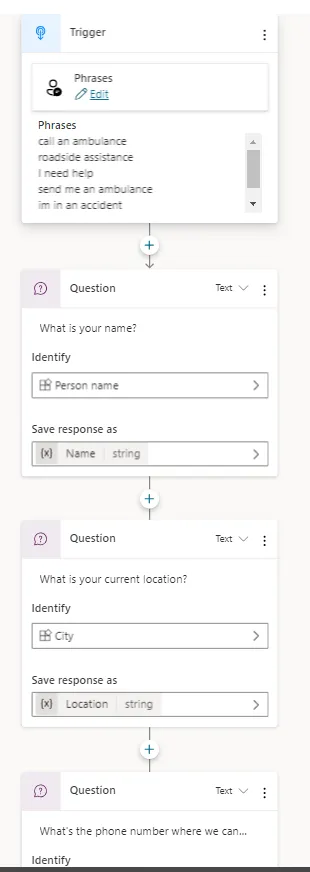
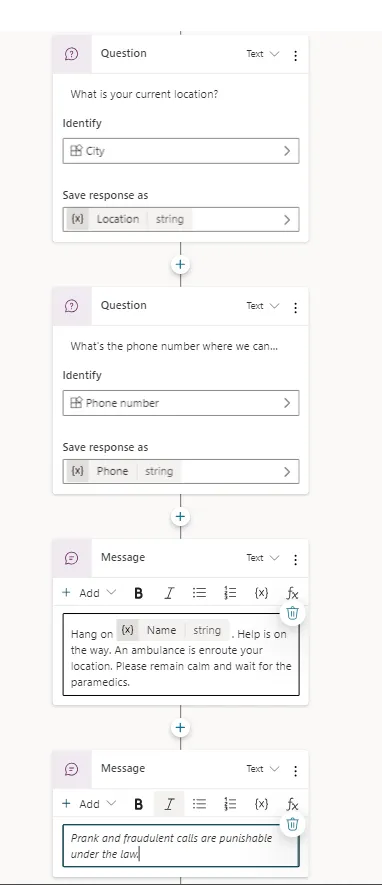
There are also 2 alternate topics in the chatbot:
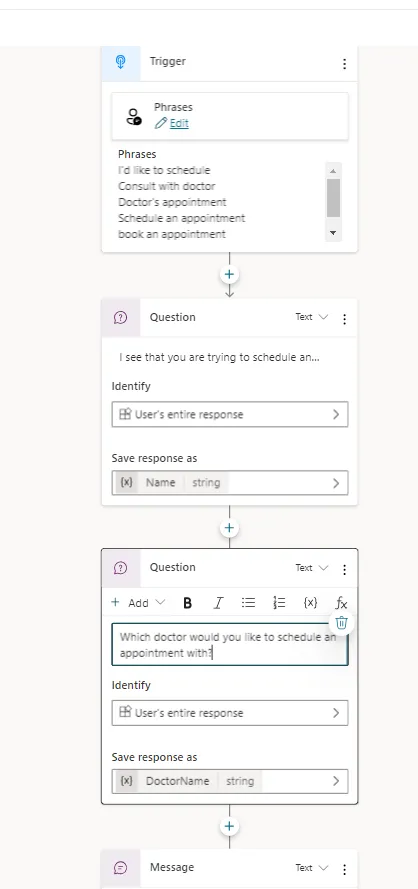
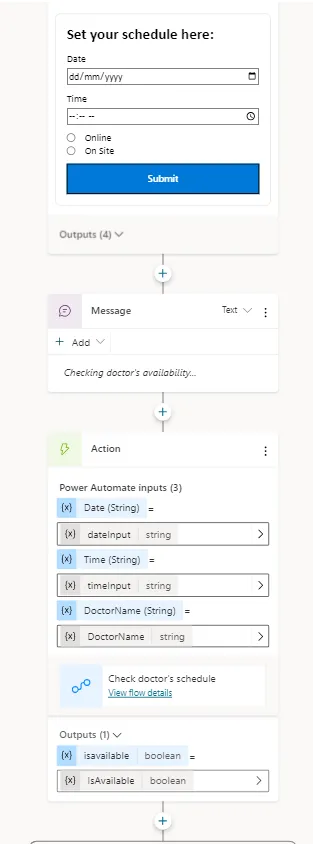
- One for directly setting up a consultation with a specific doctor by specifying the requested doctor and date & time of the appointment
- And another one for requesting an ambulance on demand
Help
We do not support samples, but this community is always willing to help, and we want to improve these samples. We use GitHub to track issues, which makes it easy for community members to volunteer their time and help resolve issues.
If you encounter any issues while using this sample, you can create a new issue.
For questions regarding this sample, create a new question.
Finally, if you have an idea for improvement, make a suggestion.
Disclaimer
THIS CODE IS PROVIDED AS IS WITHOUT WARRANTY OF ANY KIND, EITHER EXPRESS OR IMPLIED, INCLUDING ANY IMPLIED WARRANTIES OF FITNESS FOR A PARTICULAR PURPOSE, MERCHANTABILITY, OR NON-INFRINGEMENT.