
A community-built Power Platform sample
Leave Request
Modern Power Apps Template for Leave Requests
 Power Apps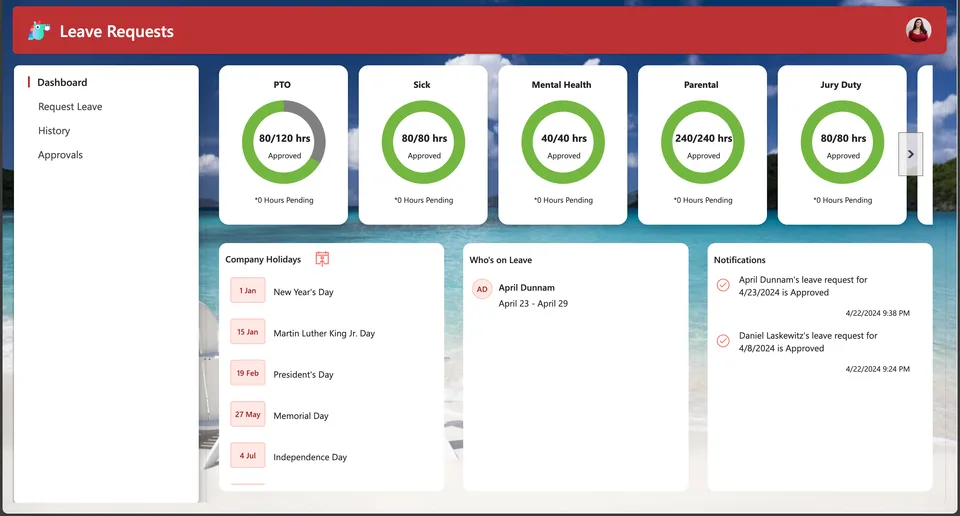
- Last updated
- Apr 22, 2024
- Category
- Canvas apps, Model-driven apps
- Premium license
- Required
- Experimental features
- No
From idea to implementation
Make it your own.
Check this sample's prerequisites, permissions, and licensing before importing it. The documentation below comes directly from the sample README.
Summary
This template provides you with a solid foundation for a leave request system, consisting of a canvas app for users to see and submit their requests and a model driven app for administrators to manage the underlying data in Dataverse.
Applies to









Compatibility


Contributors
Version history
| Version | Date | Comments |
|---|---|---|
| 1.0 | April 22, 2024 | Initial release |
Features
This template not only gives you a good foundation for customizing your own leave request system, it also demonstrates multiple patterns that you can use across other apps.
Key Features of the solution include:
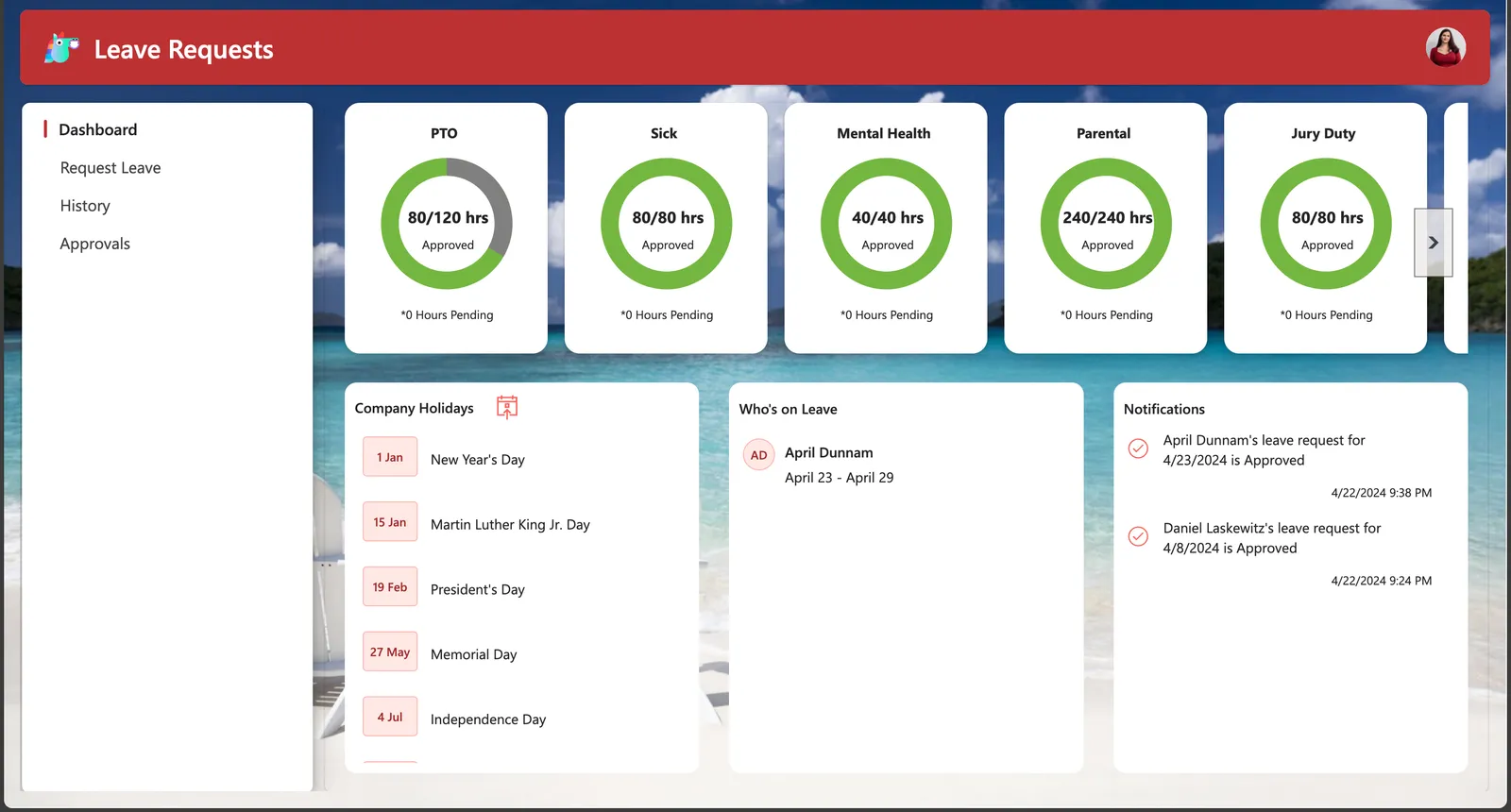
- A dashboard landing page featuring custom SVG's to see a visual of remaining leave balances, notifications, a list of your fellow team members who have upcoming leave and a list of company holidays which you can add to your calendar from the app.
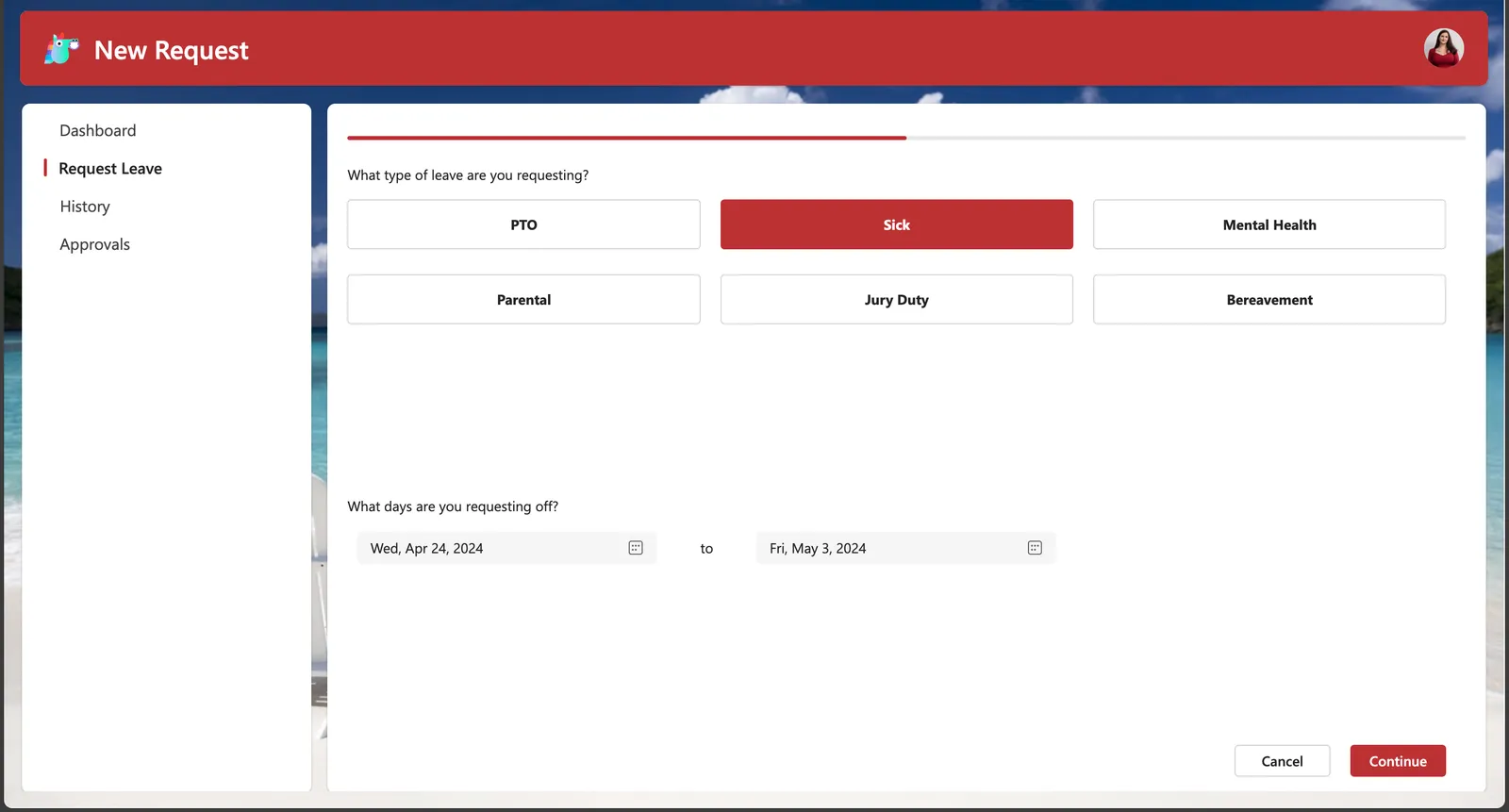
- The ability to add new leave requests by category with the added built-in functionality to exclude weekends from your total days/hours requested calculation and the ability to limit submitting multiple leave requests for the same period.
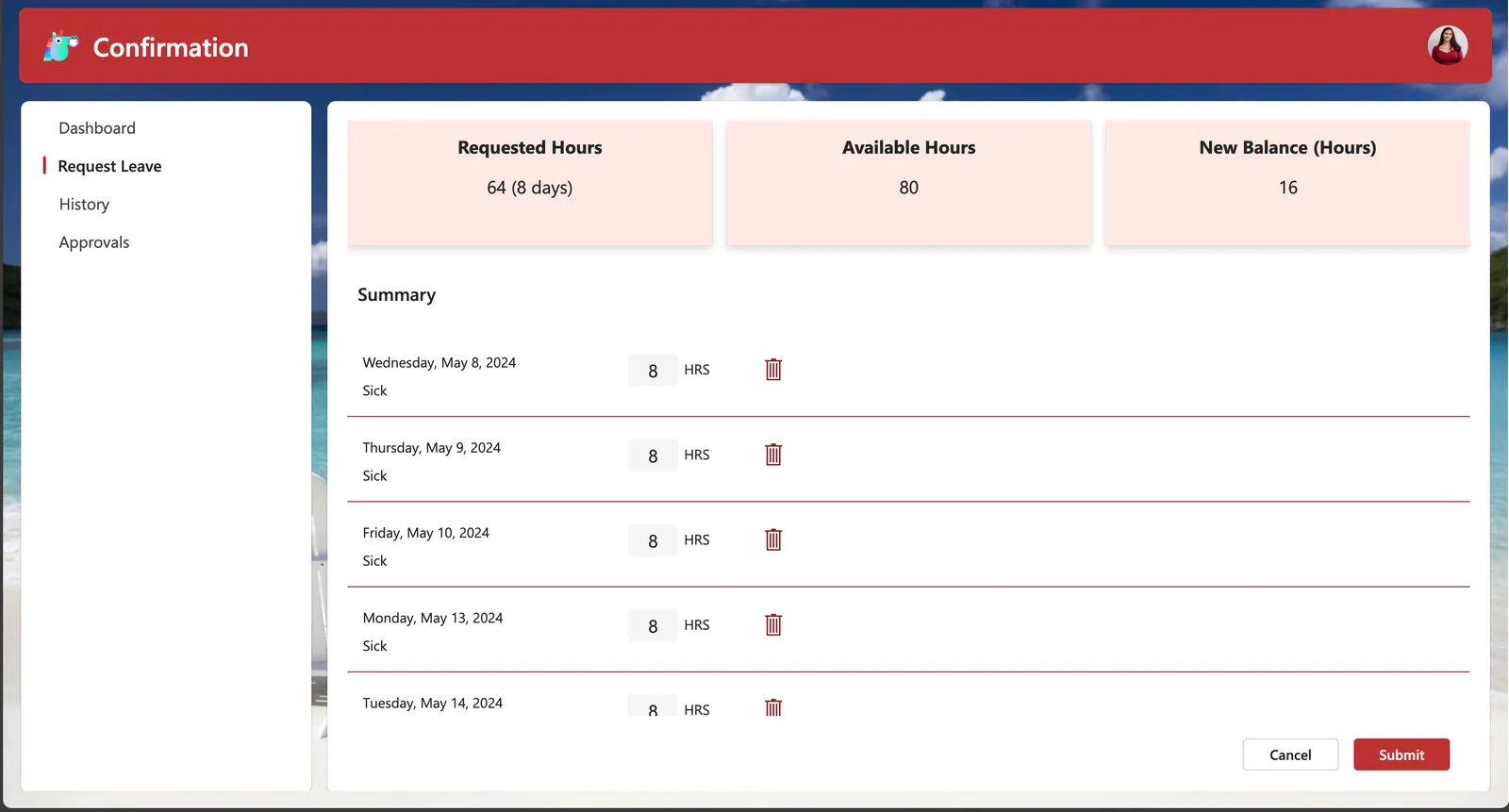
- A custom confirmation screen which will show the user what their new leave balance will be if the request is approved and the ability to customize how many hours they will be gone each day.
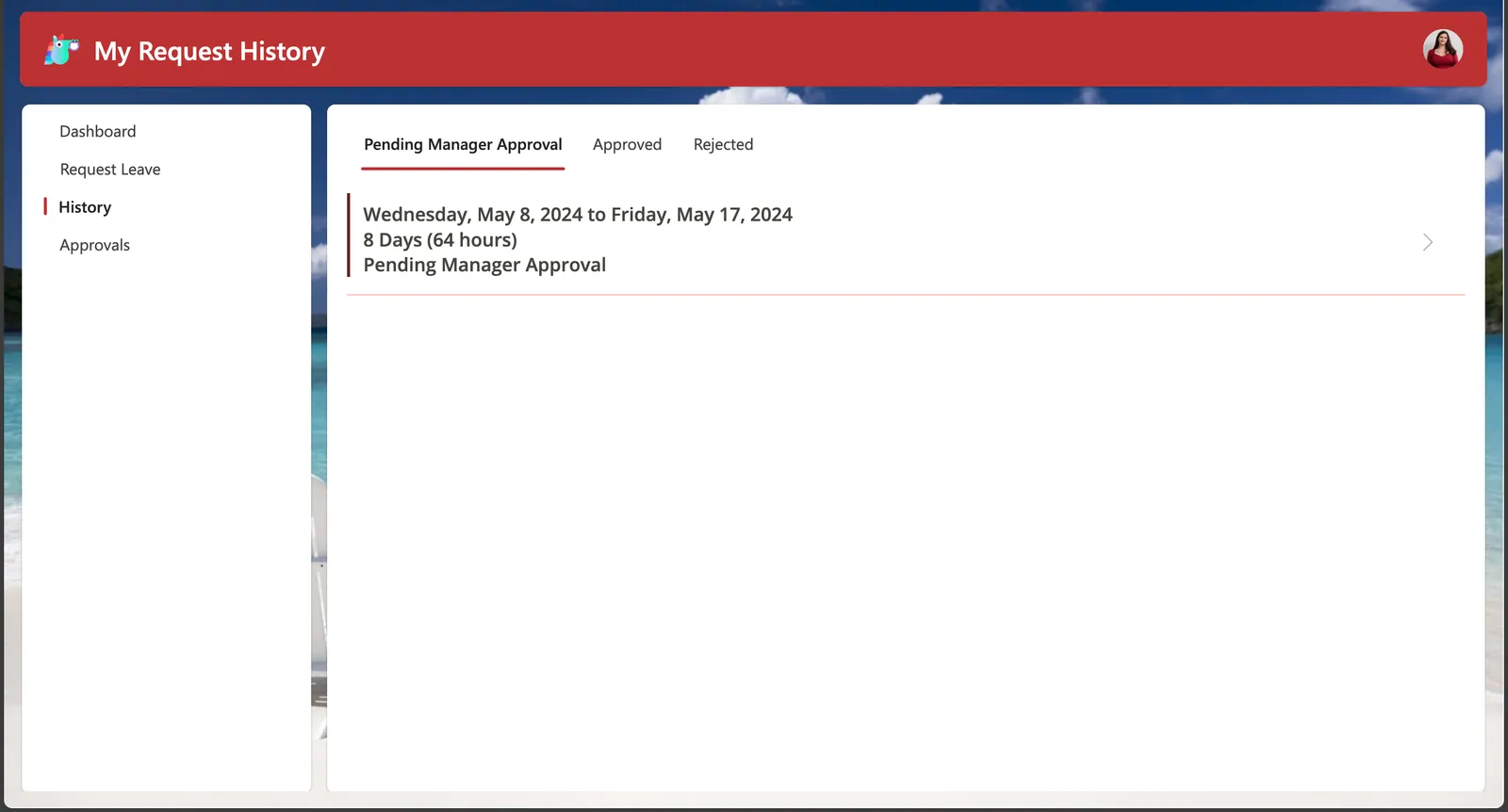
- A history page where users can see all of their submitted requests and filter by status.
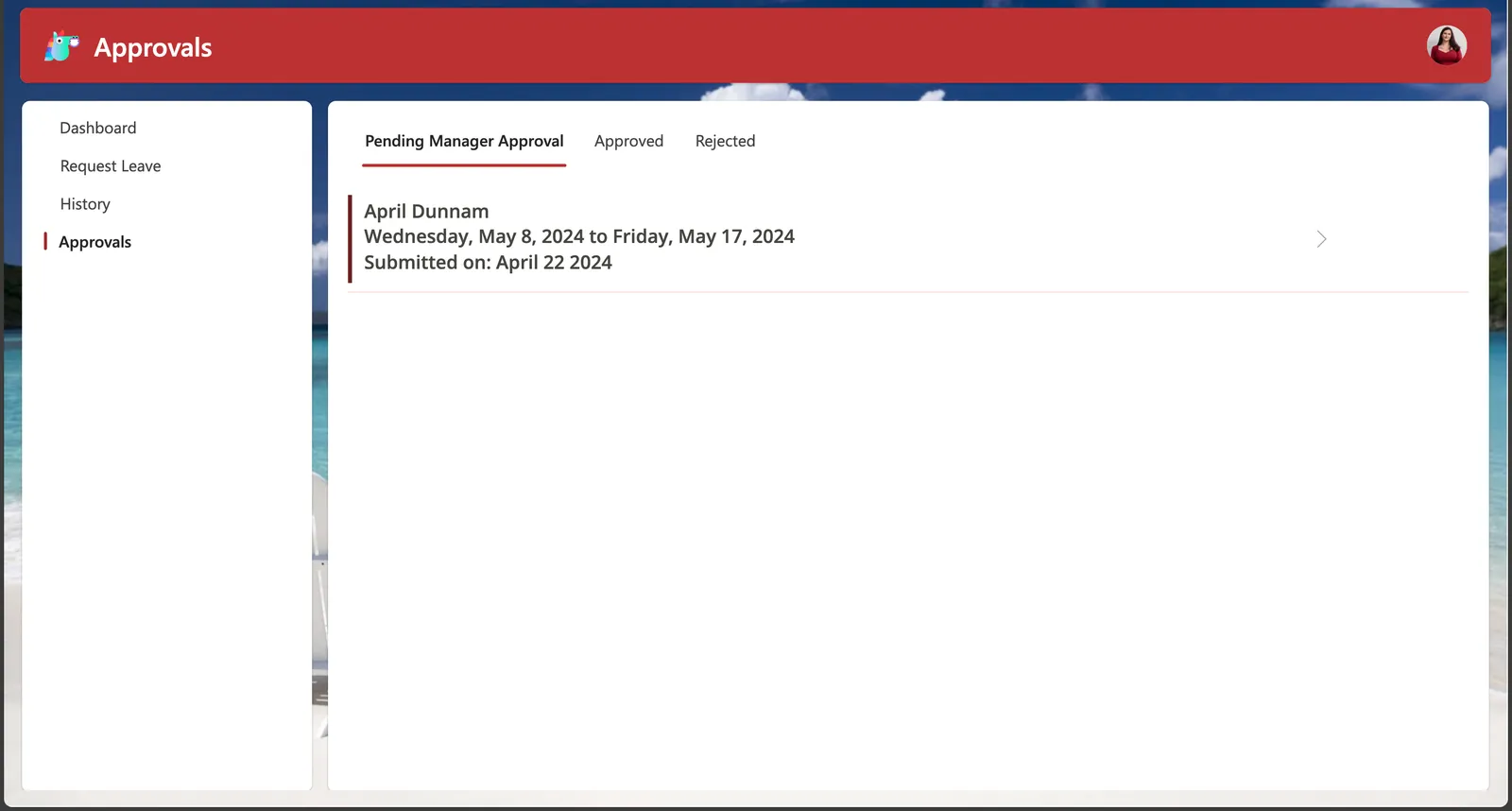
- An approvals page for designated approvers to process leave requests. When a request is processed by the approver, an email is automatically sent to the requestor informing them of the outcome.
Data Sources
- Dataverse
Minimal Path to Awesome
- Download the
.zipfrom thesolutionfolder - Within Power Apps Studio, import the solution
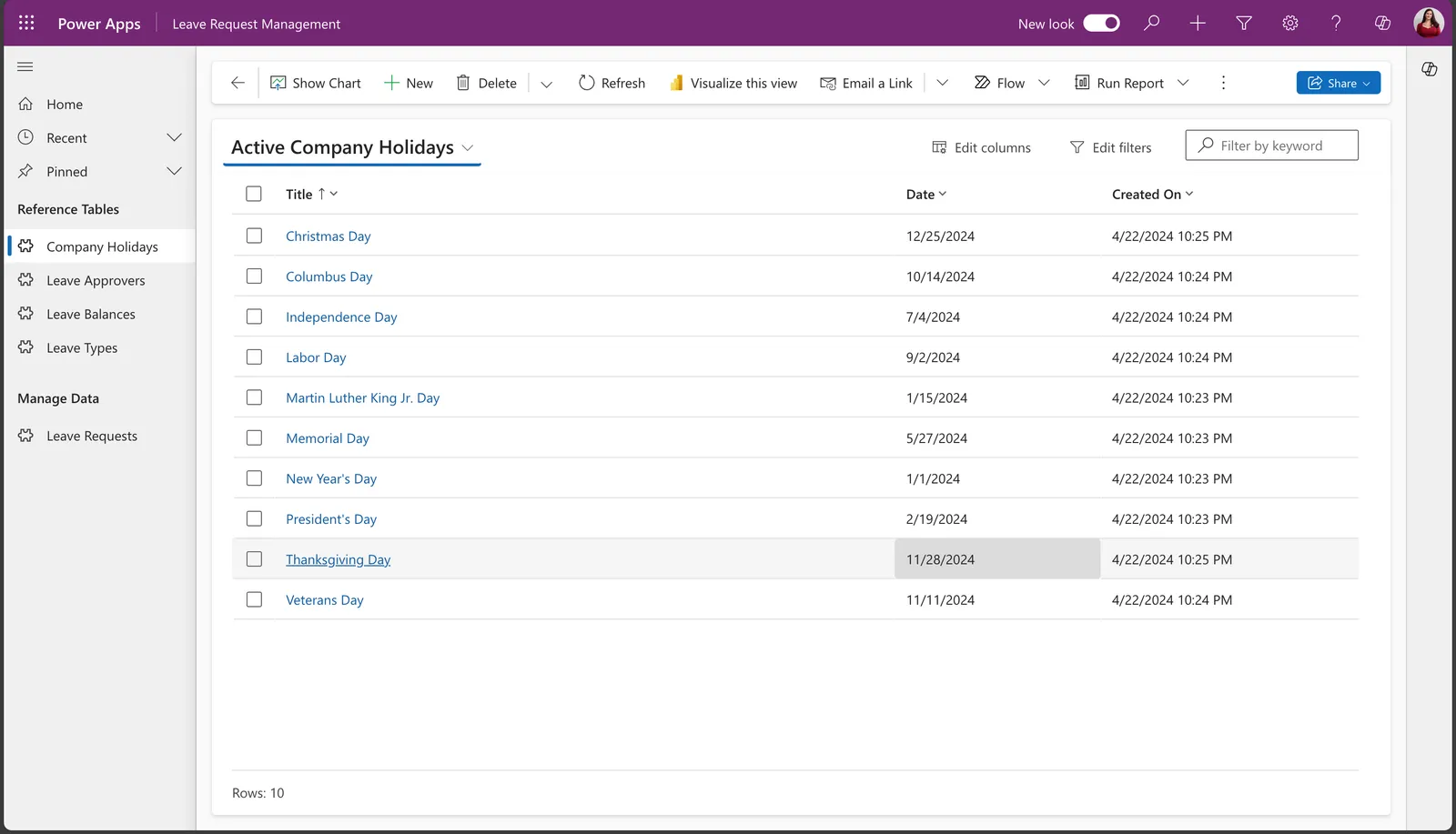
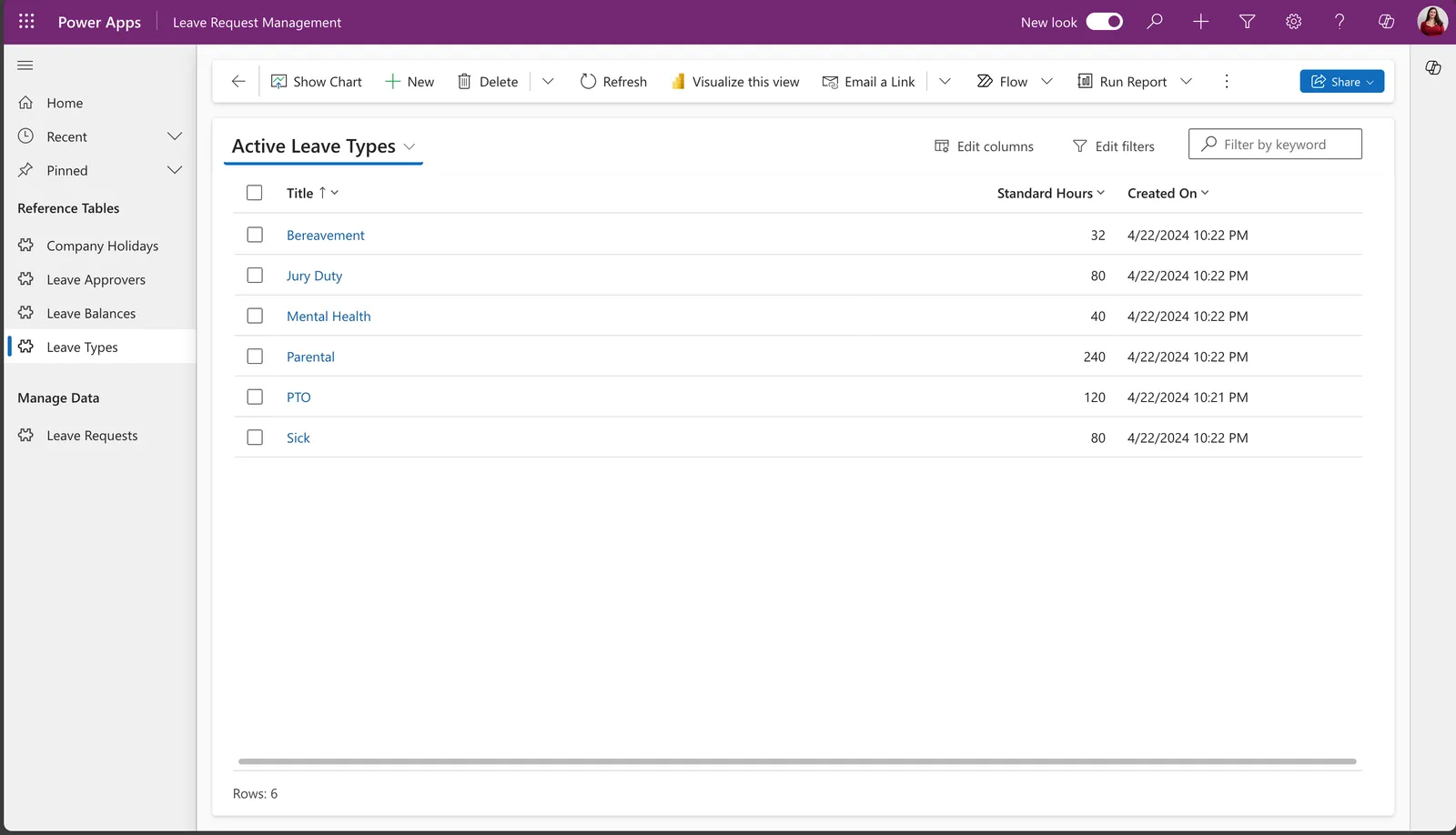
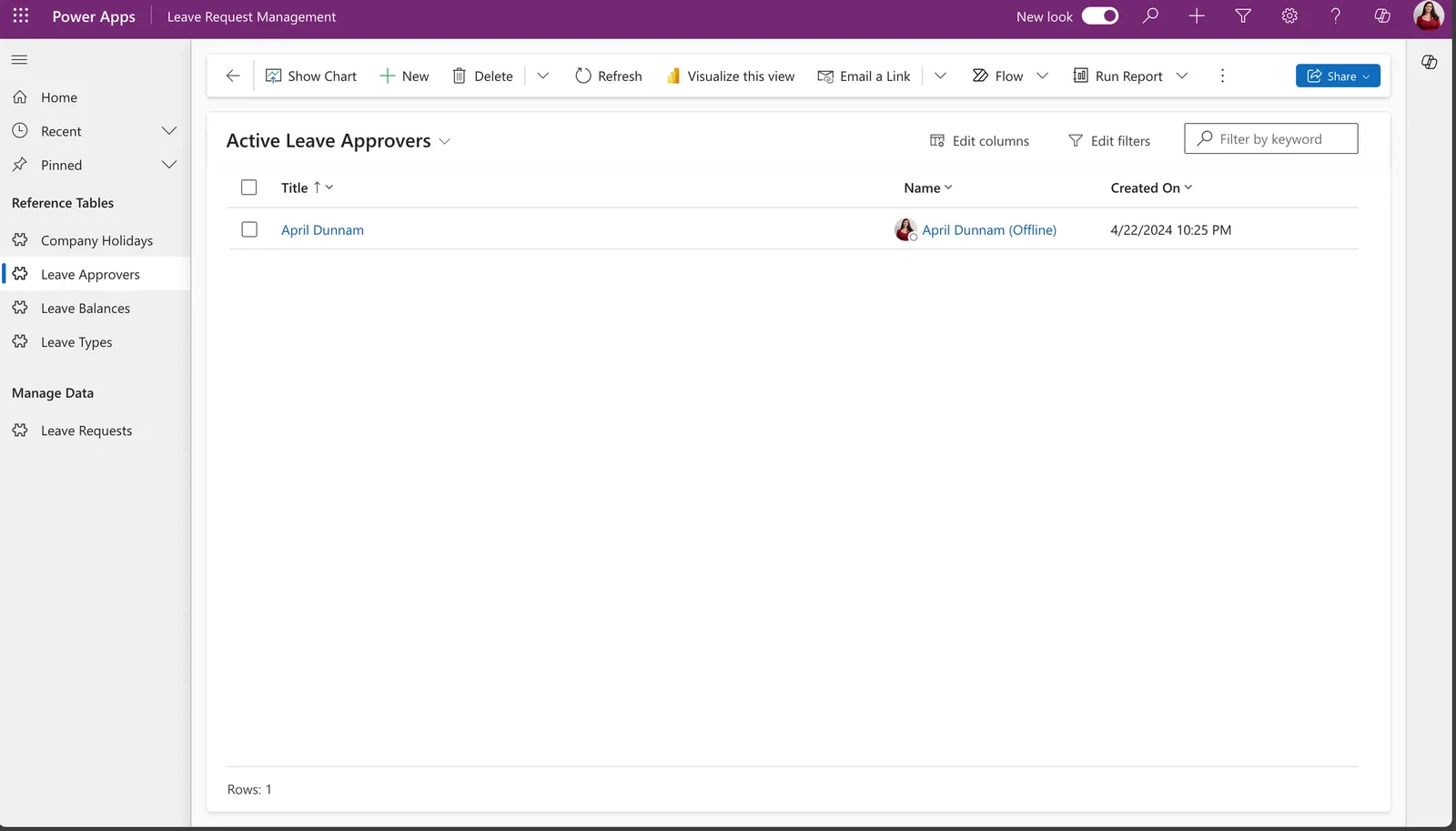
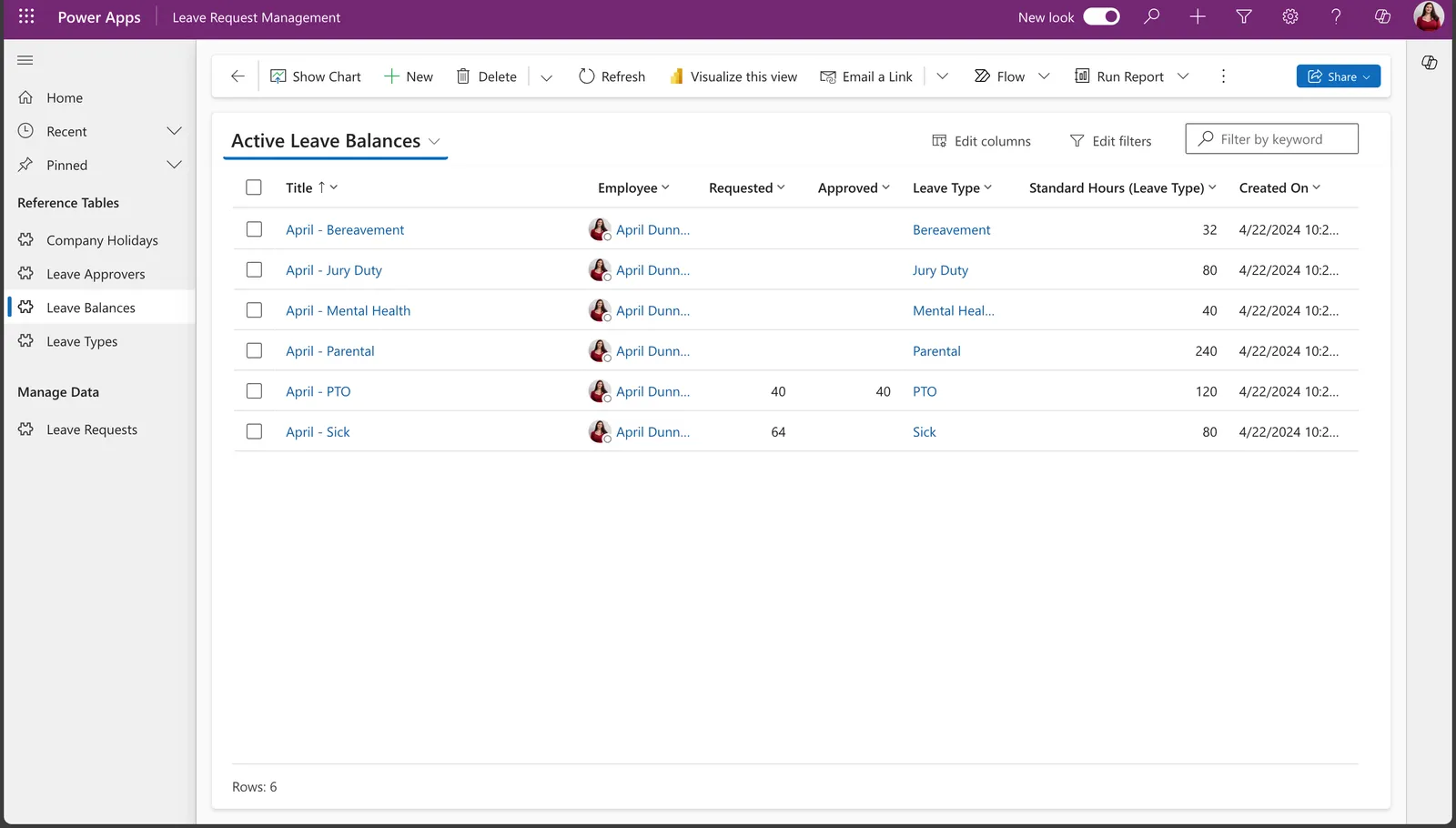
.zipfile using Solutions > Import Solution and select the.zipfile you just packed. - Open the Leave Request Management App and add in your data in the Company Holidays, Leave Types, Leave Approvers and Leave Balances tables. See examples of the data below:
Using the Source Code
You can also use the Power Apps CLI to pack the source code by following these steps::
Clone the repository to a local drive
Pack the source files back into a solution
.zipfile:pac solution pack --zipfile pathtodestinationfile --folder pathtosourcefolder --processCanvasAppsMaking sure to replace
pathtosourcefolderto point to the path to this sample'ssourcecodefolder, andpathtodestinationfileto point to the path of this solution's.zipfile (located under thesolutionfolder)Within Power Apps Studio, import the solution
.zipfile using Solutions > Import Solution and select the.zipfile you just packed.
Disclaimer
THIS CODE IS PROVIDED AS IS WITHOUT WARRANTY OF ANY KIND, EITHER EXPRESS OR IMPLIED, INCLUDING ANY IMPLIED WARRANTIES OF FITNESS FOR A PARTICULAR PURPOSE, MERCHANTABILITY, OR NON-INFRINGEMENT.
Help
We do not support samples, but we this community is always willing to help, and we want to improve these samples. We use GitHub to track issues, which makes it easy for community members to volunteer their time and help resolve issues.
If you encounter any issues while using this sample, you can create a new issue.
For questions regarding this sample, create a new question.
Finally, if you have an idea for improvement, make a suggestion.