
A community-built Power Platform sample
Patch Tuesday
This sample shows a few ways to calculate Patch Tuesday in Power Automate. With these flows (all included in one sample), you can kick-off other processes that need to occur on Patch Tuesday.
 Power Apps
 Power Automate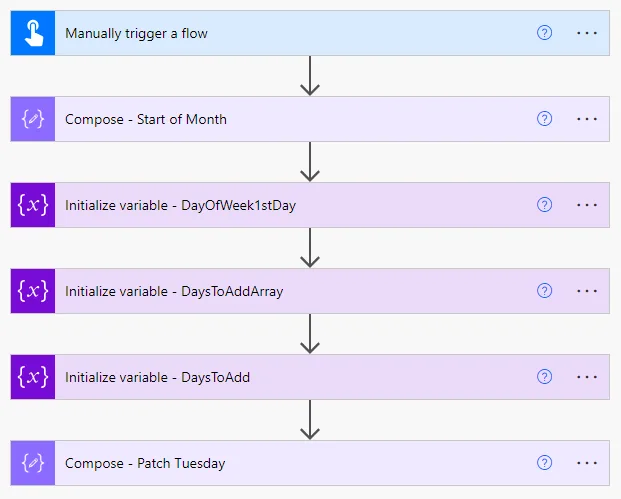
- Last updated
- Dec 18, 2023
- Category
- Canvas apps, Cloud flows
- Premium license
- Not required
- Experimental features
- No
From idea to implementation
Make it your own.
Check this sample's prerequisites, permissions, and licensing before importing it. The documentation below comes directly from the sample README.
Summary
Methods for calculating Microsoft Patch Tuesday dates
Everyone knows about Microsoft's "Patch Tuesday", and that it falls on the 2nd Tuesday of every month. It's easy for humans to calculate when Patch Tuesday occurs. All you have to do is look at a calendar and look for the 2nd Tuesday. However, what is easy for humans is a bit more difficult for computers to do. This sample shows a few ways to calculate Patch Tuesday in Power Automate. With these flows (all included in one sample), you can kick-off other processes that need to occur on Patch Tuesday.
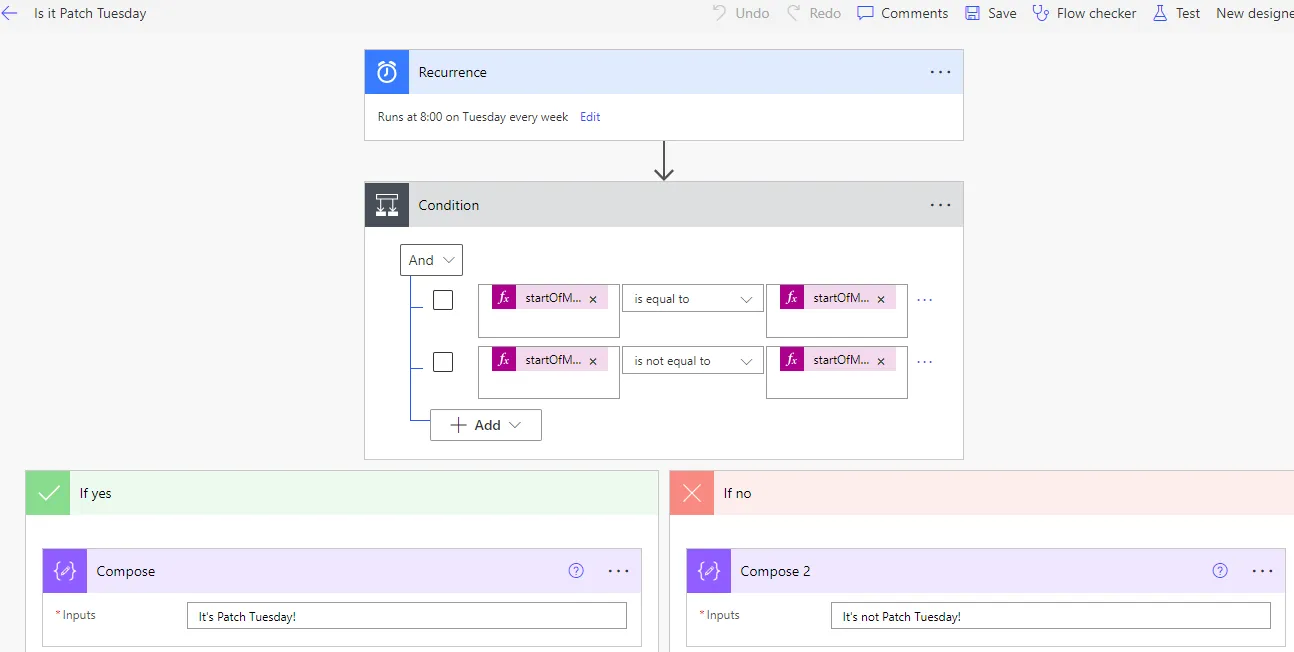
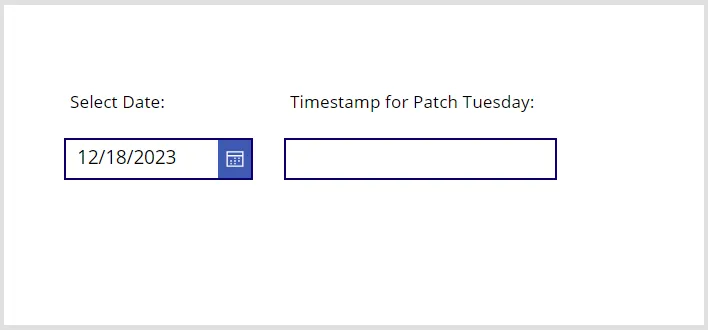
Sample includes (1) an instant cloud flow that will provide a timestamp for Patch Tuesday in the current month, (2) a scheduled cloud flow to run every Tuesday that will determine if it is running on Patch Tuesday, (3) a canvas app that will return a timestamp for Patch Tueday when selecting an arbitrary date, and (4) an instant cloud flow, to support the arbitrary date app.
Patch Tuesday This Month
Is it Patch Tuesday?
Patch Tuesday for an Arbitrary Date
Applies to









Compatibility


Contributors
Version history
| Version | Date | Comments |
|---|---|---|
| 1.1 | December 18, 2023 | Initial release |
Prerequisites
There are no prerequisites to use the included samples.
Minimal path to awesome
The included samples may be used in the following ways:
If you have a need within your own Power Automate flow to determine the date of Patch Tuesday in the current month, incorporate the flow steps found in the flow, "Patch Tuesday This Month".
If you have a need to launch specific actions from Power Automate on Patch Tuesday, start your own flow with the steps found in the flow, "Is it Patch Tuesday". This is a scheduled (recurring) flow that runs on every Tuesday to determine if it is Patch Tuesday. You can put your own steps at the bottom of this flow to replace the example branching step.
If you have a need to calculate the date of Patch Tuesday related to any past, current or future date, you can use "Patch Tuesday Arbitrary Date Flow". To use this flow, you need to supply any date (which will be used to calculate the Patch Tuesday date relative to the supplied date). The example Power App, "Patch Tuesday Arbitrary Date" and the flow, "Patch Tuesday Arbitrary Date Flow" are designed to work together, and should only be used as an example of how to send the date to the flow and get results back to the app.
Using the solution zip
- Download the
.zipfrom thesolutionfolder - Within Power Apps Studio, import the solution
.zipfile using Solutions > Import Solution and select the.zipfile you just packed. - Review the provided app and flows to determine which function you need (based on "Minimal path to awesome" above), and copy the steps/code to your own flows.
Using the source code
You can also use the Power Apps CLI to pack the source code by following these steps:
Clone the repository to a local drive
Pack the source files back into a solution
.zipfile:pac solution pack --zipfile pathtodestinationfile --folder pathtosourcefolder --processCanvasAppsMaking sure to replace
pathtosourcefolderto point to the path to this sample'ssourcecodefolder, andpathtodestinationfileto point to the path of this solution's.zipfile (located under thesolutionfolder)Within Power Apps Studio, import the solution
.zipfile using Solutions > Import Solution and select the.zipfile you just packed.
Features
Summary of features:
- Determine the date of Patch Tuesday in the current month
- Determine if today is Patch Tuesday and take separate actions depending on the result
- Determine the date of Patch Tuesday corresponding to any date
This solution illustrates the following concepts on top of the Power Platform:
- Sending information from a Power App, processing that information in a flow, and returning the result back to the Power App
Help
Note: don't worry about this section, we'll update the links.
We do not support samples, but this community is always willing to help, and we want to improve these samples. We use GitHub to track issues, which makes it easy for community members to volunteer their time and help resolve issues.
If you encounter any issues while using this sample, you can create a new issue.
For questions regarding this sample, create a new question.
Finally, if you have an idea for improvement, make a suggestion.
Disclaimer
THIS CODE IS PROVIDED AS IS WITHOUT WARRANTY OF ANY KIND, EITHER EXPRESS OR IMPLIED, INCLUDING ANY IMPLIED WARRANTIES OF FITNESS FOR A PARTICULAR PURPOSE, MERCHANTABILITY, OR NON-INFRINGEMENT.