
A community-built Power Platform sample
Power-Platform-Blog-Updates
A Power Platform solution that will consolidate all Power Platform blogs weekly and send you a summarized email every Monday
 Power Automate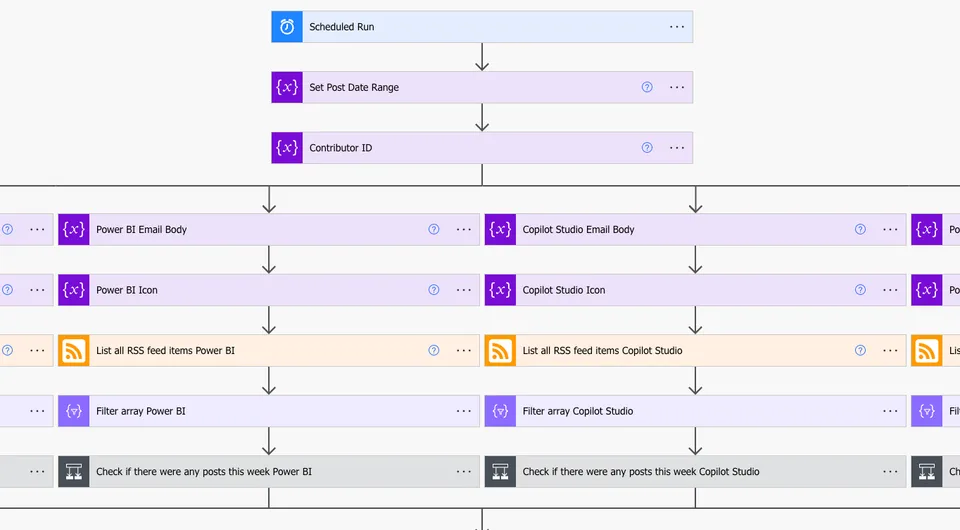
- Last updated
- Apr 4, 2024
- Category
- Cloud flows
From idea to implementation
Make it your own.
Check this sample's prerequisites, permissions, and licensing before importing it. The documentation below comes directly from the sample README.
A Power Platform solution that will consolidate all Power Platform blogs weekly and send you a summarized email every Monday
Summary
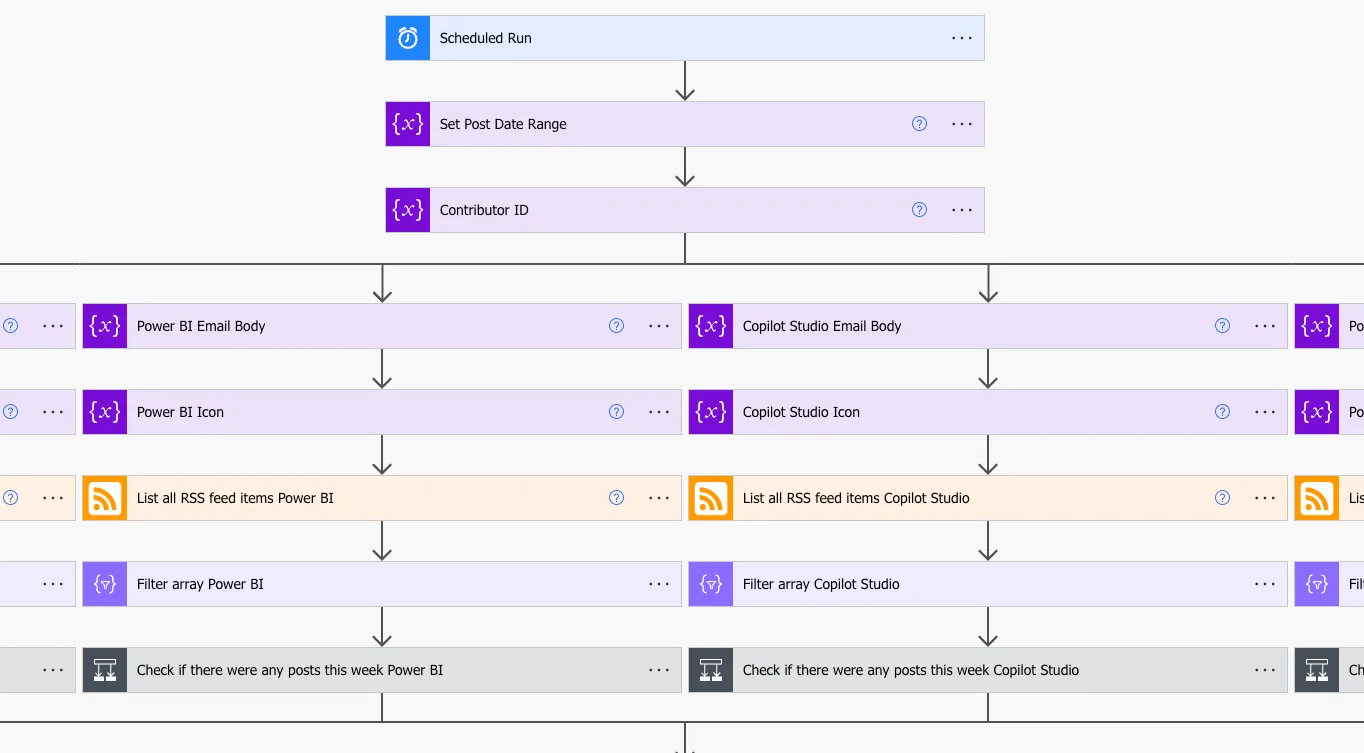
Having multiple RSS flows per Power Platform product can get messy. More over, it's not always user-friendly to access these updates through the Power Automate notifications. This weekly flow will retrieve all Power Platform product blog updates and summarize them into product categories through a neat HTML template. Then, once a week, users can receive a summary of all blog updates via email with links to each individual blog post.
Applies to
Compatibility



Contributors
Version history
| Version | Date | Comments |
|---|---|---|
| 1.0.0.0 | April 02, 2024 | Initial release |
Features
- Scheduled Flow: For weekly blog email updates.
- RSS Feed: Consolidated all Power Platform RSS Feed blog updates.
- HTML Template: Blog updates are wrapped in an elegant, customizable HTML template that is delivered via email.
Prerequisites
Connection References
The solution includes two connection references.
- Outlook Connection
- RSS Connection I recommend you use either a licensed service account with an exchange license for these references, or feel free to use your own.
Environment Variable
When importing the solution, there are a variety of environment vavariableshat need to be complete.
| Variable | Type | Details |
|---|---|---|
| Email Subject | String | Text to be displayed in the email subject |
| Footer Text | String | Any text you wish to display at the footer of the email. |
| Header Logo | String | Place a URL to any image you would like to display in the email header. It works best with a png. |
| Website Link | String | Add any URL here if you want to display a website link at the bottom of the email. |
| Send To Address | String | An email of an individual user or group that the email will be sent to. |
| Social Icon 1 | String | Url link to social icon png file |
| Social Icon 2 | String | Url link to social icon png file |
| Social Icon 3 | String | Url link to social icon png file |
| Social Icon 4 | String | Url link to social icon png file |
| Social Link 1 | String | Url link to social site/desitnation |
| Social Link 2 | String | Url link to social site/desitnation |
| Social Link 3 | String | Url link to social site/desitnation |
| Social Link 4 | String | Url link to social site/desitnation |
Static Images
Note that the static images in the mail template, such as the Power Platform icons and the background, are coded into the flow. The images have been reconstructed into base64.
Minimal Path to Awesome
Using the source code
You can also use the Power Apps CLI to pack the source code by following these steps:
Clone the repository to a local drive
Pack the source files back into a solution
.zipfile:pac solution pack --zipfile pathtodestinationfile --folder pathtosourcefolder --processCanvasAppsMaking sure to replace
pathtosourcefolderto point to the path to this sample'ssourcecodefolder, andpathtodestinationfileto point to the path of this solution's.zipfile (located under thesolutionfolder)Within Power Apps Studio, import the solution
.zipfile using Solutions > Import Solution and select the.zipfile you just packed.
Help
We do not support samples, but this community is always willing to help, and we want to improve these samples. We use GitHub to track issues, which makes it easy for community members to volunteer their time and help resolve issues.
If you encounter any issues while using this sample, you can create a new issue.
For questions regarding this sample, create a new question.
Finally, if you have an idea for improvement, make a suggestion.
Disclaimer
THIS CODE IS PROVIDED AS IS WITHOUT WARRANTY OF ANY KIND, EITHER EXPRESS OR IMPLIED, INCLUDING ANY IMPLIED WARRANTIES OF FITNESS FOR A PARTICULAR PURPOSE, MERCHANTABILITY, OR NON-INFRINGEMENT.