
A community-built Power Platform sample
Prompt Wagon
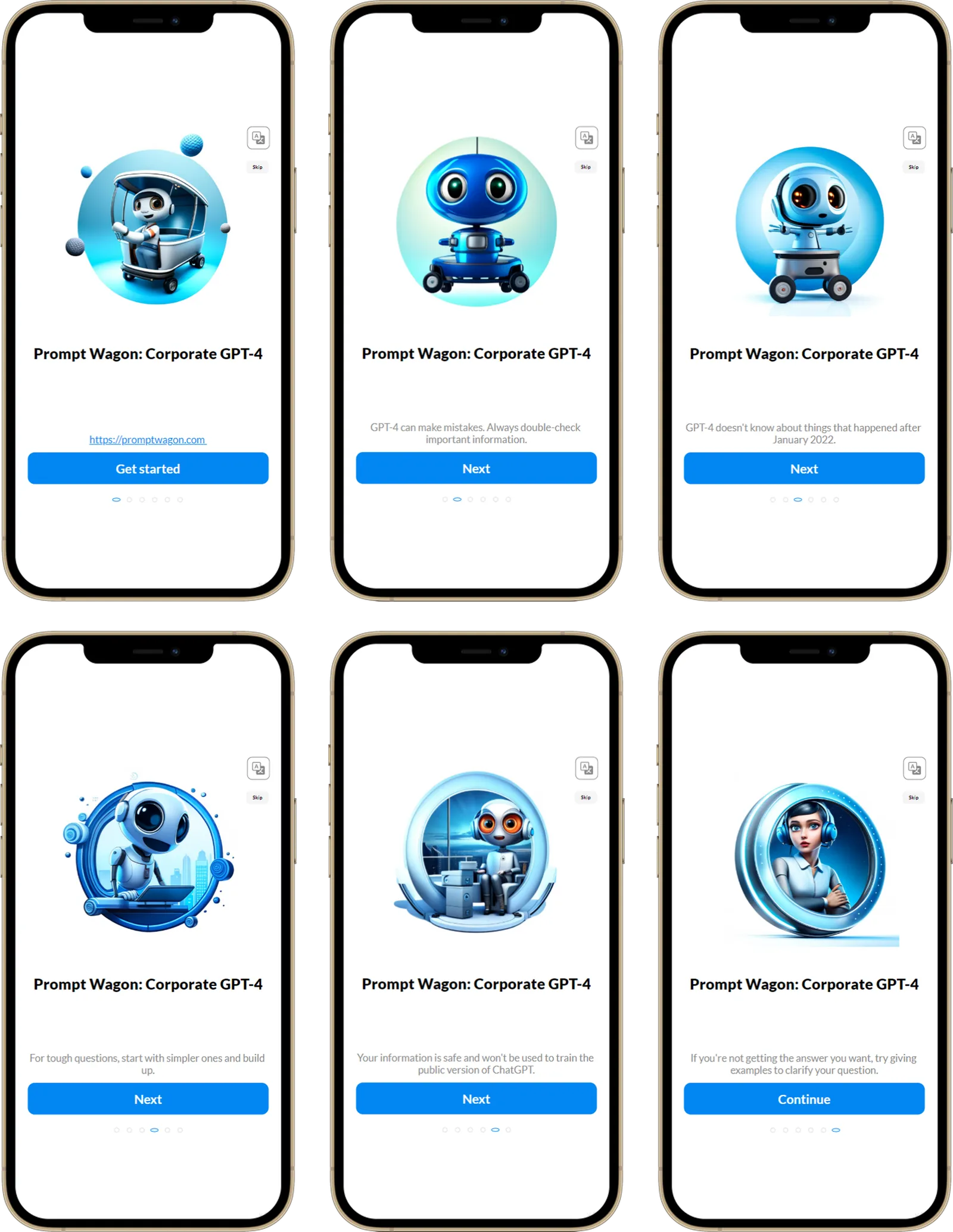
This app is designed for organizations seeking to seamlessly integrate AI technologies, with features catering to beginners and administrators.
 Power Apps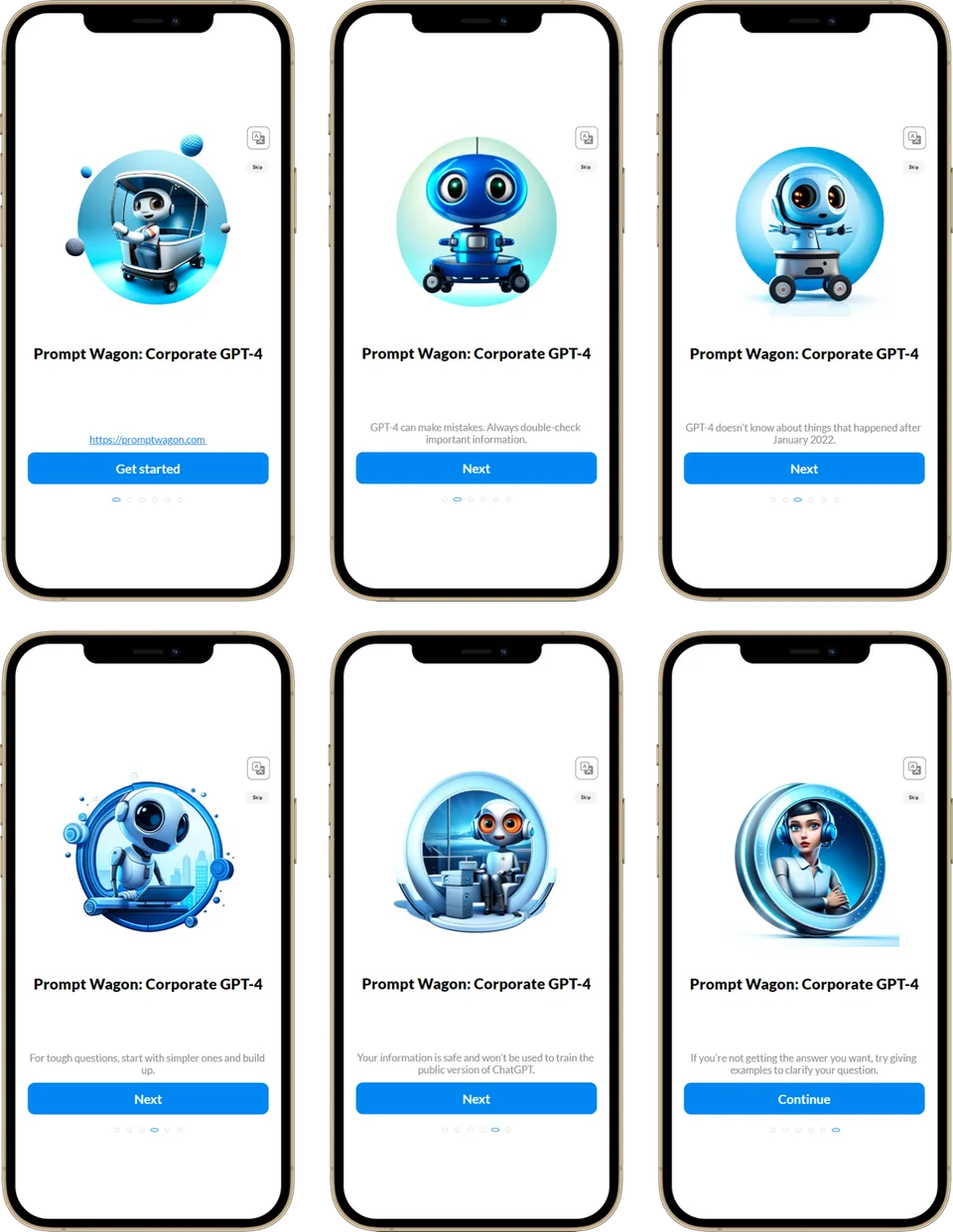
- Last updated
- Nov 10, 2023
- Category
- Power Apps, Canvas apps
- Premium license
- Required
- Experimental features
- No
From idea to implementation
Make it your own.
Check this sample's prerequisites, permissions, and licensing before importing it. The documentation below comes directly from the sample README.
Summary
This app is designed for organizations seeking to seamlessly integrate AI technologies, with features catering to beginners and administrators.
Applies to




Compatibility


Contributors
Version history
| Version | Date | Comments |
|---|---|---|
| 1.0 | September 27, 2023 | Initial release |
Prerequisites
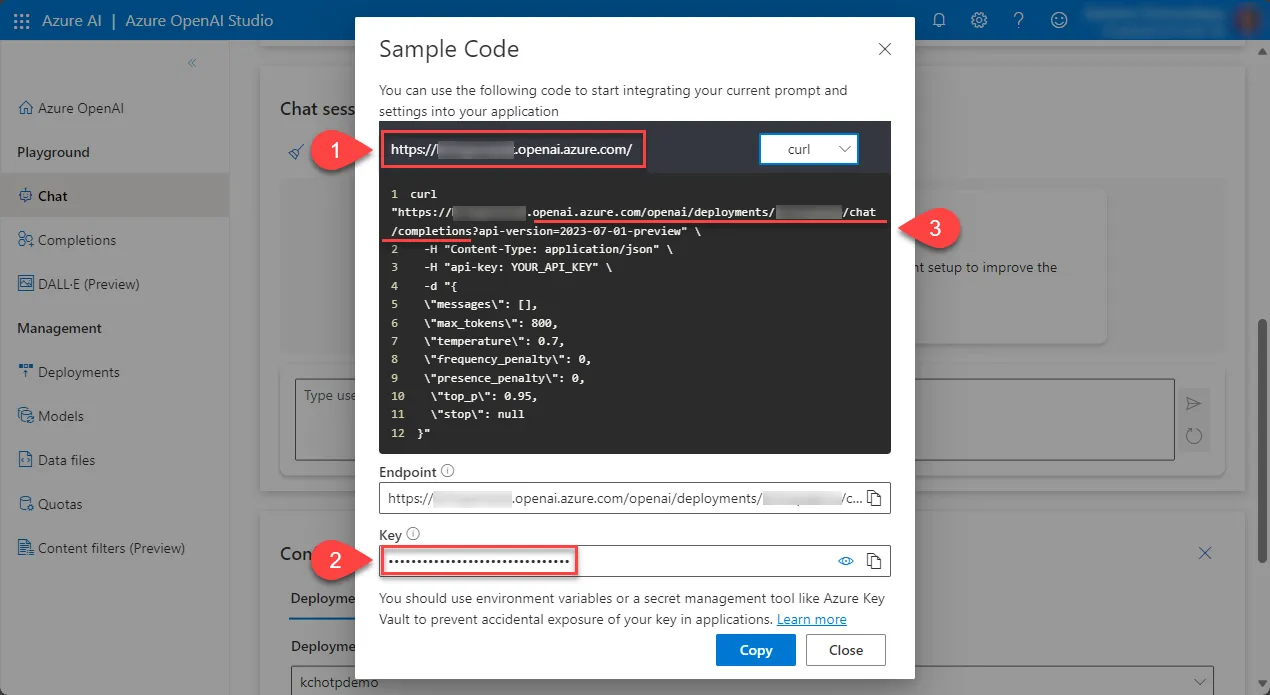
- Azure OpenAI resource
- GPT-4 model deployed in the Azure OpenAI resource
- Save the following information from your GPT-4 model deployment (this will be needed during the solution import process):
- AzureOpenAI Host
- AzureOpenAI Key
- AzureOpenAI URL
Minimal path to awesome
Using the solution zip
Download the
.zipfrom thesolutionfolder.Navigate to https://make.powerapps.com.
Open Solutions from the left-hand panel, select Import solution. Select Brows to choose downloaded Zip file, and select Next.
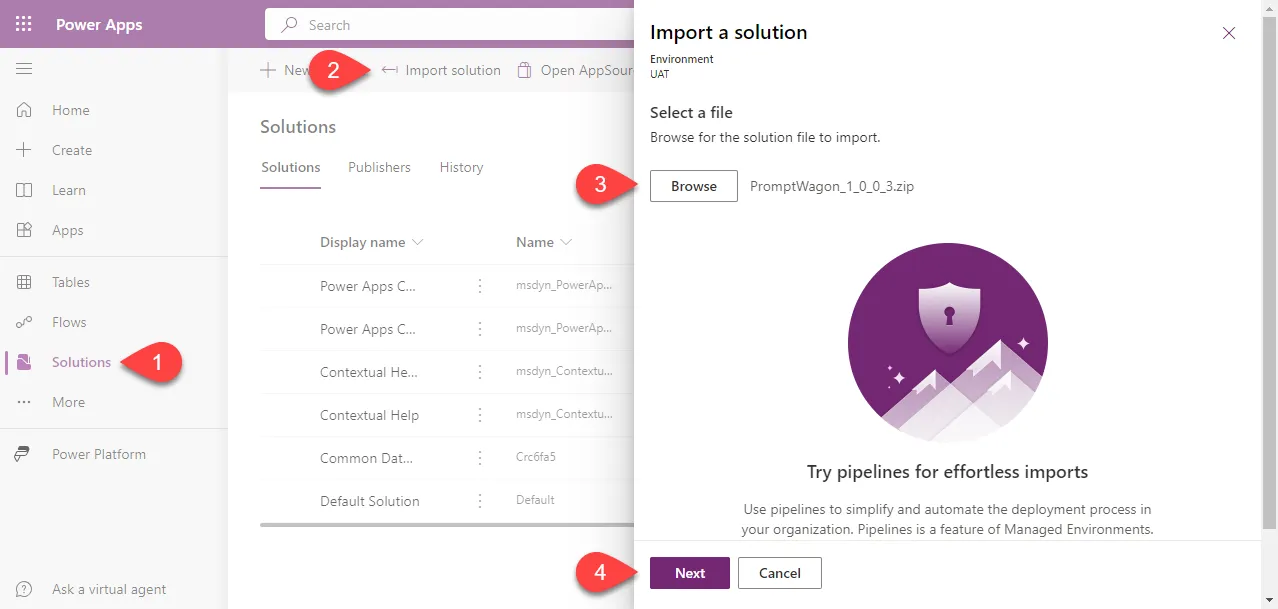
Select Next on the Details screen.
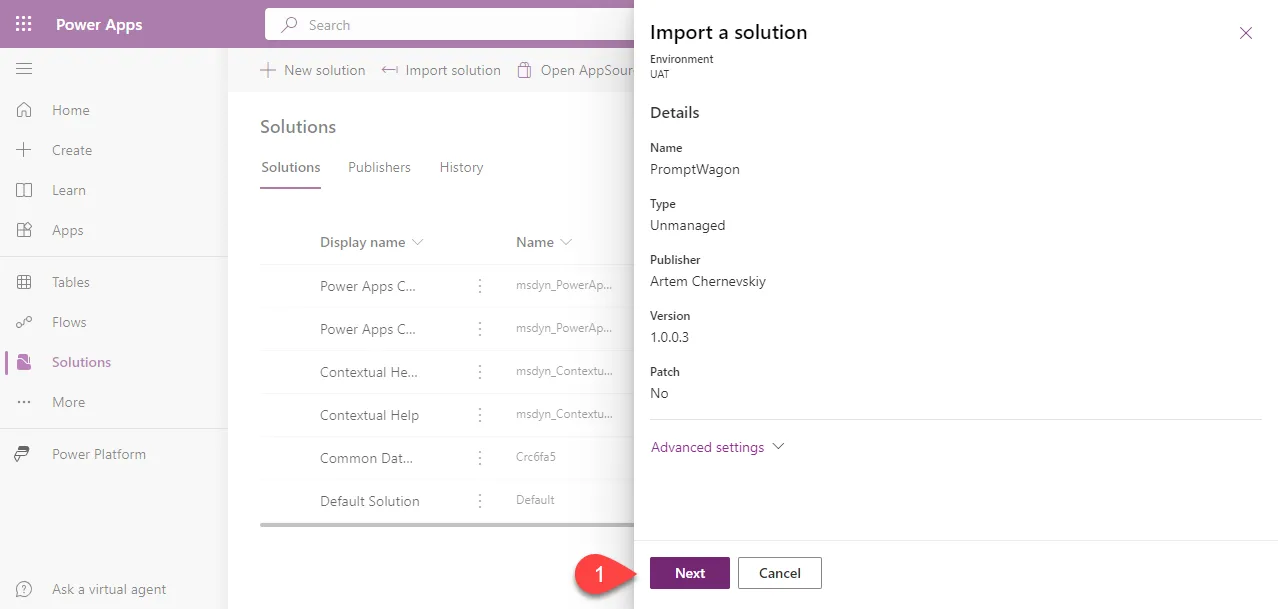
On the Environment Variables screen enter values for all environment variables. Once you are ready, select Import
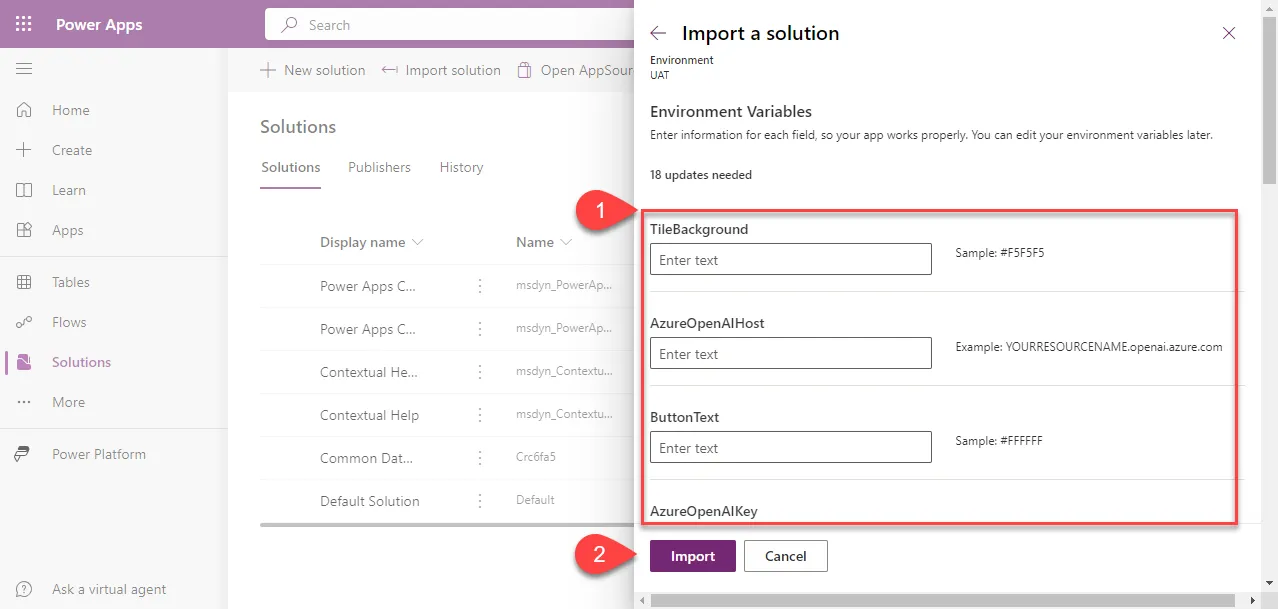
Wait till the end of the import process.
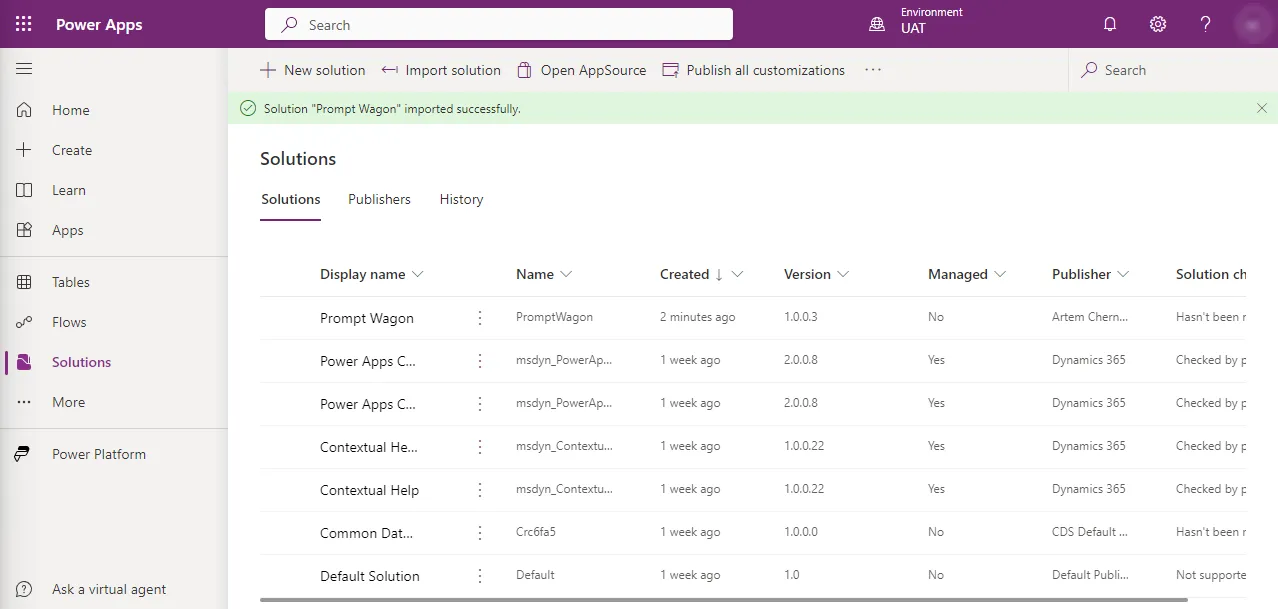
Open the imported solution, Select Apps, click on three dots next to the app name, select Play.
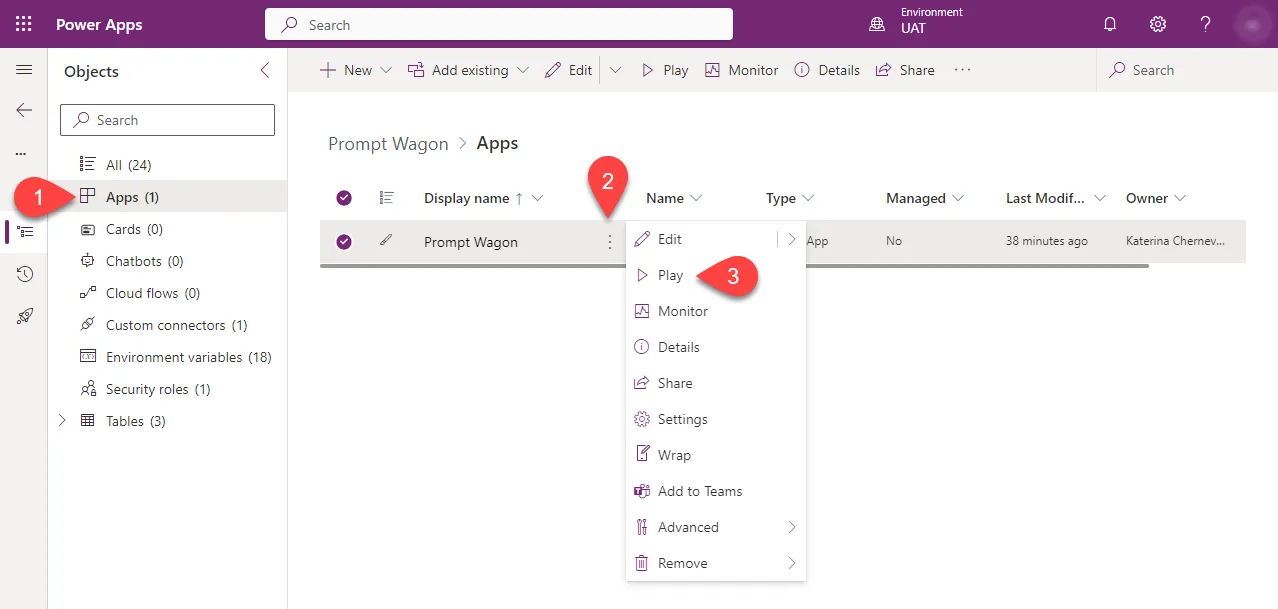
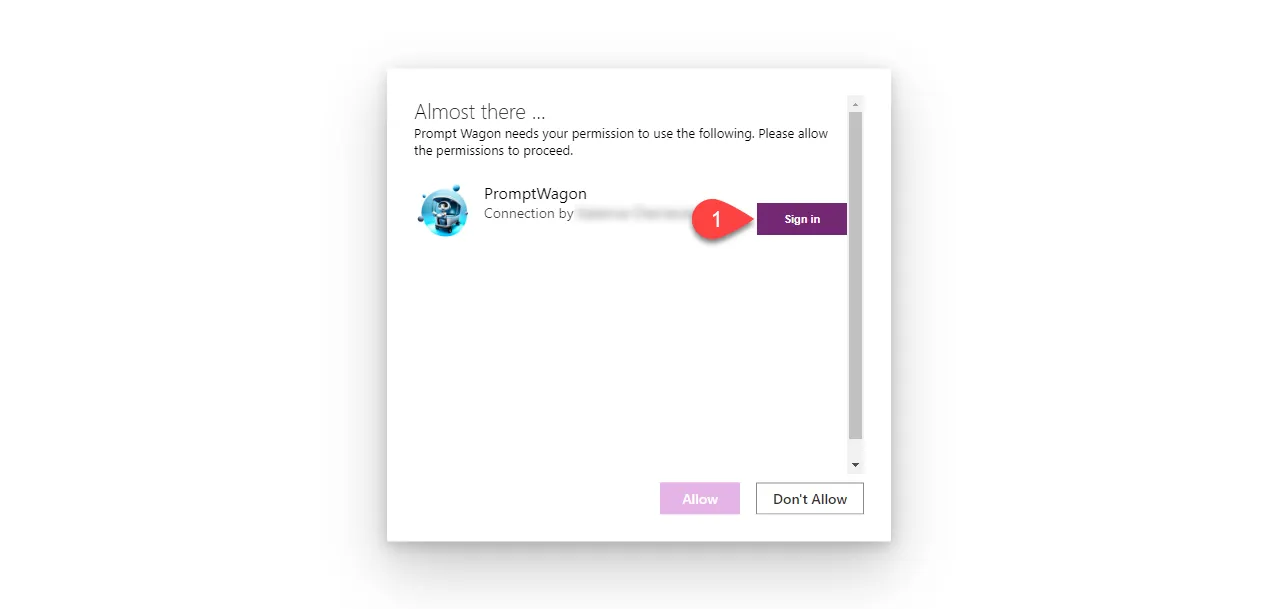
Select Sign in.
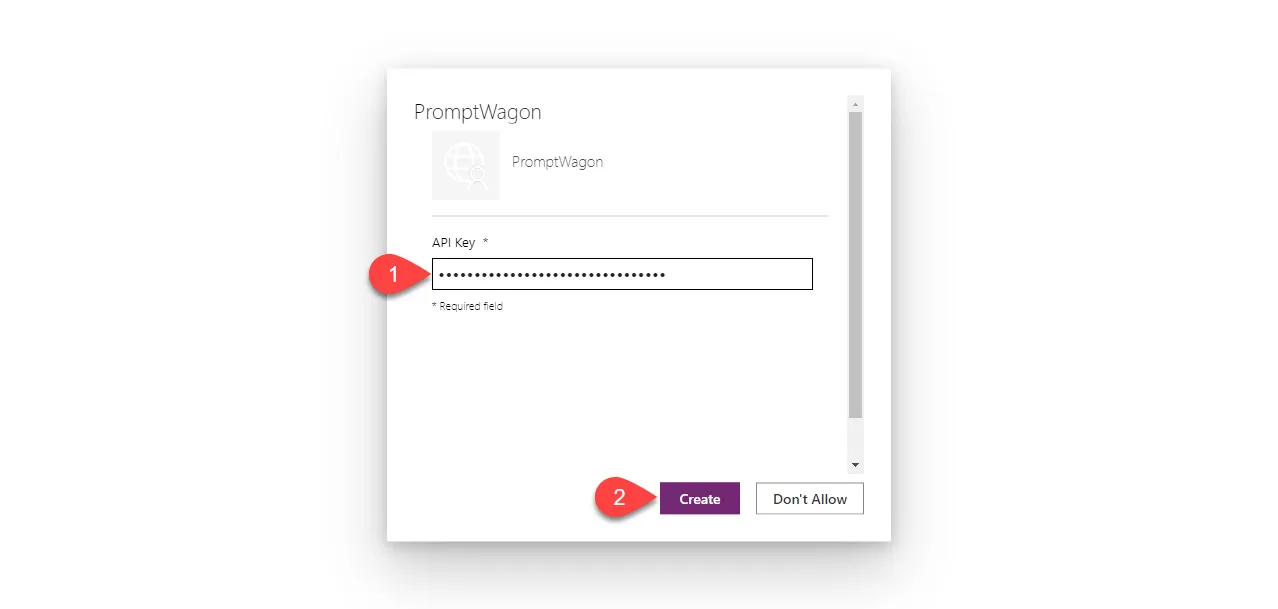
Enter Azure OpenAI API key, and select Create.
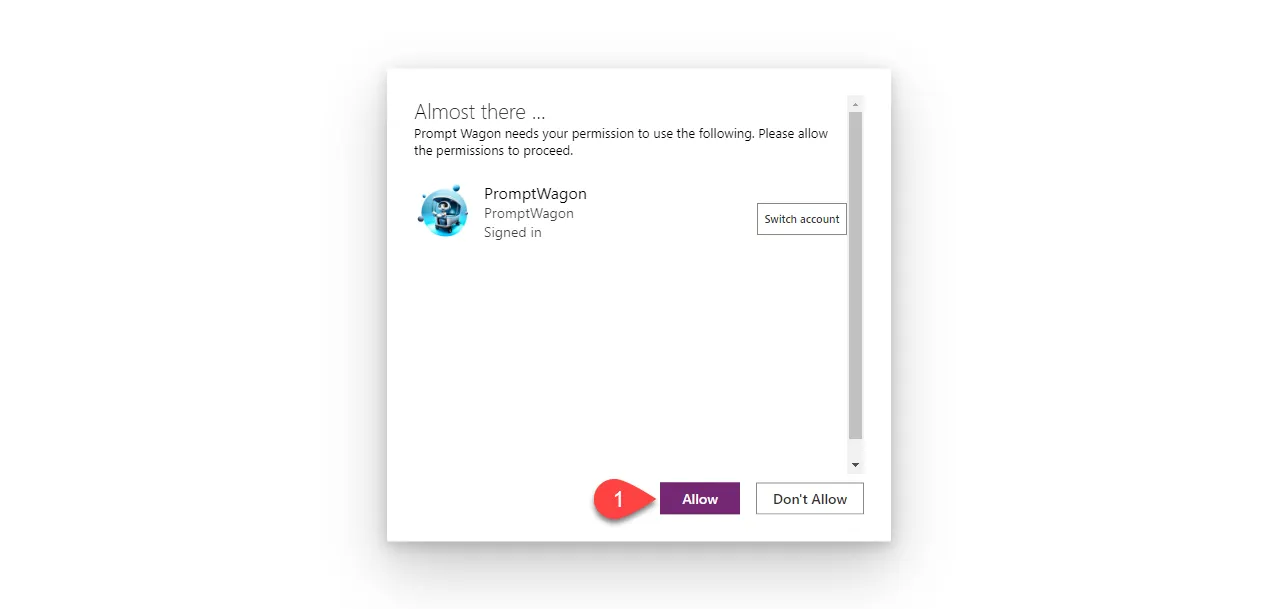
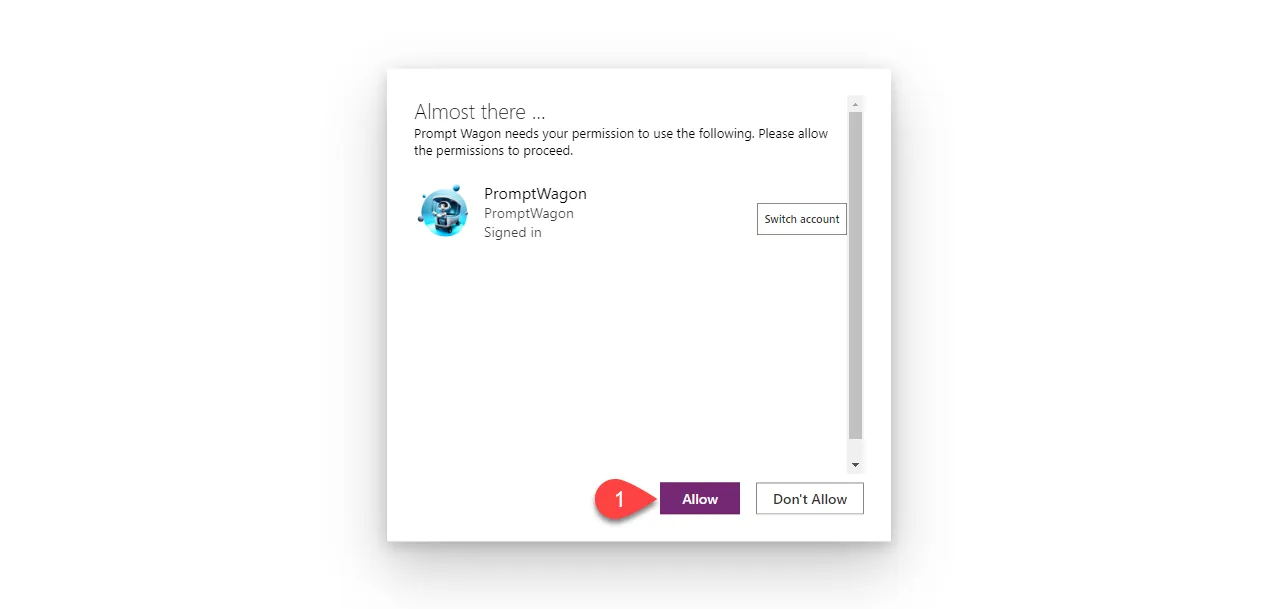
Select Allow.
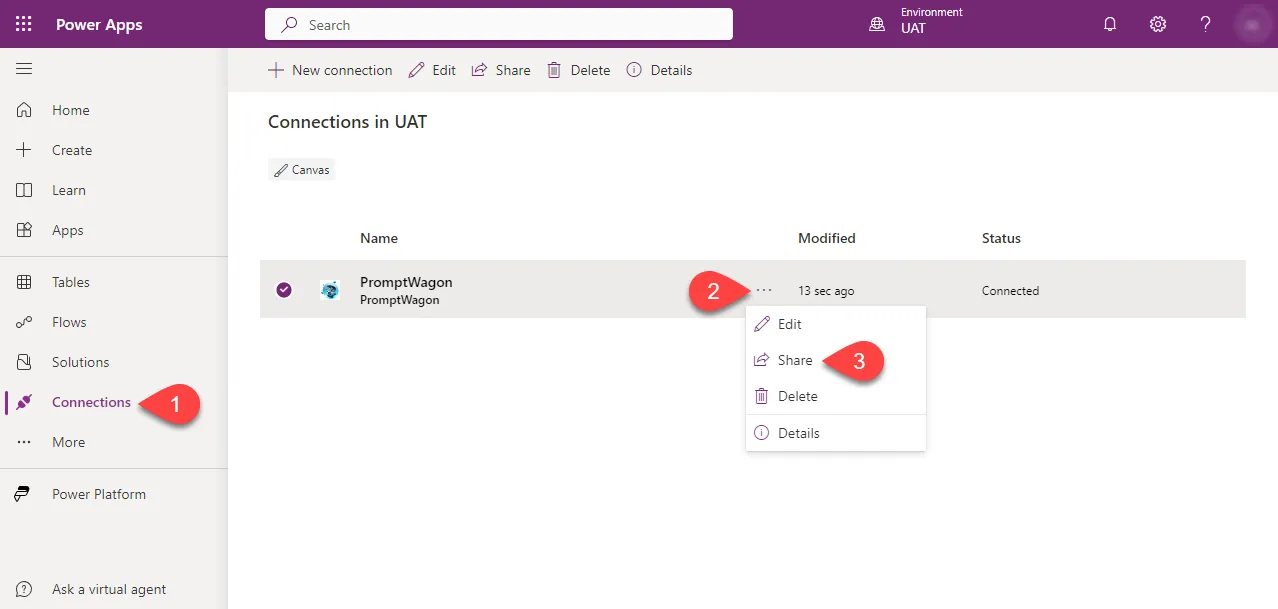
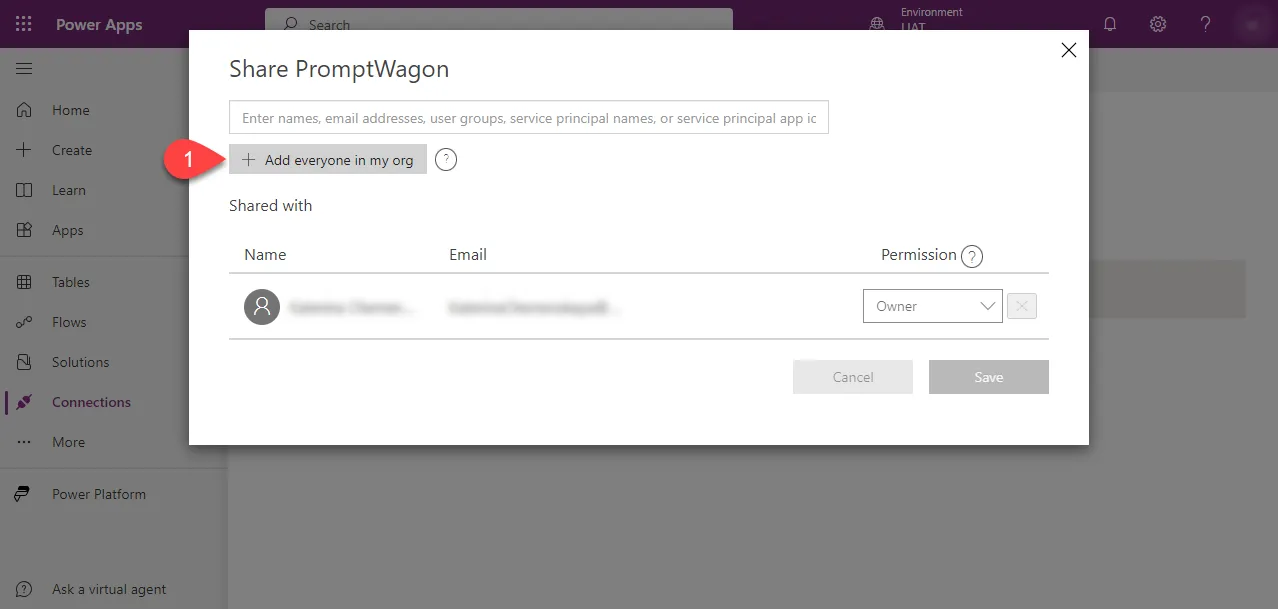
Navigate to Connections, click three dots next to connection name, select Share.
Select Add everyone in my org (or select your colleagues with whom you want to share the app).
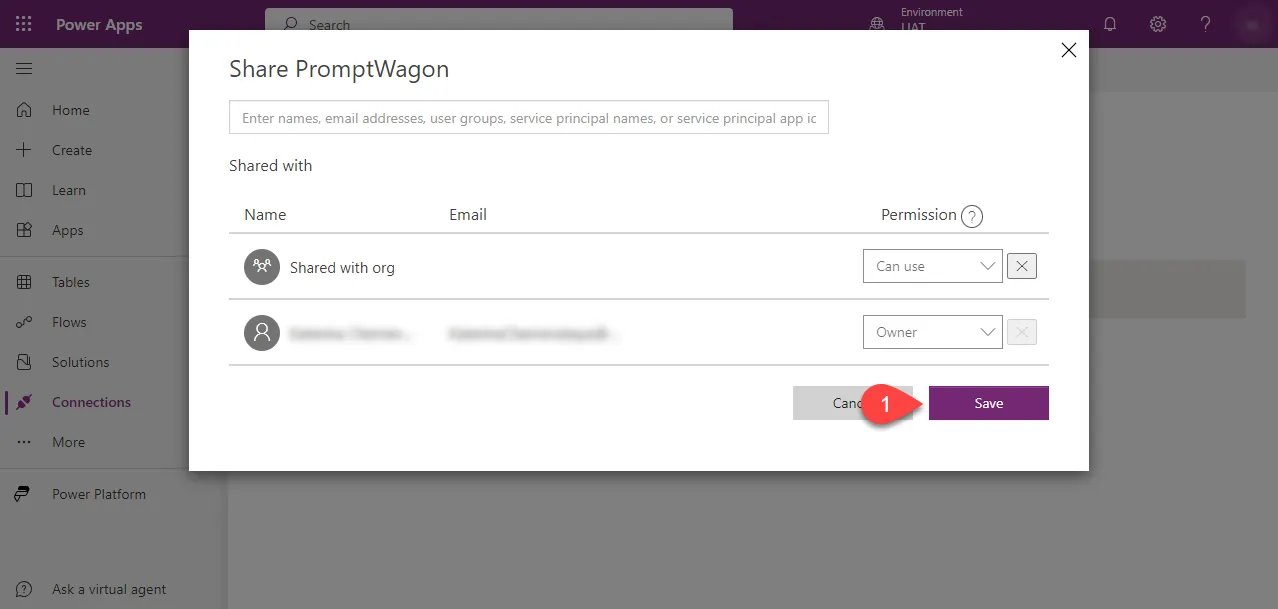
Select Save.
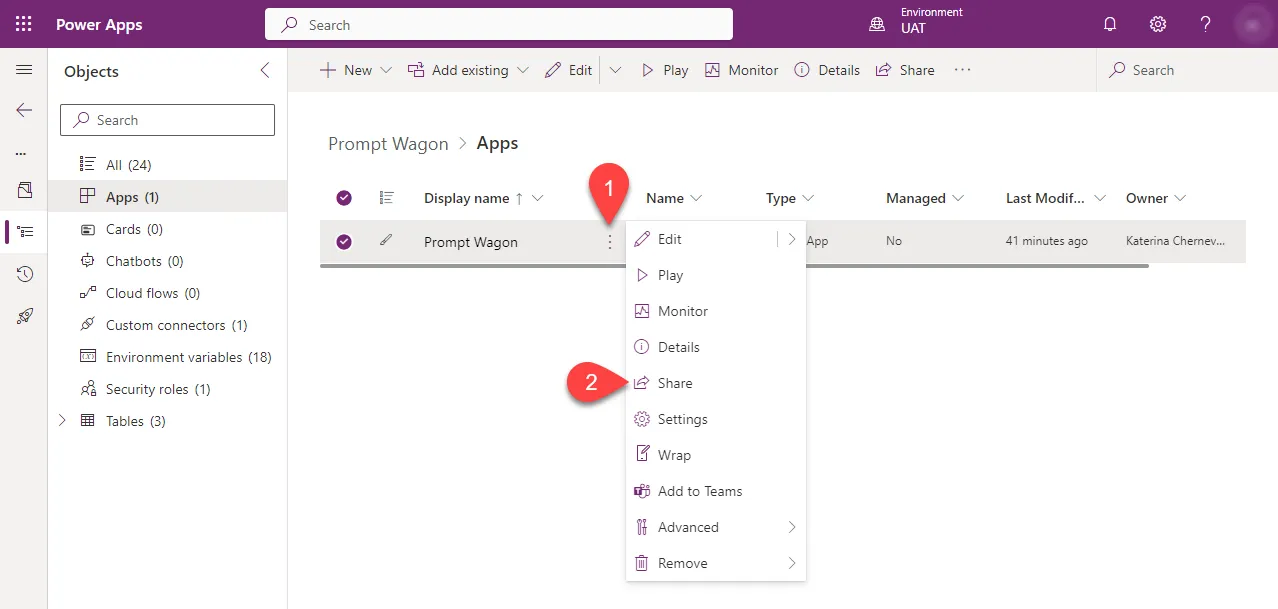
Go back to the solution, click three dots next to the app name, select Share.
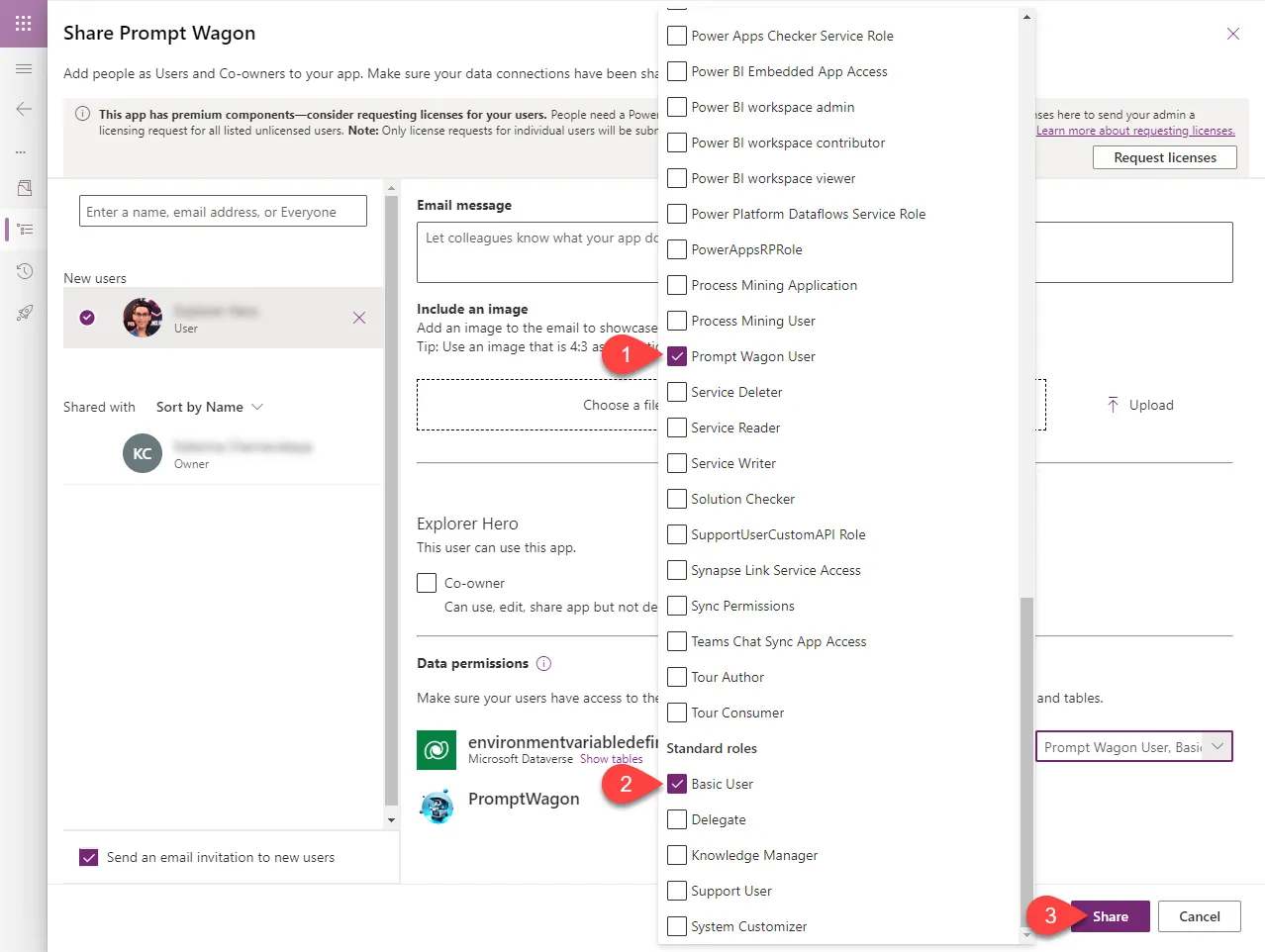
Add security roles Prompt Wagon User and Basic User, select Share.
On the initial launch, users will encounter a pop-up prompting them to grant permission for connections to Azure OpenAI. Once authorized, this pop-up will not appear in subsequent launches.
Import sample data
This step is optional. You have the option to populate the Dataverse tables with your content, such as interface text, images, prompts, and translations into two other languages. If you'd prefer to begin with sample data, follow the steps outlined below.
Download the
.zipfrom thesample-datafolder.Make sure that you have version 1.19.3 (or newer) of Power Platform CLI. To install the latest version:
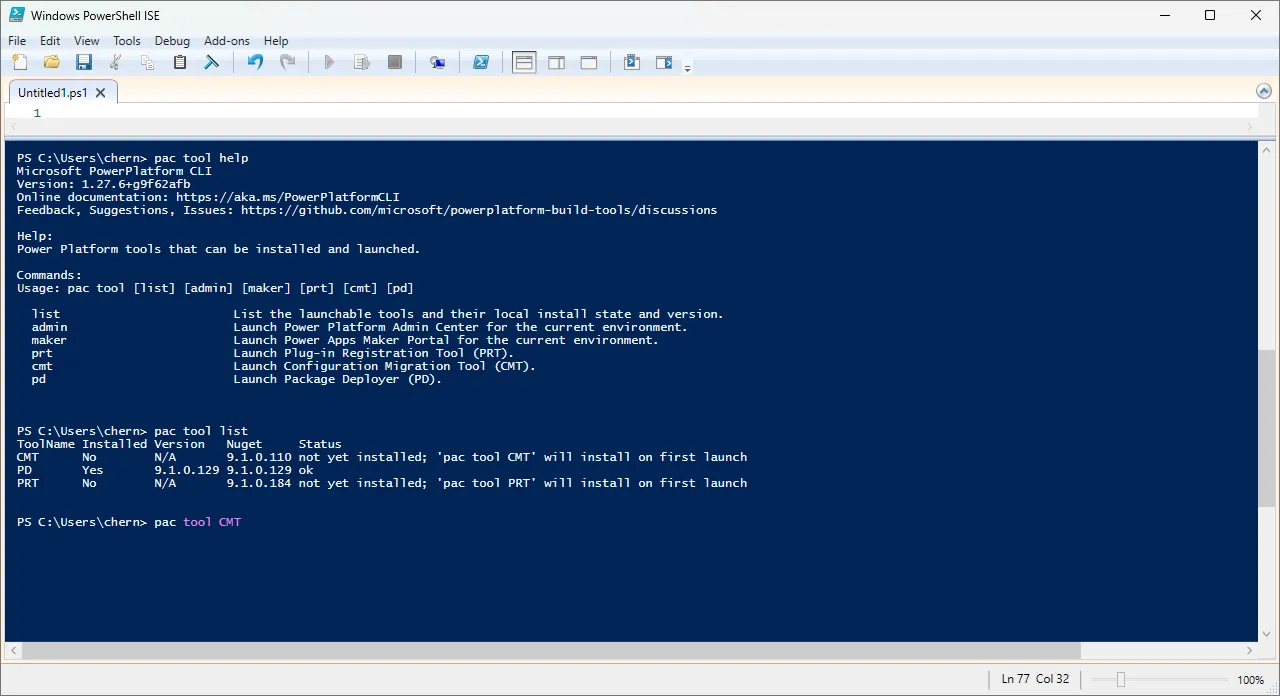
pac install latestNow get help on the tools.
pac tool helpSee what tools are installed.
pac tool listDownload and launch the Configuration Migration Tool
pac tool CMT
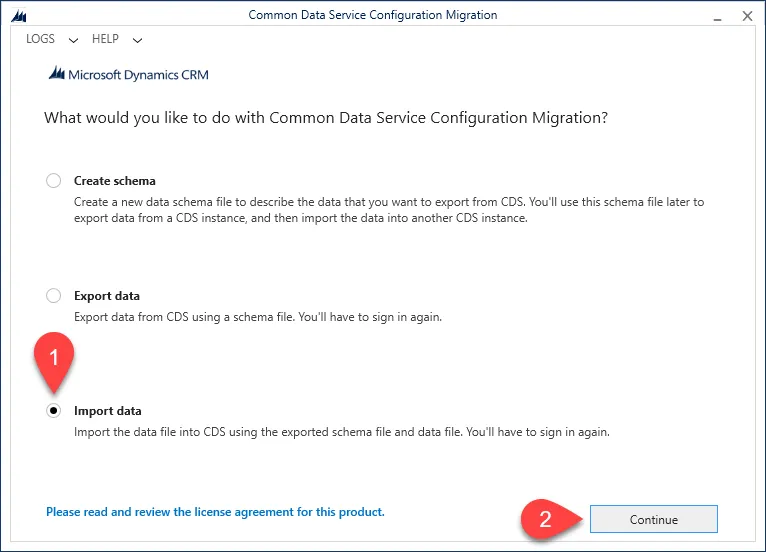
Select *Import data and Continue
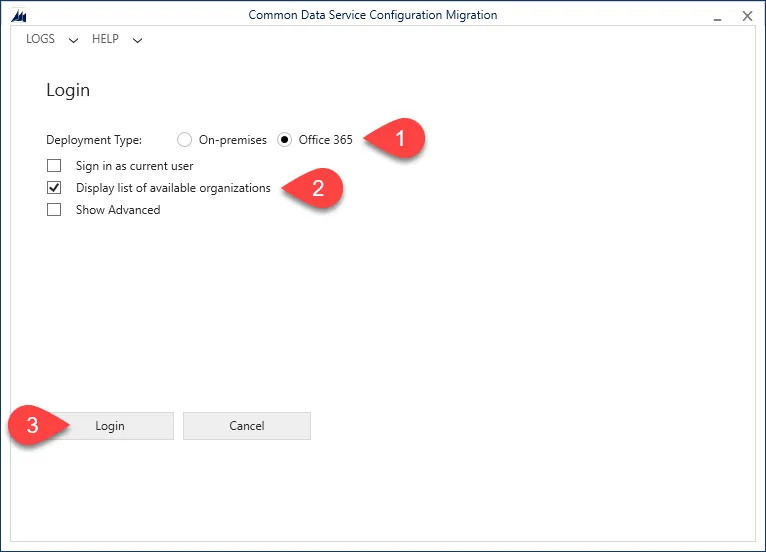
Select Office 365, check Display list of available organizations and select Login
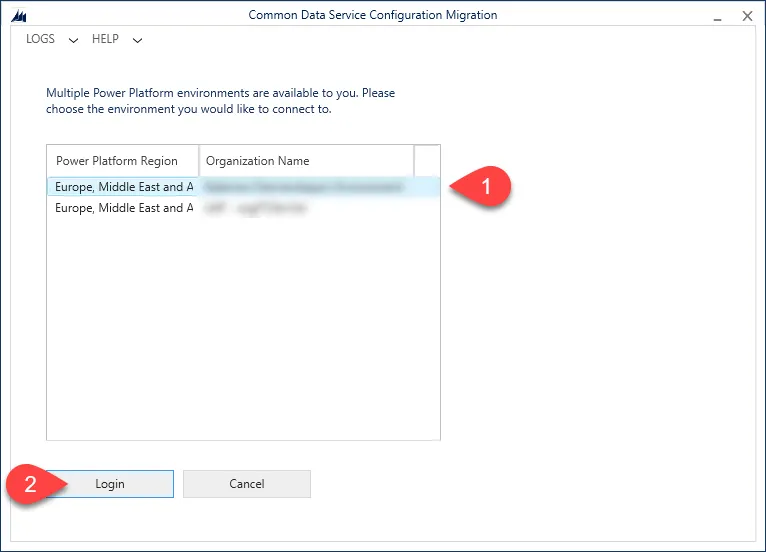
Select your target environment and select Login
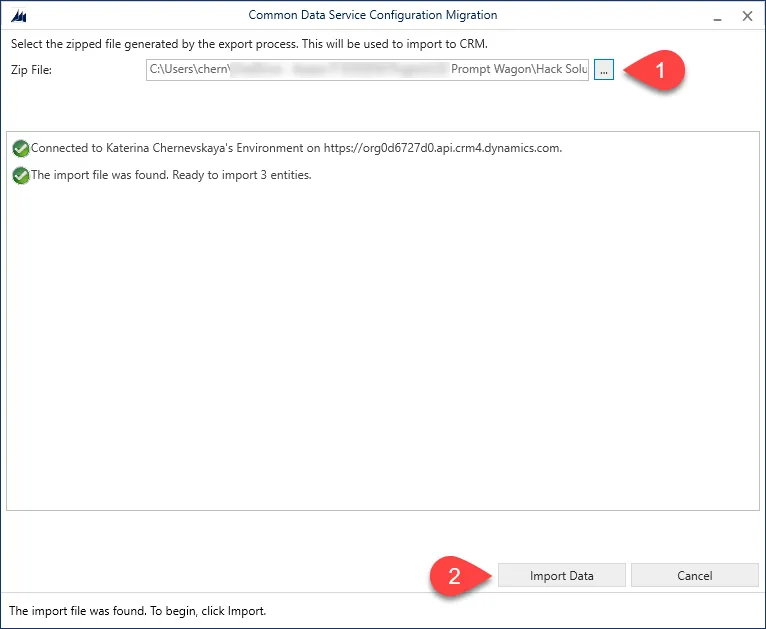
In the files Zip File select PromptWagonSampleData.zip downloaded earlier, and select Import Data.
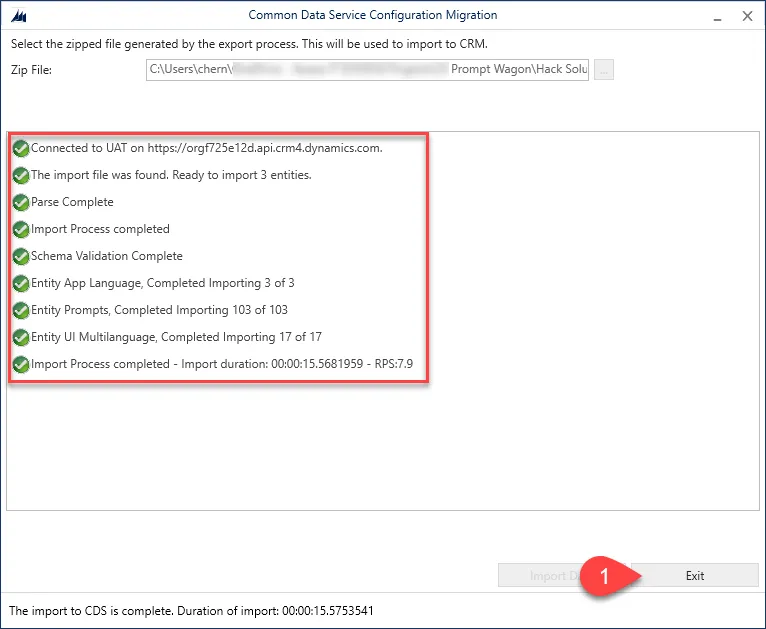
Once the import process will be completed, select Exit.
Features
- The app's responsive design ensures compatibility with both PC and mobile devices.
- With Sample Data, users receive 103 preset prompts spread across three categories: Business, Data, and Education. This facilitates interaction with GPT-4, even for those unfamiliar with prompt engineering.
- The interface supports multiple languages: English, German, and French.
- Administrative features empower admins to adjust prompts directly within the app. They can edit text for both system and user roles, modify the super prompt, and tweak request parameters like temperature, top p, and more.
- A super prompt enables the provision of overarching instructions to GPT-4, which apply to all prompts. This can include company style guidelines, restrictions, and more.
Help
We do not support samples, but this community is always willing to help, and we want to improve these samples. We use GitHub to track issues, which makes it easy for community members to volunteer their time and help resolve issues.
If you encounter any issues while using this sample, you can create a new issue.
For questions regarding this sample, create a new question.
Finally, if you have an idea for improvement, make a suggestion.
Disclaimer
THIS CODE IS PROVIDED AS IS WITHOUT WARRANTY OF ANY KIND, EITHER EXPRESS OR IMPLIED, INCLUDING ANY IMPLIED WARRANTIES OF FITNESS FOR A PARTICULAR PURPOSE, MERCHANTABILITY, OR NON-INFRINGEMENT.