
A community-built Power Platform sample
Security Role Management
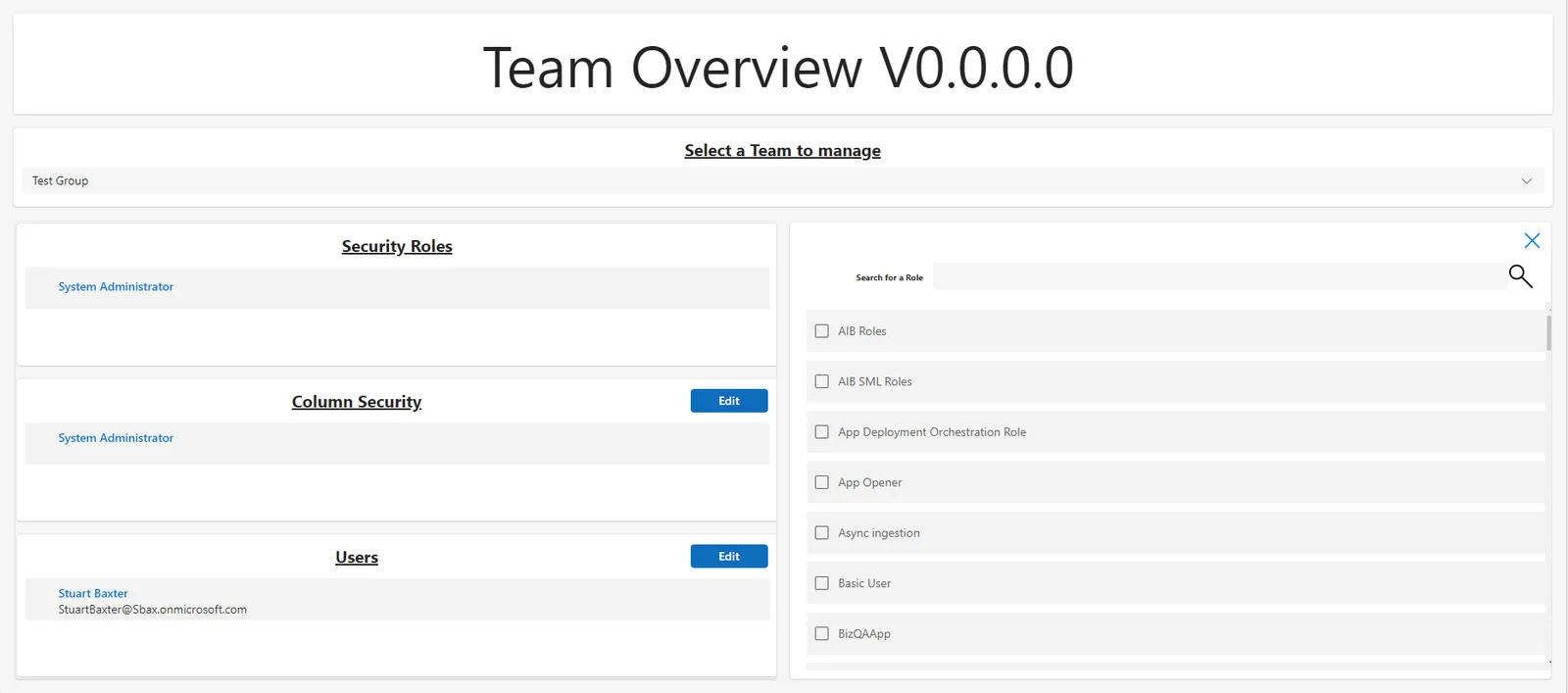
This solution allows admins to manage assignment of Security Roles, Column Security Profiles, and Users to Azure AD synced teams via a Canvas App.
 Power Apps
 Power Automate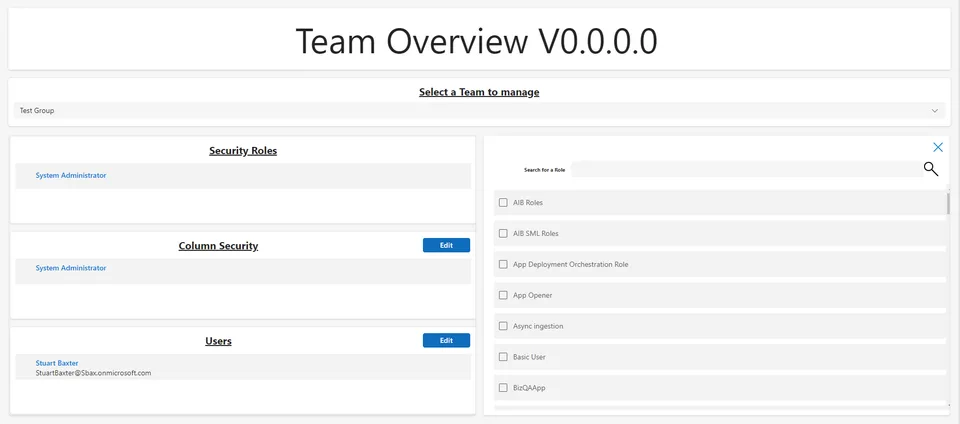
- Last updated
- Aug 16, 2023
- Category
- Power Apps
From idea to implementation
Make it your own.
Check this sample's prerequisites, permissions, and licensing before importing it. The documentation below comes directly from the sample README.
Summary
This solution allows admins to manage assignment of Security Roles, Column Security Profiles, and Users to Azure AD synced teams via a Canvas App.
I have also included a Power Automate Cloud Flow to create AAD synced team for demo purposes.
Applies to
Authors
| Solution | Author(s) |
|---|---|
| ManageSecurityRoles | Stuart Baxter - Business Applications MVP |
Version history
| Version | Date | Comments |
|---|---|---|
| 1.0.0.0 | July 22, 2023 | Initial release |
Features
This sample illustrates the following concepts:
- assigning of security roles to Power Platform Teams by using relate/unrelate
- assigning of column secuirty profiles to Power Platform Teams by using relate/unrelate
- assigning of users to Azure AD groups in a using the Azure Ad connector for Canvas Apps
Prerequisites
- A Dataverse user account with access to System Admin Security Role
- Permissions to create Azure AD Groups
Solution Components
The following solution components are used in this sample:
- Manage Power Platform Teams Canvas App (Canvas app)
- Add a new AAD group and associated Team (Cloud flow)
- AAD Group Admin (Environment variable)
- AAD Manage Security Roles (Connection reference)
- Dataverse Manage Security Roles (Connection reference)
- Manage Security Roles Component Library (Component library)
Data Sources
- Dataverse
Minimal Path to Awesome
- Download the Unmanaged solution
.zipfrom thesolutionfolder - Within https://make.powerapps.com, import the
.zipfile via Solutions > Import solution > Browse and select the.zipfile you just downloaded - Click next
- Click Import
- Run the Add a new AAD group and associated Team flow
- Open the Manage Power Platform Teams Canvas App
Using the Source Code
You can also use the Power Apps CLI to pack the source code by following these steps::
Clone the repository to a local drive
Pack the source files back into
.zipfile:pac solution pack --folder pathtosourcefolder --zipfile pathtosolution --processCanvasAppsMaking sure to replace
pathtosourcefolderto point to the path to this sample'ssourcecodefolder, andpathtosolutionto point to the path of this solution's.zipfile (located under theSolutionsfolder)Within https://make.powerapps.com, import the
.zipfile via Solutions > Import solution > Browse and select the.zipfile you just downloaded.Click next.
Click import
following solution import, run the Add a new AAD group and associated Team flow to create a team for demo purposes
Open the Manage Power Platform Teams Canvas App and start using it
Disclaimer
THIS CODE IS PROVIDED AS IS WITHOUT WARRANTY OF ANY KIND, EITHER EXPRESS OR IMPLIED, INCLUDING ANY IMPLIED WARRANTIES OF FITNESS FOR A PARTICULAR PURPOSE, MERCHANTABILITY, OR NON-INFRINGEMENT.