
A reusable Power Platform snippet
Office 365 Users: Get Manager (Action)
This is a snippet that demonstrates how to get your manager details using the Office 365 Users action.
 Copilot Studio

- Last updated
- Sep 15, 2024
- Category
- Community snippet
From idea to implementation
Make it your own.
Check this snippet's prerequisites, permissions, and licensing before using it. The documentation below comes directly from the snippet README.
This is a snippet that demonstrates how to get your manager details using the Office 365 Users action. It uses an adaptive card as an output to not only display your manager details but to also start a Teams chat with them.
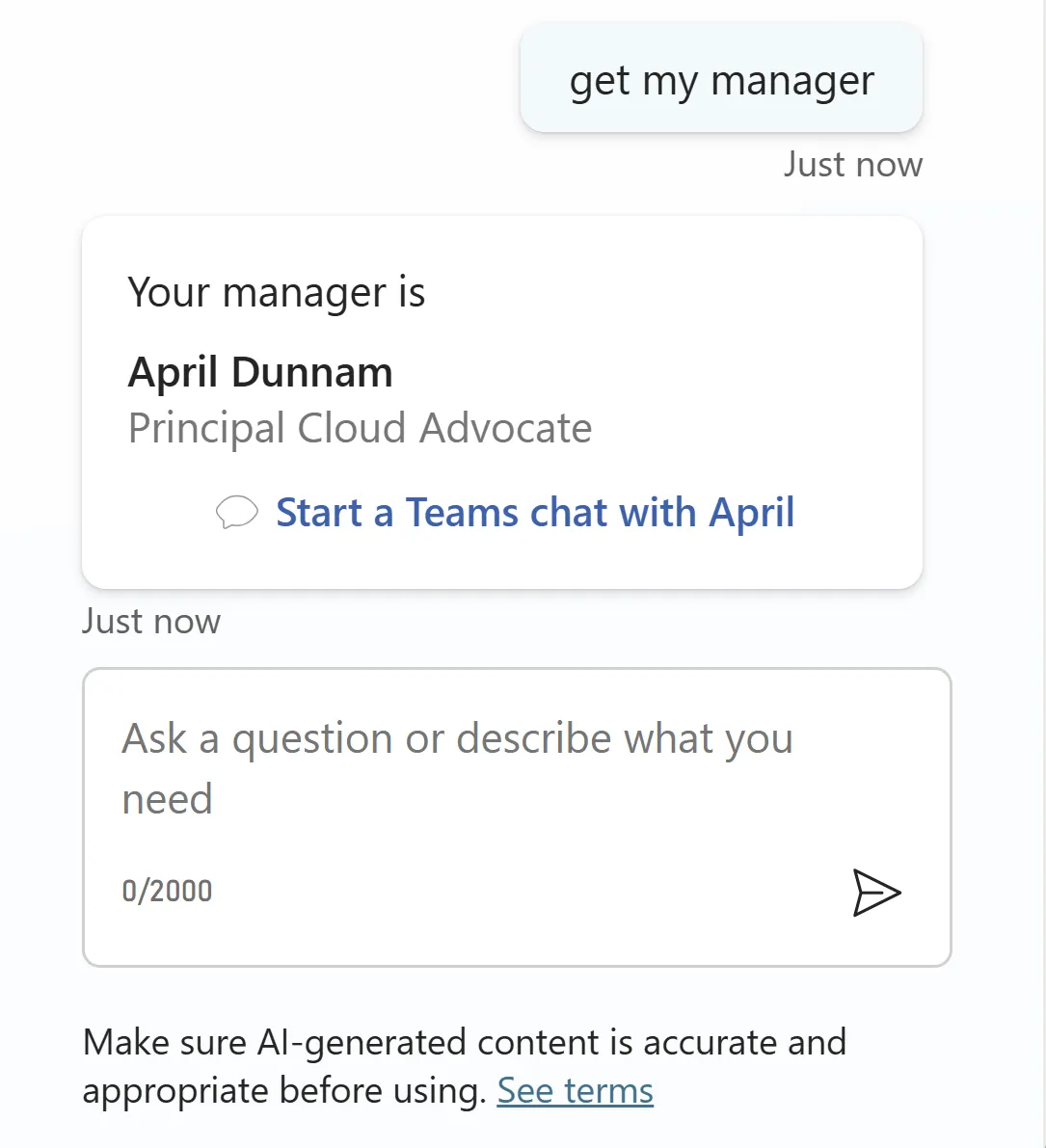
You can also customize the adaptive card to include more information from your manager.
Authors
| Snippet | Author(s) |
|---|---|
| Office 365 Users: Get Manager (Action with Adaptive Card) | Gomolemo Mohapi (@GomoMohapi) |
Minimal path to awesome
Open a copilot in Copilot Studio
Select Actions
Select + Add an action
Search for Get manager and press Enter
Select the Get manager (V2) action from the Office 365 Users connector
Select Next
Select Next again
Select Finish
Select the Office 365 Users - Get manager (V2) action in the list (select the name)
Select the ... in the upper right corner and select Open code editor
Make sure to look for and copy the name of the connection reference
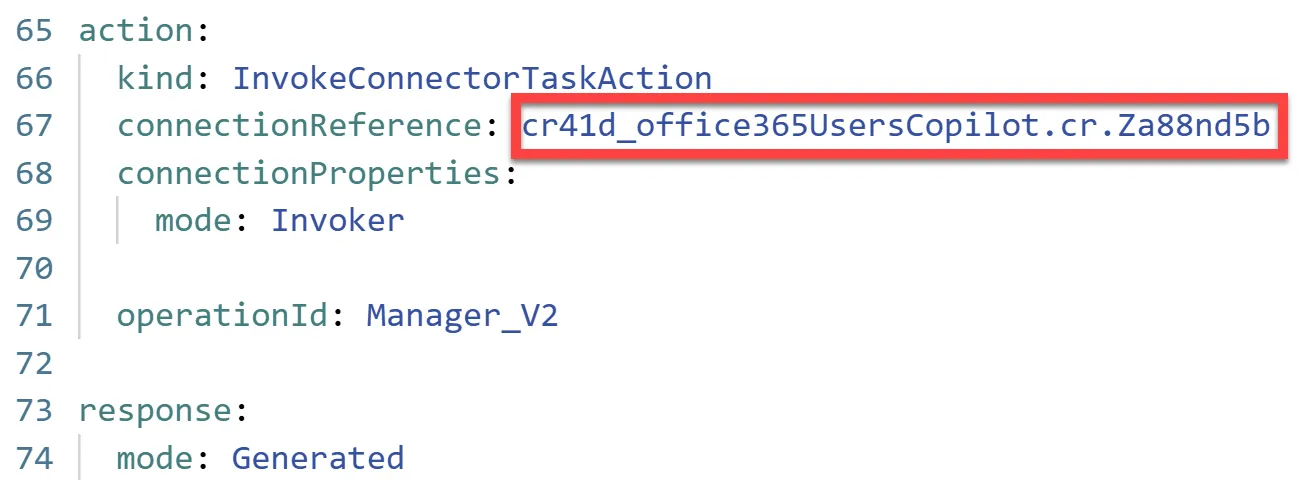
Replace all the code in the code editor with the contents of this YAML-file
Replace { REPLACE-WITH-CONNECTION-REFERENCE-NAME } with the connection reference name you copied two steps earlier
Save the action.
Select Settings on the top right corner
Select Generative AI
Under Using generative AI in conversations, select Generative
Select Save and then exit Settings by selecting the X in the upper right corner
Open the Test your copilot panel
Refresh the Test your copilot panel to get the latest changes
Test out the action by asking
get my manageror something similar:
Disclaimer
THIS CODE IS PROVIDED AS IS WITHOUT WARRANTY OF ANY KIND, EITHER EXPRESS OR IMPLIED, INCLUDING ANY IMPLIED WARRANTIES OF FITNESS FOR A PARTICULAR PURPOSE, MERCHANTABILITY, OR NON-INFRINGEMENT.