
A reusable Power Platform snippet
Timeout Message (Topic)
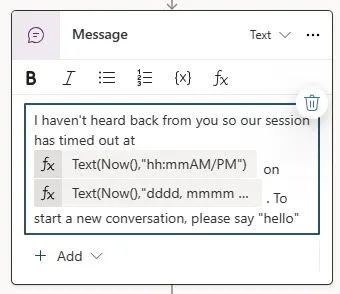
This is a snippet that demonstrates a sample message for when a copilot session times out. It includes two Power Fx expressions for formatting of the time and date.
 Copilot Studio

- Last updated
- Mar 21, 2024
- Category
- Community snippet
From idea to implementation
Make it your own.
Check this snippet's prerequisites, permissions, and licensing before using it. The documentation below comes directly from the snippet README.
This is a snippet that demonstrates a sample message for when a copilot session times out. It includes two Power Fx expressions for formatting of the time and date.
- The current time, e.g 01:36PM
- The current date, e.g Thursday, March 21
Authors
| Snippet | Author(s) |
|---|---|
| Timeout Message (Topic) | Elaiza Benitez (@benitezhere) |
Minimal path to awesome
Open an agent in Copilot Studio
Select Topics
Select + Add a topic
Select Create from blank
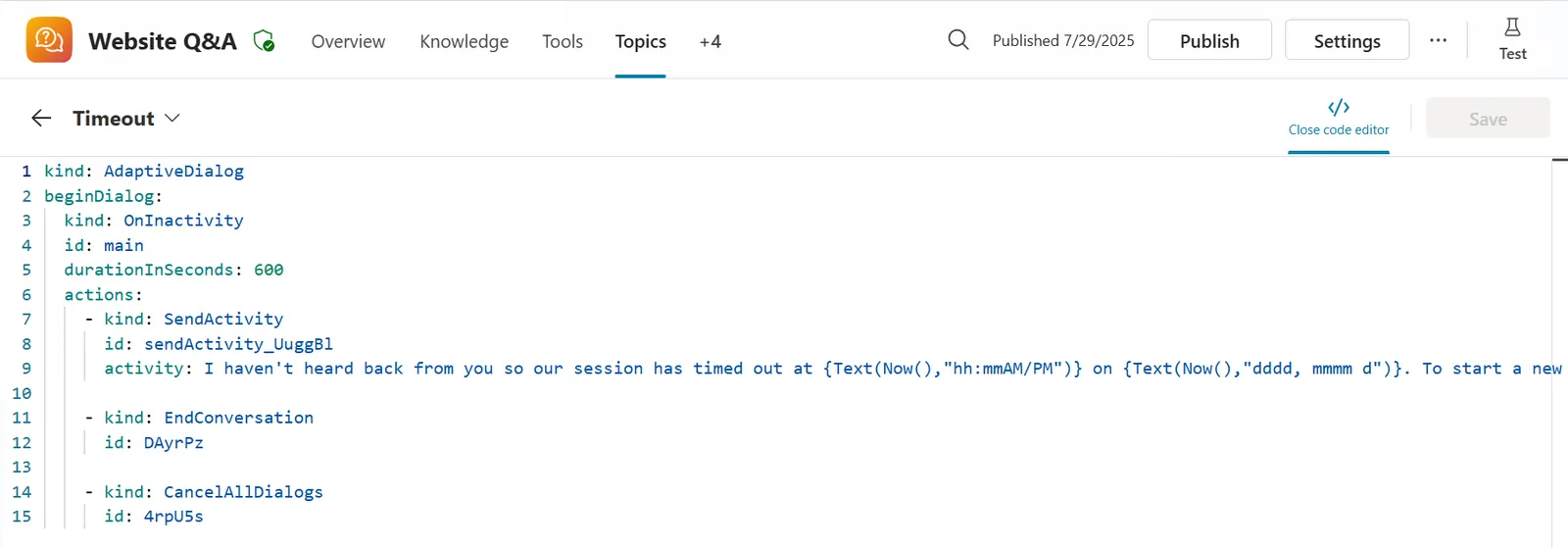
Select the ... in the upper right corner and select Open code editor
Click inside the code editor and CTL + A for Windows or Command-A for Mac to select all rows.
Paste the contents of the YAML-file inside the code editor.
Enter a Name for your Topic.
Select Save
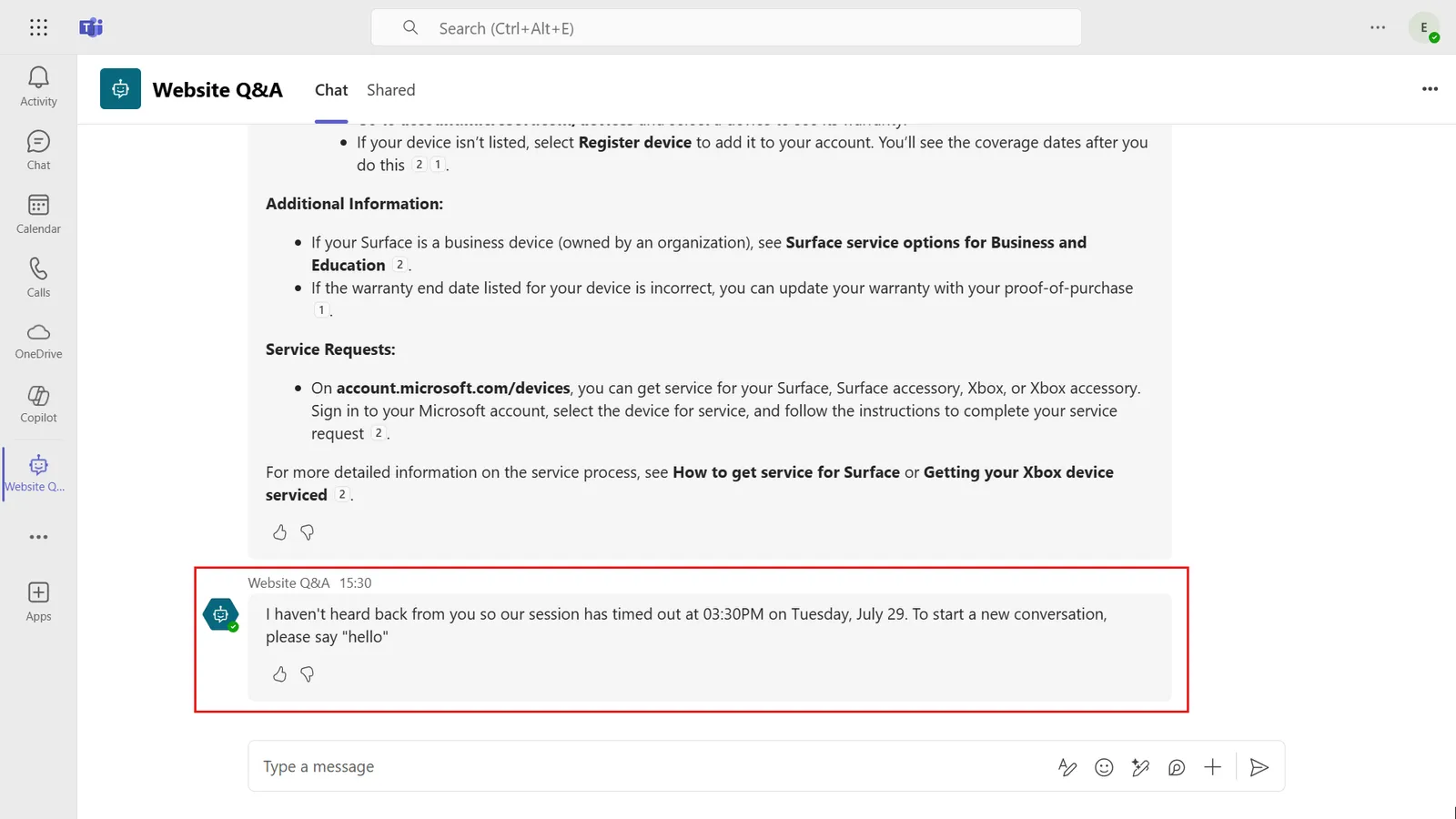
Test out the Timeout Message by publishing your agent to Microsoft Teams and enter a trigger phase for one of your Topics.
After receiving a response from your agent, do not enter a message and leave idle for 10 minutes.
After 10 minutes, the trigger for inactivity will be executed and the timeout message will be displayed, you're done!
Note
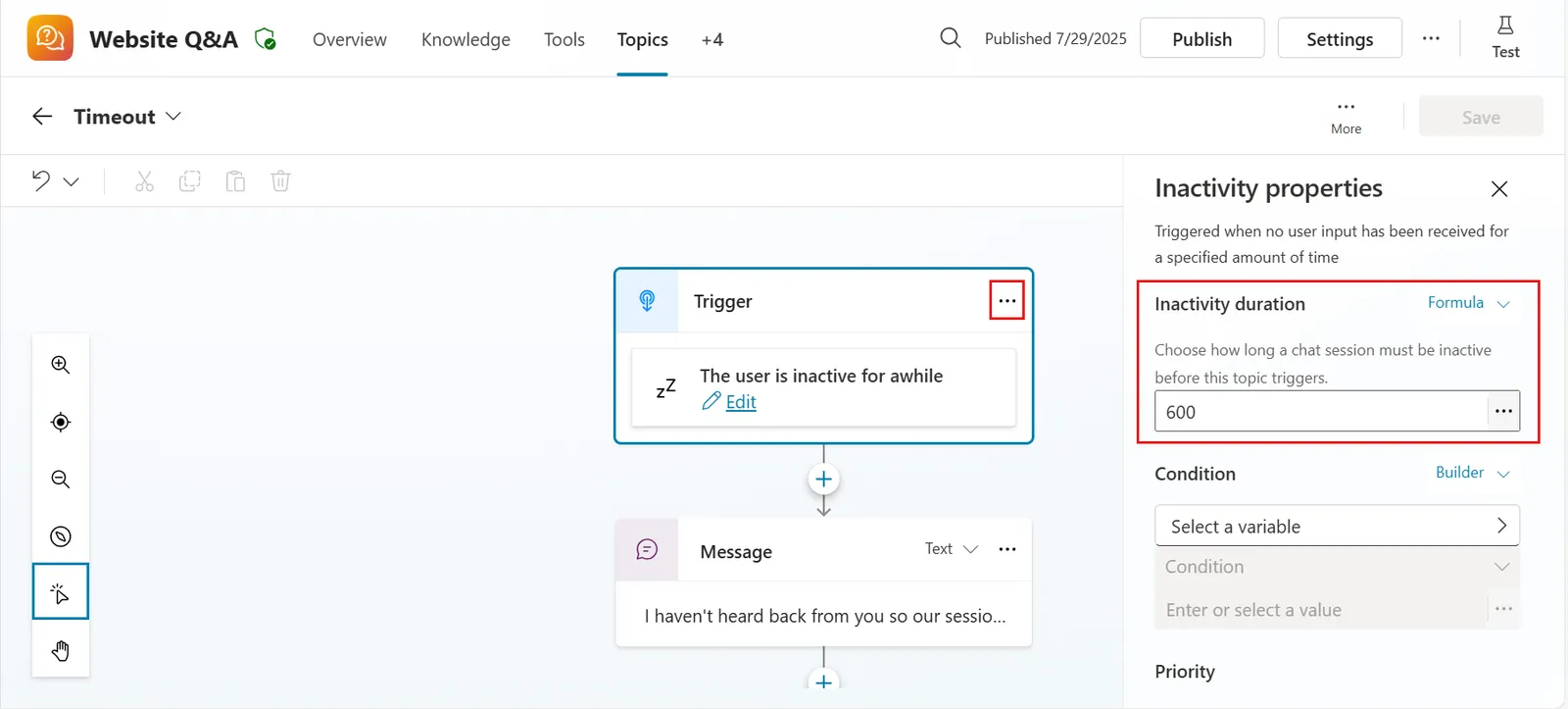
If you want to change the timeout duration, select the ellipsis (. . .) icon in the trigger. The Inactivity properties pane will load and the inactivity duration value can be updated. Convert desired minutes into seconds. For example 10 minutes is 600 seconds.
Disclaimer
THIS CODE IS PROVIDED AS IS WITHOUT WARRANTY OF ANY KIND, EITHER EXPRESS OR IMPLIED, INCLUDING ANY IMPLIED WARRANTIES OF FITNESS FOR A PARTICULAR PURPOSE, MERCHANTABILITY, OR NON-INFRINGEMENT.