
A reusable Power Platform snippet
Calendar
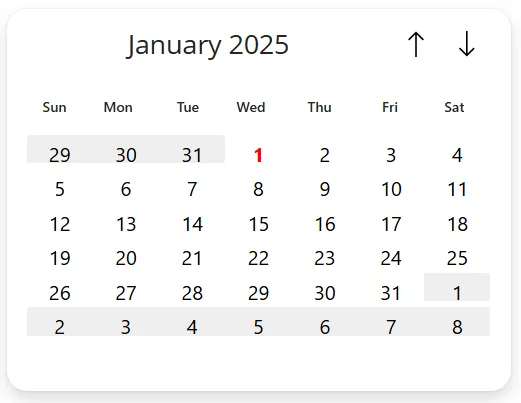
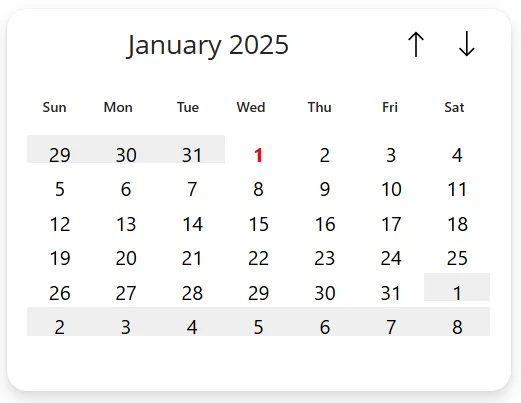
This is a snippet that can help you get started with creating a calendar in canvas app.
 Power Apps
- Last updated
- Feb 4, 2025
- Category
- Community snippet
From idea to implementation
Make it your own.
Check this snippet's prerequisites, permissions, and licensing before using it. The documentation below comes directly from the snippet README.
This is a snippet that can help you get started with creating a calendar in canvas app. It uses containers and galleries, to create a functional calendar.
Authors
| Snippet | Author(s) |
|---|---|
| Marcel Ferreira | GitHub |
Code
Minimal path to awesome
- Open your canvas app in Power Apps
- Copy the contents of the YAML-file or copy the code from above.
- Right click on the screen where you want to add the snippet and select "Paste Code"
- Customize the values to your need. Use the variable _selectedDate to get or set the selected date.
Disclaimer
THIS CODE IS PROVIDED AS IS WITHOUT WARRANTY OF ANY KIND, EITHER EXPRESS OR IMPLIED, INCLUDING ANY IMPLIED WARRANTIES OF FITNESS FOR A PARTICULAR PURPOSE, MERCHANTABILITY, OR NON-INFRINGEMENT.