
A reusable Power Platform snippet
Gallery with Horizontal Scroll
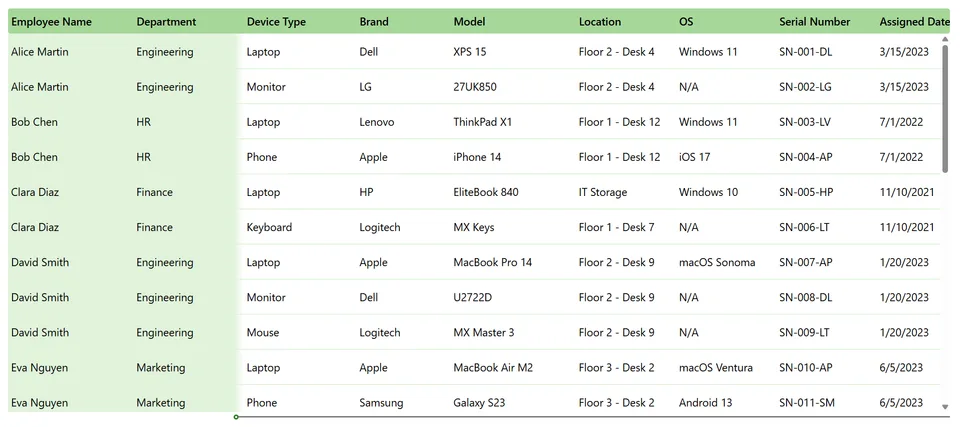
A gallery with frozen columns and horizontal scroll to display wide tabular data.
 Power Apps
- Last updated
- Sep 1, 2026
- Category
- Community snippet
From idea to implementation
Make it your own.
Check this snippet's prerequisites, permissions, and licensing before using it. The documentation below comes directly from the snippet README.
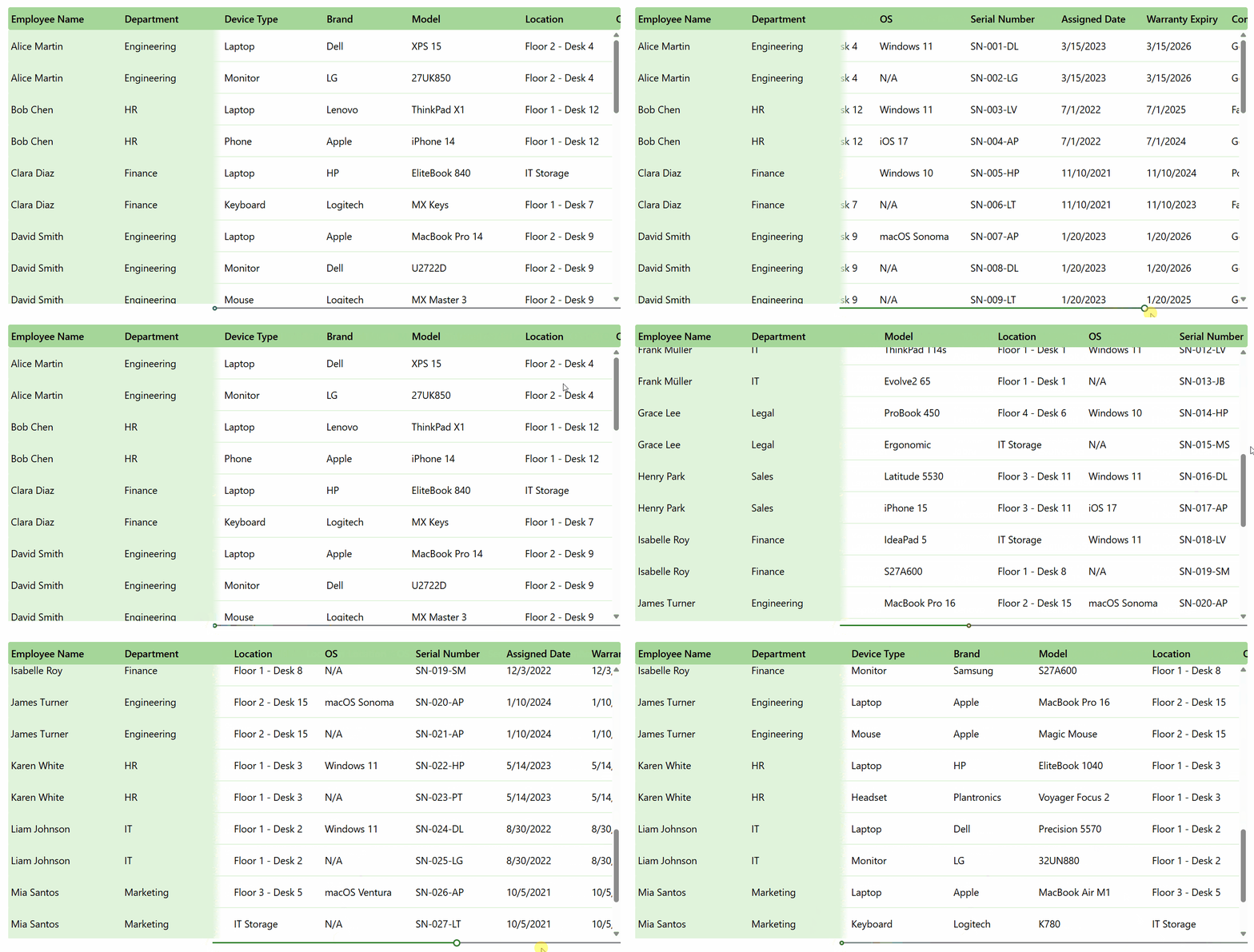
A gallery where the first two columns remain frozen while the user scrolls horizontally through additional columns using a slider. A gradient shadow visually separates the frozen columns from the scrollable area.
Features
- Frozen columns that stay fixed during horizontal scroll
- Gradient shadow to visually separate frozen and scrollable columns
- Column widths and X positions driven by named formulas (
colColumnConfig,ColumnX,ColumnWidth) - Slider-controlled horizontal scroll
- Mock data pre-loaded in
OnVisible, replace theClearCollectwith your own data source
Authors
| Snippet | Author(s) |
|---|---|
| Gallery with Horizontal Scroll | Antanina Druzhkina |
Minimal path to awesome
- Open your canvas app in Power Apps
- Ensure the User-defined functions setting is turned on (located in the Updates section of the Settings menu)
- Select the App element in the Tree View and navigate to its Formulas property
- Paste the contents of gallery-horizontal-scroll.fx into the Formulas property
- Copy the contents of gallery-horizontal-scroll.yaml
- Right click on the screen where you want to add the snippet and select Paste Code
Code
Disclaimer
THIS CODE IS PROVIDED AS IS WITHOUT WARRANTY OF ANY KIND, EITHER EXPRESS OR IMPLIED, INCLUDING ANY IMPLIED WARRANTIES OF FITNESS FOR A PARTICULAR PURPOSE, MERCHANTABILITY, OR NON-INFRINGEMENT.