
A reusable Power Platform snippet
Form Factor selector
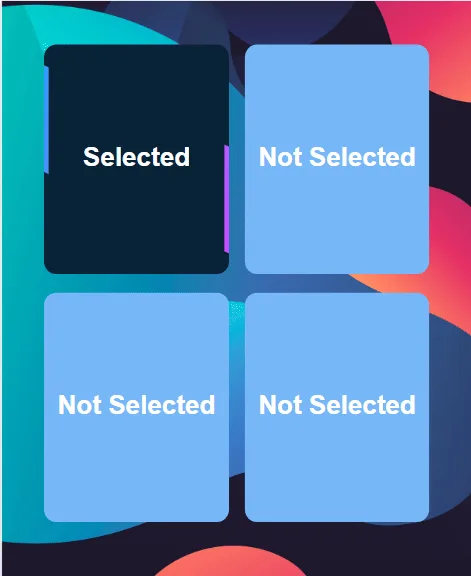
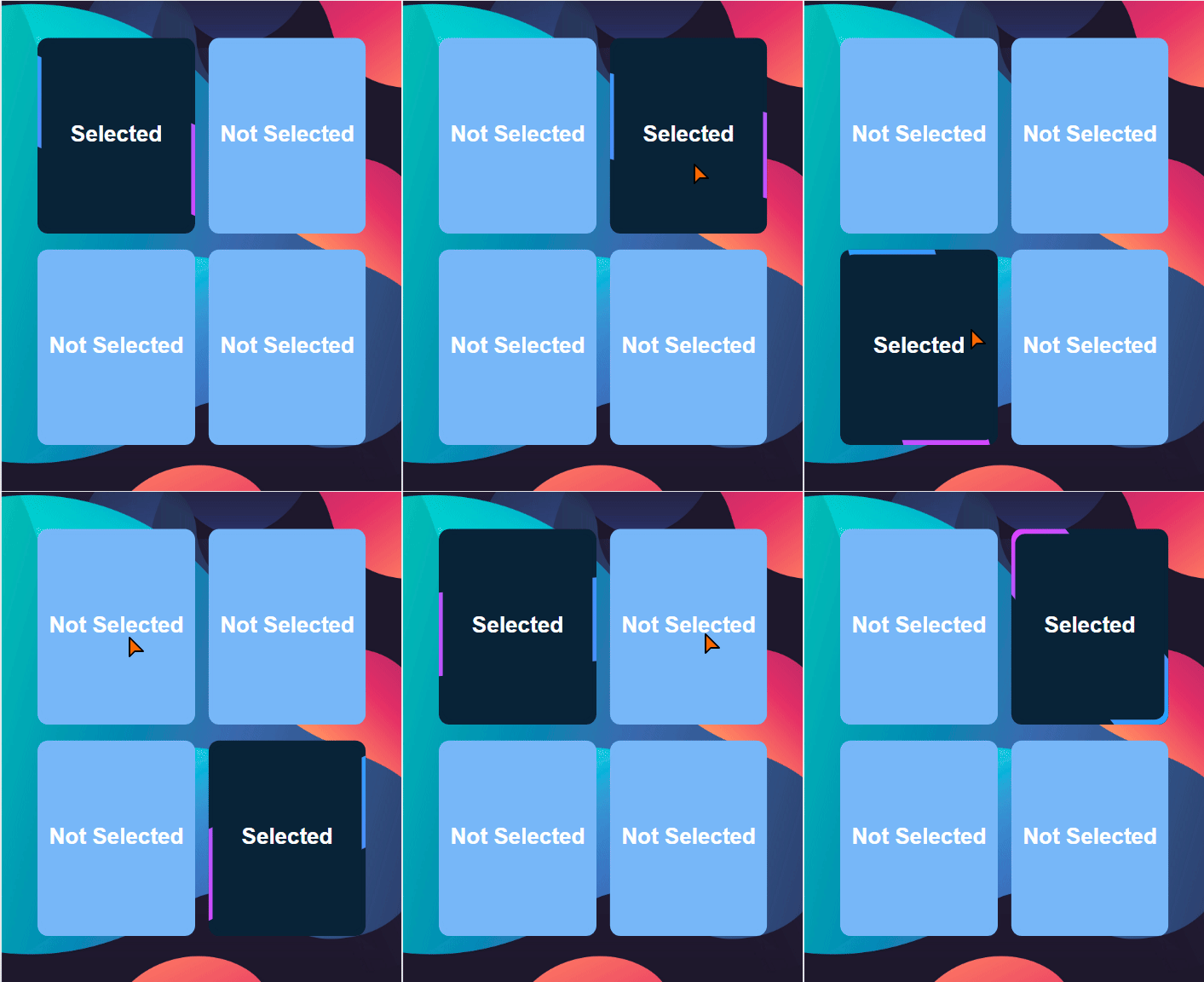
A fairly simple use of a dynamic SVG image in a gallery to highlight the selected item with an animation.
 Power Apps
- Last updated
- Jul 13, 2025
- Category
- Community snippet
From idea to implementation
Make it your own.
Check this snippet's prerequisites, permissions, and licensing before using it. The documentation below comes directly from the snippet README.
A fairly simple use of a dynamic SVG image in a gallery to highlight the selected item with an animation.
Authors
| Snippet | Author |
|---|---|
| David Zoonekyndt | GitHub (LinkedIn ) |
Minimal path to awesome
- Open your canvas app in Power Apps
- Copy the contents of the YAML-file
- Click on the three dots of the screen where you want to add the snippet and select "Paste"
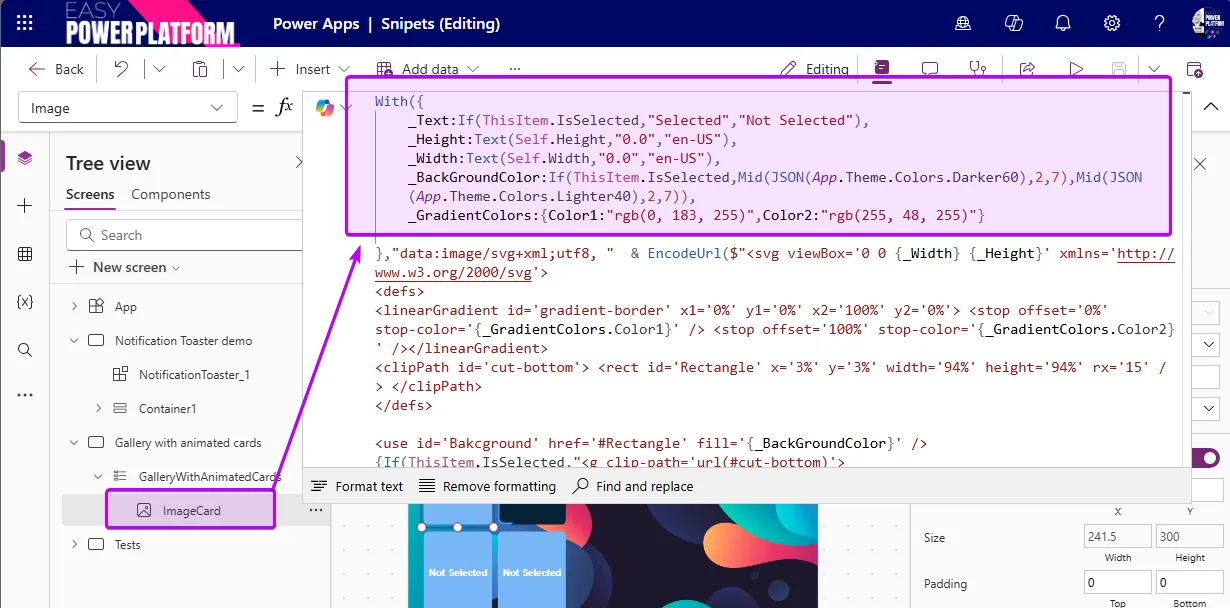
- Customize the appearance and behavior of the map by changing the parameters in the With() of the Image object:
⚠️⚠️⚠️ Important
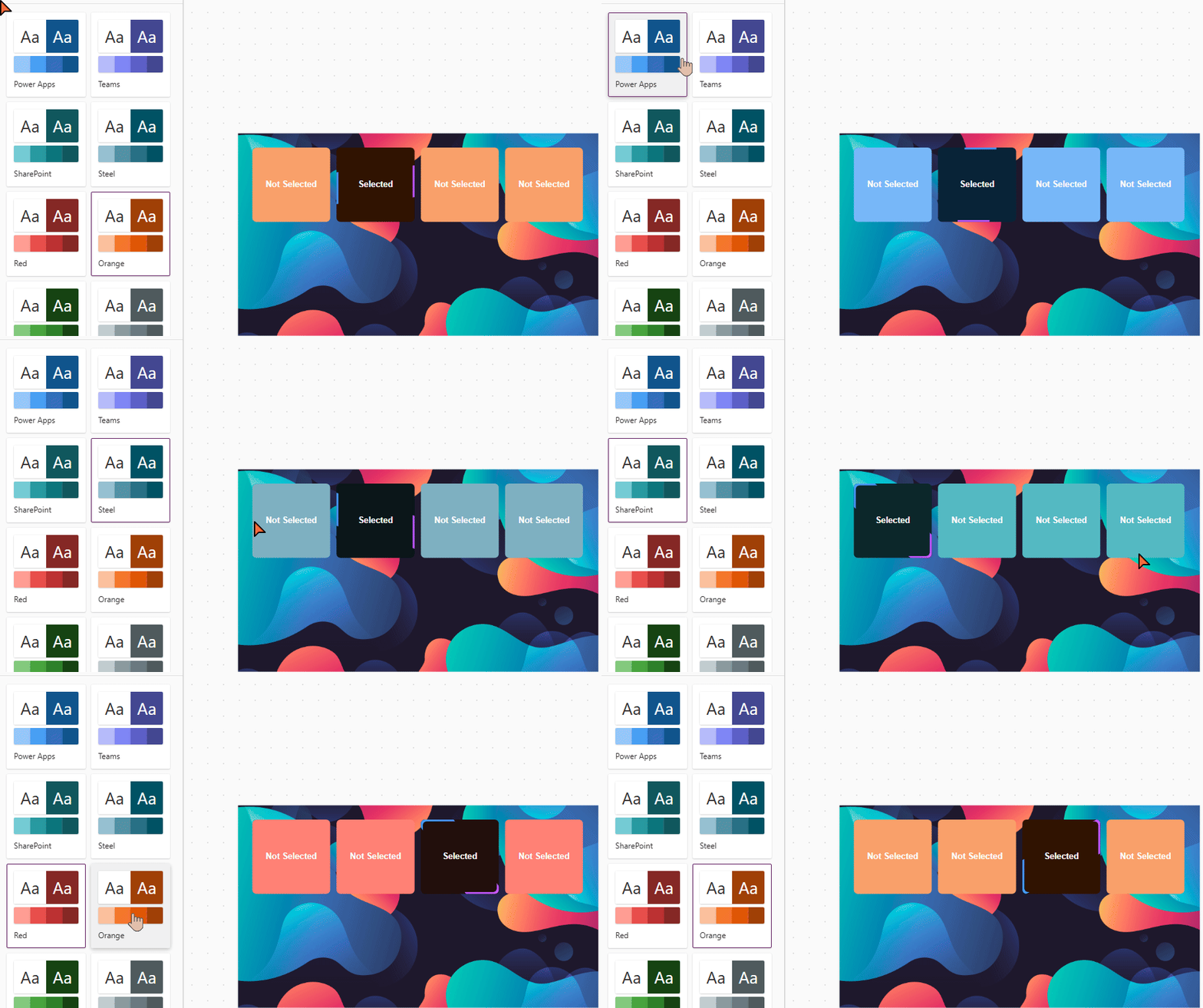
Be careful, however, the visuals are less attractive on a gallery template that is too stretched in height or width. The card is responsive; it will adapt to the gallery template format. The colors also change with the modern theme of your application.
Code
Disclaimer
THIS CODE IS PROVIDED AS IS WITHOUT WARRANTY OF ANY KIND, EITHER EXPRESS OR IMPLIED, INCLUDING ANY IMPLIED WARRANTIES OF FITNESS FOR A PARTICULAR PURPOSE, MERCHANTABILITY, OR NON-INFRINGEMENT.