
A reusable Power Platform snippet
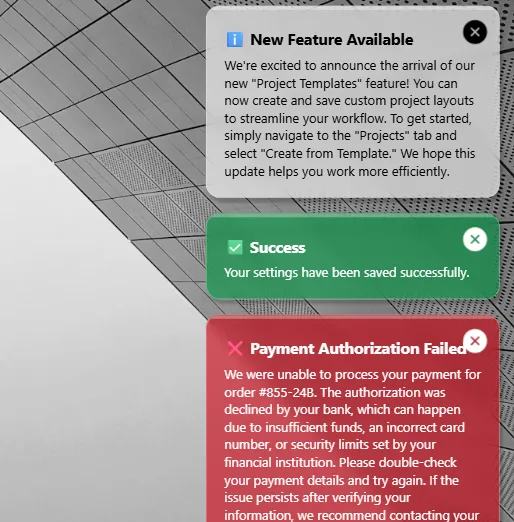
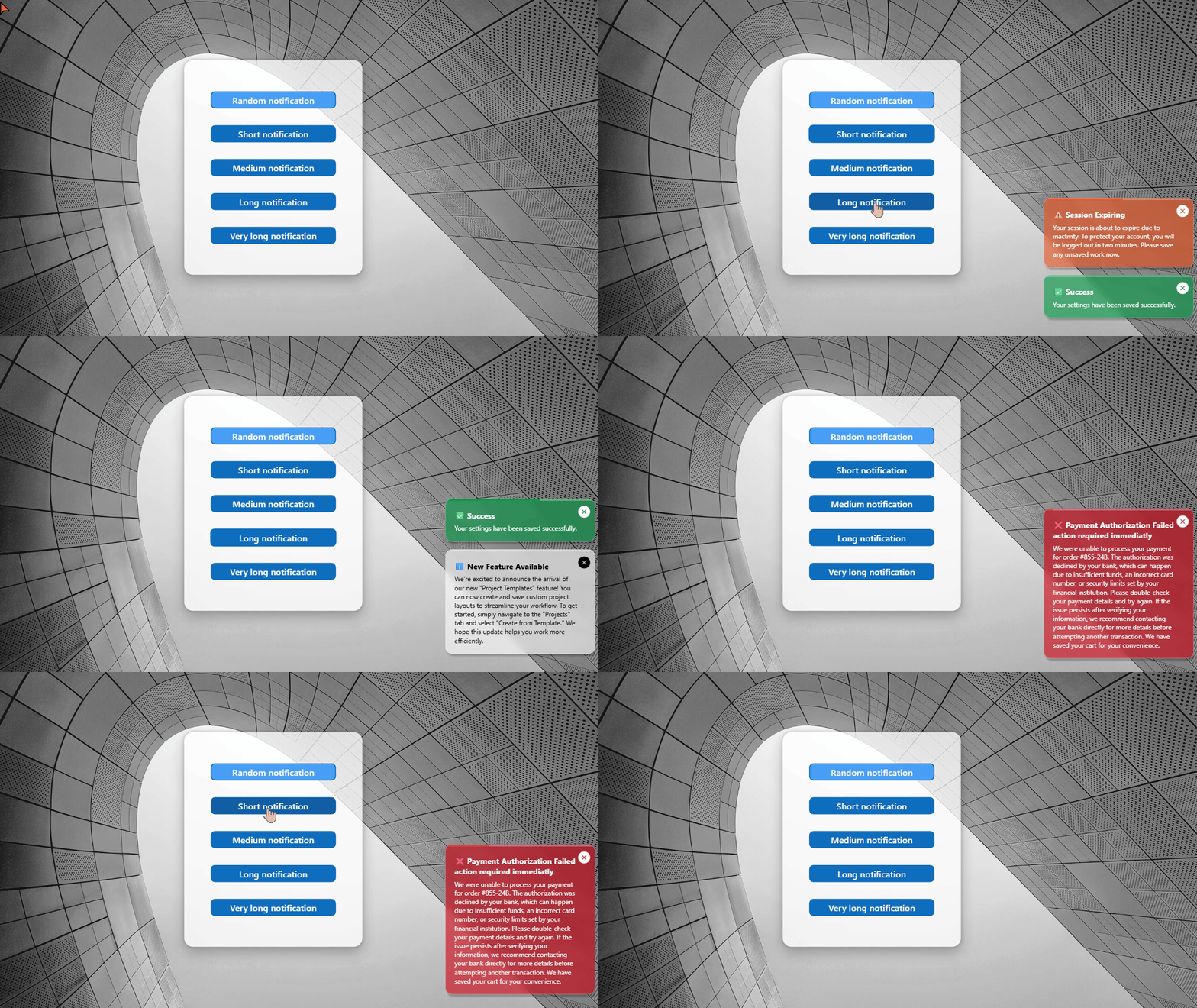
Notification toaster
An alternate way to push in app notifications
 Power Apps
- Last updated
- Aug 6, 2025
- Category
- Community snippet
From idea to implementation
Make it your own.
Check this snippet's prerequisites, permissions, and licensing before using it. The documentation below comes directly from the snippet README.
An alternate in-app notification system.
Authors
| Snippet | Author |
|---|---|
| David Zoonekyndt | GitHub (LinkedIn ) |
Minimal path to awesome
- Open your canvas app in Power Apps
- Copy the contents of the YAML-file
- Go to Tree view >> Components
- Press Ctrl+V to paste YAML content
- Back to Tree view >> Screens and insert NotificationToaster in you application from custom category
⚠️⚠️⚠️ Important:
Paste YAML snipet in components view!
Show a notification
To show a notification, use:
NotificationToaster_1.Notify(                           //replace 'NotificationToaster_1' by the name of the component in your app screen
    "✅ Success",                                       // Mandatory : Title of your notification in bold text
    NotificationType.Success,                           // Optionnal : NotificationType.Information by default
    "Your settings have been saved successfully.",      // Optional : Detailled notifiction text
    3000)                                               // Optionnal : The notification lifetime will be calculated based on the number of characters to be read and the 'ReadingSpeed' in the 'Theme' parameter
Component positioning:
To position the component in the bottom right corner of your screen, use the following positioning formulas:
x: Parent.Width-Self.Width
y: Parent.Height-Self.Height
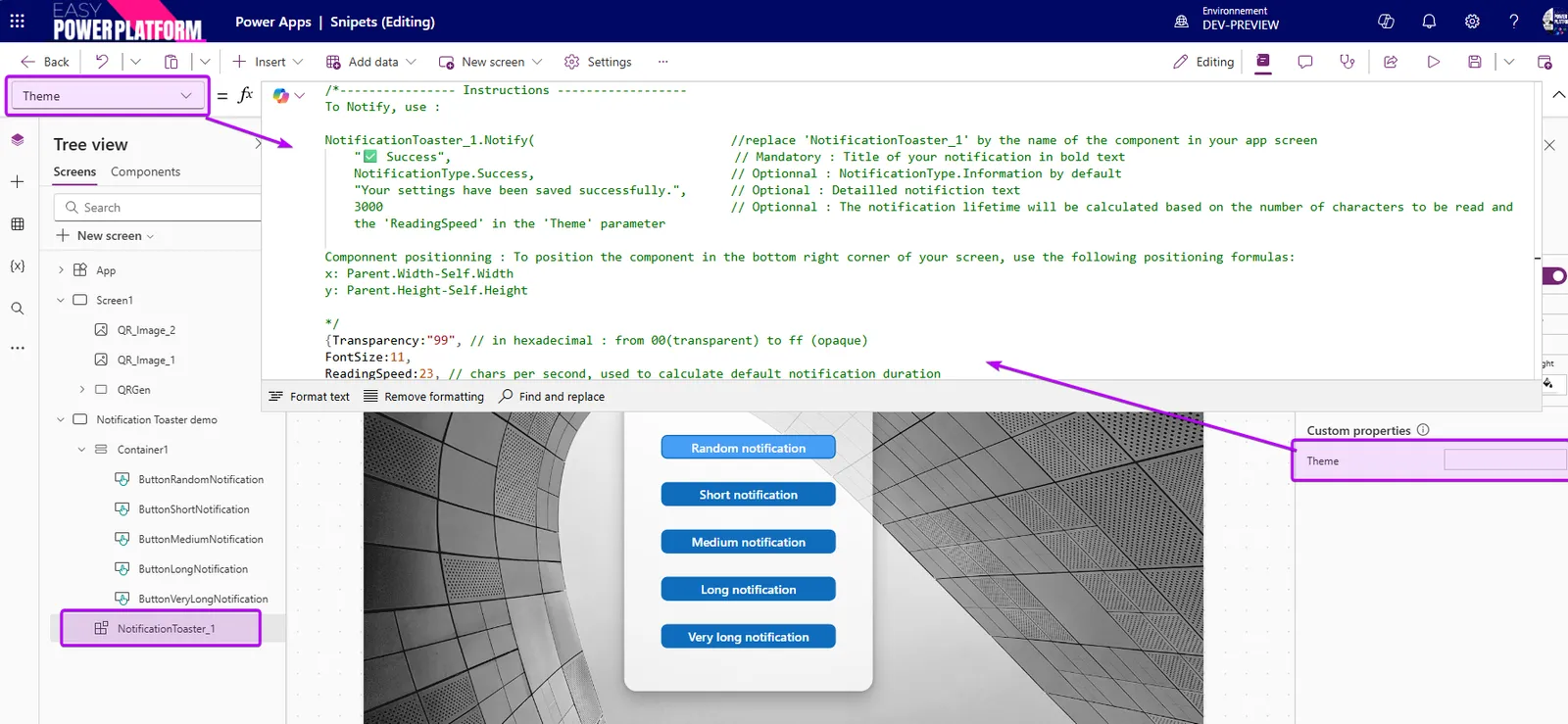
All settings and instruction are in the 'Theme' parameter:
Code
Disclaimer
THIS CODE IS PROVIDED AS IS WITHOUT WARRANTY OF ANY KIND, EITHER EXPRESS OR IMPLIED, INCLUDING ANY IMPLIED WARRANTIES OF FITNESS FOR A PARTICULAR PURPOSE, MERCHANTABILITY, OR NON-INFRINGEMENT.