
A reusable Power Platform snippet
Product Gallery
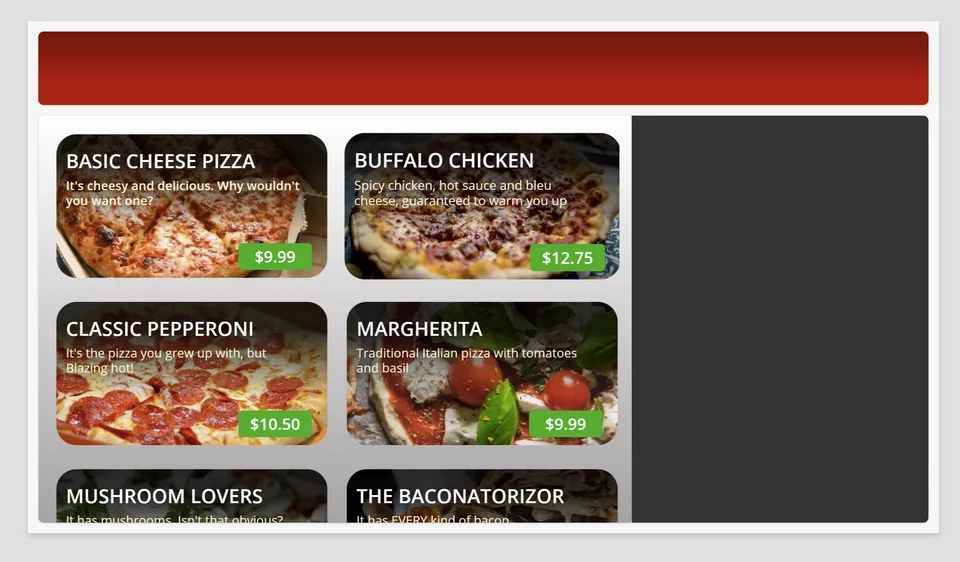
This is a simple Power Apps YAML snippet that shows a scrollable gallery of products styled in a modern way.
 Power Apps
- Last updated
- Sep 12, 2024
- Category
- Community snippet
From idea to implementation
Make it your own.
Check this snippet's prerequisites, permissions, and licensing before using it. The documentation below comes directly from the snippet README.
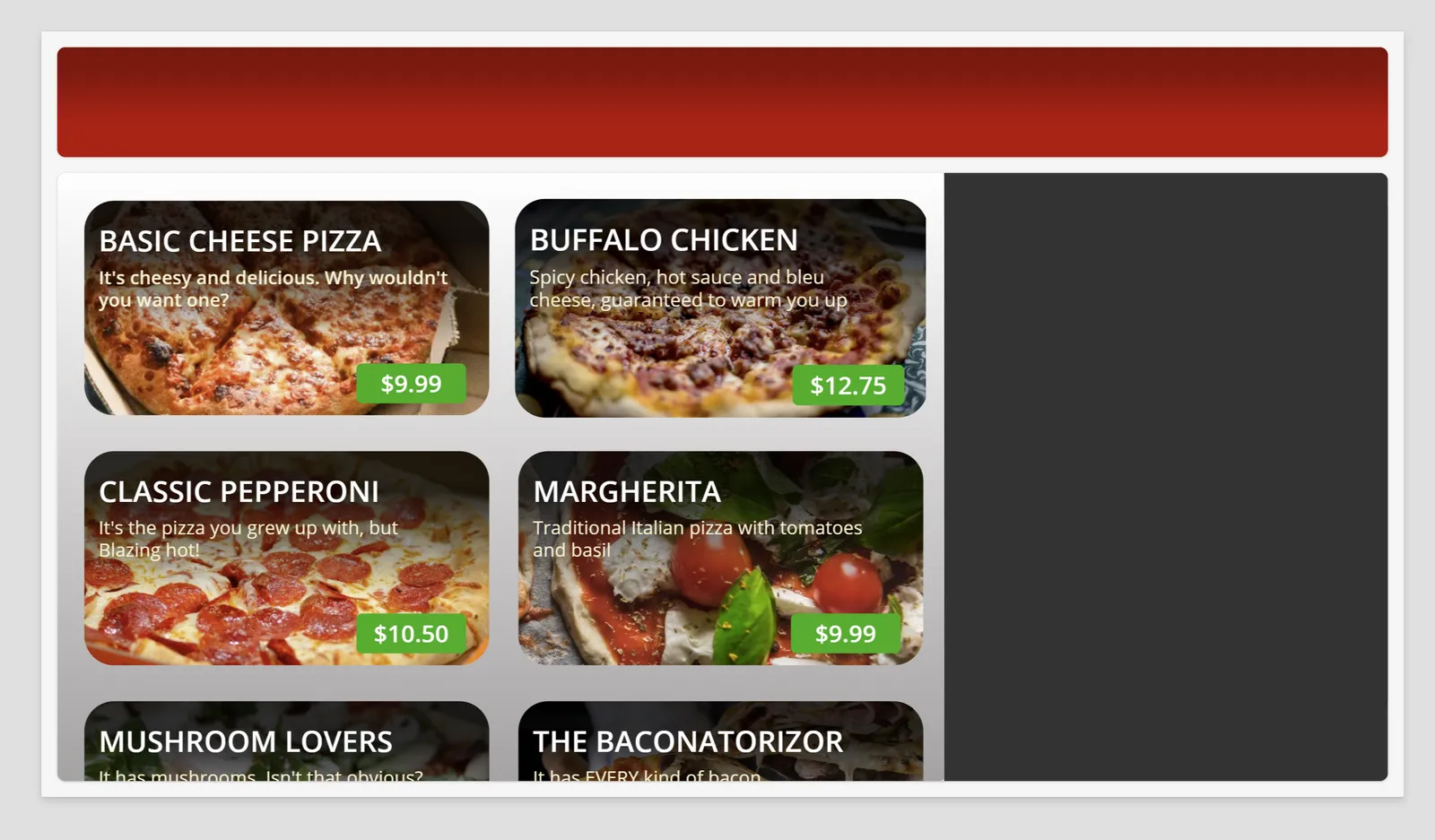
This is a simple Power Apps YAML snippet that shows a scrollable gallery of products styled in a modern way. This gallery can be customized to show any type of data for a variety of use cases.
The snippet includes a header and a side bar that can be used to add filters, a cart, or any other functionality you need.
Minimal Path to Awesome
Open a new or existing canvas app (Tablet format) in Power Apps.
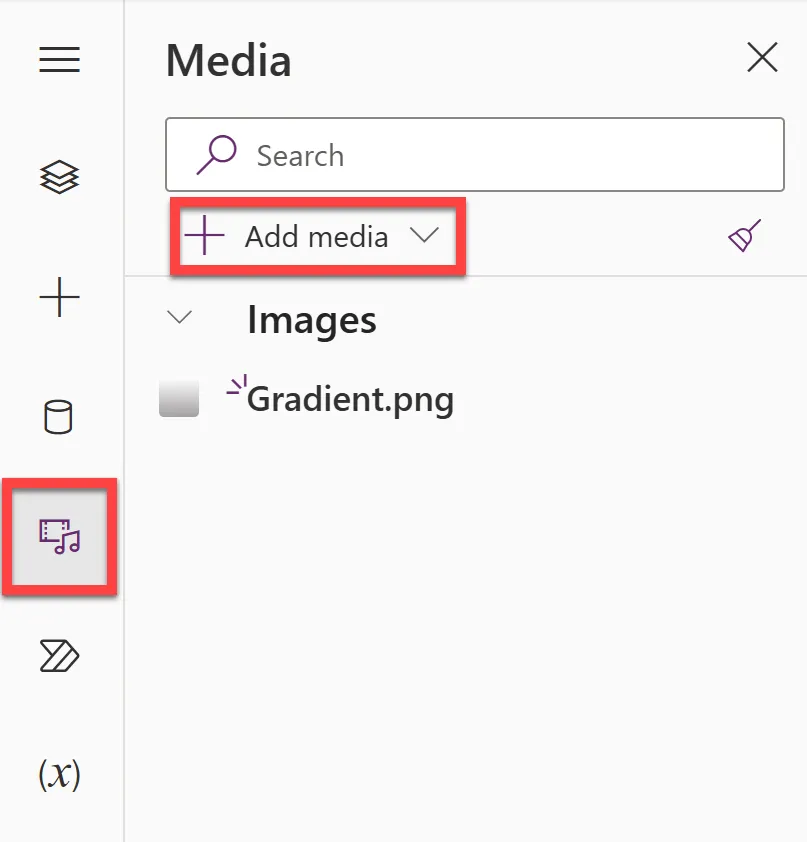
Download the following image: Gradient.png and upload it into the Media section of your app.
Copy the following collection and paste it in the OnStart property of the App:
ClearCollect(
    PizzaSpecials,
    {
        Name: "Basic Cheese Pizza",
        Description: "It's cheesy and delicious. Why wouldn't you want one?",
        Price: 9.99,
        ImageUrl: "https://raw.githubusercontent.com/gomomohapi/BlazingPizzaResources/main/pizzas/cheese.jpg"
    },
    {
        Name: "Buffalo Chicken",
        Description: "Spicy chicken, hot sauce and bleu cheese, guaranteed to warm you up",
        Price: 12.75,
        ImageUrl: "https://raw.githubusercontent.com/gomomohapi/BlazingPizzaResources/main/pizzas/meaty.jpg"
    },
    {
        Name: "Classic Pepperoni",
        Description: "It's the pizza you grew up with, but Blazing hot!",
        Price: 10.50,
        ImageUrl: "https://raw.githubusercontent.com/gomomohapi/BlazingPizzaResources/main/pizzas/pepperoni.jpg"
    },
    {
        Name: "Margherita",
        Description: "Traditional Italian pizza with tomatoes and basil",
        Price: 9.99,
        ImageUrl: "https://raw.githubusercontent.com/gomomohapi/BlazingPizzaResources/main/pizzas/margherita.jpg"
    },
    {
        Name: "Mushroom Lovers",
        Description: "It has mushrooms. Isn't that obvious?",
        Price: 11.00,
        ImageUrl: "https://raw.githubusercontent.com/gomomohapi/BlazingPizzaResources/main/pizzas/mushroom.jpg"
    },
    {
        Name: "The Baconatorizor",
        Description: "It has EVERY kind of bacon",
        Price: 11.99,
        ImageUrl: "https://raw.githubusercontent.com/gomomohapi/BlazingPizzaResources/main/pizzas/bacon.jpg"
    },
    {
        Name: "The Brit",
        Description: "When in London...",
        Price: 10.25,
        ImageUrl: "https://raw.githubusercontent.com/gomomohapi/BlazingPizzaResources/main/pizzas/brit.jpg"
    },
    {
        Name: "Veggie Delight",
        Description: "It's like salad, but on a pizza",
        Price: 11.50,
        ImageUrl: "https://raw.githubusercontent.com/gomomohapi/BlazingPizzaResources/main/pizzas/salad.jpg"
    }
)
You can modify this collection with your own data or connect another data source.
Run OnStart to add the collection to your app.
Copy the contents of this YAML-file.
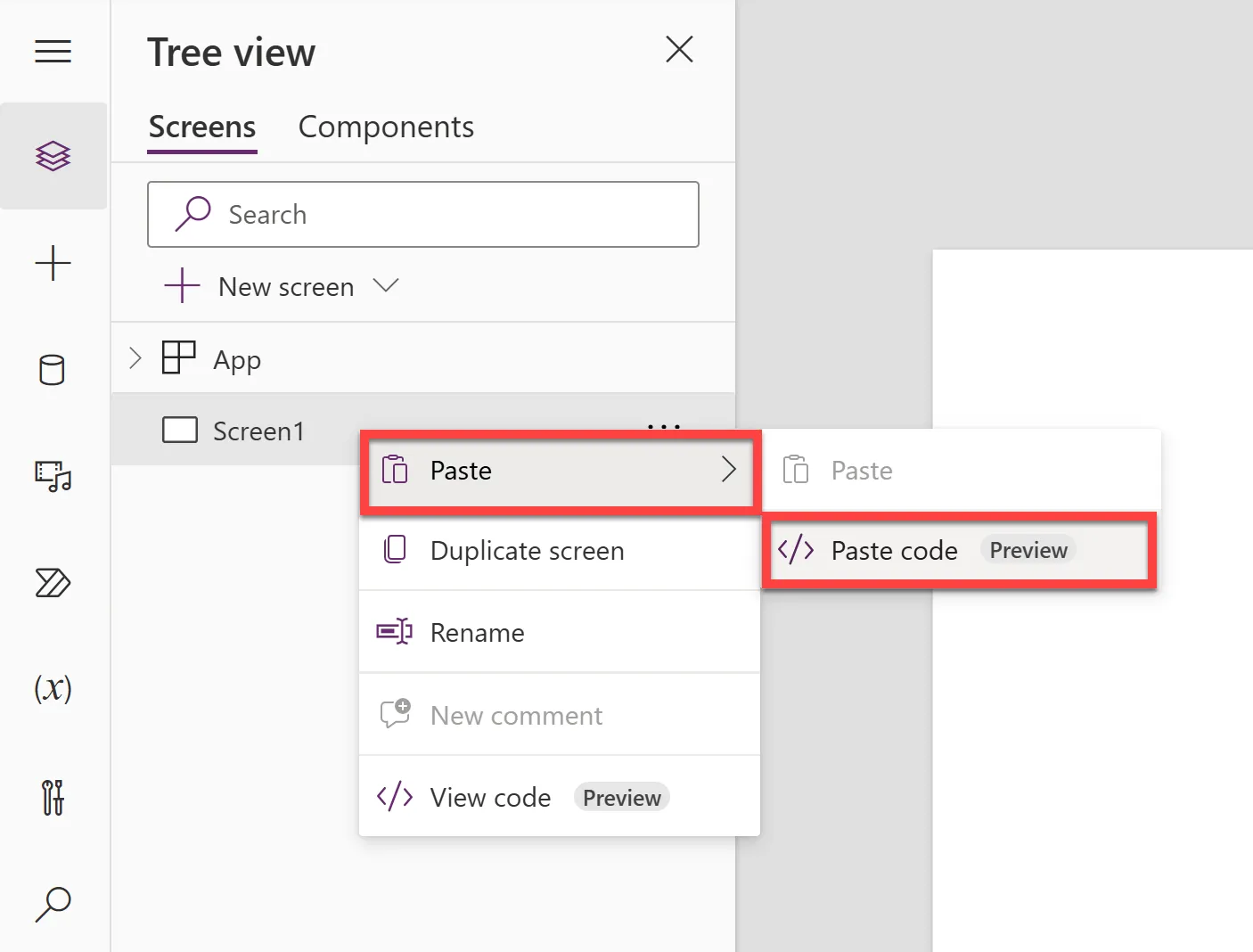
In the canvas app Tree view, right-click on an empty screen and select Paste > Paste code.
NOTE:
If you see any formula errors, you may need to copy and re-paste the YAML-file back so that the control names resolve correctly. Also check if you have created the collection properly.
Disclaimer
THIS CODE IS PROVIDED AS IS WITHOUT WARRANTY OF ANY KIND, EITHER EXPRESS OR IMPLIED, INCLUDING ANY IMPLIED WARRANTIES OF FITNESS FOR A PARTICULAR PURPOSE, MERCHANTABILITY, OR NON-INFRINGEMENT.