
A reusable Power Platform snippet
Responsive Hero Card Gallery
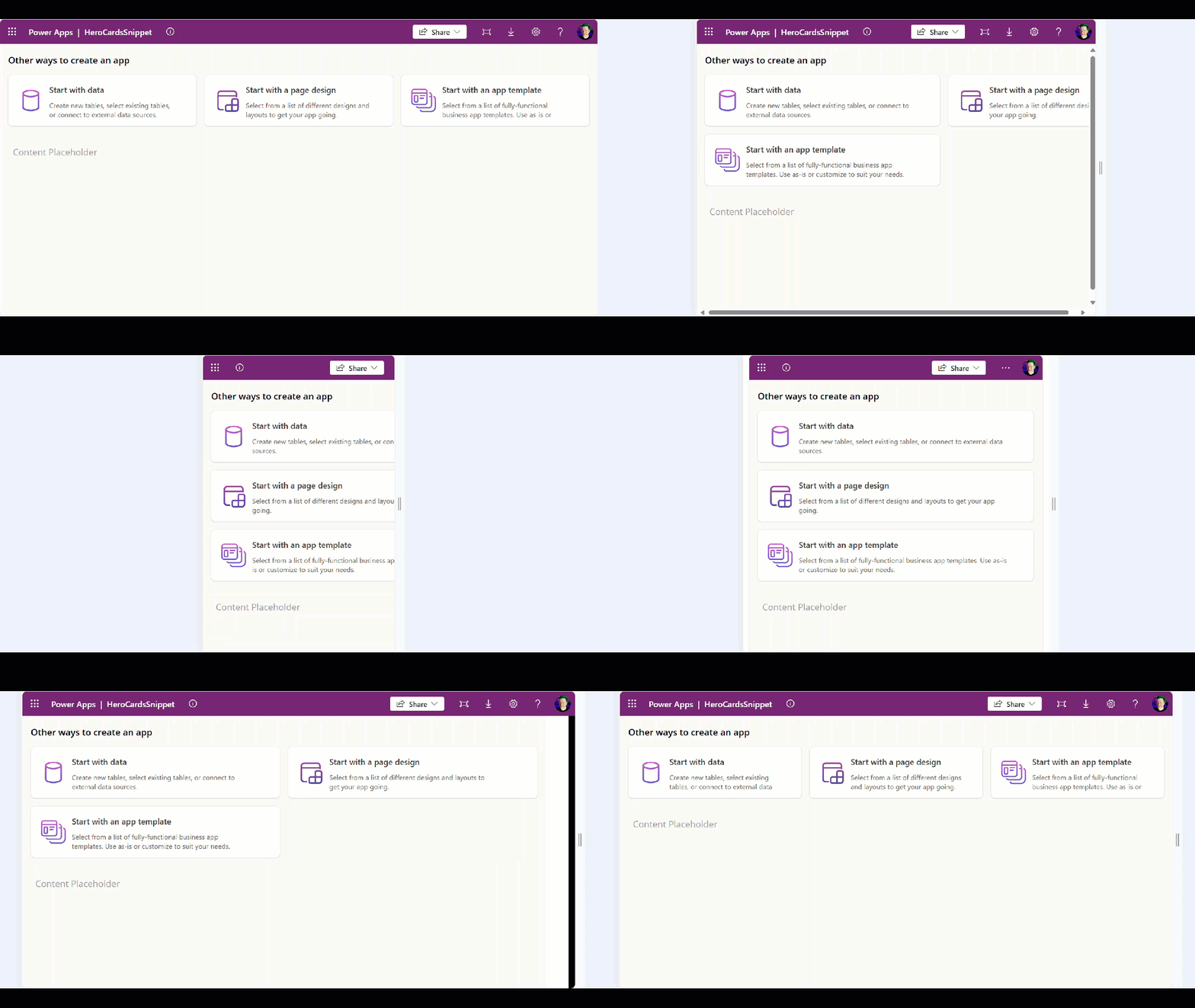
This is a Power Apps YAML snippet that shows a responsive gallery of clickable hero cards similar to those you see in make.powerapps.com.
 Power Apps

- Last updated
- Jul 30, 2024
- Category
- Community snippet
From idea to implementation
Make it your own.
Check this snippet's prerequisites, permissions, and licensing before using it. The documentation below comes directly from the snippet README.
This is a Power Apps YAML snippet that shows a responsive gallery of clickable hero cards similar to those you see in https://make.powerapps.com.
The card are data driven using the Items collection.
Each card shows an image, title, description, and has a hover effect.
Cards are clickable.
Cards will re-flow as the width of the app reduces. The heigh of the container is dynamically calculated to accommodate the wrapped cards.
Minimal path to awesome
Copy the contents of the responsive-hero-card-gallery.yaml snippet.
Open an app in Power Apps.
Ensure that Settings - Display - Scale to fit is toggled to Off.
Inside the Tree View, select the screen or parent container you would like to add the snippet to.
Right click - Paste
Note: If you see any formula errors, you may need to edit the cut and re-paste the formula back so that the control names resolve correctly.
Disclaimer
THIS CODE IS PROVIDED AS IS WITHOUT WARRANTY OF ANY KIND, EITHER EXPRESS OR IMPLIED, INCLUDING ANY IMPLIED WARRANTIES OF FITNESS FOR A PARTICULAR PURPOSE, MERCHANTABILITY, OR NON-INFRINGEMENT.