
A reusable Power Platform snippet
Launch Browser - Chrome Snippet
This is a snippet that can be used to launch a new instance of the Google Chrome browser that resolves any issues that could occur due to the extension for Chrome failing to load properly.
 Power Automate Desktop

- Last updated
- Apr 12, 2024
- Category
- Community snippet
From idea to implementation
Make it your own.
Check this snippet's prerequisites, permissions, and licensing before using it. The documentation below comes directly from the snippet README.
This is a snippet that can be used to launch a new instance of the Google Chrome browser that resolves any issues that could occur due to the extension for Chrome failing to load properly. That is a common issue that makes the Launch New Chrome action fail. To avoid that, the snippet can be used to launch the browser via the Run application action, and then using Launch New Chrome to attach to the open instance.
The code is compatible with Power Automate Desktop version 2.42.317.24061 and later. Backward compatibility is not guaranteed, but it might work with earlier versions, too.
Minimal path to awesome
Open Power Automate Desktop
Create a new flow or edit an existing flow
Create a new subflow called LaunchBrowser
Copy the code in the launch-browser.txt file
Paste it into the Power Automate Desktop flow designer window into the new subflow
Review the code for any syntax errors
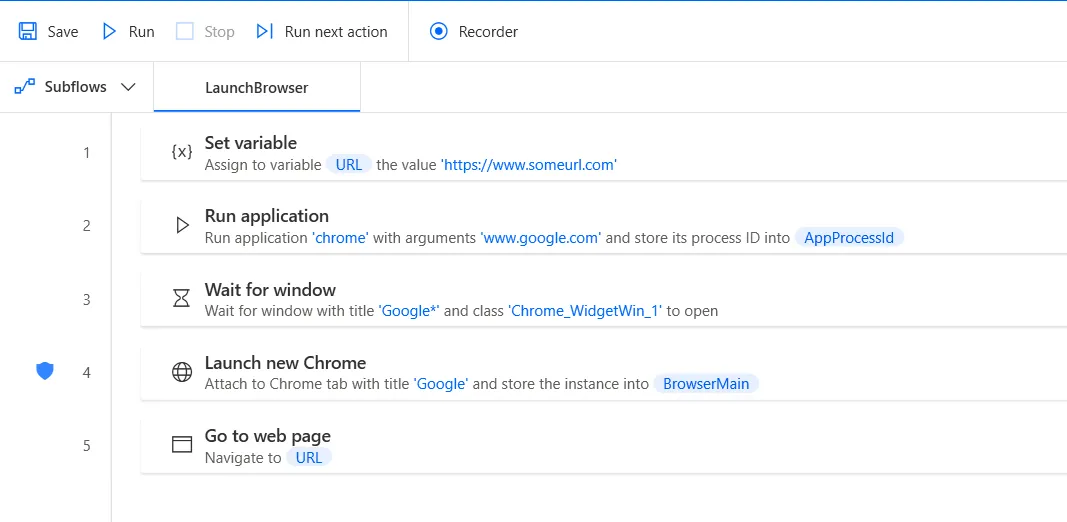
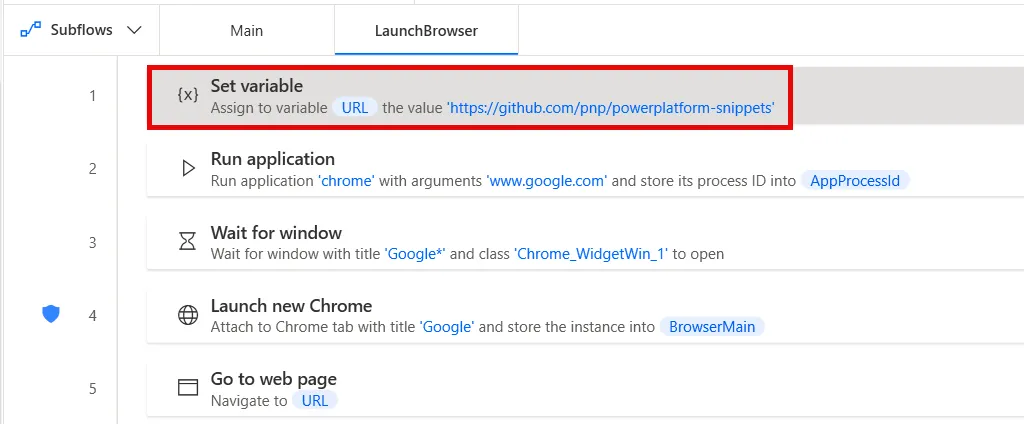
Replace the https://www.someurl.com in the Set variable action with an actual URL that you want your flow to navigate to
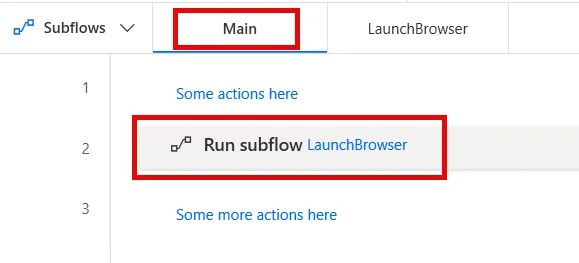
Add a Run subflow action to your Main or whatever other subflow that you want to call LaunchBrowser from
Click Save in the flow designer
Enjoy
Disclaimer
THIS CODE IS PROVIDED AS IS WITHOUT WARRANTY OF ANY KIND, EITHER EXPRESS OR IMPLIED, INCLUDING ANY IMPLIED WARRANTIES OF FITNESS FOR A PARTICULAR PURPOSE, MERCHANTABILITY, OR NON-INFRINGEMENT.