
Export data from MS Search
Shows how to export data from MS Search, in this case the entityType externalItem
 Kasper Larsen
Summary
When working with data imported into the Microsoft Search service using Graph Connectors, it can be useful to export the data to a format of your choice for further analysis or to import it into another system.
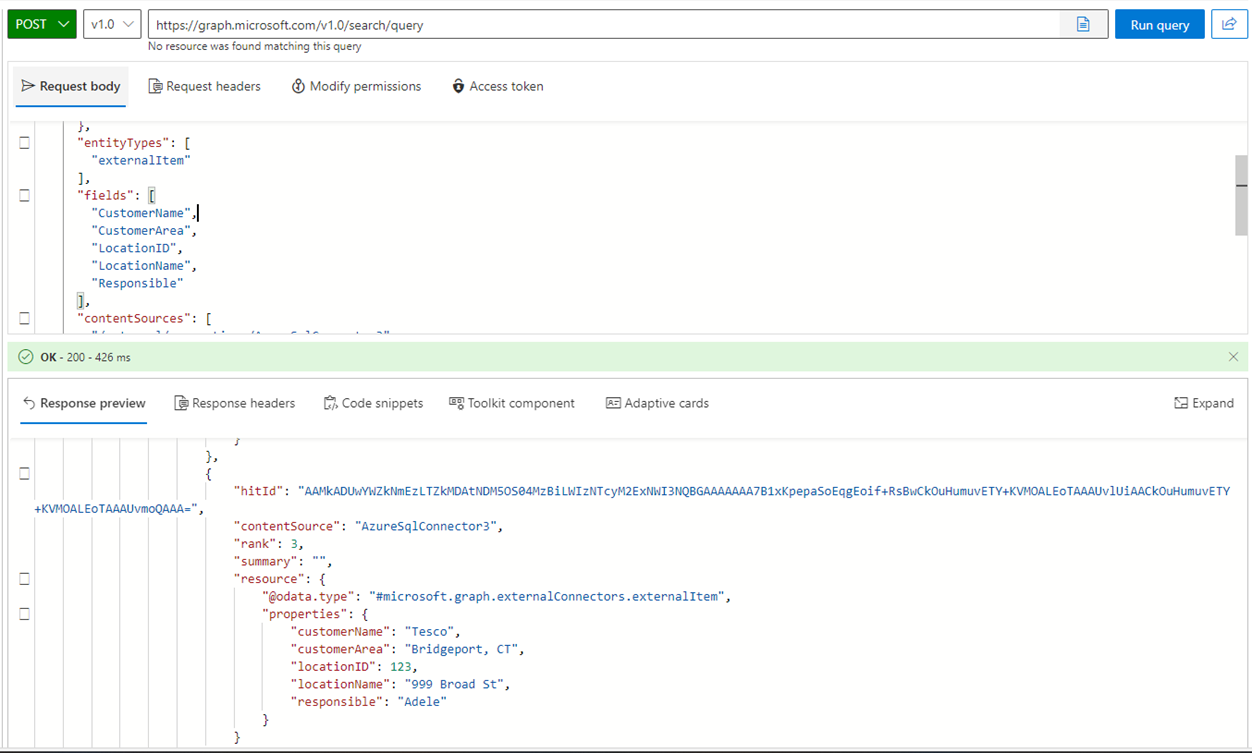
You will have to connect just as usual, then you must specify the entity type you want , the fields (if you don't know the names of the fields, you can look in the Search And Intelligence Admin Center) or export the schema using Get-PnPSearchExternalSchema Finally you have to provide the name of the external data source (you can get this from the Search And Intelligence Admin Center)
$clientId = "aaaaaa-11111-222222-bbbbb-44444444"
$portalConn = Connect-PnPOnline -Url "https://contoso.sharepoint.com" -Interactive -ClientId $clientId -ReturnConnection

$content = @{
    "Requests" = @(
        @{
            "entityTypes" = @(
                "externalItem"
            )
            "query" = @{
                "queryString" = "*"
            }
            "contentSources" = @(
                "/external/connections/AzureSqlConnector3"
            )
            "fields"= @(
                "CustomerName",
                "CustomerArea",
                "LocationID",
                "LocationName",
                "Responsible"
            )
        }
    )
}

#converting the content to json in order to use it in the Graph Explorer, which is a great way to test the queries
$json = $content | ConvertTo-Json -Depth 10
$res = Invoke-PnPGraphMethod -Url "/v1.0/search/query" -Method Post  -Content $content -Connection $portalConn


$hits = $res.value.hitsContainers.hits
foreach($hit in $hits)
{
    $hit.resource.properties
    #do something with the data, like exporting it to a csv file
}
Contributors
| Author(s) |
|---|
| Kasper Larsen |
Disclaimer
THESE SAMPLES ARE PROVIDED AS IS WITHOUT WARRANTY OF ANY KIND, EITHER EXPRESS OR IMPLIED, INCLUDING ANY IMPLIED WARRANTIES OF FITNESS FOR A PARTICULAR PURPOSE, MERCHANTABILITY, OR NON-INFRINGEMENT.
Tool documentation & references
- Want to learn more about PnP PowerShell and the cmdlets
Check out the PnP PowerShell site to get started and for the reference to the cmdlets.
