
Extract the configuration of a PnP Modern Search results web part and apply it on another site collection
Sample showing how to use extract the configuration of a PnP Modern Search results web part and apply it on another site collection
 Kasper Larsen
Summary
Often the same configuration for a PnP Modern Search results web part is deployed to numeral site using some provisioning engine. Updating the config afterwards can be a pain, but this script will make it a lots easier.
Implementation
- Open VS Code
- Create a new file
- Copy the code below,
- Change the variables to target to your environment
- Run the script.
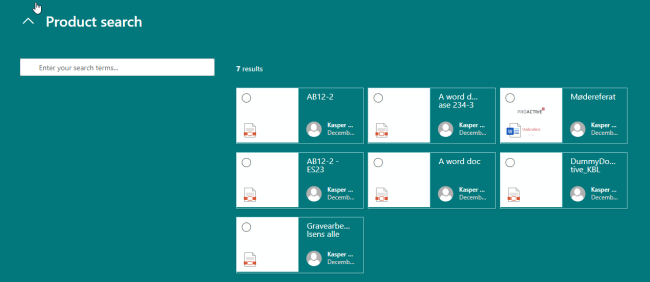
Screenshot of Output
# extracts the PropertiesJSON from a PnP Modern Search Results web part and injects it into the target site
function Extract-JSON ($sourceSiteUrl, $sourcePage, $webPartName)
{
    Connect-PnPOnline -Url $sourceSiteUrl -UseWebLogin
    $page = Get-PnPClientSidePage -Identity $sourcePage

    $webpart = $page.controls | Where-Object {$_.Title -eq $webPartName}
    $webpart.PropertiesJSON

}

function Inject-JSON ($targetSiteUrl, $targetPage, $webPartName, $newJSON)
{
    Connect-PnPOnline -Url $targetSiteUrl -UseWebLogin
    $page = Get-PnPClientSidePage -Identity $targetPage

    $webpart = $page.controls | Where-Object {$_.Title -eq $webPartName}

    Set-PnPPageWebPart -Page $targetPage -Identity $webpart.InstanceId -PropertiesJson $newJSON
    Set-PnPPage -Identity $targetPage -Publish
}

$json = Extract-JSON -sourceSiteUrl "https://[yourtenant].sharepoint.com/sites/[sitecollection]" -sourcePage "Home.aspx" -webPartName "PnP - Search Results"

#here you can insert a query that will provide your with a list of the site collections that need to be updated
Inject-JSON -targetSiteUrl "https://[yourtenant].sharepoint.com/sites/[sitecollection]" -targetPage "Home.aspx" -webPartName "PnP - Search Results" -newJSON $json
Contributors
| Author(s) |
|---|
| Kasper Larsen, Fellowmind |
Disclaimer
THESE SAMPLES ARE PROVIDED AS IS WITHOUT WARRANTY OF ANY KIND, EITHER EXPRESS OR IMPLIED, INCLUDING ANY IMPLIED WARRANTIES OF FITNESS FOR A PARTICULAR PURPOSE, MERCHANTABILITY, OR NON-INFRINGEMENT.
Tool documentation & references
- Want to learn more about PnP PowerShell and the cmdlets
Check out the PnP PowerShell site to get started and for the reference to the cmdlets.
