
Download all files from Document Libarary/Folder
The script will download all files from an SharePoint Document Libraray or Folder
 Peter Paul Kirschner
Summary
The script will download all files from an SharePoint Document Libraray or Folder
- Download Doclib
- Download a Folder from Doclib
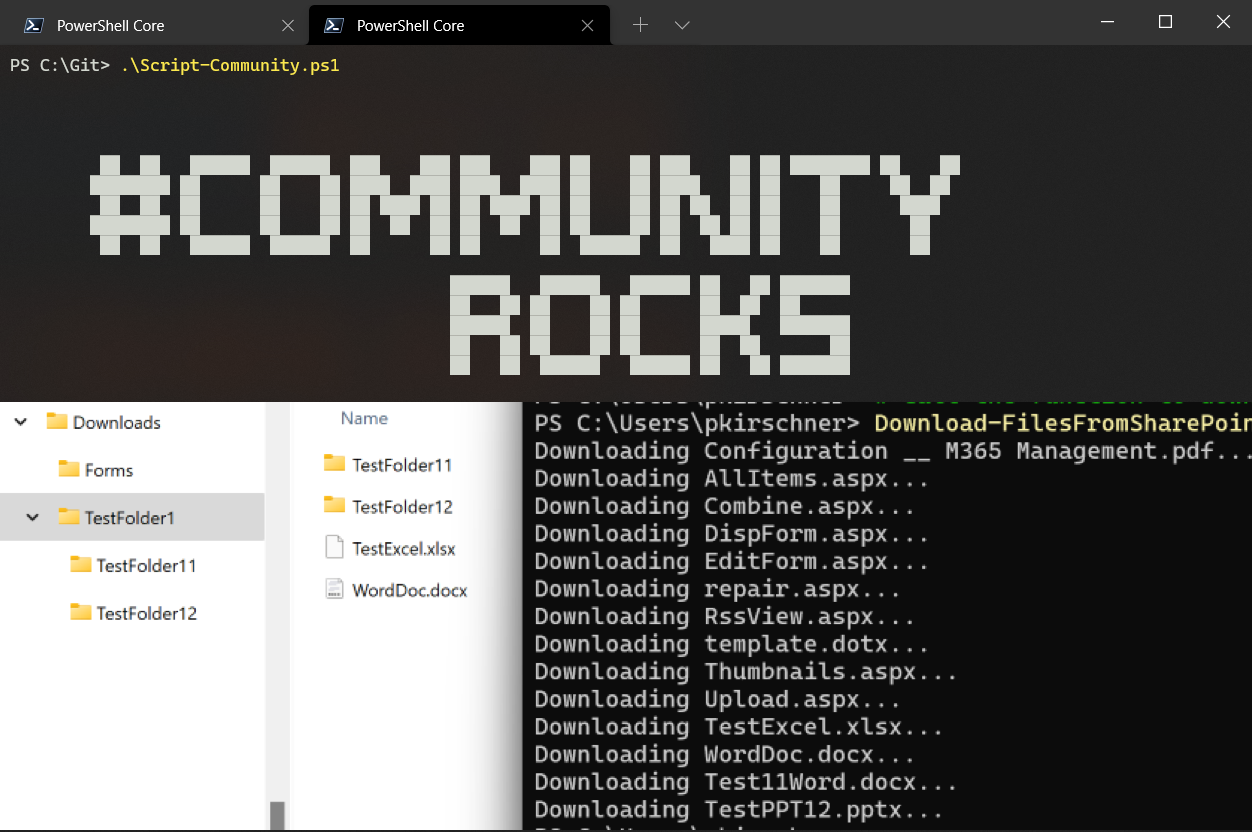
- Open Windows PowerShell ISE or VS Code
- Copy script below to your clipboard
- Paste script into your preferred editor
- Change config variables to reflect the site, library name & download location required
$clientId="......"
# Define variables
$siteUrl = "https://yoursharepointsite.sharepoint.com/sites/yoursite"
# Option 1:
# comment the line below and specify $libraryPath this parameter will be used
$libraryTitle = "Documents"
# Option 2:
$libraryPath = "/Shared Documents/YourFolder"
$localDownloadPath = "C:\Downloads\SharePointFiles"


# Connect to the SharePoint site
Connect-PnPOnline -Url $siteUrl -Interactive -clientID $clientID


if ($libraryTitle -ne $null) {
    $doclib = $doclib = Get-PnPList -Identity $libraryTitle -Includes RootFolder
    $libraryPath = "/"+$doclib.RootFolder.Name
}


function Download-FilesFromSharePoint {
    param (
        [string]$LibraryPath,
        [string]$LocalDownloadPath,
        [bool]$Recursive = $true
    )
    $folder =Get-PnPFolder -Url $LibraryPath
    $files = Get-PnPFolderItem -FolderSiteRelativeUrl $LibraryPath -ItemType File -Recursive:$Recursive
    # Download each file
    foreach ($file in $files) {
        $fileUrl = $file.ServerRelativeUrl
        $fileName = $file.Name
        $relpath = $fileUrl.SubString($folder.ServerRelativeUrl.length+1).Replace($fileName,"")
        $localFilePath =  $LocalDownloadPath
        if($relpath.length -gt 0){
            $localFilePath = Join-Path -Path $LocalDownloadPath -ChildPath $relpath
        }
         # Ensure the local download path exists
            if (-not (Test-Path -Path $localFilePath)) {
                $localFolder=New-Item -ItemType Directory -Path $localFilePath;
            }
        Write-Host "Downloading $fileName..."
        Get-PnPFile -Url $fileUrl  -Path $localFilePath -FileName $fileName -AsFile
    }
}

# Call the function to download files
Download-FilesFromSharePoint -LibraryPath $libraryPath -LocalDownloadPath $localDownloadPath

Write-Host "Download completed."
# Define variables
$siteUrl = "https://yoursharepointsite.sharepoint.com/sites/yoursite"
$libraryPath = "/Shared Documents/YourFolder"
$localDownloadPath = "C:\Downloads\SharePointFiles"

m365 login

function Download-FilesFromSharePoint {
    param (
        [string]$LibraryPath,
        [string]$LocalDownloadPath,
        [bool]$Recursive = $true
    )
    $folder = m365 spo folder get --webUrl $siteUrl --url $LibraryPath --output json | ConvertFrom-Json
    if($Recursive){
        # Get all files in the folder and subfolders
        $files = m365 spo file list --webUrl $siteUrl --folderUrl  $LibraryPath --recursive --output json | ConvertFrom-Json
    }
    else{
        # Get all files in the folder
    $files = m365 spo file list --webUrl $siteUrl --folderUrl  $LibraryPath --output json | ConvertFrom-Json
    }
    # Download each file
    foreach ($file in $files) {
        $fileUrl = $file.ServerRelativeUrl
        $fileName = $file.Name
        $relpath = $fileUrl.SubString($folder.ServerRelativeUrl.length+1).Replace($fileName,"")
        $localFilePath =  $LocalDownloadPath
        if($relpath.length -gt 0){
            $localFilePath = Join-Path -Path $LocalDownloadPath -ChildPath $relpath
        }
        # Ensure the local download path exists
        if (-not (Test-Path -Path $localFilePath)) {
            $localFolder = New-Item -ItemType Directory -Path $localFilePath
        }
        Write-Host "Downloading $fileName..."
        m365 spo file get --webUrl $siteUrl --url $fileUrl --asFile  --path (Join-Path -Path $localFilePath -ChildPath $fileName)
    }
}

# Call the function to download files
Download-FilesFromSharePoint -LibraryPath $libraryPath -LocalDownloadPath $localDownloadPath

Write-Host "Download completed."
Contributors
| Author(s) |
|---|
| Peter Paul Kirschner |
Disclaimer
THESE SAMPLES ARE PROVIDED AS IS WITHOUT WARRANTY OF ANY KIND, EITHER EXPRESS OR IMPLIED, INCLUDING ANY IMPLIED WARRANTIES OF FITNESS FOR A PARTICULAR PURPOSE, MERCHANTABILITY, OR NON-INFRINGEMENT.
Tool documentation & references
- Want to learn more about PnP PowerShell and the cmdlets
Check out the PnP PowerShell site to get started and for the reference to the cmdlets.
- Want to learn more about CLI for Microsoft 365 and the commands
Check out the CLI for Microsoft 365 site to get started and for the reference to the commands.
