
Export HTML content from SharePoint Online modern pages
Export the text content of SharePoint Online modern pages as HTML files for analysis with tools that do not connect to SharePoint.
 Giacomo Pozzoni
Summary
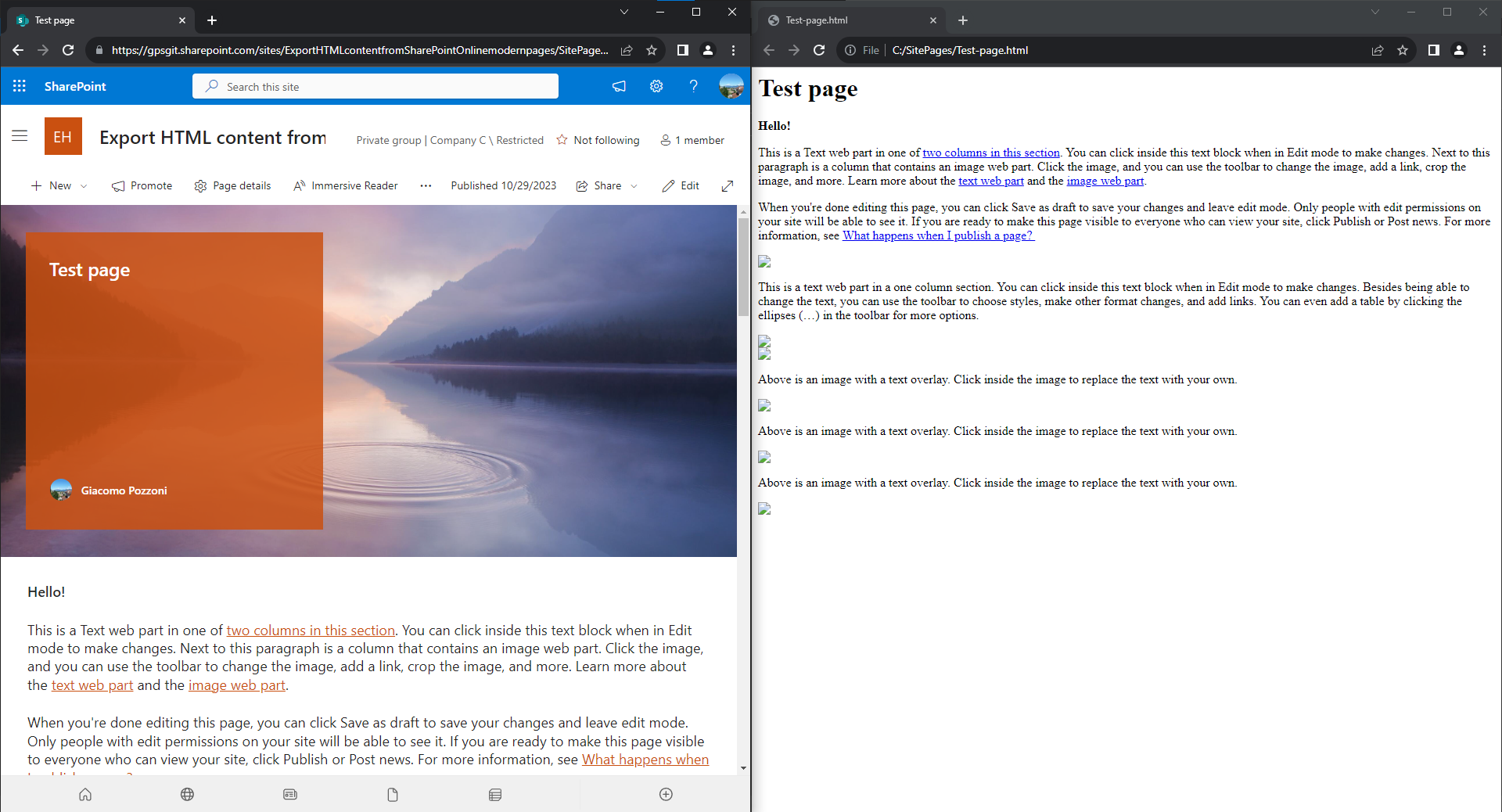
This sample script exports all SharePoint Online modern pages as .html files, focusing on text content. This is useful when analysing the actual text with tools that don't support SharePoint Online but support HTML.
Files, images and videos included in the pages are not exported.
$url = "<spo site url>"
$destFolder = "C:\SitePages"

$ErrorActionPreference = 'Stop'

# Create the destination folder if it doesn't exist
mkdir $destFolder -ErrorAction:SilentlyContinue | Out-Null

# Connect to SPO using PnP PowerShell
Connect-PnPOnline $url -Interactive
# Get all the pages. Credits to https://pnp.github.io/script-samples/spo-export-stream-classic-webparts/README.html to filter only pages
$list = Get-PnPList "SitePages"
$pageItems = Get-PnPListItem -List $list -Fields CanvasContent1,Title,FileLeafRef | Where-Object { $_["FileLeafRef"] -like "*.aspx" }
foreach ($pageItem in $pageItems)
{
    try
    {
        # Save the html content of each page to a .html file
        $content = $pageItem["CanvasContent1"]
        $filename = $pageItem["FileLeafRef"]
        # Additional metadata could be added here in its own paragraph
        $prefix = "<div><h1>$($pageItem["Title"])</h1></div>"
        $prefix + $content | Out-File -LiteralPath "$($destFolder)\$($filename.Replace(".aspx",".html"))"
    }
    catch
    {
        Write-Host $_
    }
}Source Credit
This sample reuses parts of https://pnp.github.io/script-samples/spo-export-stream-classic-webparts/README.html
Contributors
| Author(s) |
|---|
| Giacomo Pozzoni |
Disclaimer
THESE SAMPLES ARE PROVIDED AS IS WITHOUT WARRANTY OF ANY KIND, EITHER EXPRESS OR IMPLIED, INCLUDING ANY IMPLIED WARRANTIES OF FITNESS FOR A PARTICULAR PURPOSE, MERCHANTABILITY, OR NON-INFRINGEMENT.
Tool documentation & references
- Want to learn more about PnP PowerShell and the cmdlets
Check out the PnP PowerShell site to get started and for the reference to the cmdlets.
