
Export all List and Libraries with Item count and Permission in CSV
Get all lists and Libraries along with total Item count and permissions and export it in CSV
 Alex Talarico
 Adam Wójcik
 Dipen Shah
Summary
Get all lists and Libraries along with total Item count and permissions and export it in CSV file using below power shell script.
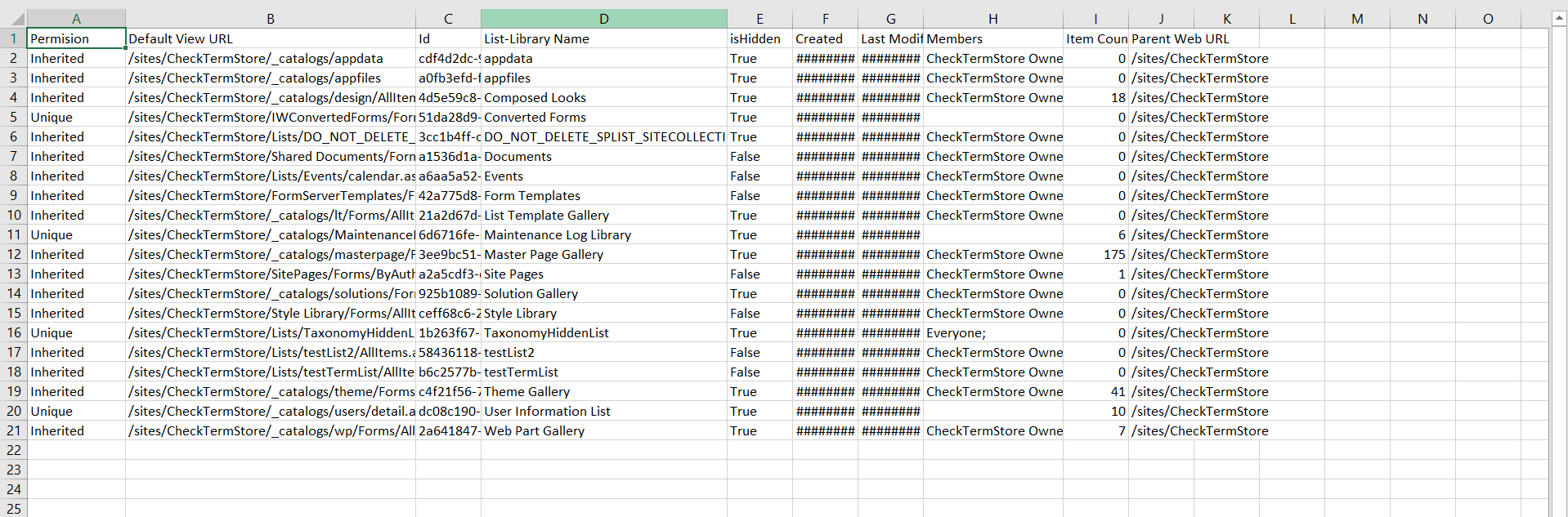
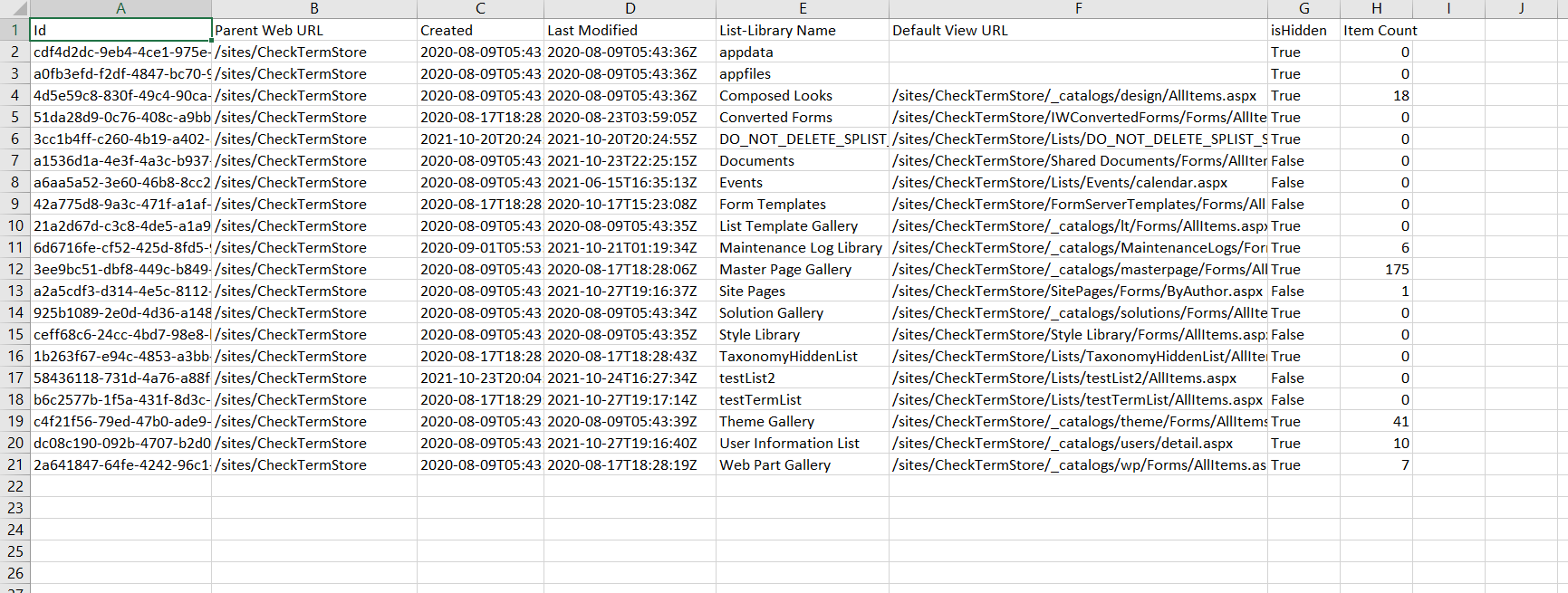
CLI version of the script works the same but does not retrieve permissions information from the list
# Make sure necessary modules are installed
# PnP PowerShell to get access to M365 tenent

Install-Module PnP.PowerShell
$siteURL = "https://tenent.sharepoint.com/sites/Dataverse"
$ReportOutput="C:\SiteInventory.csv"
$ResultData = @()
$UniquePermission = "";
#  -UseWebLogin used for 2 factor Auth.  You can remove if you don't have MFA turned on
Connect-PnPOnline -Url  $siteUrl
 # get all lists from given SharePoint Site collection
 $lists =  Get-PnPList -Includes HasUniqueRoleAssignments,RoleAssignments
 If($lists.Count -gt 0){
   foreach($list in $lists){
    $members = "";
    if($list.HasUniqueRoleAssignments -eq $false){
        $UniquePermission = "Inherited"
    }
    if($list.HasUniqueRoleAssignments -eq $true){
        $UniquePermission = "Unique"
    }
    if($list.RoleAssignments.Count -gt 0){
        foreach($roleAssignment in $list.RoleAssignments){
            $property = Get-PnPProperty -ClientObject $roleAssignment -Property Member
            $members += $property.Title + ";"
        }
    }
     $ResultData+= New-Object PSObject -Property @{
            'List-Library Name' = $list.Title;
            'Id'=$list.Id;
            'Parent Web URL'=$list.ParentWebUrl;
            'Item Count' = $list.ItemCount;
            'Last Modified' = $list.LastItemUserModifiedDate.ToString();
            'Created'=$list.Created;
            'Default View URL'=$list.DefaultViewUrl;
            'Permision'=$UniquePermission;
            'Members'=$members;
            'isHidden'=$list.Hidden;
        }
   }
 }

 $ResultData | Export-Csv $ReportOutput -NoTypeInformation
$siteURL = "https://tenent.sharepoint.com/sites/Dataverse"
$ReportOutput = "C:\SiteInventory.csv"
$ResultData = @()

$m365Status = m365 status
if ($m365Status -match "Logged Out") {
    m365 login

}

# get all lists from given SharePoint Site collection
$lists = m365 spo list list --webUrl $siteURL
$lists = $lists | ConvertFrom-Json
If ($lists.Count -gt 0) {
    foreach ($list in $lists) {

        $listName = $list.Title
        $views = m365 spo list view list --webUrl $siteURL --listTitle $listName
        $views = $views | ConvertFrom-Json
        $defaultView = $views | Where-Object {$_.DefaultView -eq "True"}

        $ResultData += New-Object PSObject -Property @{
            'List-Library Name' = $listName;
            'Id'                = $list.Id;
            'Parent Web URL'    = $list.ParentWebUrl;
            'Item Count'        = $list.ItemCount;
            'Last Modified'     = $list.LastItemUserModifiedDate.ToString();
            'Created'           = $list.Created;
            'Default View URL'  = $defaultView.ServerRelativeUrl;
            'isHidden'          = $list.Hidden;
        }
    }
}

$ResultData | Export-Csv $ReportOutput -NoTypeInformation
Contributors
| Author(s) |
|---|
| Dipen Shah |
| Adam Wójcik |
| Alex Talarico |
Disclaimer
THESE SAMPLES ARE PROVIDED AS IS WITHOUT WARRANTY OF ANY KIND, EITHER EXPRESS OR IMPLIED, INCLUDING ANY IMPLIED WARRANTIES OF FITNESS FOR A PARTICULAR PURPOSE, MERCHANTABILITY, OR NON-INFRINGEMENT.
Tool documentation & references
- Want to learn more about PnP PowerShell and the cmdlets
Check out the PnP PowerShell site to get started and for the reference to the cmdlets.
- Want to learn more about CLI for Microsoft 365 and the commands
Check out the CLI for Microsoft 365 site to get started and for the reference to the commands.
