
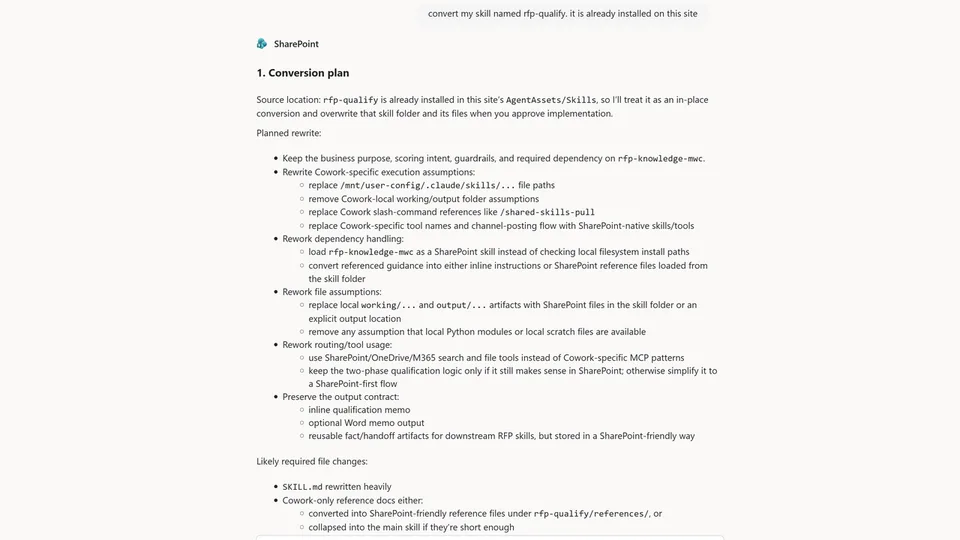
This skill helps convert an existing Copilot Cowork skill into a Copilot in SharePoint skill.
It reviews the source skill, identifies Cowork-specific assumptions, prepares a SharePoint-native conversion plan, waits for user approval, then creates or updates the converted skill in AgentAssets/Skills.
This skill helps convert an existing Copilot Cowork skill into a Copilot in SharePoint skill.
It reviews the source skill, identifies Cowork-specific assumptions, prepares a SharePoint-native conversion plan, waits for user approval, then creates or updates the converted skill in AgentAssets/Skills.
What you get
- A SharePoint-ready SKILL.md converted from an existing Cowork skill.
- A clear conversion plan before anything is changed.
- Rewritten or restructured supporting files, when needed.
- A change report explaining routing, storage, dependency, and file-structure updates.
- A deprecated-file list showing old supporting files that can be reviewed for deletion.
What it does
- Reads an existing Cowork
SKILL.mdand related supporting files - Identifies unsupported Cowork assumptions, tools, paths, and runtime behaviors
- Produces a conversion plan before making changes
- Rewrites
SKILL.mdfor Copilot in SharePoint - Rewrites or restructures supporting files into SharePoint-friendly folders such as:
references/examples/eval/
- Flags deprecated supporting files that may be deleted after review
- Verifies saved files after update when practical
Example prompts
To use this skill in Copilot for SharePoint, say:
- “Convert my skill”
- “Rewrite my Cowork skill”
- “Make my Cowork skill work in SharePoint”
- “Adapt this Cowork skill for Copilot in SharePoint”
- “Port this skill from Cowork to SharePoint”
Safety model
The skill is intentionally approval-first.
It does not overwrite, create, rename, replace, or deprecate files until the user approves the conversion plan.
It also does not delete deprecated supporting files automatically. Instead, it lists them in the final output so the user can review and delete them manually if desired.
Intended use
This is useful for teams migrating reusable Copilot Cowork skills into Copilot in SharePoint, especially when those skills contain assumptions about local files, Cowork-specific tools, unsupported runtime behavior, or non-SharePoint storage.
Notes
This skill is not intended for creating a brand-new skill from scratch. If there is no existing Cowork skill or Cowork pattern to migrate, use a skill-creation workflow instead.
SharePoint Skill
| Solution | Author(s) |
|---|---|
| convert-cowork-skill-to-sharepoint | Jim Duncan | GitHub | LinkedIn |
Version history
| Version | Date | Comments |
|---|---|---|
| 1.0 | June 2026 | Initial Release |
Disclaimer
THIS CODE IS PROVIDED AS IS WITHOUT WARRANTY OF ANY KIND, EITHER EXPRESS OR IMPLIED, INCLUDING ANY IMPLIED WARRANTIES OF FITNESS FOR A PARTICULAR PURPOSE, MERCHANTABILITY, OR NON-INFRINGEMENT.
Package
Ready to install
The ZIP contains only the upload-ready inner skill folder.
8a31a98a6c6ffc1ea247d709b2b7576b86d32ca6133e55a44078cb65ae33c684View SKILL.md
---
name: convert-cowork-skill-to-sharepoint
description: |-
  Convert an existing Copilot Cowork skill into a Copilot in SharePoint skill. Use this skill to inspect the source skill, identify Cowork-specific assumptions, produce a SharePoint-native conversion plan, get user approval, then create or update the converted skill in AgentAssets/Skills.

  Use when the user says:
    - "Convert my skill"
    - "Rewrite my Cowork skill"
    - "Make my Cowork skill work in SharePoint"
    - "Adapt this Cowork skill for Copilot in SharePoint"
    - "Port this skill from Cowork to SharePoint"
---

# Convert Cowork Skill to SharePoint

## When to use

Use this skill when the user has an existing skill written for Copilot Cowork and wants it converted for Copilot in SharePoint.

Do not use this skill to create a brand-new skill from scratch. If there is no existing Cowork skill or Cowork pattern to migrate, use `create-skill` instead.

## Inputs

The source Cowork skill may come from:
- A direct OneDrive link
- A skill name to resolve under the user's OneDrive Cowork skills folder
- A folder already present in this site's `AgentAssets/Skills`
- A `.zip` file added to chat

Required inputs:
- Source `SKILL.md`
- Any referenced files that affect routing, dependencies, schemas, examples, outputs, or execution behavior
- User preferences for name, scope, output format, and rewrite aggressiveness

## Safety and save rules

Never overwrite or create files until the user approves the conversion plan.

Before updating an existing skill in `AgentAssets/Skills`:
1. Read the current files that will be changed.
2. Summarize exactly what will be replaced, added, removed, or preserved.
3. Ask for explicit confirmation to proceed.

If required source files cannot be found or read, stop and say what is missing. Do not invent missing skill content.

Do not create duplicate skill folders when converting a skill that already exists in this site unless the user explicitly asks for a separate copy.

Supporting files may be created, updated, rewritten, split, merged, renamed, replaced, or deprecated only after approval.

Do not delete deprecated supporting files automatically unless the user explicitly asks. If a file is renamed or replaced, list the old path as deprecated unless deletion was approved.

## Steps

Tool routing rule: use SharePoint-native tools explicitly. Use `load_skill({skillName})` for skills already in `AgentAssets/Skills`; use `cat_file({fileUrl|serverRelativeUrl})` to read known files; use `find_items(...)` to locate candidate skill files or folders; use `create_file(...)` to create or update `SKILL.md` and supporting files after approval.

### Phase 1: Source discovery

1. Identify the source location.
   - For a OneDrive link, use the link directly.
   - For a OneDrive skill name, first try to resolve it relative to the user's Cowork skills folder. If that convention fails, search the user's OneDrive for the named skill folder or `SKILL.md`. If it still cannot be resolved, ask the user for a direct link or upload.
   - For a site skill, load it from `AgentAssets/Skills`.
   - For a `.zip`, inspect the archive contents if supported; otherwise ask the user to extract or provide the relevant files.

2. Read `SKILL.md` and any supporting files referenced by the skill.

3. If the source is ambiguous, ask the minimum question needed to locate it.

### Phase 2: Compatibility review

Analyze the Cowork skill for SharePoint incompatibilities:
- Cowork-only tools, storage paths, runtime assumptions, or host behaviors
- Local filesystem assumptions such as `/mnt`, `/tmp`, `/output`, or package-local paths
- Mail, chat, or workflow assumptions that do not map to SharePoint-native behavior
- Dependencies that should become skill loads, SharePoint tool usage, or reference files
- Trigger phrases that overlap existing SharePoint skills
- Output formats that are not feasible in SharePoint, such as local files, Cowork-only artifacts, external runtime outputs, unsupported binaries, or references to non-SharePoint storage
- Supporting files that should be rewritten, split, merged, renamed, replaced, or deprecated for the SharePoint version

### Phase 3: Skill library check

Before finalizing the plan:
1. Check existing built-in and site skills for overlapping trigger phrases, names, or intent.
2. If overlap exists, decide whether the converted skill should:
   - narrow its trigger surface,
   - depend on the existing skill,
   - route the user to the existing skill,
   - or not be created.
3. Include overlap findings and routing decisions in the conversion plan.

### Phase 4: Conversion plan

Before editing anything, produce a plan that states:
- What stays unchanged
- What must be rewritten
- Which dependencies must be loaded, replaced, removed, or converted
- Which files will be created, updated, rewritten, split, merged, renamed, replaced, or deprecated
- Whether the result will overwrite an existing skill or create a new folder
- Skill-library overlap findings
- Deprecated supporting files that will be left in place unless the user later approves deletion
- Risks, ambiguities, and decisions needed from the user

Stop after the plan unless the user explicitly says to proceed.

### Phase 5: Implementation after approval

After approval, draft the SharePoint-ready skill and any supporting files needed for the converted structure.

Adapt the instructions and supporting files so they:
- Use SharePoint-native tools and locations
- Prefer existing skills when appropriate
- Avoid Cowork-only assumptions
- Include clear trigger phrases and non-use cases
- Define concrete steps and output expectations
- Keep `SKILL.md` focused as a dispatch/runbook file

Use this folder-structure rubric:
- Keep `SKILL.md` concise as the dispatch/runbook file.
- Put long guidance in `references/`.
- Put worked scenarios in `examples/`.
- Put pass/fail checks or test scenarios in `eval/`.
- Remove Cowork-only supporting files from the converted design when they no longer apply.

### Phase 6: Save, verify, and report

If approved to save:
- If the source skill already exists in this site's `AgentAssets/Skills`, update that folder.
- If the source came from OneDrive or a `.zip`, use the `/create-skill` skill to create the skill with the new version of the file(s).
- Do not overwrite unrelated files.

If converting an existing `AgentAssets/Skills` folder, identify supporting files that are no longer needed. Leave them in place unless the user explicitly approves deletion, but list them in the final output as deprecated files the user may delete.

After saving:
1. Confirm the saved file URLs.
2. Reread or verify key saved files when practical, especially `SKILL.md`.
3. Report any files that could not be saved or verified.
4. Report any deprecated supporting files that remain in the folder and are recommended for deletion.

## Output format

### Before approval

Provide only:

#### 1. Conversion plan
A concise plan with source assumptions, rewrite decisions, dependency changes, file changes, skill-library overlap findings, deprecated-file recommendations, risks, and approval request.

End with:
`The converted skill has not been finalized or saved yet. Say "proceed" when you want me to implement this plan.`

### After approval

Provide:

#### 1. Converted skill
A complete SharePoint-ready `SKILL.md`.

#### 2. Folder and file changes
List:
- Files created
- Files updated
- Files rewritten or restructured
- Files split, merged, renamed, or replaced
- Deprecated supporting files that are no longer needed and may be deleted by the user
- Replacement paths for renamed or replaced files

#### 3. Change report
Summarize:
- Routing changes
- Tool and storage changes
- Dependency changes
- Interaction-flow changes
- Source-location handling changes
- Skill-library overlap decisions
- Supporting-file rewrite/restructure decisions
- Safety or overwrite decisions
- Deprecated files recommended for deletion
- Verification results
- Anything intentionally preserved
References
- agentskills.io specification
The specification that SharePoint AI skills follow for installation and discovery.
Discuss this skill
Ask a question, share how you used it, or suggest an improvement with the community.
Open GitHub Discussions