
 Preview unavailable
The idea behind the sample
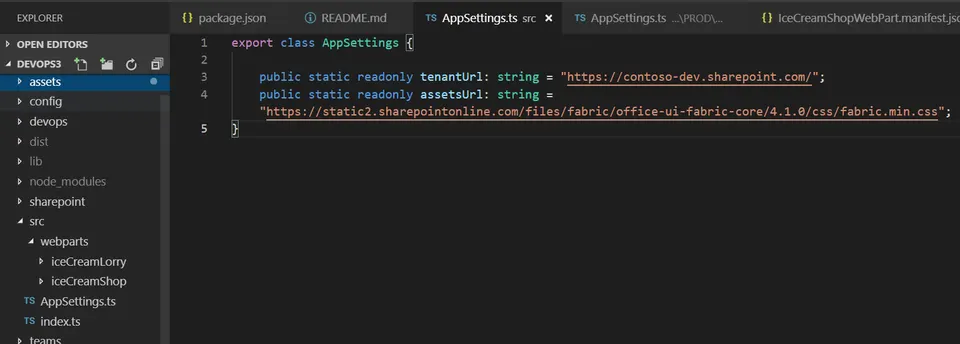
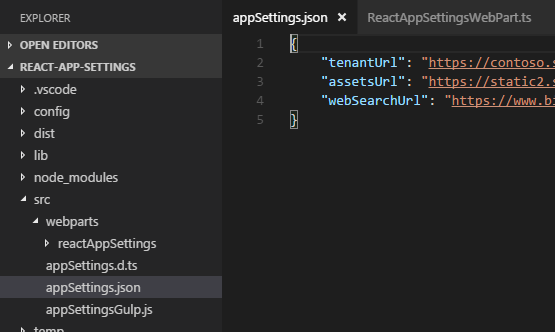
This sample shows how AppSettings.ts file can be added and used within SharePoint Framewrok webparts similar to the Web.config / App.config key value app settings in .NET Framework projects. That allows better DevOps and continuous integration (CI/CD) automation. The AppSettings.ts is transpiled/compiled with your SPFx solution which differs from the way the web.config. With .Net web.config file we would be able to update independently without the need of compiling DLLs. If that behavior is required, you can store your app settings in a SharePoint list and change them from there. However, that will have performance degradation over if the setting was part of the SPFx code where the logic can get a setting value in milliseconds.
Make it your own
Start with the author's setup instructions, explore the implementation, and adapt the pattern to your environment. Sample code stays in its original repository, together with its requirements, license and contribution history.
Read the source documentationA closer look
 Preview unavailable
Keep exploring
- Build your first SharePoint client-side web part — Client-side web parts are client-side components that run in the context of a SharePoint page. Client-side web parts can be deployed to SharePoint environments that support the SharePoint Framework. You can also use modern JavaScript web frameworks, tools, and libraries to build them.
- Using single part app pages in SharePoint Online — Single part app pages provide a capability to host SharePoint Framework web parts or Microsoft Teams applications in SharePoint Online with a locked layout. End users cannot modify or configure the page that is using the Single Part App Page layout.
