
 Preview unavailable
The idea behind the sample
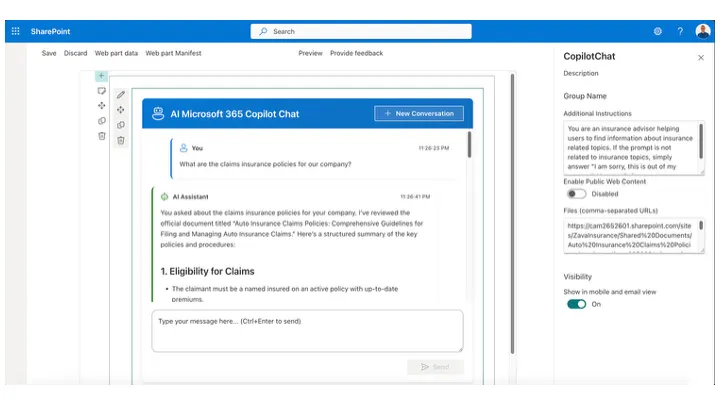
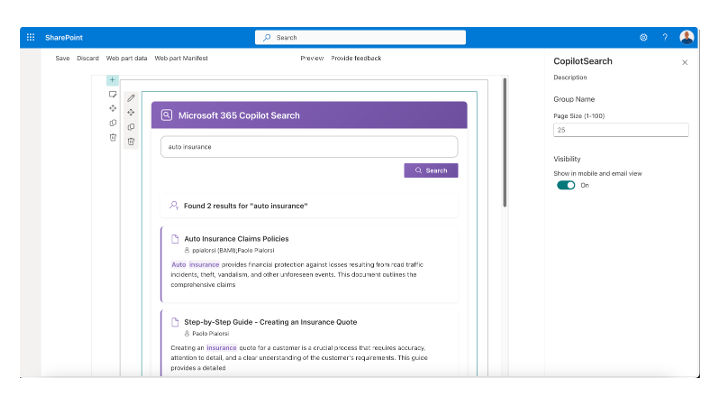
This sample demonstrates how to integrate Microsoft 365 Copilot Chat and Search APIs into SharePoint Framework React web parts. It includes two web parts: Copilot Chat provides a full conversational interface with chat history, allowing users to interact with Microsoft 365 Copilot directly from SharePoint with features like scrollable conversation history, markdown rendering for AI responses, optional web search integration, support for file references and additional context, and the ability to start new conversations. Copilot Search enables hybrid semantic and lexical search using natural language queries, displaying results with document titles, authors, preview text with keyword highlighting, and direct links to documents. Both web parts leverage Work IQ Copilot APIs to provide enterprise-grade AI capabilities within SharePoint.
Make it your own
Start with the author's setup instructions, explore the implementation, and adapt the pattern to your environment. Sample code stays in its original repository, together with its requirements, license and contribution history.
Read the source documentationA closer look
 Preview unavailable
Keep exploring
- Build your first SharePoint client-side web part — Client-side web parts are client-side components that run in the context of a SharePoint page. Client-side web parts can be deployed to SharePoint environments that support the SharePoint Framework. You can also use modern JavaScript web frameworks, tools, and libraries to build them.
- Microsoft 365 Copilot extensibility — Learn about extending Microsoft 365 Copilot with custom plugins, connectors, and APIs to bring organizational data and workflows into the Copilot experience.
- Microsoft Graph Copilot APIs — Explore the Microsoft Graph APIs for interacting with Microsoft 365 Copilot, including creating conversations, sending messages, and managing chat sessions programmatically.
- Using Microsoft Graph in SharePoint Framework — Learn how to use Microsoft Graph APIs within SharePoint Framework solutions to access Microsoft 365 services and data with appropriate permissions.
- React Markdown — A React component for rendering markdown content safely and efficiently, used in this sample to display formatted AI responses with proper styling.
