
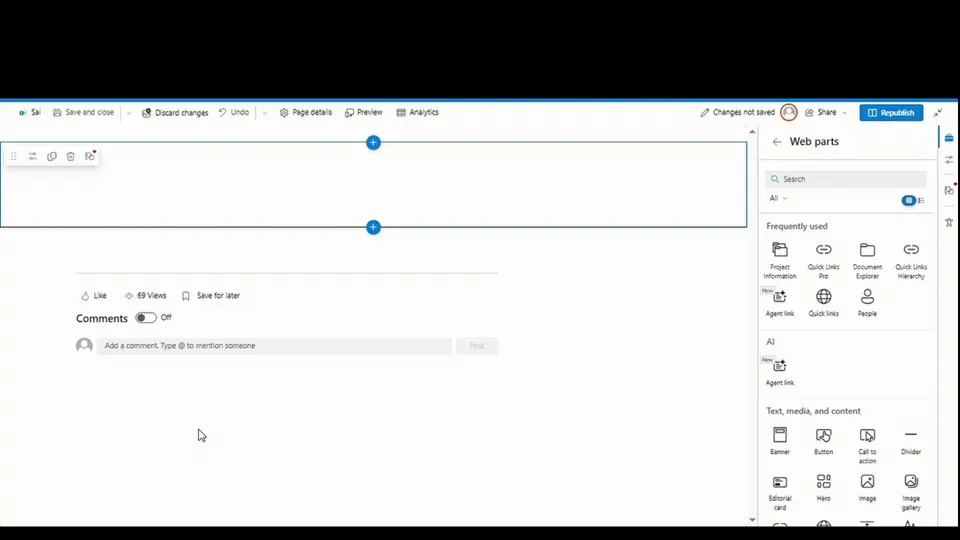
 Preview unavailable
The idea behind the sample
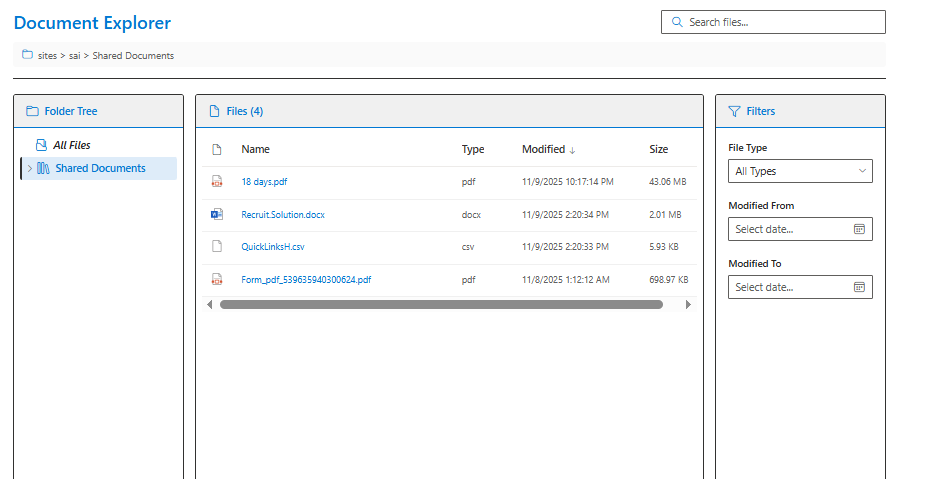
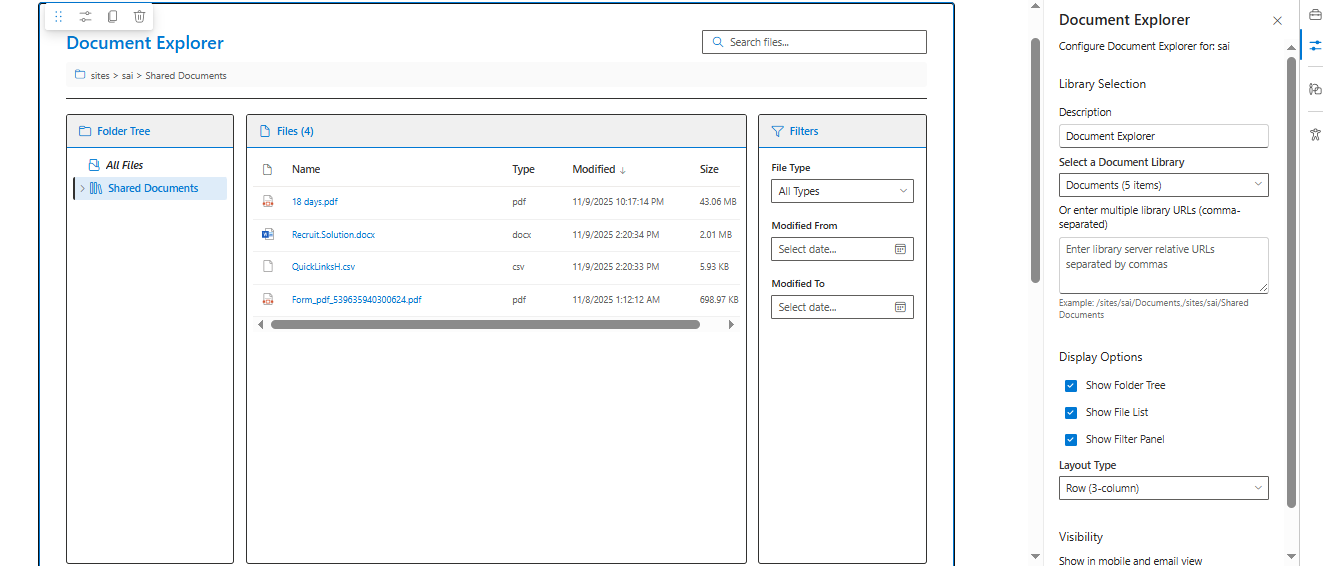
A comprehensive SharePoint Framework (SPFx) web part that enables users to browse, search, and filter documents across multiple SharePoint document libraries. Features an interactive folder tree navigation with recursive expansion, sortable file list with detailed metadata, and advanced filtering capabilities. Supports configurable three-panel layout (folder tree, file list, filter panel) with dynamic sizing, permission-aware library loading, direct file access, and both desktop and mobile-friendly layouts.
Make it your own
Start with the author's setup instructions, explore the implementation, and adapt the pattern to your environment. Sample code stays in its original repository, together with its requirements, license and contribution history.
Read the source documentationA closer look
 Preview unavailable
 Preview unavailable
Keep exploring
- Build your first SharePoint client-side web part — Client-side web parts are client-side components that run in the context of a SharePoint page. Client-side web parts can be deployed to SharePoint environments that support the SharePoint Framework. You can also use modern JavaScript web frameworks, tools, and libraries to build them.
- Using PnP JS with SharePoint Framework — Learn how to use PnP JS library in your SharePoint Framework solutions for modern SharePoint REST API interactions.
- Fluent UI React Components — Fluent UI React is a collection of robust React-based components designed to make it simple for you to create consistent web experiences using the Fluent Design Language.
- Working with Folders and Files using PnP JS — Learn how to work with SharePoint folders and files using the PnP JS library.
