
 Preview unavailable
The idea behind the sample
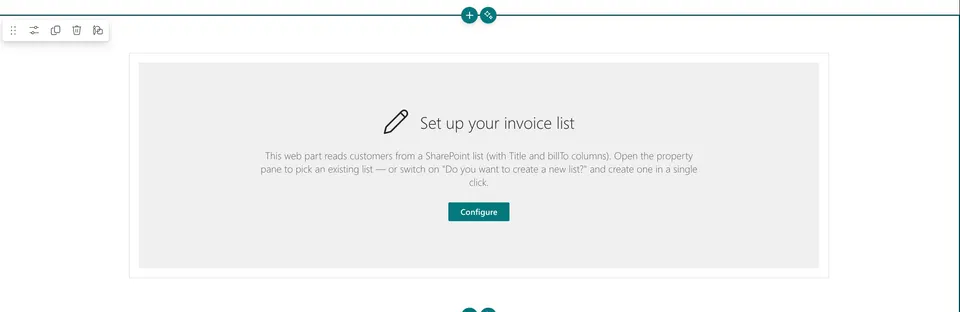
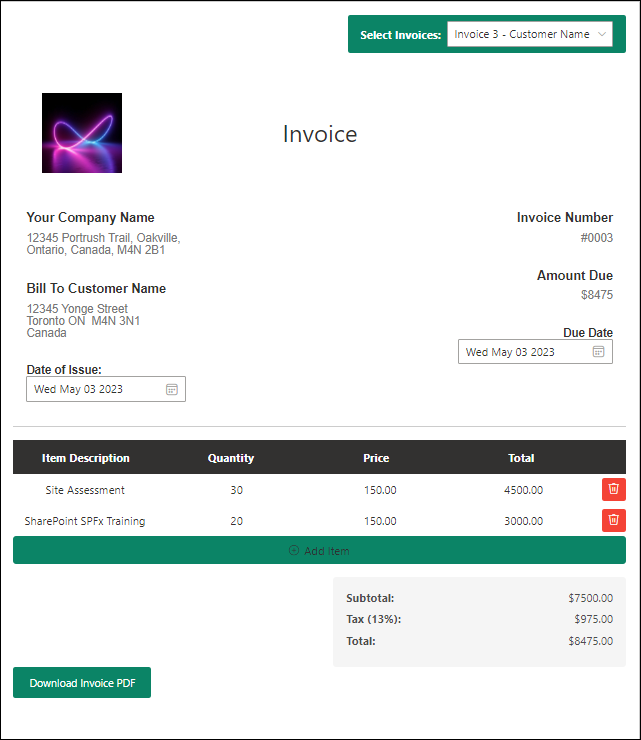
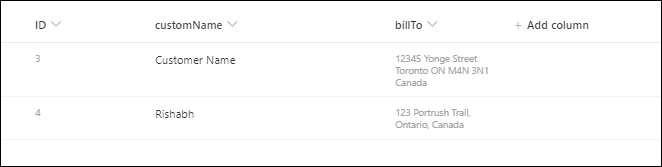
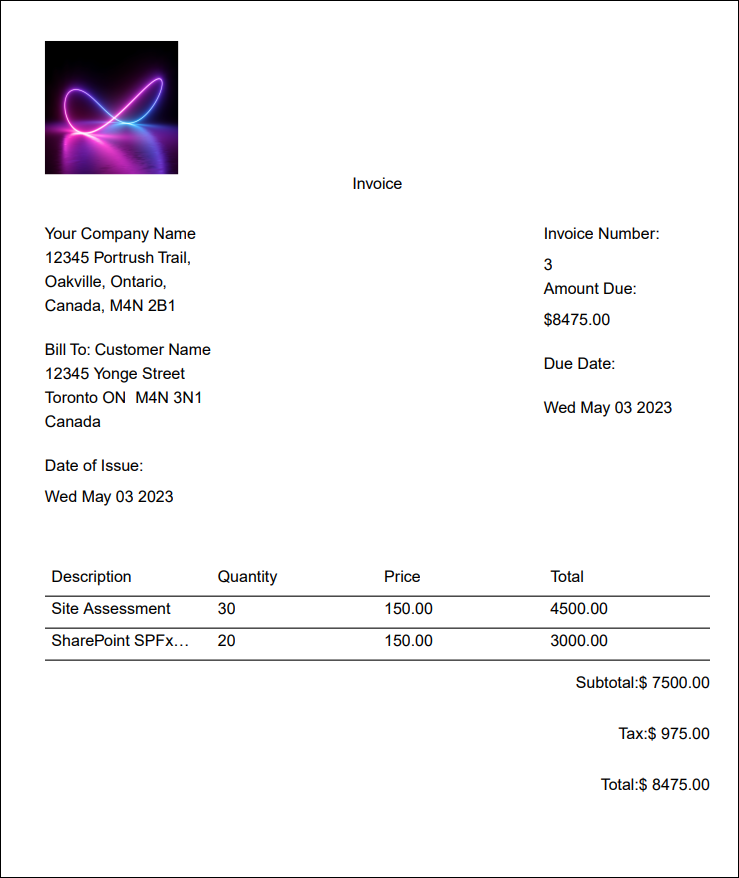
SPFx Invoice Generator Web part using PnP JS allows users to create invoices for different clients or customers. Users can add items to the invoice using add item button, and the application calculates the subtotal, tax, and total amount. The application also generates PDF versions of the invoices. To obtain customer names and addresses, the application retrieve data from a SharePoint list and present them in dropdown menus for use in the application. The user interface components are designed and implemented using the Fluent UI library. Additionally, the @react-pdf/renderer library is utilized to generate the PDF versions of the invoices. Company Logo, Company Name, Address and Tax rate can be updated using web part properties.
Make it your own
Start with the author's setup instructions, explore the implementation, and adapt the pattern to your environment. Sample code stays in its original repository, together with its requirements, license and contribution history.
Read the source documentationA closer look
 Preview unavailable
 Preview unavailable
 Preview unavailable
 Preview unavailable
Keep exploring
- Build your first SharePoint client-side web part — Client-side web parts are client-side components that run in the context of a SharePoint page. Client-side web parts can be deployed to SharePoint environments that support the SharePoint Framework. You can also use modern JavaScript web frameworks, tools, and libraries to build them.
View 5 source metadata notes
- thumbnails[0].alt: Replace generic alt text with a description of the sample.
- thumbnails[1].alt: Replace generic alt text with a description of the sample.
- thumbnails[2].alt: Replace generic alt text with a description of the sample.
- thumbnails[3].alt: Replace generic alt text with a description of the sample.
- thumbnails[4].alt: Replace generic alt text with a description of the sample.
