
 Preview unavailable
The idea behind the sample
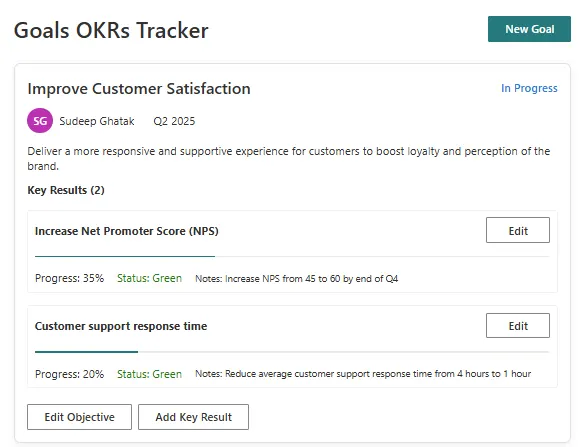
This SharePoint web part is an Objectives and Key Results (OKR) tracking system with a modern, responsive UI. It allows users to create, track, and manage organizational objectives and their associated key results. The application provides a structured way to set goals, track progress, and maintain alignment across teams. Built with React, TypeScript, and Fluent UI, it integrates seamlessly with SharePoint while providing advanced functionality for performance management.
Make it your own
Start with the author's setup instructions, explore the implementation, and adapt the pattern to your environment. Sample code stays in its original repository, together with its requirements, license and contribution history.
Read the source documentationKeep exploring
- Build your first SharePoint client-side web part — Client-side web parts are client-side components that run in the context of a SharePoint page. Client-side web parts can be deployed to SharePoint environments that support the SharePoint Framework. You can also use modern JavaScript web frameworks, tools, and libraries to build them.
View 1 source metadata note
- thumbnails[0].alt: Replace generic alt text with a description of the sample.
