
 Preview unavailable
The idea behind the sample
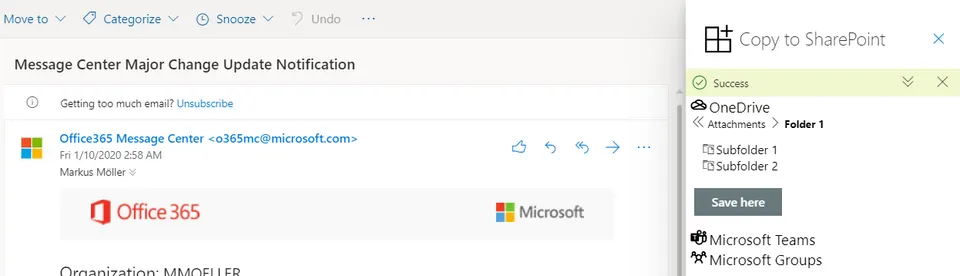
This SPFx Outlook Add-In lets you browse your OneDrive, joined Teams or Groups and select a folder to save your complete mail in there.
Make it your own
Start with the author's setup instructions, explore the implementation, and adapt the pattern to your environment. Sample code stays in its original repository, together with its requirements, license and contribution history.
Read the source documentationKeep exploring
- Build your first SharePoint client-side web part — Client-side web parts are client-side components that run in the context of a SharePoint page. Client-side web parts can be deployed to SharePoint environments that support the SharePoint Framework. You can also use modern JavaScript web frameworks, tools, and libraries to build them.
- Create Outlook Add-ins using SharePoint Framework — Introduced in SharePoint Framework v1.10, you can implement an Outlook Web App add-in with the SharePoint Framework and use SharePoint as a host for your solution.
