
 Preview unavailable
The idea behind the sample
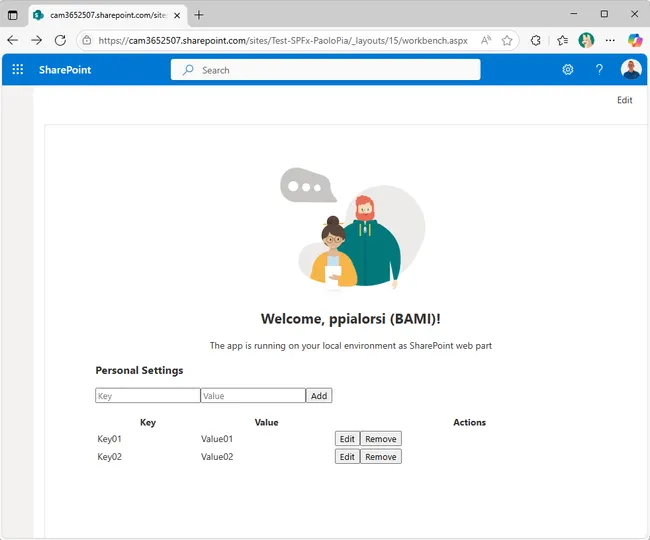
This sample demonstrates how to build a secure, enterprise-ready solution for managing personal user settings in SharePoint. It uses a SPFx React web part for the UI, an Azure Function API for business logic and security, and Microsoft Graph's approot special folder for per-user storage. The solution implements the On-Behalf-Of (OBO) flow, JWT validation, and CORS, and is ready for real-world deployment.
Make it your own
Start with the author's setup instructions, explore the implementation, and adapt the pattern to your environment. Sample code stays in its original repository, together with its requirements, license and contribution history.
Read the source documentationKeep exploring
- Build your first SharePoint client-side web part — Client-side web parts are client-side components that run in the context of a SharePoint page. Client-side web parts can be deployed to SharePoint environments that support the SharePoint Framework. You can also use modern JavaScript web frameworks, tools, and libraries to build them.
- Changes on SharePoint Framework (SPFx) permission grants in Microsoft Entra ID — Article explaining a set of changes to the way API permissions are managed in SharePoint Online by Tenant Administrators in SharePoint Framework (SPFx) starting from March 2025.
- Microsoft Graph Special Folders — Learn how to use Microsoft Graph special folders, such as the 'approot' folder, to store and manage user-specific files and settings in OneDrive for Business in a secure and isolated way.
- On-Behalf-Of Flow — Understand how to implement the OAuth 2.0 On-Behalf-Of (OBO) authentication flow to securely call downstream APIs like Microsoft Graph from your own APIs, while preserving the user's identity and permissions.
View 1 source metadata note
- thumbnails[0].alt: Replace generic alt text with a description of the sample.
