
 Preview unavailable
The idea behind the sample
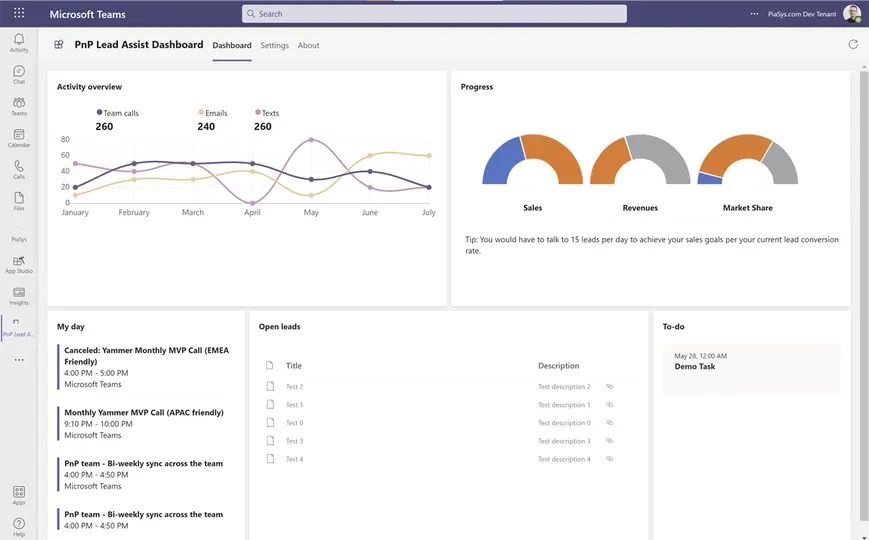
This sample shows how to use SPFx to create a Microsoft Teams dashboard personal app.
Make it your own
Start with the author's setup instructions, explore the implementation, and adapt the pattern to your environment. Sample code stays in its original repository, together with its requirements, license and contribution history.
Read the source documentationKeep exploring
- Build your first SharePoint client-side web part — Client-side web parts are client-side components that run in the context of a SharePoint page. Client-side web parts can be deployed to SharePoint environments that support the SharePoint Framework. You can also use modern JavaScript web frameworks, tools, and libraries to build them.
- Building for Microsoft Teams — Learn how to create SPFx web parts that integrate with the Microsoft Teams context.
- Use Microsoft Graph in your solution — Learn how you can leverage the Microsoft Graph API from your custom developed SPFx web parts.
- Publish SharePoint Framework applications to the Marketplace — Publishing your SharePoint Framework solutions to marketplace (also known as AppSource) and to SharePoint store, which allows you to reach other organizations and let them easily install your application in their Microsoft 365 tenant.
