
 Preview unavailable
The idea behind the sample
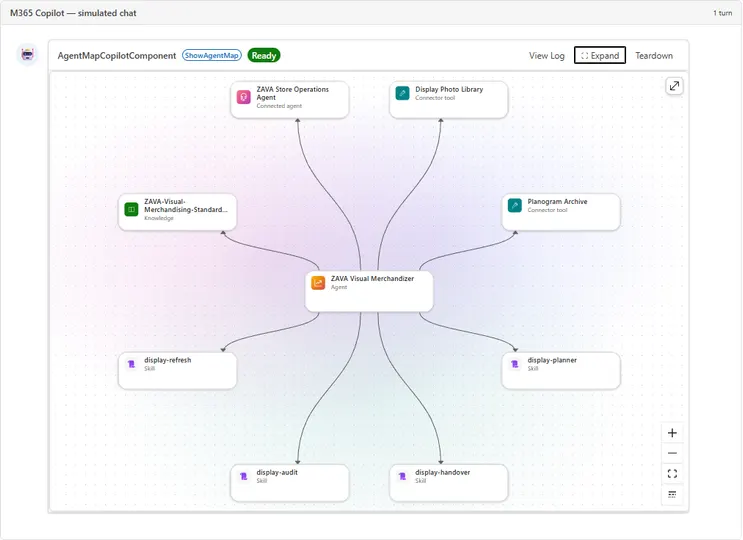
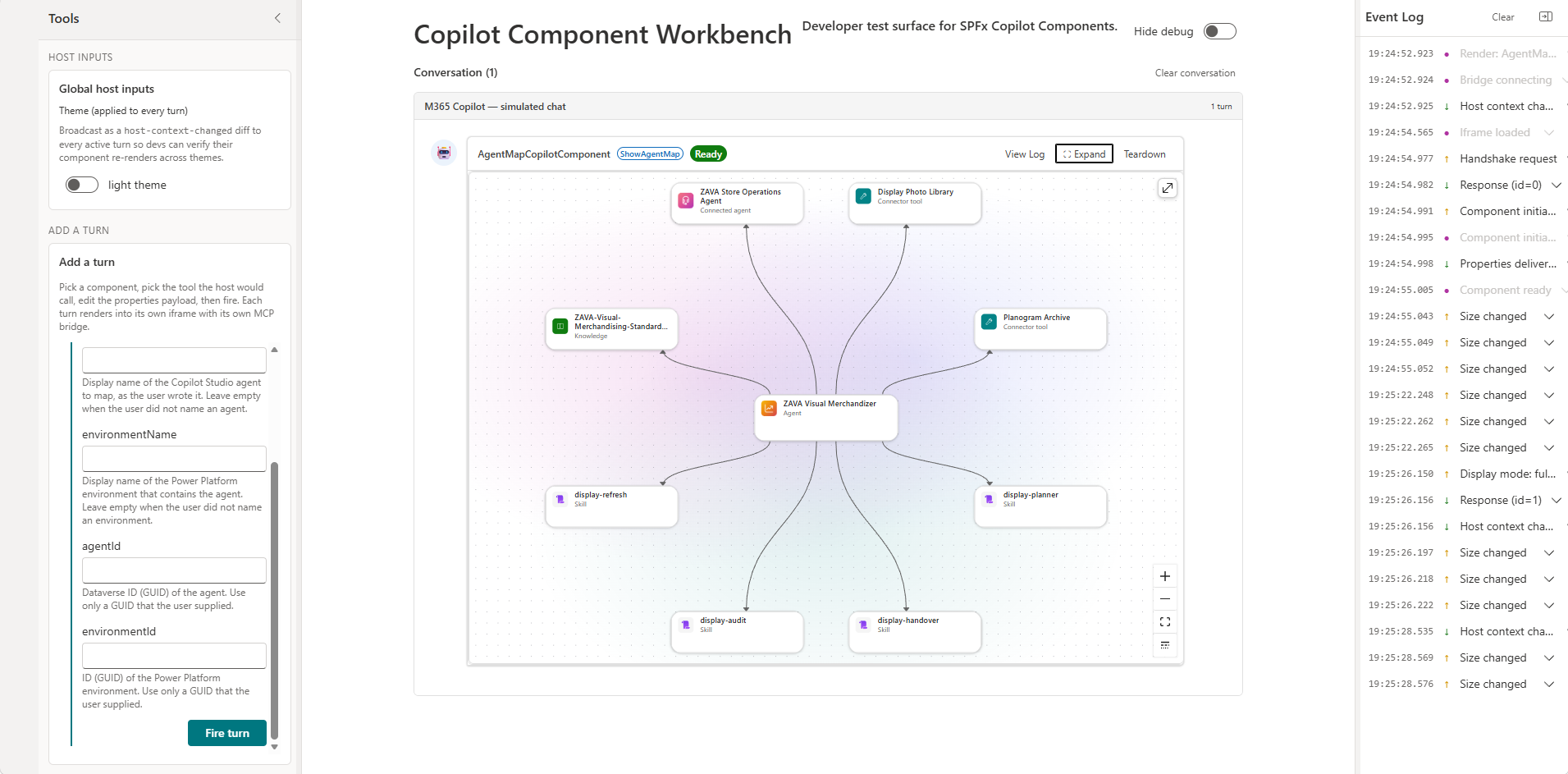
Agent Map is an SPFx Copilot UX component that shows how a Copilot Studio agent is built, directly in Microsoft 365 Copilot. A declarative agent ("Agent Map") calls it as a tool. The inline card shows only the map. The full-screen view adds the environment and agent selectors, search, filters, a list, and a details panel for each skill, tool, knowledge source, connected agent, topic, trigger, and evaluation set.
The component reads the agent definition from Dataverse with the signed-in user's delegated identity through AadHttpClient, and finds the environments with the Dataverse Global Discovery Service. It is read-only and needs no backend or Azure resources.
Make it your own
Start with the author's setup instructions, explore the implementation, and adapt the pattern to your environment. Sample code stays in its original repository, together with its requirements, license and contribution history.
Read the source documentationA closer look
 Preview unavailable
Keep exploring
- Copilot UX components with the SharePoint Framework — Build interactive experiences for Microsoft 365 Copilot with SharePoint Framework Copilot UX components.
- Build agents for Microsoft Copilot — Extend Microsoft Copilot with declarative agents, plugins, and connectors to tailor Copilot to your organization's needs.
- Overview of the SharePoint Framework — The SharePoint Framework (SPFx) is a page and web part model that provides full support for client-side SharePoint development.
- Use the Microsoft Dataverse Web API — Read and write Dataverse data with the OData v4 Web API.
