
 Preview unavailable
The idea behind the sample
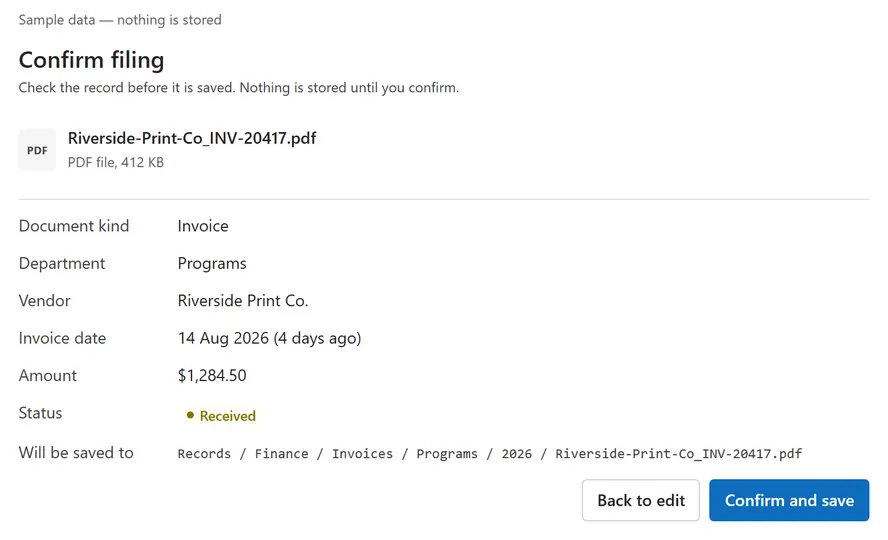
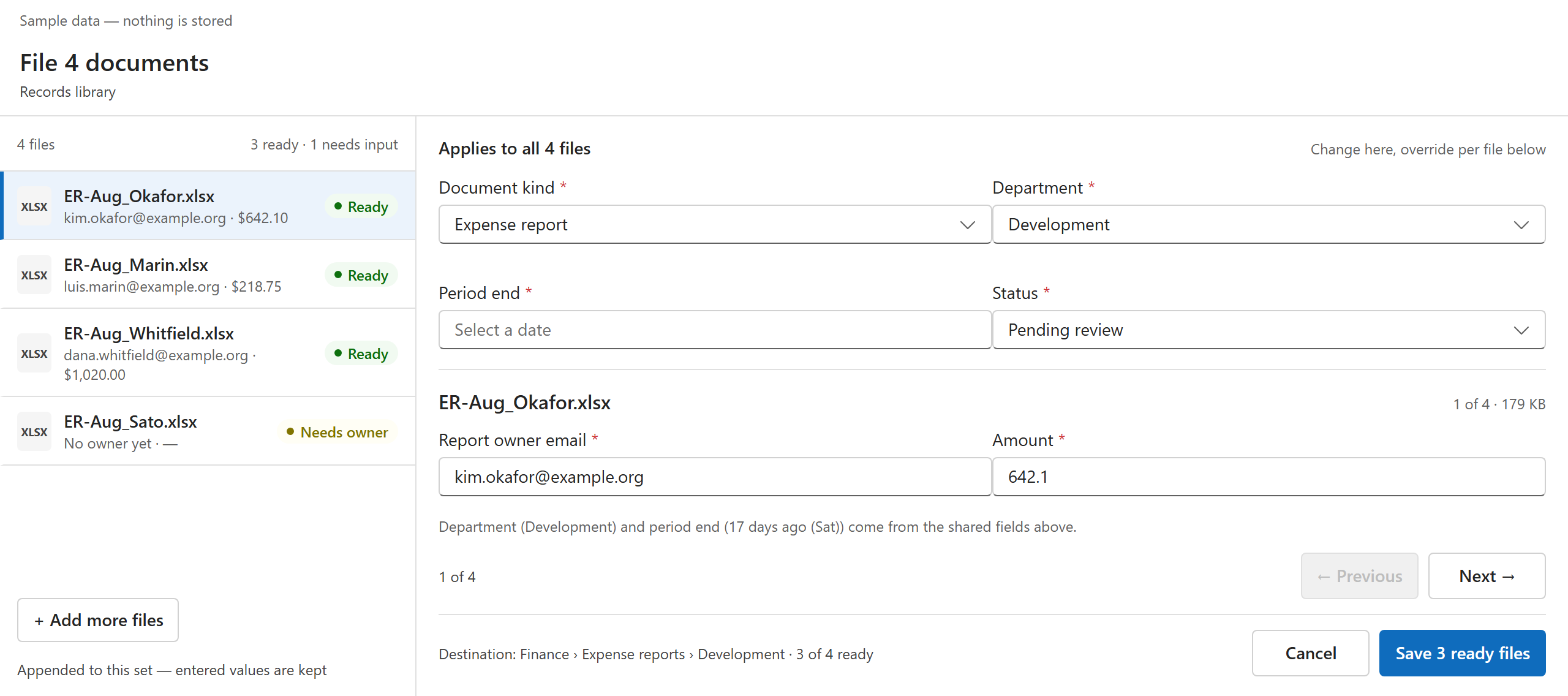
Files a formal document — an invoice or an expense report — into the right document library with complete metadata, from inside a Microsoft 365 Copilot conversation. The user chooses the file, the component asks only for the fields that document kind requires, the destination is derived from kind and department, and nothing is stored until the user confirms. After saving, the user sees exactly what was stored, where, and a receipt.
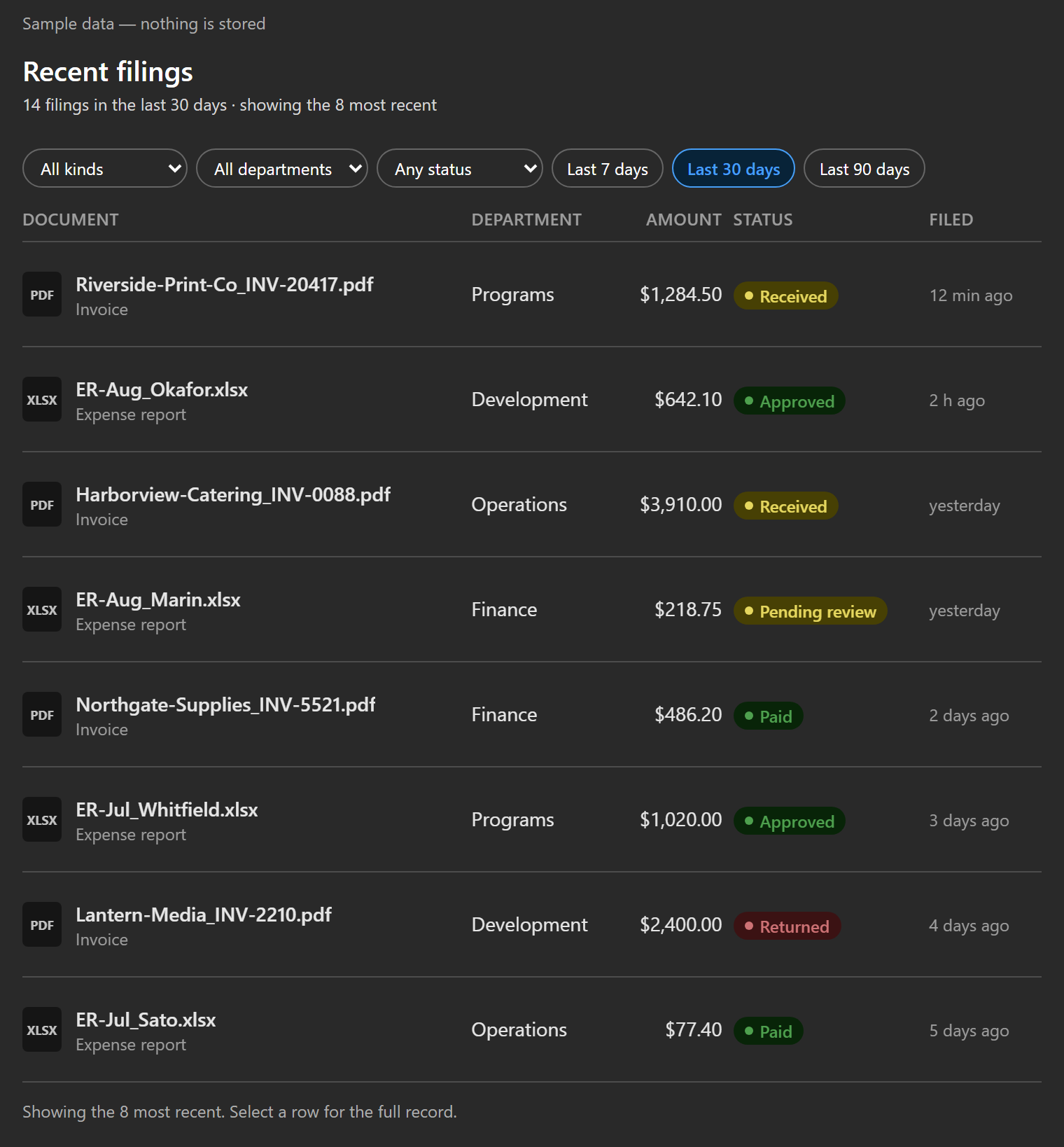
One manifest tool, fileDocuments, carries an intent discriminator: file (choose, validate, review, confirm — several files at once in a full-screen workspace) or recent (filter recent filings by kind, department, status and period; open any record). Runs on fictional sample data until a tenant admin switches on the live SharePoint store, whose content types supply the required fields; both stores sit behind IDocumentStoreService, so views and mappers are the same for either.
Make it your own
Start with the author's setup instructions, explore the implementation, and adapt the pattern to your environment. Sample code stays in its original repository, together with its requirements, license and contribution history.
Read the source documentationA closer look
 Preview unavailable
 Preview unavailable
Keep exploring
- Build a Copilot Component — SPFx Copilot Components overview and the BaseCopilotComponent API.
