
 Preview unavailable
The idea behind the sample
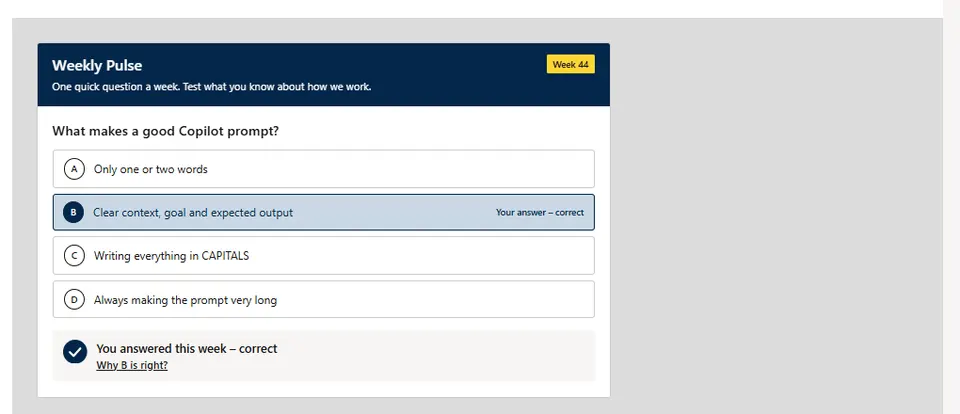
Weekly Pulse Quiz shows one multiple-choice question per ISO week from a SharePoint list, both as a web part (BaseClientSideWebPart) and as a Copilot UX component (BaseCopilotComponent) called by a declarative agent through the show_weekly_quiz tool with static tool discovery.
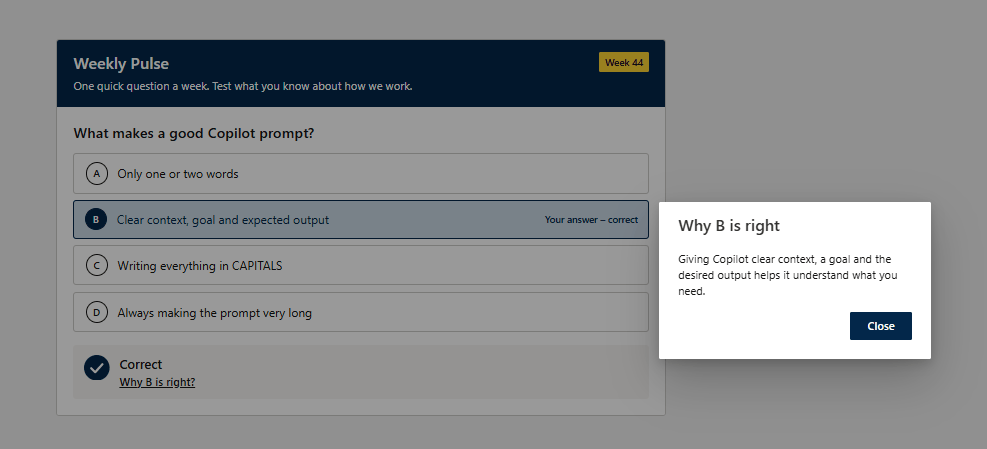
Answers are saved as the signed-in user to a Responses list with item-level security and unique permissions, so colleagues can't see each other's answers. Feedback is calm and accessible: a check mark or the correct answer, an optional justification (dialog on the page, inline Why? panel in Copilot) and reduced-motion support.
A Set up lists button (site owners, edit mode) and equivalent PnP PowerShell and CLI for Microsoft 365 scripts create the lists idempotently. No API permissions are requested; model-supplied site URLs must be https on the same tenant, list titles pass an allowlist, and nothing is sent back to the model. Colours follow the SharePoint site theme with optional hex overrides and automatic WCAG AA text contrast.
Make it your own
Start with the author's setup instructions, explore the implementation, and adapt the pattern to your environment. Sample code stays in its original repository, together with its requirements, license and contribution history.
Read the source documentationA closer look
 Preview unavailable
Keep exploring
- Build agents for Microsoft Copilot — Extend Microsoft Copilot with declarative agents, plugins, and connectors to tailor Copilot to your organization's needs.
- Overview of the SharePoint Framework — The SharePoint Framework (SPFx) is a page and web part model that provides full support for client-side SharePoint development.
- SharePoint Framework v1.24 release notes — Release notes for SPFx 1.24 including Copilot UX components (BaseCopilotComponent) and Heft toolchain updates.
