
From the contributor
How to use this sample
Summary
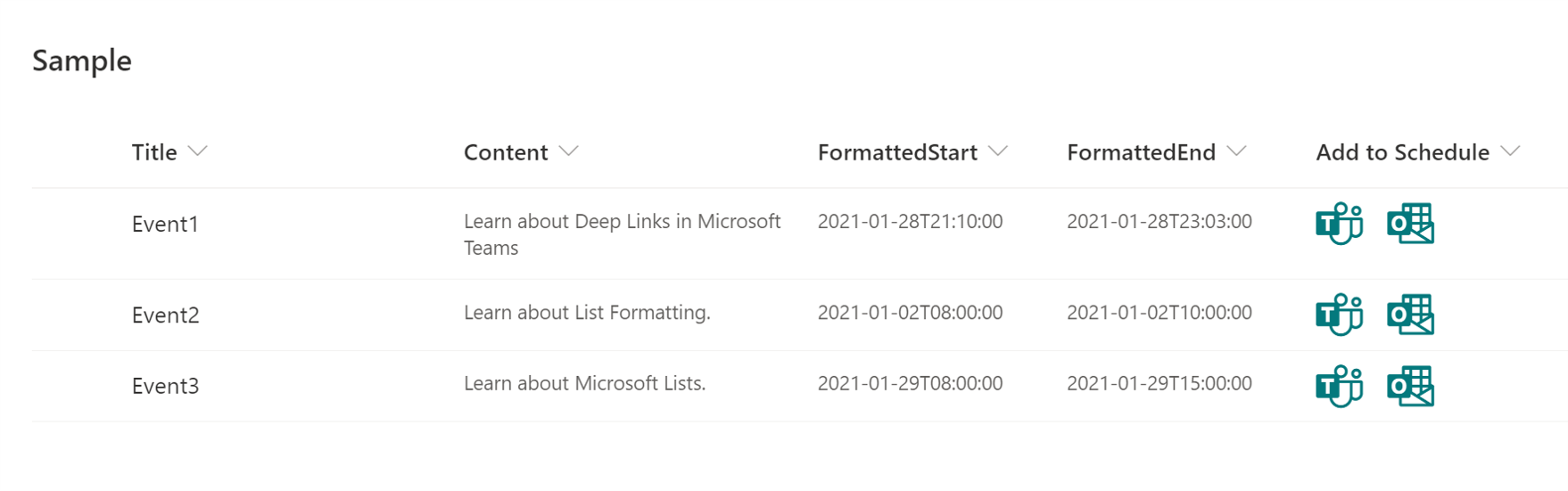
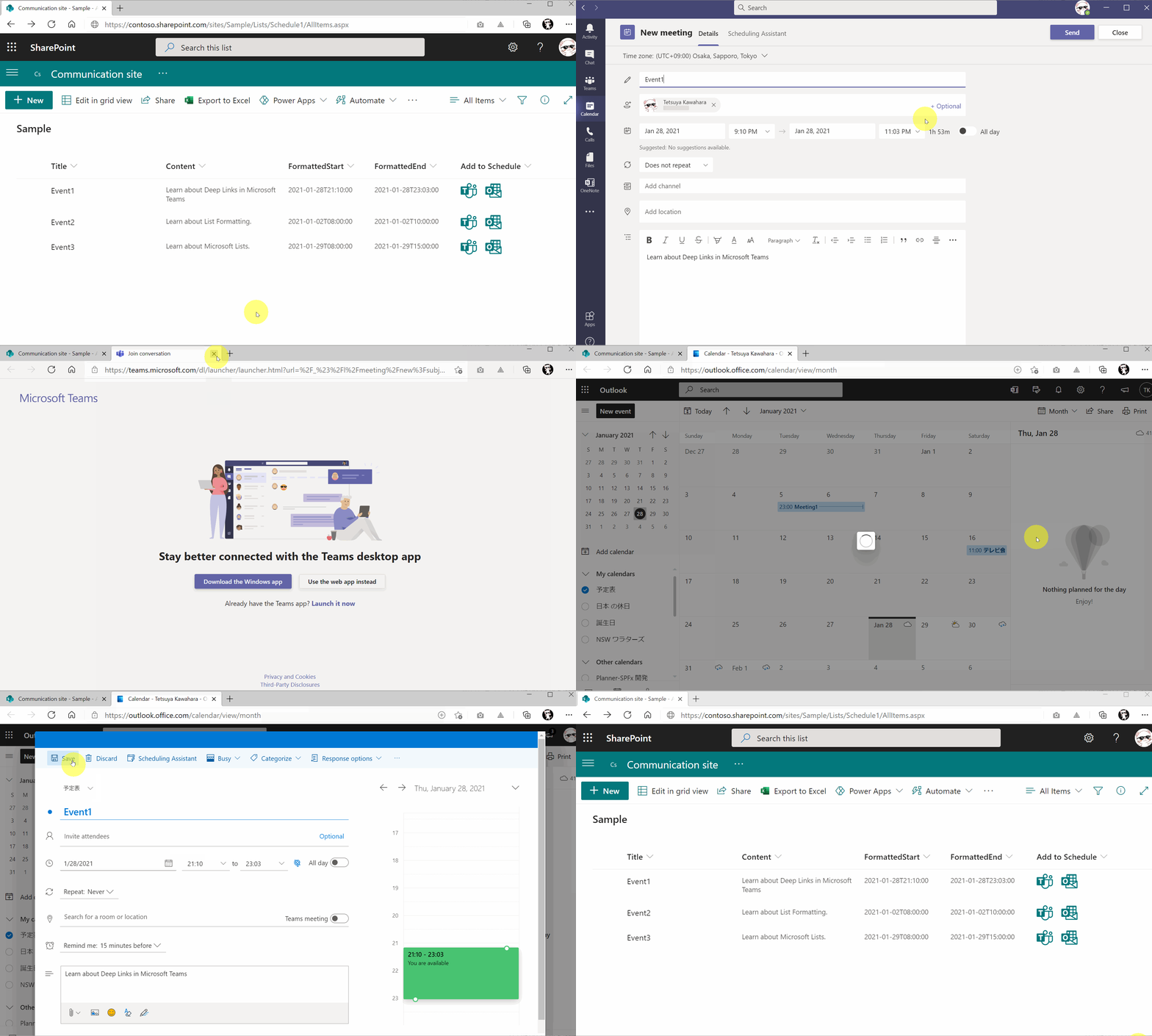
This sample demonstrates creating deep links to the scheduling dialog in Microsoft Teams and Microsoft Outlook.
View requirements
This format can be applied to any column type but expects the following columns to be part of the view:
| Type | Internal Name | Required |
|---|---|---|
| Single line of text | Title | Yes |
| Multiple line of text | Content | No |
| Date and Time | Start | Yes |
| Date and Time | End | Yes |
| Calculated Column | FormattedStart | |
| Calculated Column | FormattedEnd |
You need FormattedStart and FormattedEnd Calculated Columns so that it shows ISO 8601 format date. The formula for these calculated columns is below:
=TEXT([Start],"yyyy-mm-ddThh:mm:ss")
=TEXT([End],"yyyy-mm-ddThh:mm:ss")
Advanced Format
Alternatively, an additional format (generic-scheduling-link-advanced.json) is included that will eliminate the need for the Calculated Columns (FormattedStart & FormattedEnd). This is done by parsing the results of the toLocaleTimeString operation and is assuming results return in the format h:mm:ss tt (12 hour clock with minutes, seconds, and the ante/post meridiem indicator). This matches the local time format in the United States and several other countries.
These formulas have been put into the separate format because they are difficult to read and are not universally applicable. If you are targeting multiple regions with varying locale formats it is advised to use the calculated columns and the standard version of the format.
Sample
| Solution | Author(s) |
|---|---|
| generic-scheduling-link.json | Tetsuya Kawahara |
| generic-scheduling-link-advanced.json | Tetsuya Kawahara & Chris Kent |
Version history
| Version | Date | Comments |
|---|---|---|
| 1.0 | January 28, 2021 | Initial release |
Disclaimer
THIS CODE IS PROVIDED AS IS WITHOUT WARRANTY OF ANY KIND, EITHER EXPRESS OR IMPLIED, INCLUDING ANY IMPLIED WARRANTIES OF FITNESS FOR A PARTICULAR PURPOSE, MERCHANTABILITY, OR NON-INFRINGEMENT.