
From the contributor
How to use this sample
Summary
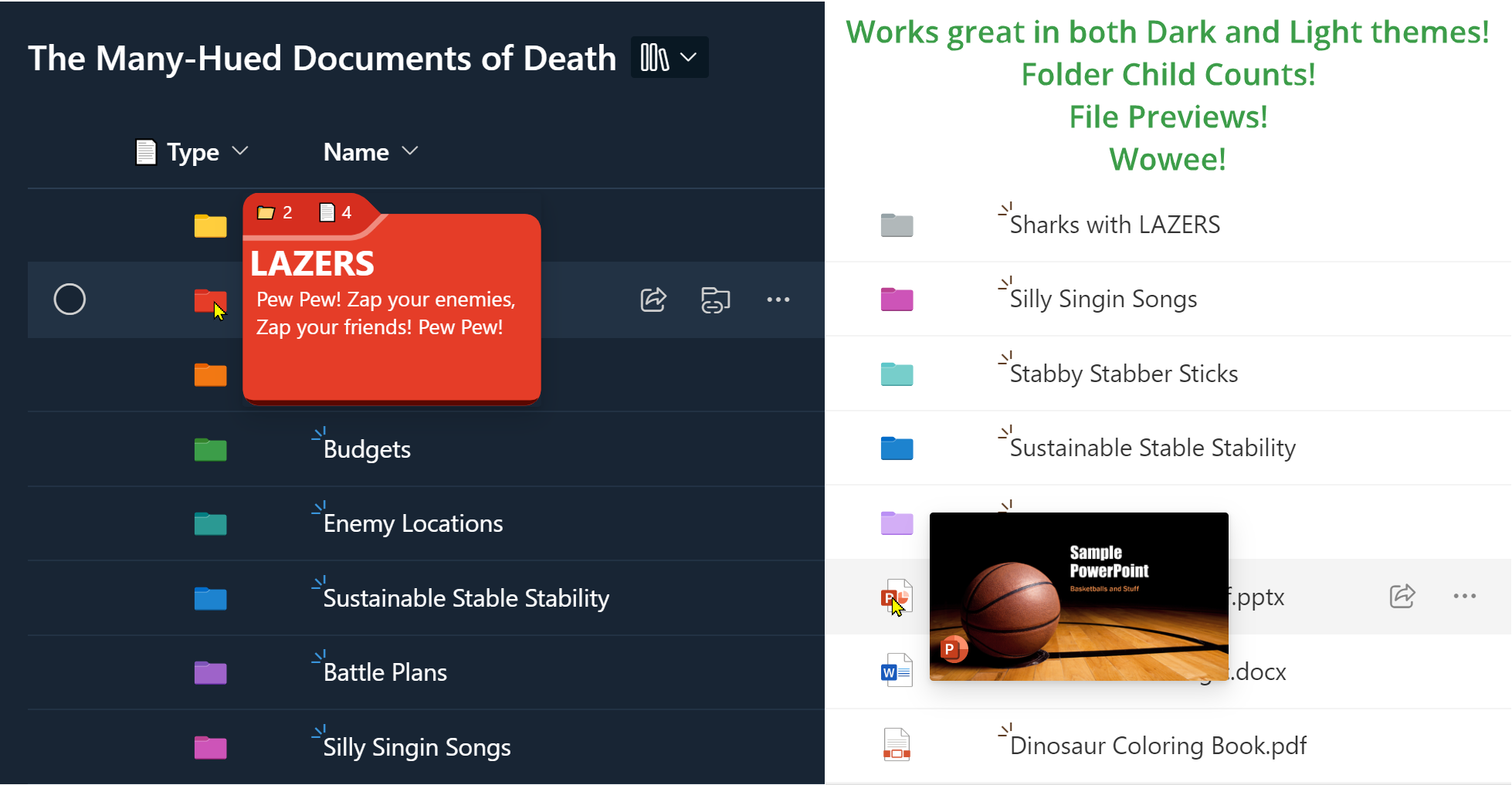
This sample demonstrates recreating the Type column (folder/file icons) and adds meaningful hover panels. Shows you how to take advantage of SharePoint folder colors by referencing the [$_ColorHex] field. Additionally, demonstrates 2 different ways of using the filepreview element to show a file type icon and also a thumbnail preview of the file.
Folder Colors
| Color | _ColorHex value |
|---|---|
| Yellow | Empty or 0 |
| Dark red | 1 |
| Dark orange | 2 |
| Dark green | 3 |
| Dark teal | 4 |
| Dark blue | 5 |
| Dark purple | 6 |
| Dark pink | 7 |
| Grey | 8 |
| Light red | 9 |
| Light orange | 10 |
| Light green | 11 |
| Light teal | 12 |
| Light blue | 13 |
| Light purple | 14 |
| Light pink | 15 |
View requirements
This format can be applied to any column in your Document Library.
Sample
| Solution | Author(s) |
|---|---|
| generic-supertype.json | Chris Kent |
Version history
| Version | Date | Comments |
|---|---|---|
| 1.0 | November 9, 2023 | Initial release |
Disclaimer
THIS CODE IS PROVIDED AS IS WITHOUT WARRANTY OF ANY KIND, EITHER EXPRESS OR IMPLIED, INCLUDING ANY IMPLIED WARRANTIES OF FITNESS FOR A PARTICULAR PURPOSE, MERCHANTABILITY, OR NON-INFRINGEMENT.