
From the contributor
How to use this sample
Summary
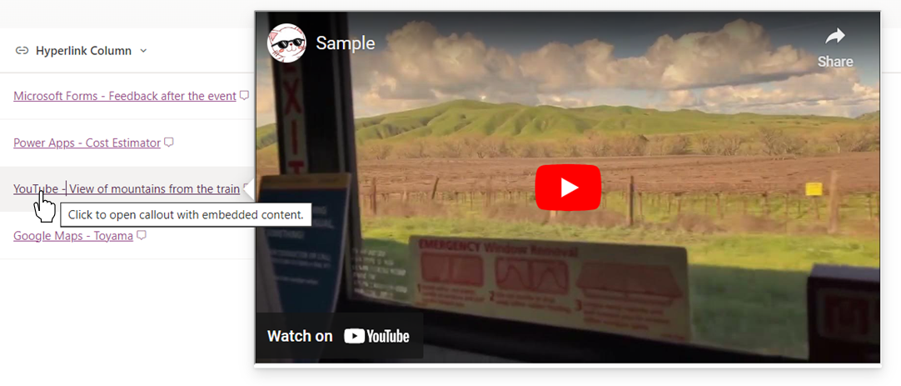
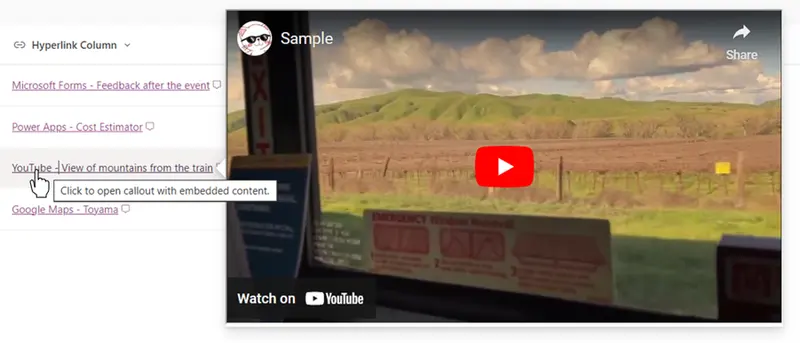
This sample demonstrates displaying embedded content using the embed action.
[!NOTE]
- This sample and the
embedaction are only available in the newer version of the Microsoft Lists App.
Prerequisites
Allowing Embedding in HTML Field Security Settings
To embed content, the target site must be allowed for embedding. For guidance on how to allow embedding, please refer to Allow or restrict the ability to embed content on SharePoint Lists using custom formatters.
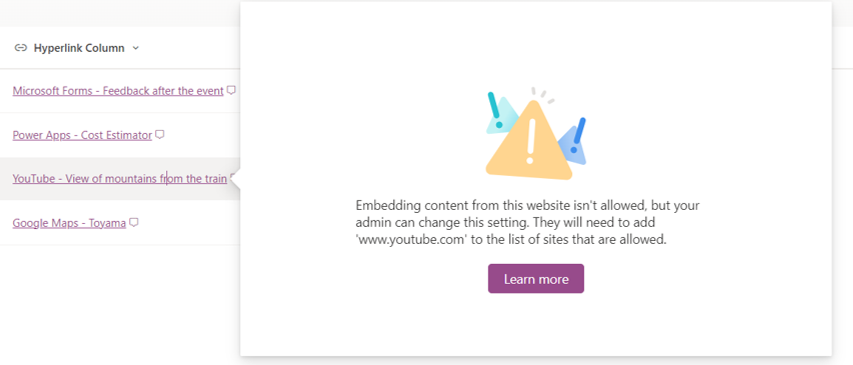
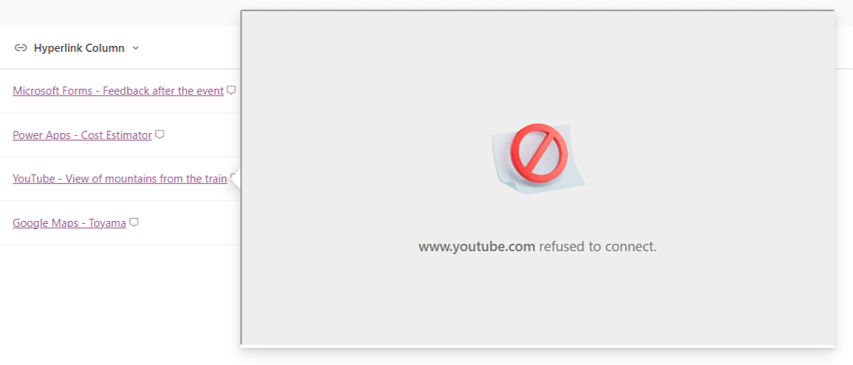
If you try to embed a site that is not allowed to be embedded, the following error screen will appear:
Obtaining and Setting the Embedding URL
The URL in the hyperlink column must be set to an embedding URL. This URL is usually found in the src attribute of the iframe element.
For example, the embedding URL for YouTube can be obtained as follows:
Open the desired video on YouTube
Select the Share button
Select the Embed button
Copy the URL from the
srcattribute in the embed code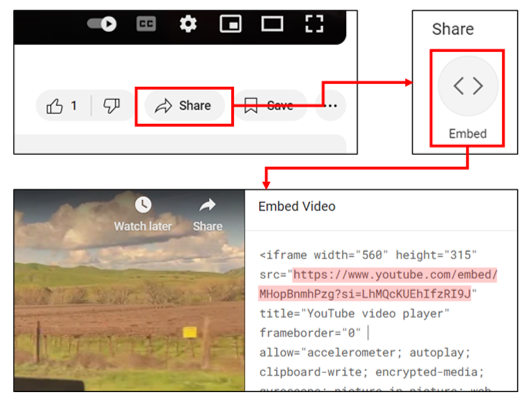
If the URL is not an embedding URL, the following error screen may appear:
View requirements
This format can be applied to a Hyperlink column.
Sample
| Solution | Author(s) |
|---|---|
| hyperlink-embed.json | Tetsuya Kawahara |
Version history
| Version | Date | Comments |
|---|---|---|
| 1.0 | August 27, 2024 | Initial release |
Disclaimer
THIS CODE IS PROVIDED AS IS WITHOUT WARRANTY OF ANY KIND, EITHER EXPRESS OR IMPLIED, INCLUDING ANY IMPLIED WARRANTIES OF FITNESS FOR A PARTICULAR PURPOSE, MERCHANTABILITY, OR NON-INFRINGEMENT.
Additional notes
- The
embedaction is described in Formatting syntax reference - customRowAction