
From the contributor
How to use this sample
Summary
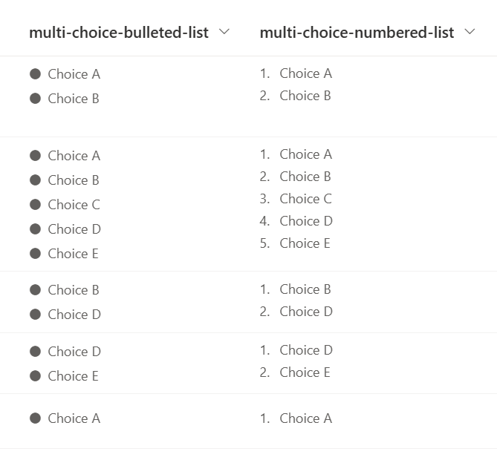
This sample demonstrates displaying Multi-Select Choice column values like a bulleted and numbered list.
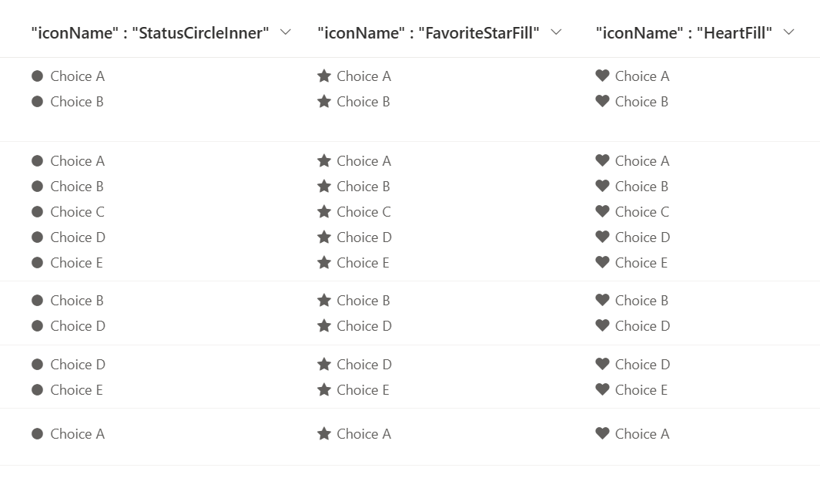
The bullet list symbols use Fluent UI Icons, which can be changed to stars, hearts, etc. by changing the value of the iconName property.
View requirements
This format can be applied to a Multi-Select Choice column.
Sample
| Solution | Author(s) |
|---|---|
| multi-choice-list.json | Tetsuya Kawahara |
| multi-choice-numbered-list.json | Tetsuya Kawahara |
Version history
| Version | Date | Comments |
|---|---|---|
| 1.0 | January 14, 2023 | Initial release |
Disclaimer
THIS CODE IS PROVIDED AS IS WITHOUT WARRANTY OF ANY KIND, EITHER EXPRESS OR IMPLIED, INCLUDING ANY IMPLIED WARRANTIES OF FITNESS FOR A PARTICULAR PURPOSE, MERCHANTABILITY, OR NON-INFRINGEMENT.