
From the contributor
How to use this sample
Summary
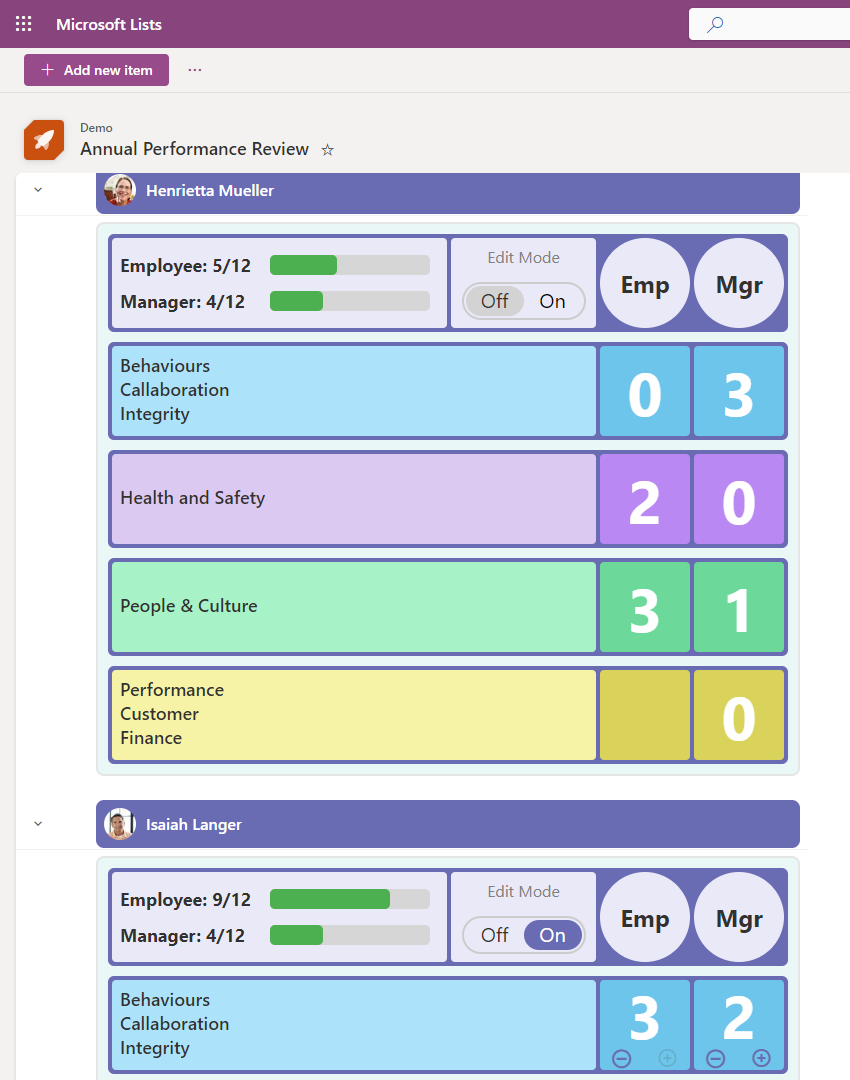
This sample demonstrates how to change row data to column format for annual performance review forms, inspired by list formatting authors of Smart Goal, Elf Progress Board, Display a User's Photo in Group Header, and Rounded fill checkbox.
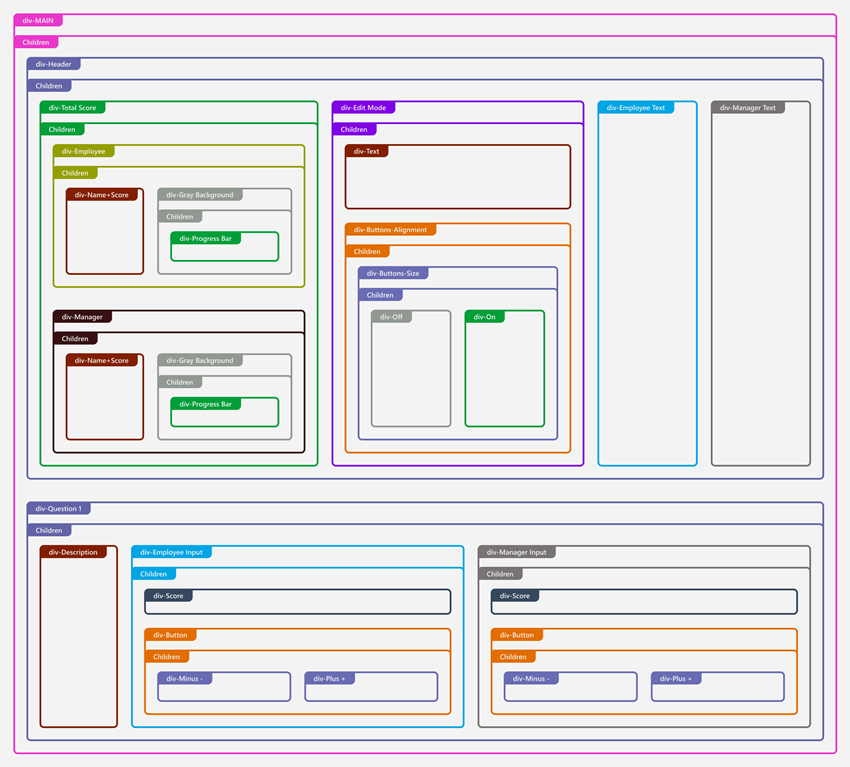
This diagram represents the structure of how the list view is formatted. It shows the hierarchical relationship of various elements.
[!NOTE] This sample also includes command bar customization.
View requirements
- Group by Employee field in the view settings and set default to Expanded to show user's photo in group header.
- This format expects the following columns to be part of the view:
| Column Name | Required | Type |
|---|---|---|
| Employee | Yes | Person or Group |
| EditMode | No | Yes/No |
| Q1e | No | Number |
| Q1m | No | Number |
| Q2e | No | Number |
| Q2m | No | Number |
| Q3e | No | Number |
| Q3m | No | Number |
| Q4e | No | Number |
| Q4m | No | Number |
Sample
| Solution | Author(s) |
|---|---|
| annual-performance-review.json | Watana |
Version history
| Version | Date | Comments |
|---|---|---|
| 1.0 | October 6, 2024 | Initial release |
| 2.0 | October 16, 2024 | New layout |
| 2.1 | October 24, 2024 | Added edit mode switch, fixed border thickness and alignment. |
| 2.2 | October 30, 2024 | Corrected the misalignment issues caused by the recent updates. |
Disclaimer
THIS CODE IS PROVIDED AS IS WITHOUT WARRANTY OF ANY KIND, EITHER EXPRESS OR IMPLIED, INCLUDING ANY IMPLIED WARRANTIES OF FITNESS FOR A PARTICULAR PURPOSE, MERCHANTABILITY, OR NON-INFRINGEMENT.