
From the contributor
How to use this sample
Summary
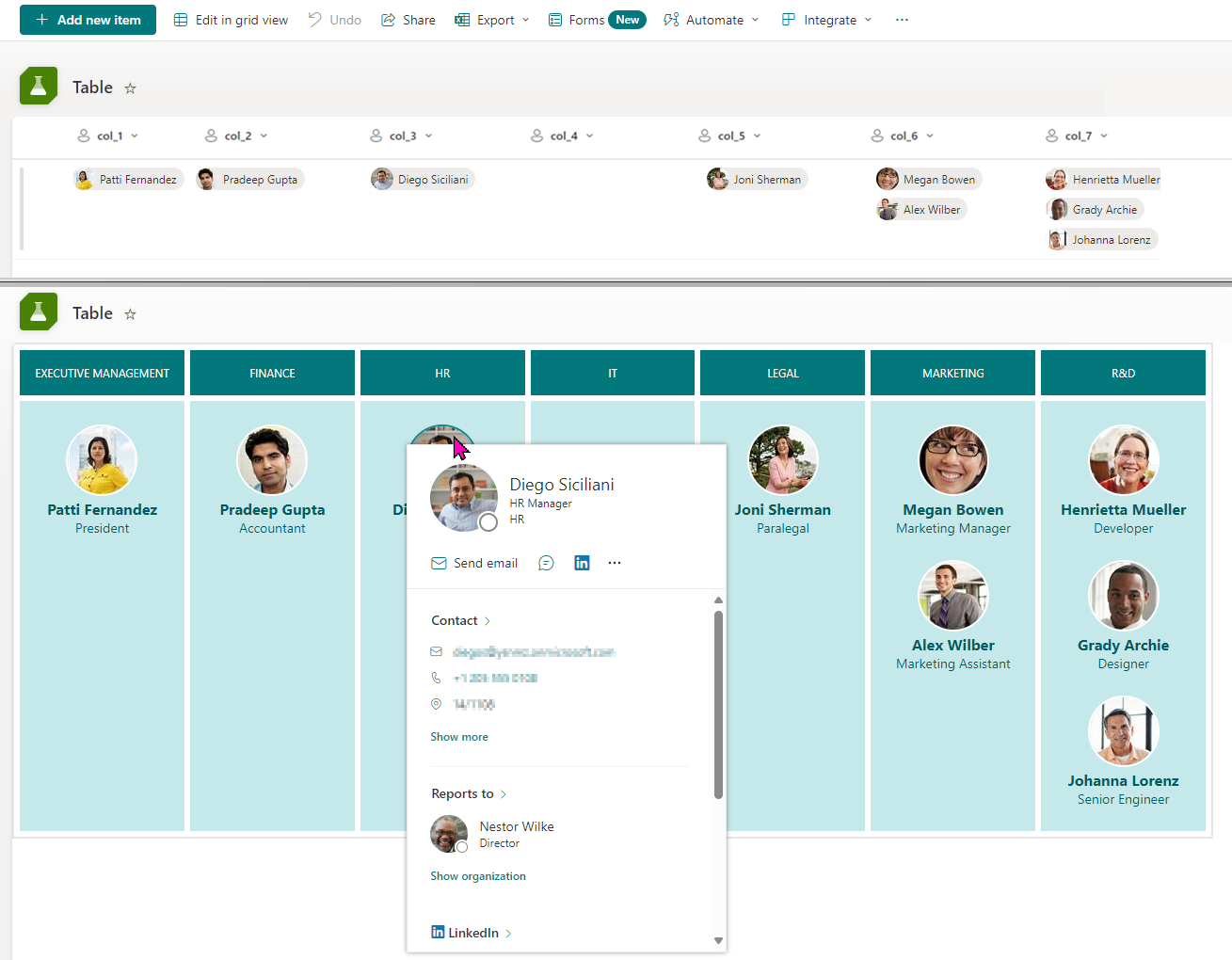
This sample demonstrates how to turn list items into a custom table and bring additional information from the Person column.
View requirements
| Required | Type | Internal Name |
|---|---|---|
| No | Person or Group | col_1 |
| No | Person or Group | col_2 |
| No | Person or Group | col_3 |
| No | Person or Group | col_4 |
| No | Person or Group | col_5 |
| No | Person or Group | col_6 |
| No | Person or Group | col_7 |
[!NOTE]
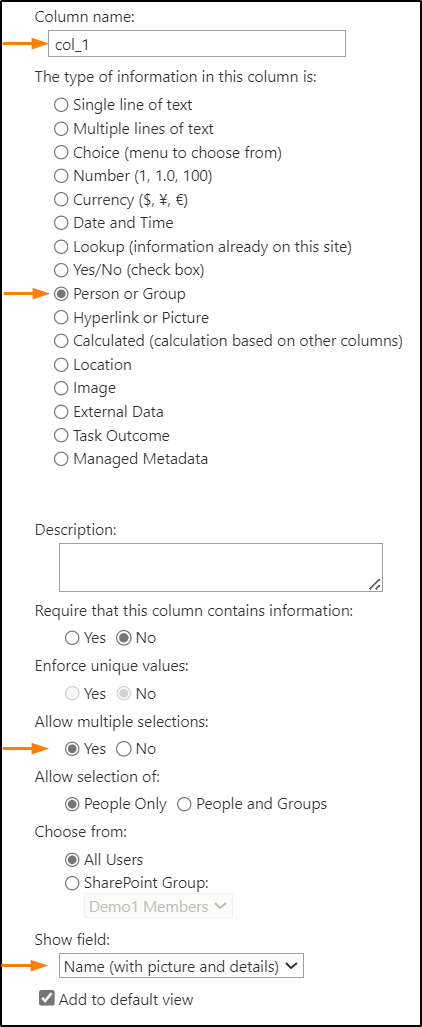
- It is necessary to set the
Show fieldvalue toName (with picture and details)to display the jobTitle field from the Person column. (Related issue: SharePoint/sp-dev-docs#10063)- Set
Allow multiple sectionstoYes.
Sample
| Solution | Author(s) |
|---|---|
| department-members-list.json | Watana |
Version history
| Version | Date | Comments |
|---|---|---|
| 1.0 | December 22, 2024 | Initial release |
Disclaimer
THIS CODE IS PROVIDED AS IS WITHOUT WARRANTY OF ANY KIND, EITHER EXPRESS OR IMPLIED, INCLUDING ANY IMPLIED WARRANTIES OF FITNESS FOR A PARTICULAR PURPOSE, MERCHANTABILITY, OR NON-INFRINGEMENT.