
From the contributor
How to use this sample
Summary
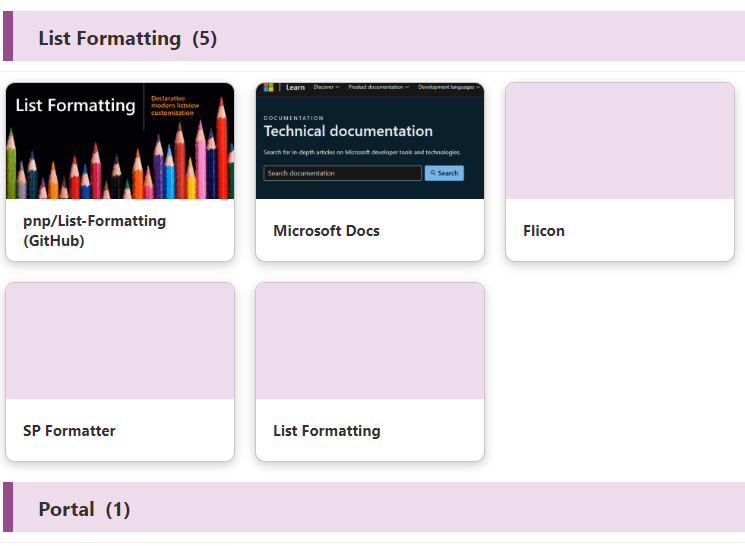
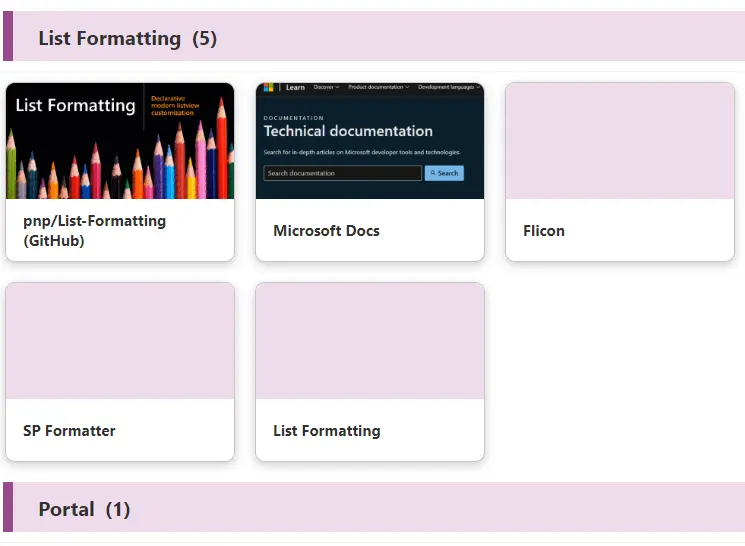
This sample displays a link collection with pictures using the Gallery view and group header formatting. Originally created by Tetsuya Kawahara, the author of Link Collection using Emojis, this is just a picture version.
View requirements
| Type | Internal Name | Required |
|---|---|---|
| Single line of text | Title | Yes |
| Single line of text | Category | Yes |
| Single line of text | URL | Yes |
| Image | Image | No |
Group the view by Category column.
Sample
| Solution | Author(s) |
|---|---|
| picture-link-tiles.json | Tetsuya Kawahara & Watana |
Version history
| Version | Date | Comments |
|---|---|---|
| 1.0 | December 1, 2024 | Initial release |
Disclaimer
THIS CODE IS PROVIDED AS IS WITHOUT WARRANTY OF ANY KIND, EITHER EXPRESS OR IMPLIED, INCLUDING ANY IMPLIED WARRANTIES OF FITNESS FOR A PARTICULAR PURPOSE, MERCHANTABILITY, OR NON-INFRINGEMENT.