
Back to column formats
Column formattingSharePoint Online

Multi-Person inline edit pill

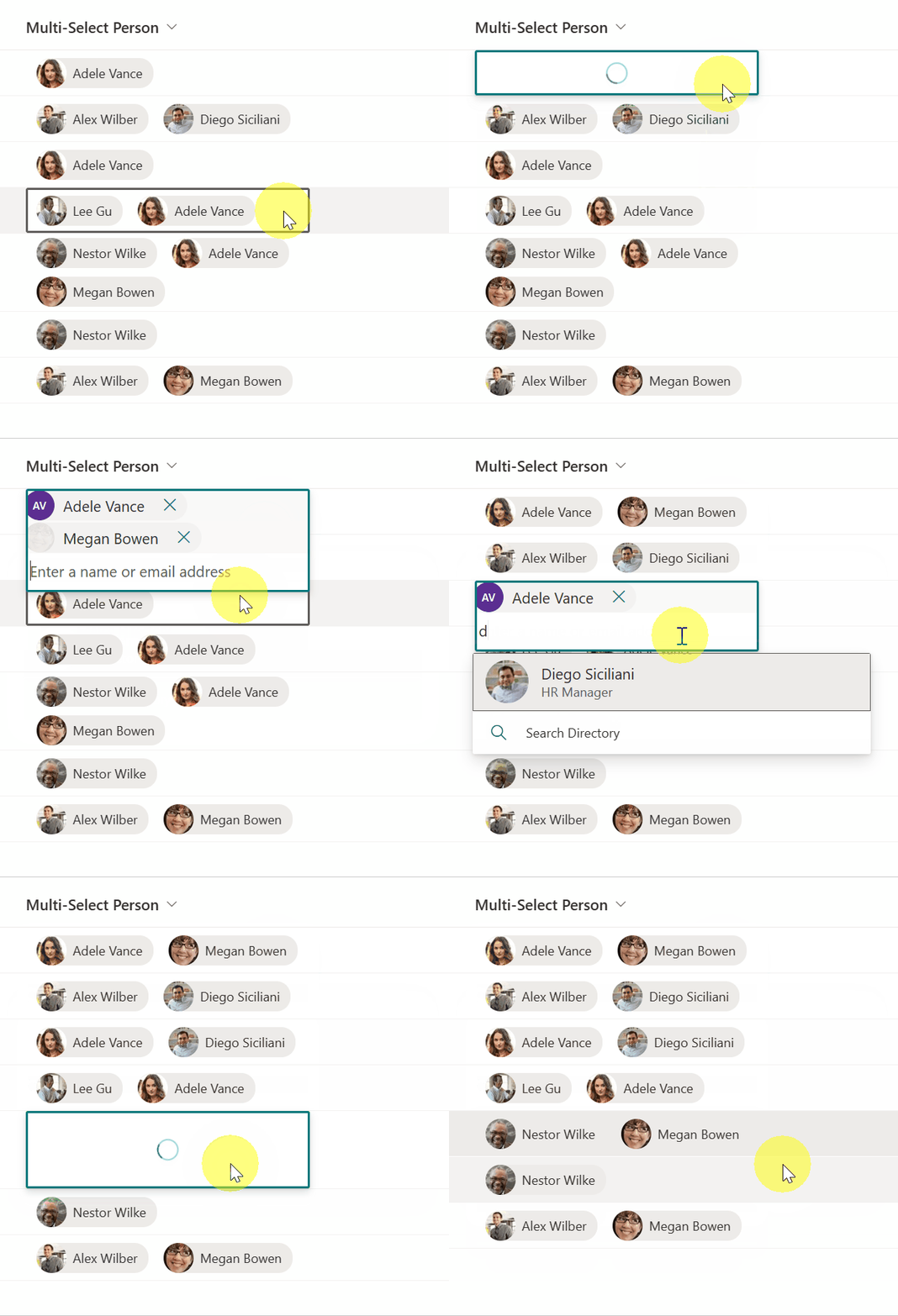
This sample provides a pill style for each person in a multi-select person field, whilst allowing inline edits.

Multi-Person inline edit pill formatting preview
Sample preview · View original animation

Copy. Apply. Make it yours.

Get this format

1 definition

Review the requirements below, then paste this JSON into the matching formatting panel. Show me where.

Use your list's internal column names and replace any tenant-specific URLs or flow IDs. Formatting is presentation, not a way to secure data.

Column formatting
Download JSON
{
  "$schema": "https://developer.microsoft.com/json-schemas/sp/v2/column-formatting.schema.json",
  "elmType": "div",
  "inlineEditField": "@currentField",
  "style": {
    "display": "flex",
    "flex-wrap": "wrap"
  },
  "children": [
    {
      "elmType": "div",
      "forEach": "person in @currentField",
      "style": {
        "display": "=if(@currentField,'flex','none')",
        "flex-direction": "row",
        "align-items": "center",
        "white-space": "nowrap",
        "border-radius": "13px",
        "margin": "4px",
        "margin-left": "10px"
      },
      "attributes": {
        "class": "ms-bgColor-neutralLight"
      },
      "defaultHoverField": "[$person]",
      "children": [
        {
          "elmType": "img",
          "style": {
            "width": "28px",
            "height": "28px",
            "border-radius": "50%"
          },
          "attributes": {
            "src": "=getUserImage([$person.email], 'small')"
          }
        },
        {
          "elmType": "div",
          "txtContent": "[$person.title]",
          "style": {
            "padding-left": "6px",
            "padding-right": "10px"
          },
          "attributes": {
            "class": "ms-fontColor-neutralPrimary"
          }
        }
      ]
    }
  ]
}

From the contributor

How to use this sample

Summary

This sample provides a "pill" style for each person in a multi-select person field, whilst allowing inline edits.

The sample demonstrates the use of the forEach property to apply a format for each value of an array (multi-select person fields).
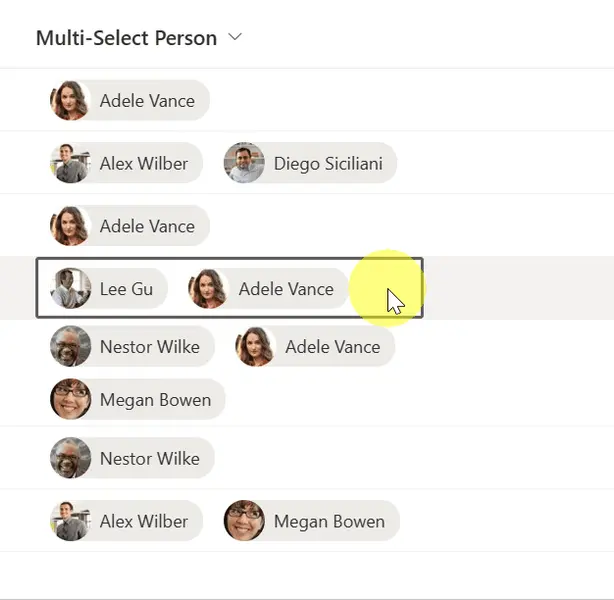
screenshot of the sample

View requirements

  • This format can be applied to a Multi-Select Person column
  • This format uses operators only available in SharePoint Online and cannot be used in SharePoint 2019

Sample

Solution Author(s)
multi-person-inlineedit-pill.json Hubert Lam

Version history

Version Date Comments
1.0 August 1, 2023 Initial release

Disclaimer

THIS CODE IS PROVIDED AS IS WITHOUT WARRANTY OF ANY KIND, EITHER EXPRESS OR IMPLIED, INCLUDING ANY IMPLIED WARRANTIES OF FITNESS FOR A PARTICULAR PURPOSE, MERCHANTABILITY, OR NON-INFRINGEMENT.


Additional notes