

From the contributor
How to use this sample
Summary
This sample displays a bar with multiple options. When an option on the bar is clicked, the Value column is updated to the corresponding value (0-4) using setValue.
The value is shown in an icon on the left and the progress bar color is based on the value.
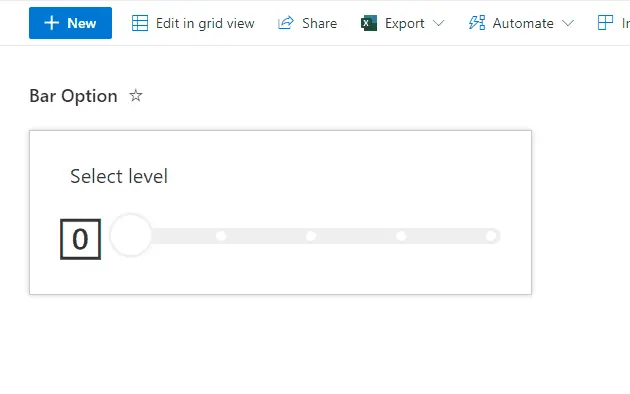
View requirements
- The format expect the following fields:
| Field | Type |
|---|---|
| Title | Single line of text |
| Value | Number - Default value 0 |
Sample
| Solution | Author(s) |
|---|---|
| bar-option-picker.json | André Lage |
Version history
| Version | Date | Comments |
|---|---|---|
| 1.0 | January 15, 2022 | Initial release |
Disclaimer
THIS CODE IS PROVIDED AS IS WITHOUT WARRANTY OF ANY KIND, EITHER EXPRESS OR IMPLIED, INCLUDING ANY IMPLIED WARRANTIES OF FITNESS FOR A PARTICULAR PURPOSE, MERCHANTABILITY, OR NON-INFRINGEMENT.