
From the contributor
How to use this sample
Summary
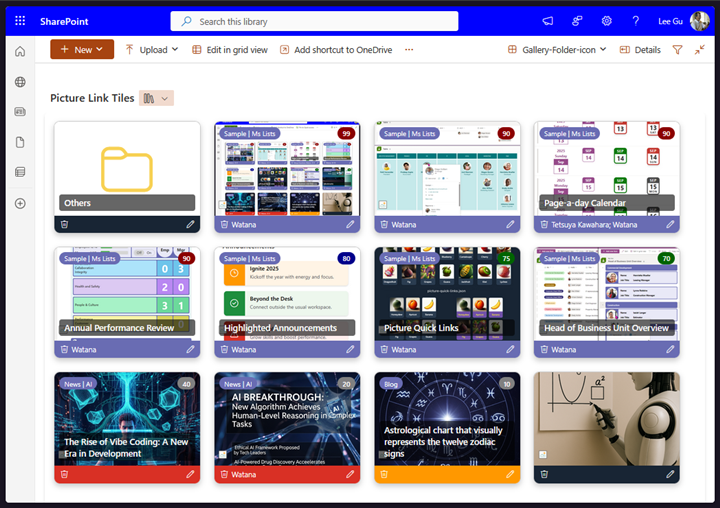
This sample turns each item into a card-style tile view in a SharePoint Document Library.
picture-link-tiles-doc-lib.json
Key features:
- Shows a file preview thumbnail. If a URL exists, clicking the preview opens the URL, otherwise, it opens the current file.
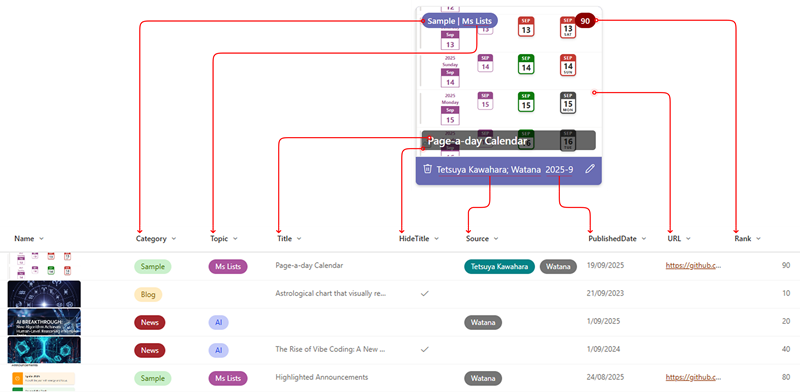
- Displays a Category | Topic badge on the top left, inline editable.
- Shows a Rank badge on the top right with background color based on value: >89 dark red, >79 dark blue, >49 dark green, else gray. Also inline editable.
- Displays the Title as an overlay, hidden if HideTitle is true or Title is empty. Also inline editable.
- Includes a footer with a delete button, source, published date, and an edit button.
- Changes the footer’s background color based on the category: Sample purple, News red, Blog orange, else dark blue.
[!NOTE] All columns must be included in the gallery view and an additional internal column name
Typefor checking folder.
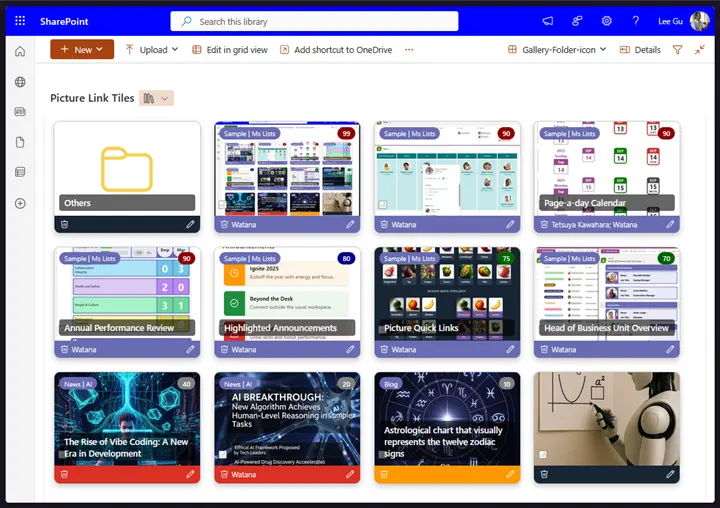
picture-link-tiles-doc-lib-minimal.json
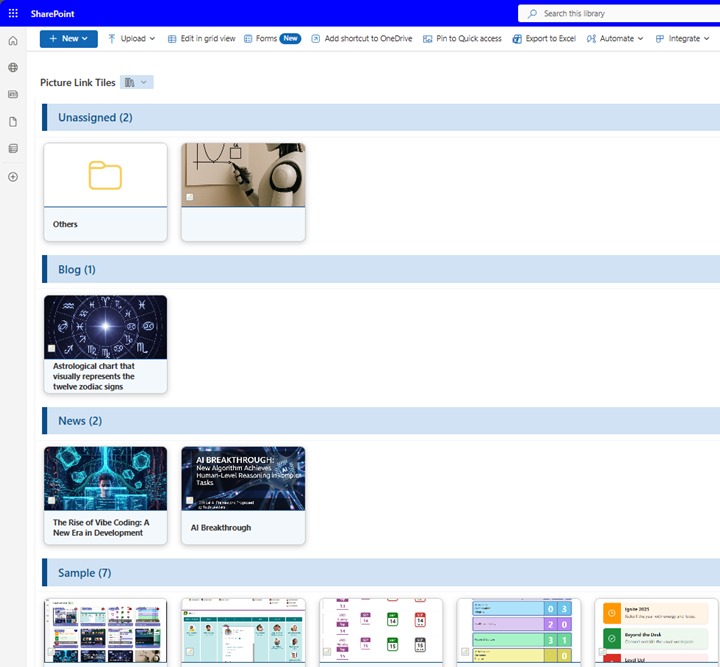
This sample displays card-style tiles grouped by category, with a basic click-to-open feature.
[!NOTE]
TitleandURLcolumns must be included in the gallery view and an additional internal column nameType.
View requirements
| Column Name | Type | Setting |
|---|---|---|
| Title | Single line of text | |
| URL | Hyperlink | |
| PublishedDate | Date and Time | Date only |
| Source | Choice | Allow multiple selections = Yes |
| Category | Choice | Sample, News, Blog,... |
| Topic | Choice | |
| Rank | Number | Number of decimal places = 0 |
| HideTitle | Yes/No | Default value = No |
Sample
| Solution | Author(s) |
|---|---|
| picture-link-tiles-doc-lib.json | Watana |
| picture-link-tiles-doc-lib-minimal.json | Watana |
Version history
| Version | Date | Comments |
|---|---|---|
| 1.0 | September 24, 2025 | Initial release. |
| 1.1 | October 25, 2025 | Added folder handling functionality. |
Disclaimer
THIS CODE IS PROVIDED AS IS WITHOUT WARRANTY OF ANY KIND, EITHER EXPRESS OR IMPLIED, INCLUDING ANY IMPLIED WARRANTIES OF FITNESS FOR A PARTICULAR PURPOSE, MERCHANTABILITY, OR NON-INFRINGEMENT.