
Back to view formats
View formattingSharePoint Online

Birthdays

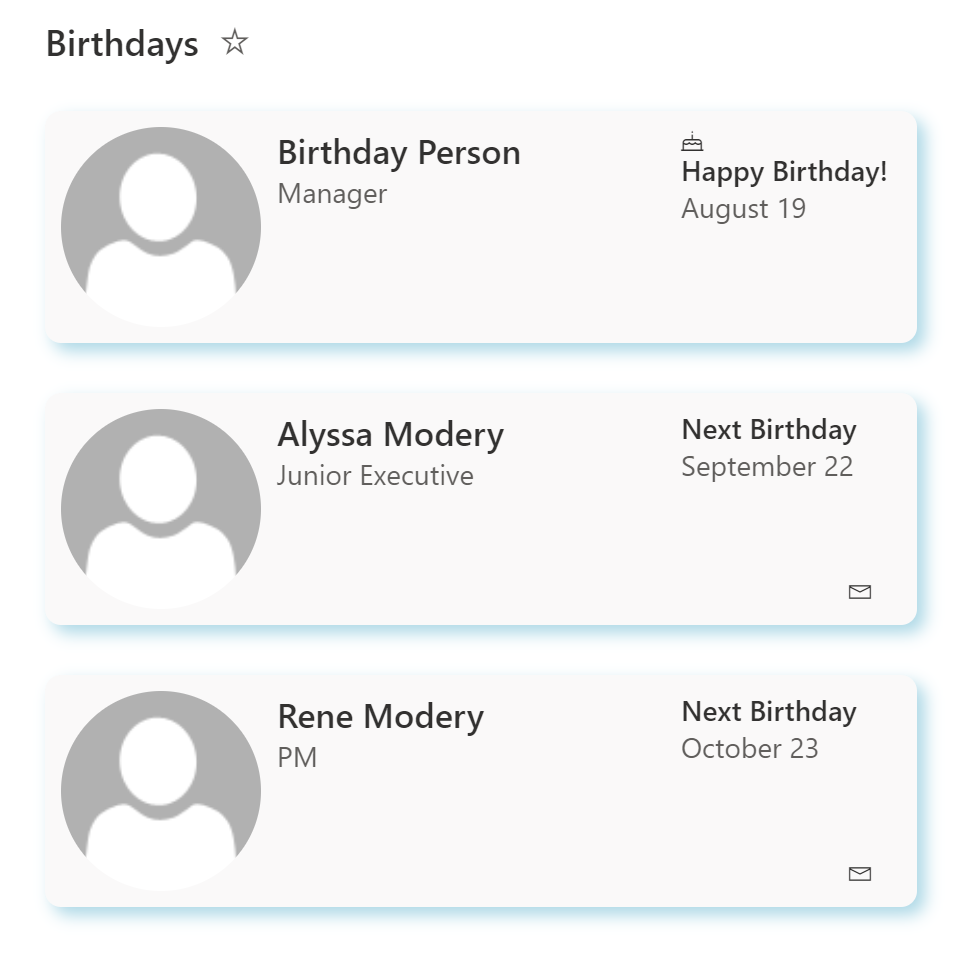
This sample shows how to format a list to show upcoming employee birthdays.

Birthdays formatting preview
Sample preview · View original image

Copy. Apply. Make it yours.

Get this format

1 definition

Review the requirements below, then paste this JSON into the matching formatting panel. Show me where.

Use your list's internal column names and replace any tenant-specific URLs or flow IDs. Formatting is presentation, not a way to secure data.

View formatting
Download JSON
{
  "$schema": "https://developer.microsoft.com/json-schemas/sp/v2/row-formatting.schema.json",
  "hideSelection": true,
  "hideListHeader": true,
  "rowFormatter": {
    "elmType": "div",
    "style": {
      "display": "flex",
      "flex-wrap": "wrap",
      "align-items": "stretch",
      "padding": "8px",
      "margin-bottom": "25px",
      "max-width": "420px",
      "border-radius": "8px",
      "box-shadow": "4px 4px 8px lightblue"
    },
    "attributes": {
      "class": "ms-bgColor-themeLighterAlt"
    },
    "children": [
      {
        "elmType": "div",
        "style": {
          "flex-grow": "1",
          "display": "flex",
          "flex-wrap": "wrap",
          "align-items": "stretch",
          "max-width": "310px"
        },
        "children": [
          {
            "elmType": "div",
            "style": {
              "flex": "none"
            },
            "children": [
              {
                "elmType": "div",
                "style": {
                  "width": "100px",
                  "height": "100px",
                  "overflow": "hidden",
                  "border-radius": "50%",
                  "margin-right": "8px"
                },
                "children": [
                  {
                    "elmType": "img",
                    "attributes": {
                      "src": "=if([$Picture] == '', @currentWeb + '/_layouts/15/userphoto.aspx?size=M', [$Picture])",
                      "title": "=if([$Picture] == '', 'No picture available', [$Picture.desc])"
                    },
                    "style": {
                      "position": "relative",
                      "top": "50%",
                      "left": "50%",
                      "width": "100%",
                      "height": "auto",
                      "margin-left": "-50%",
                      "margin-top": "-50%"
                    }
                  }
                ]
              }
            ]
          },
          {
            "elmType": "div",
            "style": {
              "flex-grow": "1",
              "display": "flex",
              "flex-direction": "column",
              "flex-wrap": "nowrap",
              "align-items": "stretch",
              "max-width": "200px"
            },
            "children": [
              {
                "elmType": "div",
                "style": {
                  "flex-grow": "1"
                },
                "children": [
                  {
                    "elmType": "span",
                    "txtContent": "[$Title]",
                    "style": {
                      "display": "block"
                    },
                    "attributes": {
                      "class": "ms-fontSize-l ms-fontWeight-semibold ms-fontColor-neutralPrimary"
                    }
                  },
                  {
                    "elmType": "span",
                    "txtContent": "[$JobTitle]",
                    "style": {
                      "display": "=if([$JobTitle] == '', 'none', 'block')"
                    },
                    "attributes": {
                      "class": "ms-fontSize-m ms-fontWeight-regular ms-fontColor-neutralSecondary"
                    }
                  }
                ]
              }
            ]
          }
        ]
      },
      {
        "elmType": "div",
        "style": {
          "display": "flex",
          "flex-direction": "column",
          "max-width": "310px",
          "min-width": "95px"
        },
        "children": [
          {
            "elmType": "div",
            "style": {
              "flex-grow": "1"
            },
            "children": [
              {
                "elmType": "span",
                "style": {
                  "display": "=if([$Birthday] <= @now,'block','none')"
                },
                "attributes": {
                  "iconName": "BirthdayCake"
                }
              },
              {
                "elmType": "span",
                "style": {
                  "display": "block"
                },
                "attributes": {
                  "class": "ms-fontWeight-semibold ms-fontSize-m"
                },
                "txtContent": "=if([$Birthday] <= @now,'Happy Birthday!', 'Next Birthday')"
              },
              {
                "elmType": "span",
                "style": {
                  "display": "=if([$Birthday] == '', 'none', 'block')",
                  "padding-left": "0px",
                  "font-size": "14px"
                },
                "txtContent": "[$BirthMonthDay]",
                "attributes": {
                  "class": "ms-fontSize-s ms-fontWeight-regular ms-fontColor-neutralSecondary"
                }
              },
              {
                "elmType": "span",
                "style": {
                  "display": "=if([$Birthday] == '', 'block', 'none')",
                  "padding-left": "8px"
                },
                "txtContent": "No Birthday Entered",
                "attributes": {
                  "class": "ms-fontSize-s ms-fontWeight-semilight ms-fontColor-neutralTertiary"
                }
              }
            ]
          },
          {
            "elmType": "div",
            "style": {
              "flex": "none",
              "display": "flex",
              "flex-direction": "row-reverse",
              "flex-wrap": "nowrap"
            },
            "children": [
              {
                "elmType": "a",
                "style": {
                  "display": "=if([$Email] == '', 'none', 'block')"
                },
                "attributes": {
                  "class": "ms-fontSize-xs ms-fontWeight-regular ms-fontColor-neutralPrimary ms-fontColor-themePrimary--hover",
                  "href": "='mailto:' + [$Email] + '?subject=Happy Birthday!\r\n'"
                },
                "children": [
                  {
                    "elmType": "span",
                    "attributes": {
                      "iconName": "Mail"
                    }
                  }
                ]
              }
            ]
          }
        ]
      }
    ]
  }
}

From the contributor

How to use this sample

Summary

This is a sample derived from the contact cards sample. It shows how to format a list to show upcoming employee birthdays. It features the following:

  • Responsive layout through flexbox
  • Conditionally showing a birthday cake icon if the persons birthday is the current date
  • Conditionally changing the text which shows based on if the persons birthday is the current date
  • Row Actions
    • Emailing the person with a pre-filled Happy Birthday Subject
  • Use of theme color classes to ensure the format displays as intended regardless of theme (light, dark, custom, etc.)
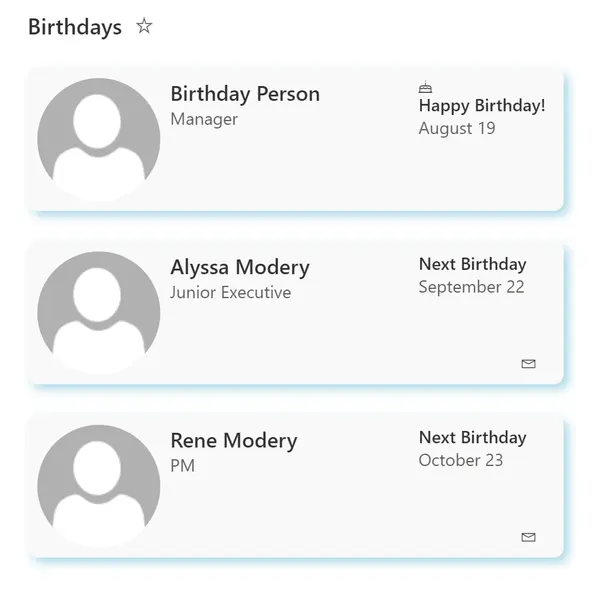
screenshot of the sample

View requirements

Type Internal Name Required
Single line of text Title Yes
Single line of text JobTitle
Single line of text Email
Date Time Birthday Yes
Calculated Column BirthMonthDay
Hyperlink Picture

You need the BirthMonthDay Calculated Column so that it only shows the current month name spelled out and date, not the year. The formula for this calculated column is below:

=CONCATENATE(TEXT(Birthday,"MMMM")," ",TEXT(Birthday,"DD"))

This sample relies on having a View set up which filters to only show items where the Birthday is greater than or equal to the current date. Make sure to apply the necessary filters in your view for this to work.
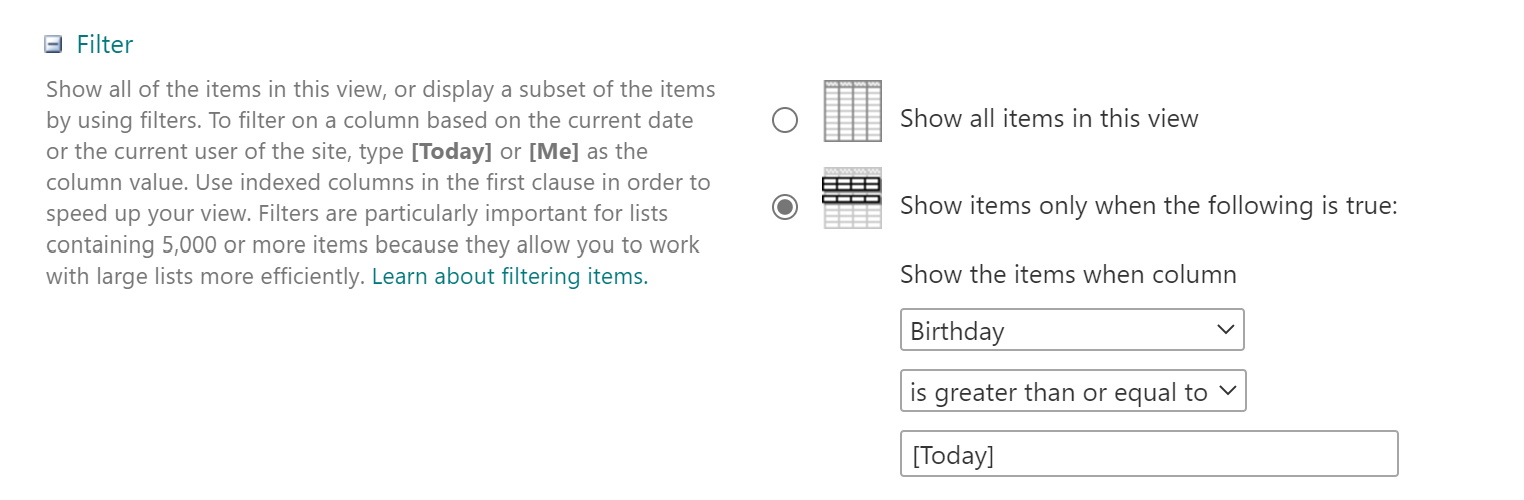
Birthday Filter Screenshot

To make this a truly automated process, you can use Microsoft Flow to pull Birthday information from your Office 365 User Profiles and populate the SharePoint list with those values. This is a good blog post which shows how to do that: Celebrating milestones with SharePoint, Flow, and Delve

Sample

Solution Author(s)
birthdays.json April Dunnam

Version history

Version Date Comments
1.0 February 20, 2019 Initial release
2.0 August 20, 2021 Screenshot added

Disclaimer

THIS CODE IS PROVIDED AS IS WITHOUT WARRANTY OF ANY KIND, EITHER EXPRESS OR IMPLIED, INCLUDING ANY IMPLIED WARRANTIES OF FITNESS FOR A PARTICULAR PURPOSE, MERCHANTABILITY, OR NON-INFRINGEMENT.