
From the contributor
How to use this sample
Summary
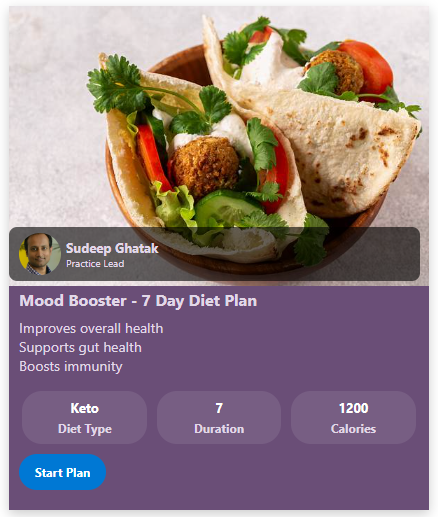
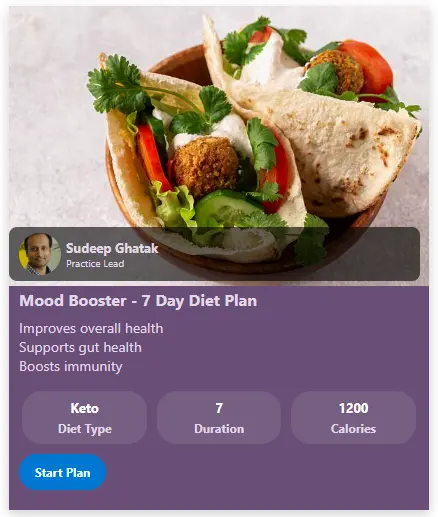
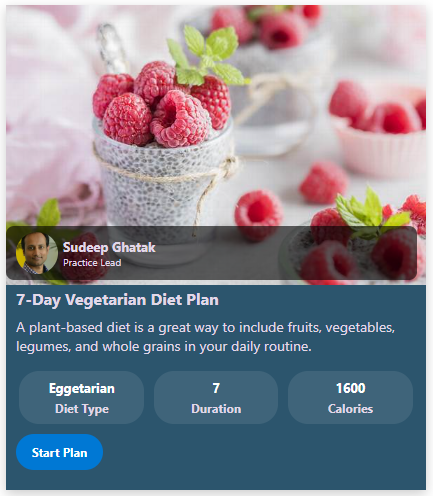
This SharePoint JSON view formatting sample transforms your list items into rich, visually appealing diet plan cards. Each card highlights a meal or plan with a banner image, author details, key nutritional values, and a prominent call-to-action button. This layout is ideal for health & wellness portals, employee fitness programs, or meal planning lists.
View requirements
📝 Recommended SharePoint List Columns
| Column Name | Type | Description |
|---|---|---|
| Title | Single line of text | Name of the meal or plan |
| BannerImageUrl | Single line of text | URL to the header image |
| Author | Person or Group | Creator of the plan |
| Benefits | Multiple lines of text | Key benefits of the plan |
| DietType | Choice | Type of diet (e.g., Keto, Vegan) |
| Duration | Number | Duration in days or weeks |
| Calories | Number | Caloric value |
| PlanLink | Hyperlink or Picture | Link to full plan details |
| BackgroundColor | Single line of text | Background color for the card |
| ButtonBackgroundColor | Single line of text | Background color for the metric buttons |
| ForegroundColor | Single line of text | Text/icon color inside the metric buttons |
A PowerShell Script (Create List.ps1) has been provided in the assets folder to provision the list for you.
Note: This script uses PnP PowerShell and requires an environment ready for PnP PowerShell.
Sample
| Solution | Author(s) |
|---|---|
| diet-plan-card.json | Sudeep Ghatak |
Version history
| Version | Date | Comments |
|---|---|---|
| 1.0 | May 03, 2025 | Initial release |
Disclaimer
THIS CODE IS PROVIDED AS IS WITHOUT WARRANTY OF ANY KIND, EITHER EXPRESS OR IMPLIED, INCLUDING ANY IMPLIED WARRANTIES OF FITNESS FOR A PARTICULAR PURPOSE, MERCHANTABILITY, OR NON-INFRINGEMENT.
Additional notes
- This sample also includes command bar customization, and the "Add new item" button will be hidden.