
From the contributor
How to use this sample
Summary
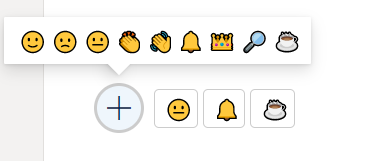
This sample demonstrates reacting with an emoji. Who reacted and the total counts per reaction are stored with the list item.
Two versions are provided. The first, emoji-reactions.json, displays the reactions of the current user and allows them to react. The section, emoji-reactions-count.json, displays reactions from all users and the count of each reaction type.
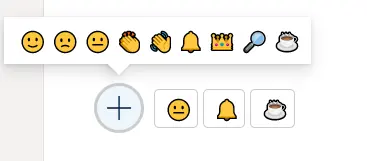
emoji-reactions-count.json
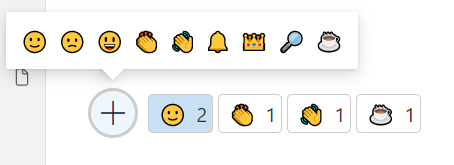
- Below provides how the counting board is organized by users.
View requirements
- The format expect the following fields:
| Field | Type |
|---|---|
| Title | Single line of text |
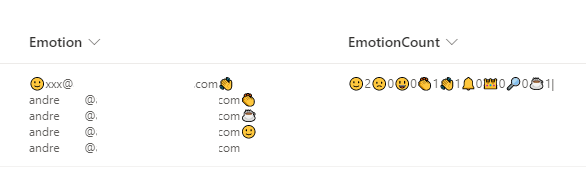
| Emotion | Multiple line of text - Stores reactions for users |
| EmotionCount | Single line of text - Stores count of reactions |
Here's how the storage looks behind the scenes:
Sample
| Solution | Author(s) |
|---|---|
| emoji-reactions.json | André Lage |
| emoji-reactions-count.json | André Lage |
Version history
| Version | Date | Comments |
|---|---|---|
| 1.0 | January 12, 2022 | Initial release |
Disclaimer
THIS CODE IS PROVIDED AS IS WITHOUT WARRANTY OF ANY KIND, EITHER EXPRESS OR IMPLIED, INCLUDING ANY IMPLIED WARRANTIES OF FITNESS FOR A PARTICULAR PURPOSE, MERCHANTABILITY, OR NON-INFRINGEMENT.
Additional notes
None